مقدمة
This manual provides detailed instructions for the setup, operation, and maintenance of your MARATHON Travel and Desktop Alarm Clock, Model CL030023. Please read this manual thoroughly before using the device to ensure proper function and longevity.

The MARATHON Travel Alarm Clock features an easy-to-read display with a backlight, designed for convenience during travel.
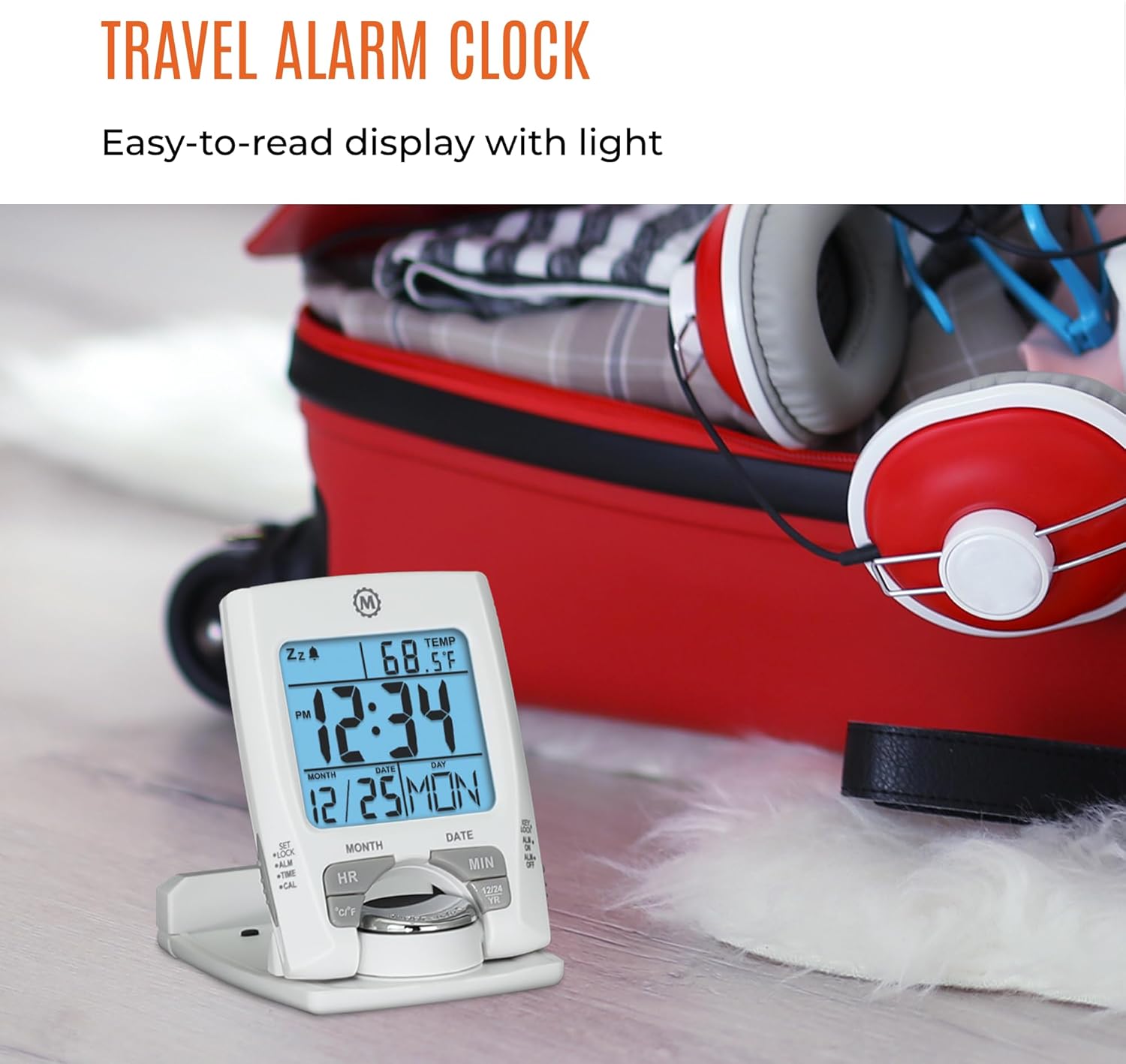
أمام view of the MARATHON Travel and Desktop Alarm Clock, displaying current time, date, and indoor temperature.
التحكم والعرضview
Familiarize yourself with the clock's buttons and display elements:
- SET/LOCK/ALM/TIME/CAL Button: Used to enter setting modes for time, alarm, and calendar, and to lock settings.
- زر الموارد البشرية (الساعة): Adjusts the hour in setting modes.
- زر الدقائق (MIN): Adjusts the minute in setting modes.
- زر ° C / ° F: يُبدّل بين عرض درجة الحرارة بالدرجة المئوية والفهرنهايتية.
- 12/24 YR Button: Toggles between 12-hour and 24-hour time format, and adjusts the year in calendar setting.
- زر الإضاءة/التأجيل: Activates the backlight and the snooze function when the alarm sounds.
- ALM ON/OFF Switch: يقوم بتفعيل أو تعطيل جهاز الإنذار.

Close-up of the control buttons located on the front and side of the alarm clock.
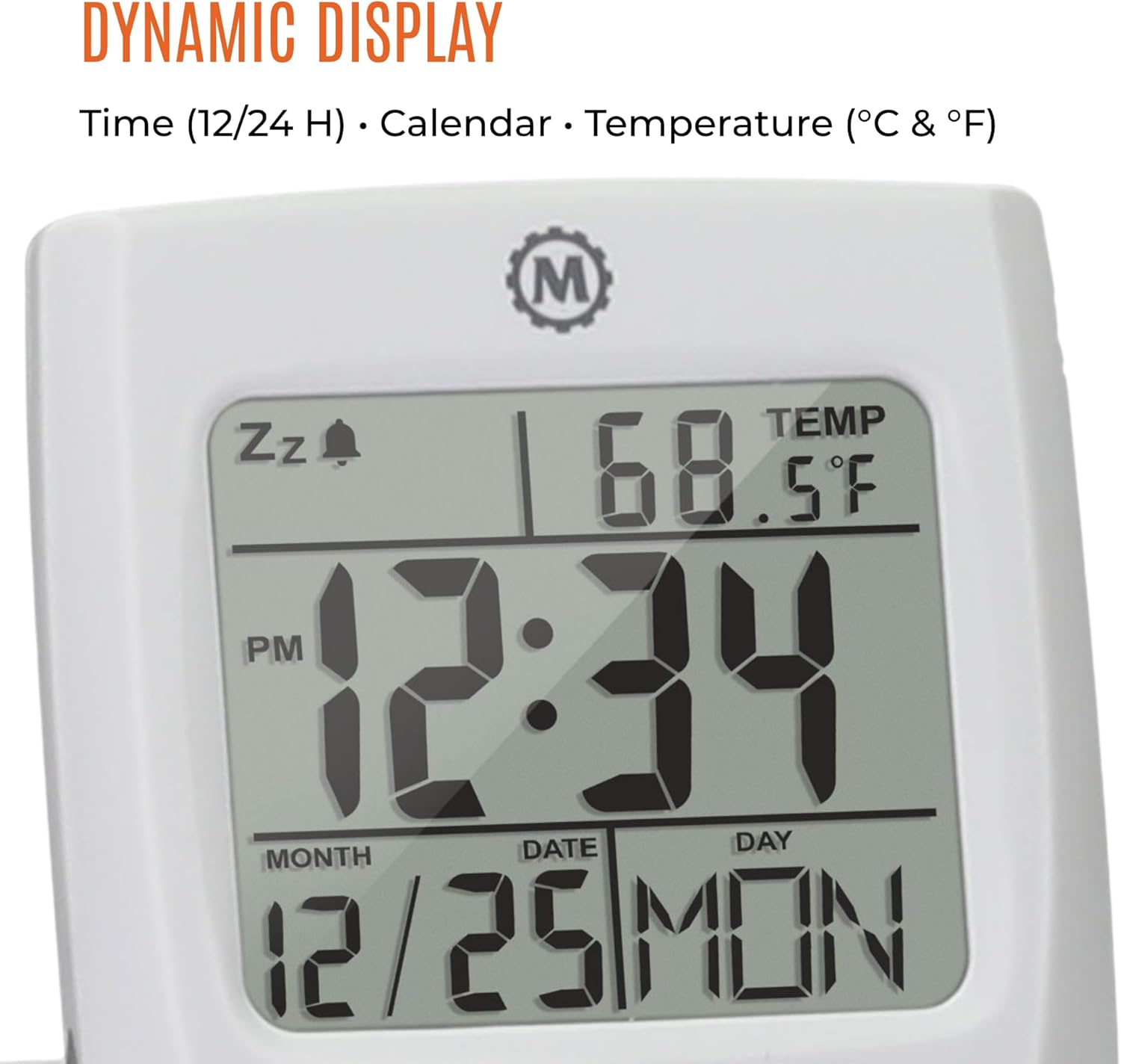
The dynamic display shows time, calendar information (month, date, day), and indoor temperature.
يثبت
1. تركيب البطارية
- حدد مكان حجرة البطارية على الجزء الخلفي من الساعة.
- افتح غطاء حجرة البطارية.
- أدخل بطارية AAA واحدة، مع التأكد من القطبية الصحيحة (+/-).
- أغلق غطاء حجرة البطارية جيدًا.
2. إعداد الوقت والتاريخ الأولي
- اضغط مع الاستمرار على تعيين اضغط على الزر حتى يبدأ عرض الوقت في الوميض.
- استخدم HR و مين buttons to set the current hour and minute.
- يضعط تعيين again to move to the date setting. Use HR و مين to set the month, date, and year. The 12/24 YR button can be used to adjust the year.
- يضعط تعيين once more to confirm and exit the setting mode.
3. Setting 12/24-Hour Format and Temperature Unit
- To switch between 12-hour and 24-hour time display, press the 12/24 YR button when not in setting mode.
- To switch between Celsius (°C) and Fahrenheit (°F) temperature display, press the ° C / ° F زر.
تعليمات التشغيل
1. ضبط المنبه
- حرك ALM ON/OFF switch to the 'ON' position. An alarm icon will appear on the display.
- اضغط مع الاستمرار على ALM اضغط على الزر حتى يبدأ وقت التنبيه بالوميض.
- استخدم HR و مين أزرار لضبط وقت التنبيه الذي ترغب فيه.
- يضعط ALM again to confirm and exit the alarm setting mode.
2. استخدام وظيفة الغفوة
عندما يصدر صوت التنبيه، اضغط على الزر الكبير Light/Snooze button to activate the snooze function. The alarm will temporarily stop and sound again after a few minutes.
3. Activating the Backlight
اضغط على كبير Light/Snooze button to illuminate the display for approximately five seconds. This provides maximum illumination while being gentle on the eyes.
4. Folding and Positioning
The clock features a built-in stand. To position the clock, flip out the stand and rotate the clock face 180 degrees. This allows for stable placement on a desk or bedside table, and makes it compact for travel.

The compact design of the alarm clock makes it easy to hold and transport.
صيانة
استبدال البطارية
When the display dims or the clock stops functioning, it is time to replace the AAA battery. Follow the battery installation steps in the Setup section. The clock's low power consumption ensures a maximum lifespan for the included AAA battery.
تنظيف
Wipe the clock with a soft, dry cloth. Avoid using abrasive cleaners or solvents, as these may damage the display or casing.
استكشاف الأخطاء وإصلاحها
- العرض فارغ أو باهت: استبدل بطارية AAA. تأكد من إدخال البطارية بالقطبية الصحيحة.
- إنذار لا يصدر صوتا: تحقق مما إذا كان ALM ON/OFF switch is in the 'ON' position. Verify the alarm time is set correctly.
- وقت أو تاريخ غير صحيح: أعد إدخال إعدادات الوقت والتاريخ كما هو موضح في قسم الإعداد.
- قراءة درجة الحرارة غير دقيقة: Ensure the clock is placed in an area with stable ambient temperature, away from direct heat sources or drafts.
تحديد
| ميزة | التفاصيل |
|---|---|
| ماركة | ماراثون |
| رقم الموديل | سي إل 030023 |
| لون | أبيض |
| نوع العرض | رقمي |
| ميزة خاصة | قابلة للطي |
| أبعاد المنتج | 2.5 بوصة عرض × 4 بوصة ارتفاع |
| مصدر الطاقة | تعمل بالبطارية (بطارية AAA واحدة متضمنة) |
| نوع الغرفة | غرفة نوم |
| نوع التركيب | سطح الطاولة |
| وزن العنصر | 4 أونصات |
| منبه | نعم |
| مادة | بلاستيك |
الضمان والدعم
This MARATHON product comes with a ضمان محدود. For specific details regarding warranty coverage, terms, and conditions, please refer to the warranty card included with your purchase or visit the official MARATHON webموقع.
For technical support, troubleshooting assistance, or inquiries about your product, please contact MARATHON customer service through their official channels.
About MARATHON
MARATHON has been manufacturing precision timing instruments since 1941. The company continues its legacy by combining modern design with Swiss engineering and craftsmanship to produce high-quality products. MARATHON is a family-owned and operated business, committed to providing reliable tools.
Official video detailing the 80-year history of Marathon Watch Company, highlighting its Canadian roots, military supply, and Swiss craftsmanship in watchmaking.


