مقدمة
Welcome and thank you for choosing the AUNA CM280 USB Condenser Microphone. This manual provides essential information for setting up, operating, and maintaining your microphone. Please read it thoroughly to ensure proper use and to maximize your recording experience.
The AUNA CM280 is a high-quality USB studio microphone designed for recording, podcasting, and other audio applications. It features a 32mm electric membrane, a cardioid polar pattern, and a direct monitoring headphone output. Its plug-and-play compatibility with Windows and macOS ensures easy setup without the need for manual driver installation.
معلومات السلامة
لتجنب التلف وضمان التشغيل الآمن، يرجى مراعاة احتياطات السلامة التالية:
- Do not expose the microphone to water, moisture, or extreme temperatures.
- تجنب إسقاط الميكروفون أو تعريضه لصدمات قوية.
- Do not attempt to open or modify the microphone. Refer all servicing to qualified personnel.
- Use only the provided USB cable for connection and power.
- أبقِ الميكروفون بعيدًا عن المجالات المغناطيسية القوية.
- Clean the microphone with a soft, dry cloth. Do not use liquid cleaners.
محتويات الحزمة
Carefully unpack your AUNA CM280 microphone and ensure all items are present:
- AUNA CM280 Microphone Unit
- حامل ثلاثي للطاولة
- كابل يو اس بي
- Transport Pouch
- دليل المستخدم (باللغتين الألمانية والإنجليزية)

Image: The AUNA CM280 microphone shown with its table tripod, USB connection cable, and a soft blue transport pouch.
المنتج انتهىview
Familiarize yourself with the main components and features of your AUNA CM280 microphone:
- 32mm Electric Membrane: High-quality condenser capsule for clear audio capture.
- نمط قطبي قلبي: Primarily picks up sound from the front, reducing unwanted noise from the sides and rear.
- منفذ USB: For connecting to your computer and receiving power.
- مخرج سماعة رأس 3.5 ملم: For direct, latency-free monitoring of your audio.
- التحكم في مستوى صوت سماعة الرأس: Adjust the monitoring level directly on the microphone.
- Mute Circuit: Quickly mute the microphone output.
- مؤشر LED للحالة: Indicates microphone status (ready, mute, overdrive).
- Integrated Wind Protection: Helps reduce plosives and breath noise.
- خيط الحامل الثلاثي 5/8 بوصة: For mounting on the included table tripod or other compatible stands.
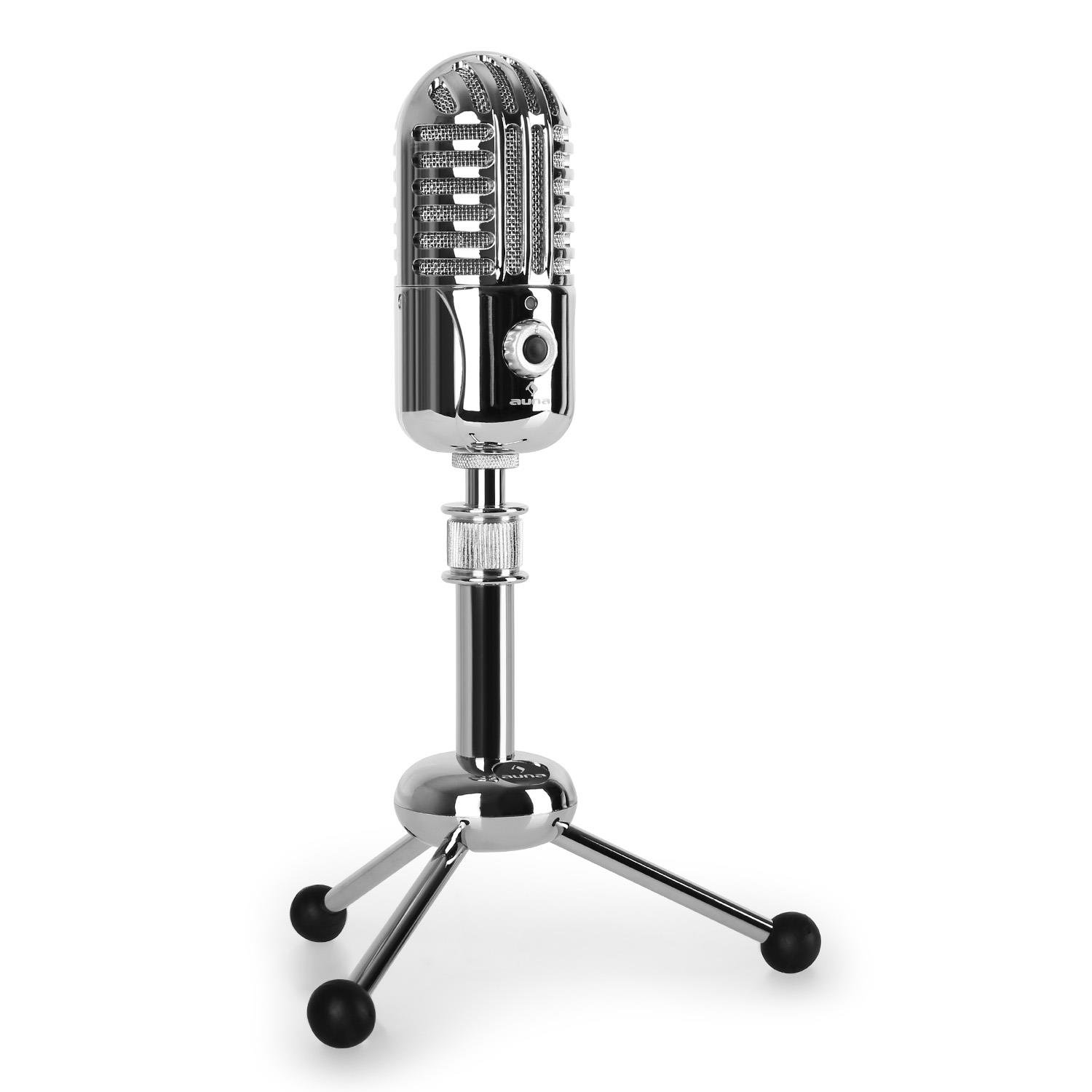
الصورة: الجبهة view of the AUNA CM280 microphone on its stand.

الصورة: الخلفية view of the AUNA CM280 microphone, highlighting the USB connection port and the 3.5mm headphone output for direct monitoring.
الإعداد والتثبيت
1. الاتصال بجهاز الكمبيوتر الخاص بك
- Place the AUNA CM280 microphone on a stable surface using the included table tripod.
- Connect one end of the supplied USB cable to the USB port on the back of the microphone.
- قم بتوصيل الطرف الآخر من كابل USB بمنفذ USB متاح على جهاز الكمبيوتر الخاص بك (Windows PC أو Mac).
2. تثبيت برنامج التشغيل
The AUNA CM280 is a Plug & Play device. Your operating system (Windows or macOS) will automatically detect and install the necessary drivers upon connection. No manual driver installation is required.
3. Initial Configuration (Windows/macOS)
After connecting, you may need to select the AUNA CM280 as your default audio input and output device in your system settings and recording software.
- الويندوز: Go to Control Panel > Sound > Recording tab. Select "AUNA CM280" as the default device. In the Playback tab, you can also select it for headphone monitoring.
- ماك: Go to System Preferences > Sound > Input tab. Select "AUNA CM280". Do the same in the Output tab for headphone monitoring.
Ensure your recording software (e.g., Audacity, GarageBand, OBS) is also configured to use the AUNA CM280 as its audio input device.
تعليمات التشغيل
وضع الميكروفون
For optimal sound quality, position the microphone directly in front of the sound source (e.g., your mouth) within a few inches. The cardioid polar pattern means it is most sensitive to sounds coming from the front.
مراقبة سماعة الرأس
Connect your headphones to the 3.5mm jack on the back of the microphone. Use the headphone volume control knob on the microphone to adjust your monitoring level. This provides direct, latency-free monitoring of your audio.
وظيفة كتم الصوت
The microphone features a mute circuit. Press the dedicated button (if available, or refer to the specific control on your model) to mute or unmute the microphone. This is useful for temporary pauses during recording or calls.
مؤشرات LED للحالة
The microphone's status LED provides visual feedback:
- أزرق: Microphone is ready for use.
- الأصفر: تم كتم صوت الميكروفون.
- أحمر: Indicates an overdrive or clipping signal. Adjust your input gain or move further from the microphone to prevent distortion.
نصائح حول التسجيل
- صوتيات الغرفة: سجل في بيئة هادئة لتقليل الضوضاء المحيطة.
- مرشح فرقعة: Consider using an external pop filter to further reduce plosive sounds (P, B) and protect the microphone capsule.
- كسب S.tagعمل: Set your input gain in your software to a level where the signal is strong but does not peak into the red (overdrive).
الصيانة والعناية
Proper care will extend the life of your AUNA CM280 microphone:
- تنظيف: Wipe the microphone body with a soft, dry, lint-free cloth. Do not use abrasive cleaners, solvents, or chemical sprays.
- تخزين: When not in use, store the microphone in its transport pouch to protect it from dust and scratches. Keep it in a cool, dry place.
- التعامل: Always handle the microphone with care. Avoid touching the microphone grille directly.
استكشاف الأخطاء وإصلاحها
If you encounter issues with your AUNA CM280 microphone, try the following solutions:
- لا يوجد صوت/لم يتم اكتشاف الميكروفون:
- تأكد من توصيل كابل USB بشكل آمن بكل من الميكروفون وجهاز الكمبيوتر الخاص بك.
- جرب منفذ USB مختلفًا على جهاز الكمبيوتر الخاص بك.
- أعد تشغيل الكمبيوتر الخاص بك.
- Verify that the AUNA CM280 is selected as the default input device in your operating system's sound settings and your recording software.
- جودة صوت رديئة/تشويش:
- Check the status LED. If it's red, the signal is overdriving. Reduce the input gain in your software or move further from the microphone.
- Ensure the microphone is positioned correctly and not too close to the sound source.
- Check for environmental noise or vibrations that might be picked up.
- مشاكل مراقبة سماعات الرأس:
- تأكد من توصيل سماعات الرأس بالكامل بمقبس 3.5 ملم.
- اضبط مستوى صوت سماعة الرأس الموجود على الميكروفون.
- Verify that the AUNA CM280 is selected as the output device for monitoring in your system's sound settings or recording software.
المواصفات الفنية
| ميزة | مواصفة |
|---|---|
| الاتصالات | USB port, 3.5 mm headphone jack |
| تثبيت برنامج التشغيل | Automatic (Plug & Play) |
| استجابة التردد | 20 هرتز – 20 كيلو هرتز |
| الحد الأقصى لضغط الصوت | 120 ديسيبل |
| إشارة إلى نسبة الضوضاء | 96 ديسيبل |
| D/A-A/D Converter | 44.1/48 kHz, 16 bit |
| حجم صوت سماعة الرأس | قابل للتعديل |
| دائرة كتم الصوت | نعم |
| ترايبود الموضوع | 5/8 بوصة |
| حالة الصمام | Three colors (Blue: Ready, Yellow: Mute, Red: Overdrive) |
| مزود الطاقة | عبر USB |
| مادة | المعدن، البولي كربونات |
| وزن | 300 جرام |
| الأبعاد (الطول × العرض × الارتفاع) | 50 × 50 × 110 ملم |
| النمط القطبي | أحادي الاتجاه (قلبي الشكل) |
| الأجهزة المتوافقة | كمبيوتر شخصي، كمبيوتر محمول |
الضمان والدعم
AUNA products are designed for reliability and performance. For information regarding warranty coverage, technical support, or service, please refer to the warranty card included with your product or visit the official AUNA webالموقع. احتفظ بإثبات الشراء الخاص بك لتقديم مطالبات الضمان.


