1. المقدمة
This manual provides essential instructions for the safe operation and maintenance of your VTech VM333 Safe & Sound Video Baby Monitor. Please read this manual thoroughly before using the product to ensure proper setup and functionality. The VTech VM333 is designed to help you monitor your baby with a high-resolution color LCD screen, automatic night vision, and two-way audio communication.
2. انتهى المنتجview
The VTech VM333 system includes a Parent Unit (monitor) and a Baby Unit (camera). Familiarize yourself with the components and controls of each unit.
2.1. Parent Unit
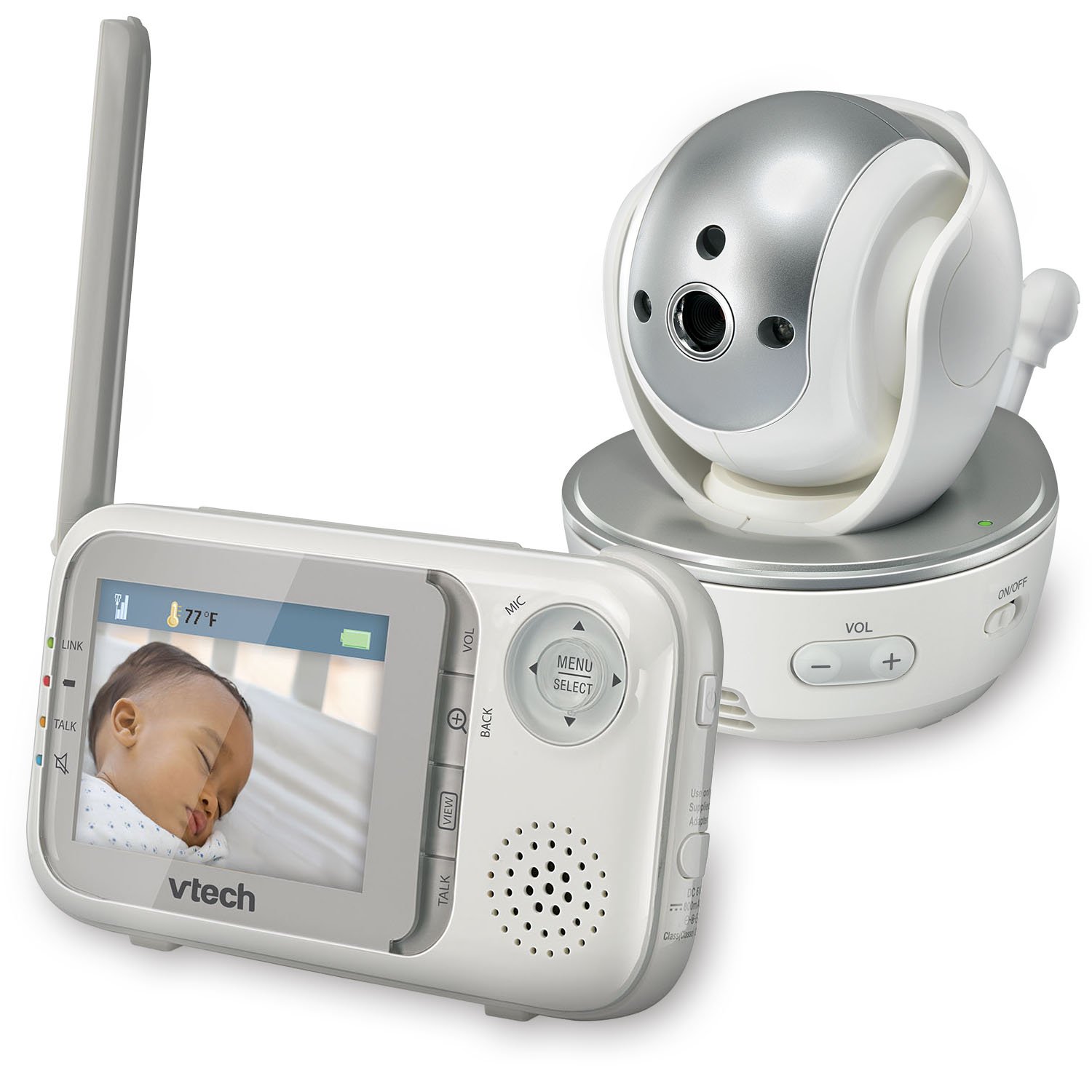
الصورة: الجبهة view of the VTech VM333 Parent Unit.
- شاشة LCD ملونة مقاس 2.8 بوصة: Displays live video feed from the Baby Unit.
- MENU/SELECT Button: الوصول إلى خيارات القائمة وتأكيد الاختيارات.
- أسهم الاتجاهات (أعلى/أسفل/يسار/يمين): Navigates menus and controls camera pan/tilt.
- ZOOM Button (+/-): Magnifies the video image.
- زر التحدث: Activates two-way audio communication.
- أزرار التحكم في مستوى الصوت (+/-): Adjusts the Parent Unit speaker volume.
- مؤشر الرابط: Shows connection status between units.
- مؤشر البطارية: يعرض مستوى البطارية الحالي.
- عرض درجة الحرارة: Shows the temperature detected by the Baby Unit.
2.2. وحدة الطفل (الكاميرا)

الصورة: الجبهة view of the VTech VM333 Baby Unit camera.
- عدسة الكاميرا: يلتقط الفيديو.
- مصابيح الأشعة تحت الحمراء: Provide night vision in low light conditions.
- ميكروفون: Detects sound from the baby's room.
- المتحدث: للاتصال الصوتي ثنائي الاتجاه.
- مستشعر درجة الحرارة: مراقبة درجة حرارة الغرفة.
- مفتاح التشغيل / الإيقاف: Turns the Baby Unit on or off.
- مقبس الكهرباء: يتصل بمحول الطاقة.

الصورة: الجانب view of the VTech VM333 Baby Unit, illustrating the wall-mount bracket.
3. الإعداد
3.1. تشغيل الوحدات
- ربط وحدة الطفل: Plug the small end of the power adapter into the power jack on the back of the Baby Unit. Plug the large end into a wall outlet.
- Connect the Parent Unit: Plug the small end of the power adapter into the power jack on the side of the Parent Unit. Plug the large end into a wall outlet. The Parent Unit battery will begin charging.
- تشغيل: Slide the ON/OFF switch on the Baby Unit to the ON position. Press and hold the POWER button on the Parent Unit until the screen turns on.
The units are pre-linked. If they do not link automatically, refer to the "Troubleshooting" section for re-pairing instructions.
3.2. وضع وحدة الطفل (الكاميرا)
Place the Baby Unit at least 3 feet (1 meter) away from your baby to avoid potential hazards. Ensure the camera is positioned to capture the desired viewing area. Avoid placing the Baby Unit where it can be easily reached by children.
- For optimal performance, place the Baby Unit on a flat surface or mount it to a wall using the included wall-mount bracket.
- Keep the Baby Unit and Parent Unit within range (up to 1,000 feet / 300 meters in open space). Obstacles like walls and furniture can reduce the range.
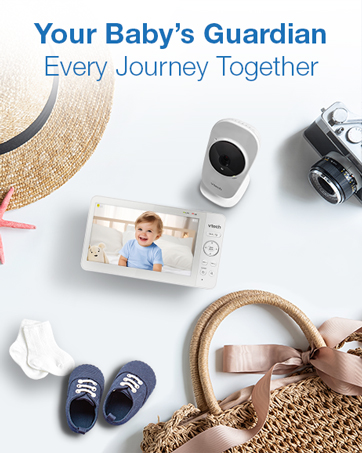
Image: Proper placement of the Baby Unit near a crib.
4. التشغيل
4.1. المراقبة الأساسية
Once both units are powered on and linked, the Parent Unit will display live video from the Baby Unit. Adjust the volume using the المجلد + و المجلد - buttons on the Parent Unit.
4.2. التحريك والإمالة والتكبير
The Baby Unit camera can be remotely controlled from the Parent Unit to adjust its viewing angle and zoom level.
- التحريك/الإمالة: استخدم سهام الاتجاه (Up, Down, Left, Right) on the Parent Unit to move the camera lens horizontally (up to 270 degrees) and vertically (up to 124 degrees).
- تكبير: اضغط على تكبير + button to zoom in (2x magnification) and ZOOM - للتصغير.
Video: Demonstration of the VTech VM333's pan, tilt, and zoom features, showing remote camera control from the Parent Unit.
4.3. محادثة ثنائية الاتجاه
You can speak to your baby through the Baby Unit's speaker.
- اضغط مع الاستمرار على يتحدث زر على الوحدة الرئيسية.
- تحدث بوضوح في الميكروفون الموجود على وحدة الوالدين.
- أطلق سراح يتحدث button to stop speaking and hear your baby again.

Image: Using the two-way talk feature on the Parent Unit.
4.4. Automatic IR Night Vision
The Baby Unit is equipped with infrared LEDs that automatically activate in low light conditions, providing a clear black and white video image of your baby in the dark.
Image: The Baby Unit operating in night vision mode.
4.5. Sound Activation Mode
This mode allows the Parent Unit screen to turn off automatically to save power and reduce light disturbance, and then turn back on when sounds are detected from the Baby Unit.
- اضغط على القائمة/الاختيار زر على الوحدة الرئيسية.
- انتقل إلى حساسية VOX or تنشيط الصوت جلسة.
- Select your desired sound sensitivity level. A higher sensitivity will activate the screen with softer sounds.
Image: Parent Unit displaying the sound activation icon.
4.6. Temperature Monitoring and Alerts
The Baby Unit monitors the room temperature and displays it on the Parent Unit screen. You can set alerts for temperature deviations.
- اضغط على القائمة/الاختيار زر.
- انتقل إلى تنبيه درجة الحرارة إعدادات.
- Set your desired minimum and maximum temperature thresholds. The Parent Unit will beep if the temperature goes outside this range.
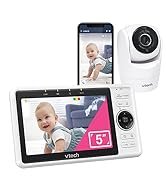
Image: Parent Unit displaying room temperature.
4.7. Multiple Camera Monitoring (Expandable System)
The VM333 system supports up to four cameras (additional cameras sold separately). You can view multiple cameras in different modes.
- أعزب View: Displays video from one camera at a time. Use the VIEW button to cycle through connected cameras.
- ينقسم View: Displays video from multiple cameras simultaneously on a split screen.
- وضع الدورية: Automatically cycles through all connected cameras, displaying each for a few seconds.
Video: Demonstration of multi-camera viewing modes, including single view، ينقسم view, and patrol mode.
5. الصيانة
- تنظيف: Clean the surfaces of the Parent Unit and Baby Unit with a soft, damp قطعة قماش. لا تستخدم بخاخات التنظيف أو المنظفات السائلة.
- العناية بالبطارية: The Parent Unit uses a rechargeable Lithium-Ion battery. For optimal battery life, fully charge the unit before first use. Avoid extreme temperatures. If storing the unit for an extended period, remove the battery.
- العناية بالعدسة: Keep the camera lens clean to ensure clear video quality. Use a soft, lint-free cloth to gently wipe the lens if needed.
6. استكشاف الأخطاء وإصلاحها
| مشكلة | حل |
|---|---|
| No video/audio on Parent Unit. |
|
| جودة الفيديو سيئة. |
|
| Parent Unit beeps (low battery, out of range, temperature). |
|
| التداخل مع الأجهزة الأخرى. |
|
7. المواصفات
| ميزة | التفاصيل |
|---|---|
| رقم الموديل | في ام 333 |
| حجم الشاشة | 2.8 بوصة (شاشة LCD) |
| التكنولوجيا اللاسلكية | 2.4 GHz FHSS digital transmission |
| يتراوح | مساحة مفتوحة تصل إلى 1,000 قدم (300 متر) |
| زاوية عموم | Up to 270 degrees horizontal |
| زاوية الميل | Up to 124 degrees vertical |
| تكبير | تقريب رقمي 2x |
| الرؤية الليلية | Automatic infrared (IR) |
| صوت ثنائي الاتجاه | نعم |
| تنشيط الصوت | نعم (VOX) |
| مستشعر درجة الحرارة | نعم، مع التنبيهات |
| قابلة للتوسيع | ما يصل إلى 4 كاميرات (تباع الكاميرات الإضافية بشكل منفصل) |
| عمر بطارية وحدة الوالدين | مدة تصل إلى 3.5 ساعة (بث الفيديو) |
| مصدر الطاقة | Rechargeable Lithium-Ion battery (Parent Unit), AC power (Baby Unit) |
| لون | أبيض / فضي |
| وزن العنصر | 2 رطل |
8. الضمان والدعم
For warranty information and technical support, please contact VTech customer service.
- رقم دعم العملاء: (800) 595-9511
- Webموقع: www.vtechbabycare.com
- بريد إلكتروني: support@vtechbabycare.com
يرجى الاحتفاظ بإيصال الشراء الخاص بك كإثبات للشراء لأغراض الضمان.


