1. المقدمة
This manual provides detailed instructions for the setup, operation, and maintenance of your Memorex MD6451 Portable CD Player. Please read this manual thoroughly before using the device to ensure proper function and to maximize your listening experience. Keep this manual for future reference.
2. محتويات العبوة
تأكد من وجود جميع العناصر المدرجة أدناه في الحزمة الخاصة بك:
- Memorex MD6451 Portable CD Player
- سماعات أذن استريو
- In-line Remote Control
- Power Cord (for DC jack)
3. انتهى المنتجview
The Memorex MD6451 is a portable CD player designed for personal audio playback. It supports standard audio CDs, CD-R, and CD-RW discs. Key features include 60-second skip protection, programmable CD memory, and a bass boost system for enhanced audio.
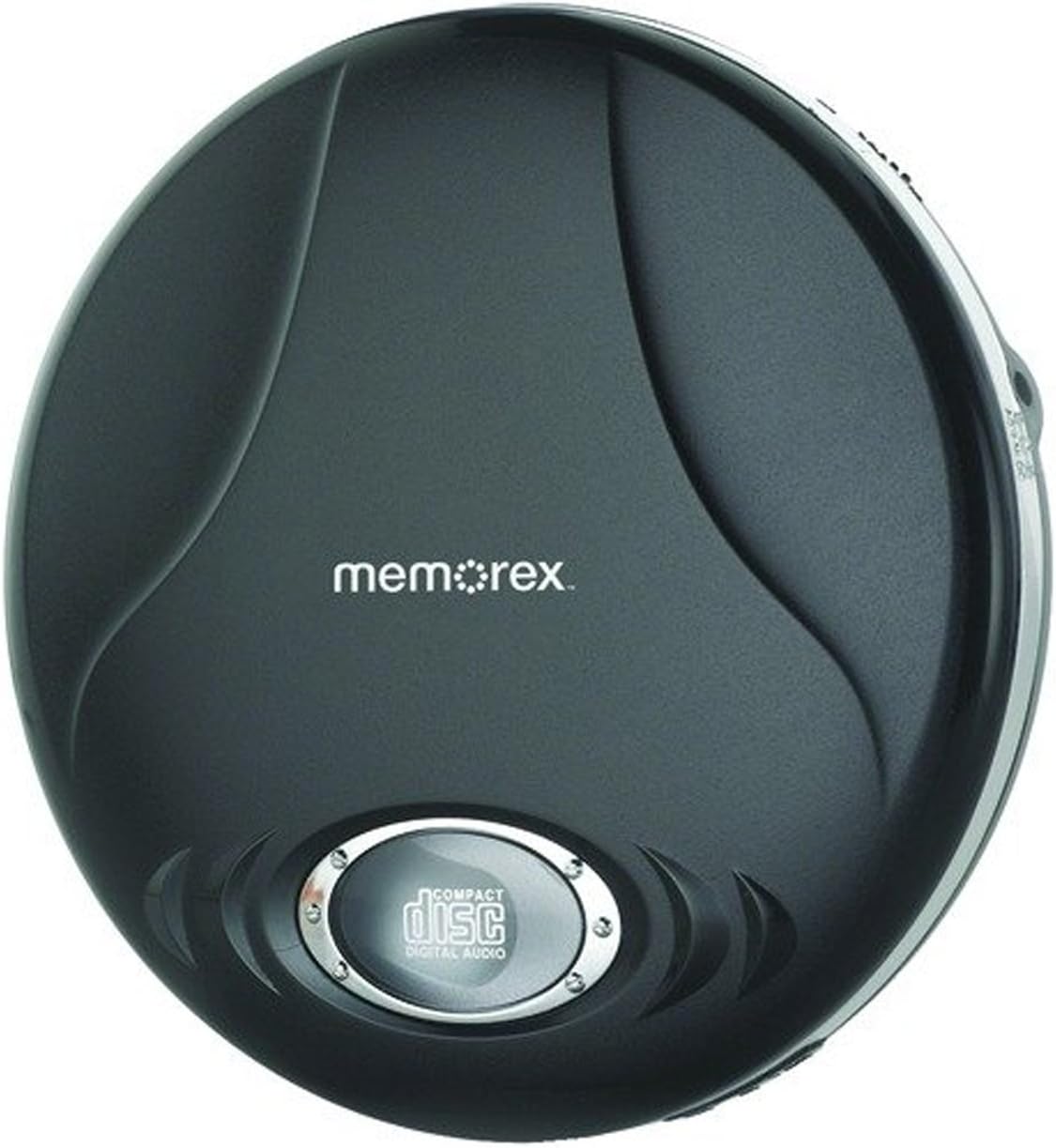
Figure 3.1: Memorex MD6451 Portable CD Player. This image displays the Memorex MD6451 Portable CD Player in its closed, black casing. The 'memorex' logo is centered on the top surface, and a circular window at the bottom shows the 'compact disc digital audio' emblem, indicating the disc tray area.
3.1. الضوابط والتوصيلات
Familiarize yourself with the various controls and connection points on your CD player:
- حجرة الأقراص المضغوطة: لإدخال الأقراص الصوتية.
- زر التشغيل/الإيقاف المؤقت: Initiates or pauses disc playback.
- زر التوقف: Halts disc playback.
- أزرار التخطي/البحث: Navigates between tracks or fast-forwards/rewinds within a track.
- التحكم في مستوى الصوت: ضبط مستوى إخراج الصوت.
- مفتاح تعزيز الصوت الجهير: Activates or deactivates bass enhancement.
- زر البرنامج: Used for programming track order.
- زر الوضع: يحدد أوضاع التشغيل (مثل التكرار، العشوائي).
- مقبس سماعة رأس مقاس 3.5 ملم: Connects stereo earbuds or headphones.
- منفذ خروج الخط: Connects to external audio systems (e.g., home stereo, car audio).
- جاك DC: For connecting the external power cord.
4. الإعداد
4.1. Powering the CD Player
The Memorex MD6451 can be powered by batteries or an external power adapter.
- تركيب البطارية: Open the battery compartment on the underside of the player. Insert two (2) AA-size batteries (not included), ensuring correct polarity (+/-). Close the compartment securely.
- طاقة التيار المتردد: Connect the provided power cord to the DC jack on the player and plug the other end into a standard electrical outlet.
4.2. Connecting Earbuds/Headphones
Insert the stereo earbuds or your preferred headphones into the 3.5mm headphone jack on the side of the player.
4.3. إدخال قرص مضغوط
- اضغط برفق على زر الفتح أو حرك المزلاج لفتح غطاء حجرة الأقراص المدمجة.
- Place an audio CD (CD, CD-R, or CD-RW) onto the center spindle with the label side facing up.
- اضغط برفق على منتصف القرص حتى يستقر في مكانه.
- أغلق غطاء حجرة الأقراص المضغوطة بإحكام حتى يتم تثبيته.
5. التشغيل
5.1. التشغيل الأساسي
- Ensure the player is powered and a CD is inserted.
- اضغط على تشغيل/إيقاف مؤقت button to begin playback. The track number and elapsed time will display.
- اضبط مستوى الصوت باستخدام التحكم في مستوى الصوت.
- لإيقاف التشغيل مؤقتًا، اضغط على تشغيل/إيقاف مؤقت اضغط عليه مرة أخرى لاستئناف العملية.
- لإيقاف التشغيل ، اضغط على قف زر.
5.2. Navigating Tracks
- اضغط على القفز إلى الأمام زر (>> |) to advance to the next track.
- اضغط على تخطي للخلف زر (|<) once to restart the current track, or twice to go to the previous track.
- اضغط مع الاستمرار >> | to fast-forward within a track.
- اضغط مع الاستمرار |< to rewind within a track.
5.3. Programmable CD Memory
You can program the player to play tracks in a specific order.
- أثناء توقف اللاعب، اضغط على برنامج زر. ستظهر الشاشة "P01".
- استخدم القفز إلى الأمام or تخطي للخلف buttons to select the desired first track.
- يضعط برنامج again to confirm the selection. The display will show "P02".
- Repeat steps 2 and 3 to add more tracks to your program list.
- After programming all desired tracks, press the تشغيل/إيقاف مؤقت button to start playback of the programmed sequence.
5.4. Bass Boost System
To enhance the bass frequencies, locate the تعزيز الجهير switch on the player and slide it to the ON position. Slide it to OFF to disable the feature.
5.5. 60-Second Skip Protection
The player features a 60-second electronic skip protection system. This buffer stores audio data to prevent interruptions during minor shocks or vibrations. While effective, severe or prolonged movement may still cause playback to skip.
5.6. Using the Line Out Port
The Line Out port allows you to connect your MD6451 to an external audio system, such as a home stereo receiver or car audio input, using a standard 3.5mm audio cable (not included). This bypasses the player's internal amplifier and volume control, relying on the external system's controls for volume adjustment.
5.7. Using the In-line Remote Control
The included in-line remote control provides convenient access to basic playback functions without needing to access the player directly. Connect the remote to the headphone jack, then plug your earbuds into the remote's jack. The remote typically includes buttons for Play/Pause, Stop, and Skip/Search.
6. الصيانة
6.1. تنظيف الوحدة
Wipe the exterior of the player with a soft, dry cloth. Do not use abrasive cleaners or solvents. For the optical lens inside the CD compartment, use a specialized CD lens cleaning kit if necessary, following its instructions carefully.
6.2. العناية بالبطارية
- قم بإزالة البطاريات إذا لم يتم استخدام الجهاز لفترة طويلة لمنع التسرب.
- لا تخلط بين البطاريات القديمة والجديدة أو أنواع مختلفة من البطاريات.
- تخلص من البطاريات المستعملة بطريقة مسؤولة وفقًا للوائح المحلية.
6.3. العناية بالقرص
Handle CDs by their edges. Clean discs with a soft, lint-free cloth, wiping from the center outwards. Avoid scratching the disc surface.
7. استكشاف الأخطاء وإصلاحها
If you encounter issues with your Memorex MD6451, refer to the following common problems and solutions:
| مشكلة | السبب المحتمل | حل |
|---|---|---|
| المشغل لا يعمل. | No batteries or dead batteries. Power cord not connected or faulty. | Insert fresh AA batteries with correct polarity. Ensure power cord is securely connected to both player and outlet. |
| لا يوجد صوت. | Volume too low. Headphones not connected properly. Faulty headphones. | Increase volume. Ensure headphones are fully plugged into the 3.5mm jack. Test with different headphones. |
| Disc skips frequently. | Disc is dirty or scratched. Player is subjected to excessive movement. Batteries are low. | Clean the disc with a soft cloth. Ensure the player is on a stable surface. Replace with fresh batteries or use AC power. |
| لا يعمل القرص المضغوط. | Disc inserted incorrectly. Disc is not an audio CD (e.g., data CD). Disc is severely damaged. | Ensure disc is inserted label-side up and compartment is closed. Verify the disc is a standard audio CD, CD-R, or CD-RW. Try a different, known-good audio CD. |
8. المواصفات
| ميزة | التفاصيل |
|---|---|
| رقم الموديل | ام دي 6451 |
| تنسيقات الأقراص المدعومة | قرص مضغوط، قرص مضغوط قابل للتسجيل، قرص مضغوط قابل لإعادة الكتابة |
| حماية من التخطي | ثانيتين |
| الاتصال | 3.5mm Headphone Jack, Line Out Port, DC Jack |
| مصدر الطاقة | 2 x AA Batteries (not included), External DC Power (via power cord) |
| الأبعاد (الطول × العرض × الارتفاع) | 5 × 5 × 2 بوصة (تقريبًا) |
| وزن العنصر | 8.8 أونصة (تقريبًا) |
| المميزات الخاصة | Portable, Bass Boost System, Programmable CD Memory |
| المكونات المضمنة | Stereo Earbuds, In-line Remote, Power Cord |
9. الضمان والدعم
For warranty information or technical support, please refer to the documentation included with your purchase or contact Memorex customer service directly. Keep your proof of purchase for warranty claims.
ملاحظة: قد تختلف شروط وأحكام الضمان المحددة حسب المنطقة والتاجر.


