1. انتهى المنتجview
The D-Link AC1200 Wi-Fi Router (DIR-850L) delivers next-generation wireless speed and coverage to all your Wi-Fi devices. With wireless dual-band speeds of 300 Mbps (2.4 GHz) and 867 Mbps (5 GHz), the DIR-850L avoids interference to deliver fast wireless speeds, improved coverage, and reliable connections. This router is ideal for streaming HD video, gaming, connecting multiple devices, and watching shows on your TV simultaneously. The DIR-850L is also backward compatible with existing wireless 802.11a/g/n devices for seamless connectivity. D-Link’s free mobile apps provide easy setup, remote monitoring, and access to content from anywhere on your smartphone or tablet.
المميزات الرئيسية:
- تقنية الجيل القادم اللاسلكية: Wireless AC1200 for optimized performance and reliable coverage, delivering high-quality HD video streaming, gaming, and file التحويلات.
- التوافق مع الإصدارات السابقة: Compatible with wireless 802.11a/g/n devices.
- اتصال أجهزة متعددة: Connect more devices with four Gigabit Ethernet ports.
- مشاركة الوسائط: Stream and share files using the USB Share Port and free mobile app.
- الإعداد السهل: معالج متصفح ذكي وتطبيق Quick Router Setup للهواتف المحمولة لتسهيل عملية التثبيت.
- الأمان المتقدم: Preset security with advanced WPA2 encryption.
2. محتويات العبوة
Ensure all items are present in your D-Link DIR-850L package:
- D-Link Wireless AC 1200 Dual-Band Gigabit Router (DIR-850L)
- محول الطاقة
- كابل إيثرنت
- دليل التثبيت السريع
إذا كانت أي من العناصر مفقودة أو تالفة، فيرجى الاتصال ببائع التجزئة الخاص بك أو دعم D-Link.
3. انتهت الأجهزةview
Familiarize yourself with the physical components and indicators of your DIR-850L router.

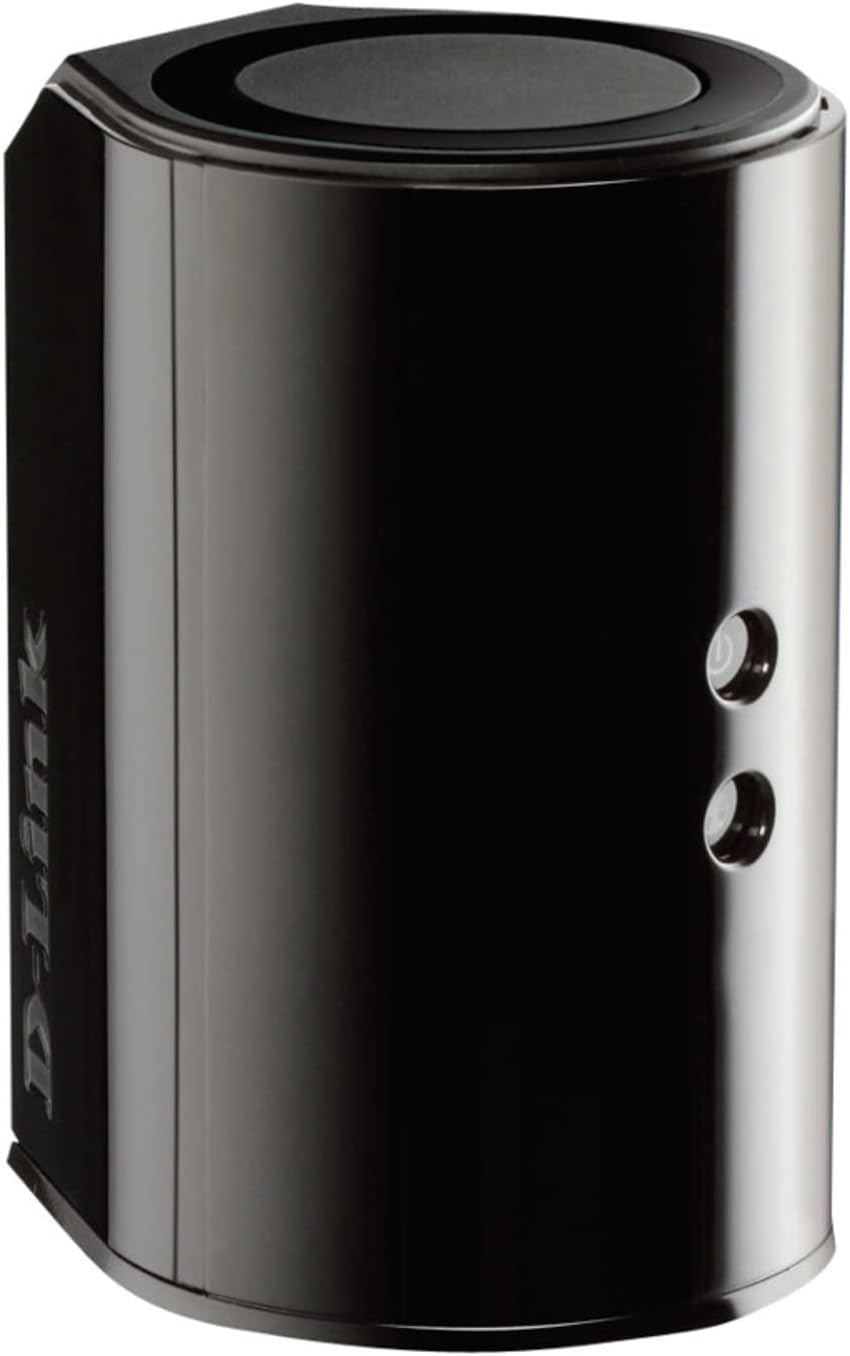
الشكل 3.1: الجبهة View. Shows the cylindrical design of the router with the D-Link logo and LED indicators for Power and Internet status.

الشكل 3.2: الجانب View. Illustrates the side of the router, highlighting the USB port for storage sharing and the Wi-Fi Protected Setup (WPS) button.
الشكل 3.3: خلفي View. Displays the back panel of the router, featuring the WAN (Internet) port, four LAN (Ethernet) ports, and the power input connector.
مؤشرات LED:
- مؤشر الطاقة LED: Solid green indicates the router is powered on. Blinking green indicates a firmware upgrade or reset.
- مؤشر LED للإنترنت: Solid green indicates a successful connection to the internet. Blinking green indicates data activity. Amber indicates no internet connection.
المنافذ والأزرار:
- منفذ WAN (الإنترنت): يتصل بالمودم الخاص بك للوصول إلى الإنترنت.
- منافذ الشبكة المحلية (1-4): قم بتوصيل الأجهزة السلكية مثل أجهزة الكمبيوتر أو وحدات التحكم في الألعاب أو وحدات تخزين الشبكة.
- منفذ USB: Connect a USB storage device for network sharing.
- موصل الطاقة: يتصل بمحول الطاقة المرفق.
- زر إعادة الضبط: اضغط مع الاستمرار لمدة 10 ثوانٍ لاستعادة إعدادات المصنع الافتراضية.
- زر WPS: Initiates Wi-Fi Protected Setup for easy wireless connection of compatible devices.
4. الإعداد
Follow these steps to set up your D-Link DIR-850L router:
- وضع جهاز التوجيه: ضع جهاز التوجيه الخاص بك في مكان مركزي في منزلك، بعيدًا عن العوائق والأجهزة التي قد تسبب تداخلًا (مثل الهواتف اللاسلكية وأجهزة الميكروويف).
- الاتصال بالمودم:
- قم بإيقاف تشغيل المودم الخاص بك.
- Connect one end of the provided Ethernet cable to the WAN (Internet) port on your DIR-850L router.
- قم بتوصيل الطرف الآخر من كابل Ethernet بمنفذ Ethernet الموجود على المودم الخاص بك.
- تشغيل الطاقة:
- قم بتشغيل المودم وانتظر حتى تستقر أضواء المؤشر (عادةً ما يشير ذلك إلى وجود اتصال إنترنت نشط).
- Connect the power adapter to the power connector on your DIR-850L router and plug it into a power outlet.
- Wait for the Power LED on the router to turn solid green. The Internet LED should also turn green, indicating a successful connection.
- توصيل جهاز:
- الاتصال السلكي: Connect an Ethernet cable from one of the LAN ports (1-4) on the router to your computer's Ethernet port.
- الاتصال اللاسلكي: On your Wi-Fi enabled device (laptop, smartphone, tablet), search for available Wi-Fi networks. Select the network name (SSID) found on the Wi-Fi Configuration Card (usually a sticker on the bottom of the router) and enter the Wi-Fi password.
- تشغيل معالج الإعداد:
- افتح web browser (e.g., Chrome, Firefox) on the connected device.
- يكتب
http://dlinkrouter.localor192.168.0.1في شريط العناوين واضغط على Enter. - Follow the on-screen instructions of the D-Link Setup Wizard to configure your internet connection and personalize your Wi-Fi network name (SSID) and password.
Setup Video (General D-Link Router Overview):
Video 4.1: D-Link Wireless AC 1200 Mbps Home Cloud App-Enabled Dual-Band Gigabit Router Overview. يقدم هذا الفيديو نظرة عامةview of D-Link routers, including the DIR-850L, and highlights their features and target users. While not a step-by-step setup guide, it offers insights into the router's capabilities.
5. تعليمات التشغيل
Once your D-Link DIR-850L router is set up, you can manage and optimize your network.
توصيل الأجهزة:
- لاسلكي: Use the Wi-Fi network name (SSID) and password you configured during setup to connect your wireless devices. The router supports both 2.4 GHz and 5 GHz bands.
- السلكية: Connect devices directly to the LAN ports using Ethernet cables for a stable, high-speed connection.
الوصول إلى إعدادات جهاز التوجيه:
للوصول إلى الإعدادات المتقدمة، افتح web المتصفح وانتقل إلى http://dlinkrouter.local or 192.168.0.1. Log in with the administrator password you set during the initial setup. From here, you can:
- قم بتغيير إعدادات شبكة Wi-Fi (SSID، كلمة المرور، نوع الأمان).
- قم بتهيئة شبكات الواي فاي الخاصة بالضيوف.
- إعداد الرقابة الأبوية.
- إدارة الأجهزة المتصلة.
- تحديث البرامج الثابتة.
Using the USB Share Port:
Plug a USB storage device (e.g., flash drive, external hard drive) into the USB port on the router. You can then access and share files on this storage device across your network using the D-Link SharePort Mobile app or through network shares on your computer.
6. الصيانة
تساعد الصيانة المنتظمة على ضمان الأداء الأمثل وطول عمر جهاز التوجيه الخاص بك.
- إعادة التشغيل: Periodically reboot your router (unplug from power for 10 seconds, then plug back in) to clear its memory and refresh network connections. This can resolve minor performance issues.
- تحديثات البرامج الثابتة: تحقق من دعم D-Link website for firmware updates. Firmware updates can improve performance, add new features, and fix security vulnerabilities. Follow the instructions provided by D-Link carefully when performing updates.
- تنظيف: حافظ على نظافة جهاز التوجيه وخلوه من الغبار. استخدم قطعة قماش ناعمة وجافة لمسح السطح الخارجي. لا تستخدم المنظفات السائلة أو البخاخات. تأكد من عدم انسداد فتحات التهوية.
- حماية: Regularly change your Wi-Fi password and router administrator password to enhance network security.
7. استكشاف الأخطاء وإصلاحها
If you encounter issues with your D-Link DIR-850L router, refer to the following common problems and solutions:
لا يوجد اتصال بالإنترنت:
- فحص الكابلات: تأكد من توصيل جميع كابلات Ethernet بجهاز التوجيه والمودم بشكل آمن.
- حالة المودم: تأكد من أن المودم الخاص بك يعمل بشكل صحيح ولديه اتصال نشط بالإنترنت.
- تسلسل إعادة التشغيل: أطفئ المودم، ثم جهاز التوجيه (الراوتر). انتظر 30 ثانية، ثم شغّل المودم أولاً. بمجرد أن يصبح المودم متصلاً بالإنترنت بشكل كامل، شغّل جهاز التوجيه (الراوتر).
- جهة الاتصال بمزود خدمة الإنترنت: If the issue persists, contact your Internet Service Provider (ISP) to confirm service status.
سرعة الواي فاي بطيئة:
- وضع جهاز التوجيه: قم بنقل جهاز التوجيه إلى مكان أكثر مركزية، بعيدًا عن العوائق ومصادر التداخل.
- تداخل القناة: قم بتسجيل الدخول إلى جهاز التوجيه web interface and try changing the Wi-Fi channel for both 2.4 GHz and 5 GHz bands to a less congested one.
- الأجهزة المتصلة: افصل الأجهزة غير المستخدمة عن شبكتك.
- البرامج الثابتة: تأكد من أن البرامج الثابتة لجهاز التوجيه الخاص بك محدثة.
لا يمكن الاتصال بشبكة Wi-Fi:
- كلمة المرور الصحيحة: Double-check that you are entering the correct Wi-Fi password (case-sensitive).
- بث SSID: Ensure the router is broadcasting its Wi-Fi network name (SSID).
- WPS: If your device supports WPS, try using the WPS button on the router to connect.
- إعادة تعيين جهاز التوجيه: As a last resort, perform a factory reset (see Hardware Overview) and reconfigure the router.
8. المواصفات
| ميزة | وصف |
|---|---|
| اسم الموديل | دير-850L |
| نوع لاسلكي | 802.11ac (backward compatible with 802.11a/b/g/n) |
| فئة نطاق التردد | ثنائي النطاق (2.4 جيجا هرتز و5 جيجا هرتز) |
| سرعة الاتصال اللاسلكي | سرعة تصل إلى 300 ميجابت في الثانية (2.4 جيجاهرتز)، وسرعة تصل إلى 867 ميجابت في الثانية (5 جيجاهرتز) |
| منافذ إيثرنت | 4 شبكات LAN جيجابت، 1 شبكة WAN جيجابت |
| منفذ يو اس بي | 1 x USB 2.0 (for SharePort) |
| نوع الهوائي | داخلي |
| توافق نظام التشغيل | Windows® 8, 7, Vista®, XP SP2, or Mac OS® X (v10.4 or higher) |
| الأبعاد (الطول × العرض × الارتفاع) | 4.45 × 3.43 × 5.72 بوصة |
| وزن العنصر | 9.9 أونصة (0.62 رطل) |
| لون | أسود |
9. الضمان والدعم
منتجات D-Link مدعومة بضمان محدود. للاطلاع على شروط وأحكام الضمان بالتفصيل، يُرجى الرجوع إلى معلومات الضمان المرفقة مع المنتج أو زيارة موقع D-Link الرسمي. webموقع.
For technical support, product registration, and access to the latest drivers, firmware, and user manuals, please visit the D-Link support portal:
دعم دي لينك Webموقع: www.dlink.com/support
You may also find helpful resources and community forums on the D-Link webموقع.


