مقدمة
This manual provides instructions for the Vivanco RR 220 remote control, designed for compatibility with Samsung Smart TVs. Please read this manual thoroughly before using the device to ensure proper operation and to understand its features.
محتويات الحزمة
- Vivanco RR 220 Remote Control
- دليل المستخدم هذا
ملحوظة: البطاريات غير متضمنة ويجب شراؤها بشكل منفصل.
يثبت
1. تركيب البطارية
- حدد موقع حجرة البطارية في الجزء الخلفي من جهاز التحكم عن بعد.
- قم بتحريك غطاء البطارية إلى الأسفل أو اضغط على المزلاج وارفعه لفتحه.
- Insert two (2) AAA batteries, ensuring the positive (+) and negative (-) terminals align with the markings inside the compartment.
- أعد تركيب غطاء البطارية، وتأكد من تثبيته بإحكام في مكانه.
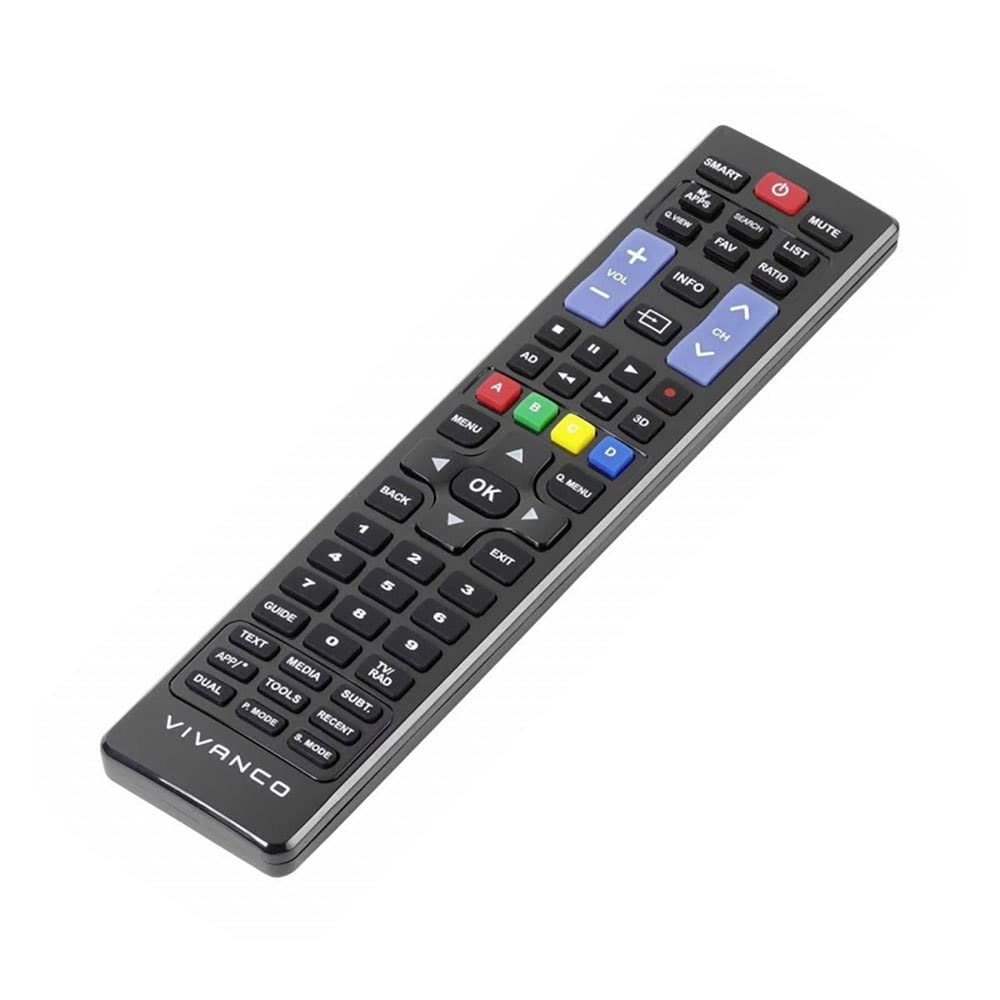
الصورة 1: Vivanco RR 220 remote control. This image displays the front of the remote control, highlighting its 57 buttons and ergonomic design. The battery compartment is located on the reverse side.
2. الاستخدام الأولي
The Vivanco RR 220 is pre-programmed for Samsung Smart TVs. No additional setup or pairing is typically required. Once batteries are installed, point the remote control towards your Samsung Smart TV and press the Power button to test functionality.
تعليمات التشغيل
The remote control features 57 buttons, providing comprehensive control over your Samsung Smart TV and compatible devices. Below are common button functions:
- زر الطاقة: تشغيل التلفزيون أو إيقاف تشغيله.
- أزرار الأرقام (0-9): For direct channel selection or data input.
- رفع/خفض الصوت: ضبط مستوى الصوت.
- القناة لأعلى/لأسفل: تغيير القنوات التلفزيونية.
- زر كتم الصوت: يقوم بإيقاف صوت التلفزيون.
- Navigation Pad (Up, Down, Left, Right, Enter): يتم استخدامه للتنقل بين القوائم وتحديد الخيارات.
- زر الرجوع/العودة: يعود إلى الشاشة أو القائمة السابقة.
- Smart Hub/Home Button: Accesses the Smart Hub or main menu of your Samsung Smart TV.
- زر المصدر/الإدخال: تحديد مصادر الإدخال (HDMI، AV، وما إلى ذلك).
- أزرار الألوان (الأحمر، الأخضر، الأصفر، الأزرق): For specific functions within certain applications or menus, as indicated on-screen.
- عناصر التحكم في التشغيل (التشغيل، الإيقاف المؤقت، التوقف، التقديم السريع، الإرجاع): Controls media playback on compatible devices or apps.
For specific functions related to your TV model, refer to your Samsung TV's user manual.
صيانة
تنظيف جهاز التحكم عن بعد
- استخدم قطعة قماش ناعمة وجافة لمسح سطح جهاز التحكم عن بعد.
- بالنسبة للأوساخ العنيدة، قم بإزالة الأوساخ برفق.ampاغمر قطعة القماش بالماء أو بمنظف معتدل غير كاشط.
- Do not use harsh chemicals, solvents, or abrasive cleaning pads, as these can damage the remote's finish or internal components.
- Ensure no liquid enters the remote control through button gaps or the battery compartment.
استبدال البطارية
Replace batteries when the remote's response becomes sluggish or it stops functioning. Always replace both batteries simultaneously with new AAA alkaline batteries. Do not mix old and new batteries or different types of batteries.
استكشاف الأخطاء وإصلاحها
| مشكلة | السبب المحتمل | حل |
|---|---|---|
| جهاز التحكم عن بعد لا يعمل. |
|
|
| Some buttons do not function. |
|
|
تحديد
- ماركة: فيفانكو
- اسم الموديل: RR 220
- رقم موديل المنتج: 38016
- الأجهزة المتوافقة: Home cinema, DVD/Blu-ray player, Television (Samsung Smart TV compatible)
- تقنية الاتصال: Wireless IR (Infrared)
- عدد الأزرار: 57
- نوع البطارية: 2 x AAA (Alkaline recommended)
- البطاريات المتضمنة: لا
- أبعاد المنتج: 18 × 4.8 × 2.3 سم
- وزن المنتج: 80 جرام
- الحد الأقصى للمدى: 15 متر
- المميزات الخاصة: IPTV, DVB-T, HDTV compatibility


