مقدمة
Thank you for choosing the Lexon Prism Speaker. This portable Bluetooth speaker is designed to deliver quality audio with convenient connectivity. This manual provides detailed instructions on how to set up, operate, and maintain your speaker to ensure optimal performance and longevity.
يرجى قراءة هذا الدليل بعناية قبل استخدام المنتج والاحتفاظ به للرجوع إليه في المستقبل.
محتويات الحزمة
تأكد من وجود جميع العناصر في العبوة:
- Lexon Prism Speaker (Model LA87N)
- كابل شحن USB
- دليل المستخدم (هذا المستند)
يثبت
1. شحن مكبر الصوت
Before first use, fully charge the Lexon Prism Speaker.
- حدد موقع منفذ شحن USB الموجود على السماعة.
- قم بتوصيل أحد طرفي كابل الشحن USB المرفق بمنفذ شحن السماعة.
- قم بتوصيل الطرف الآخر من كابل USB بمحول طاقة USB متوافق (غير مرفق) أو بمنفذ USB في الكمبيوتر.
- The charging indicator light will illuminate, typically red, during charging. It will turn off or change color (e.g., blue or green) when fully charged.
- تستغرق عملية الشحن الكامل عادةً ما يقرب من 2 إلى 3 ساعات.
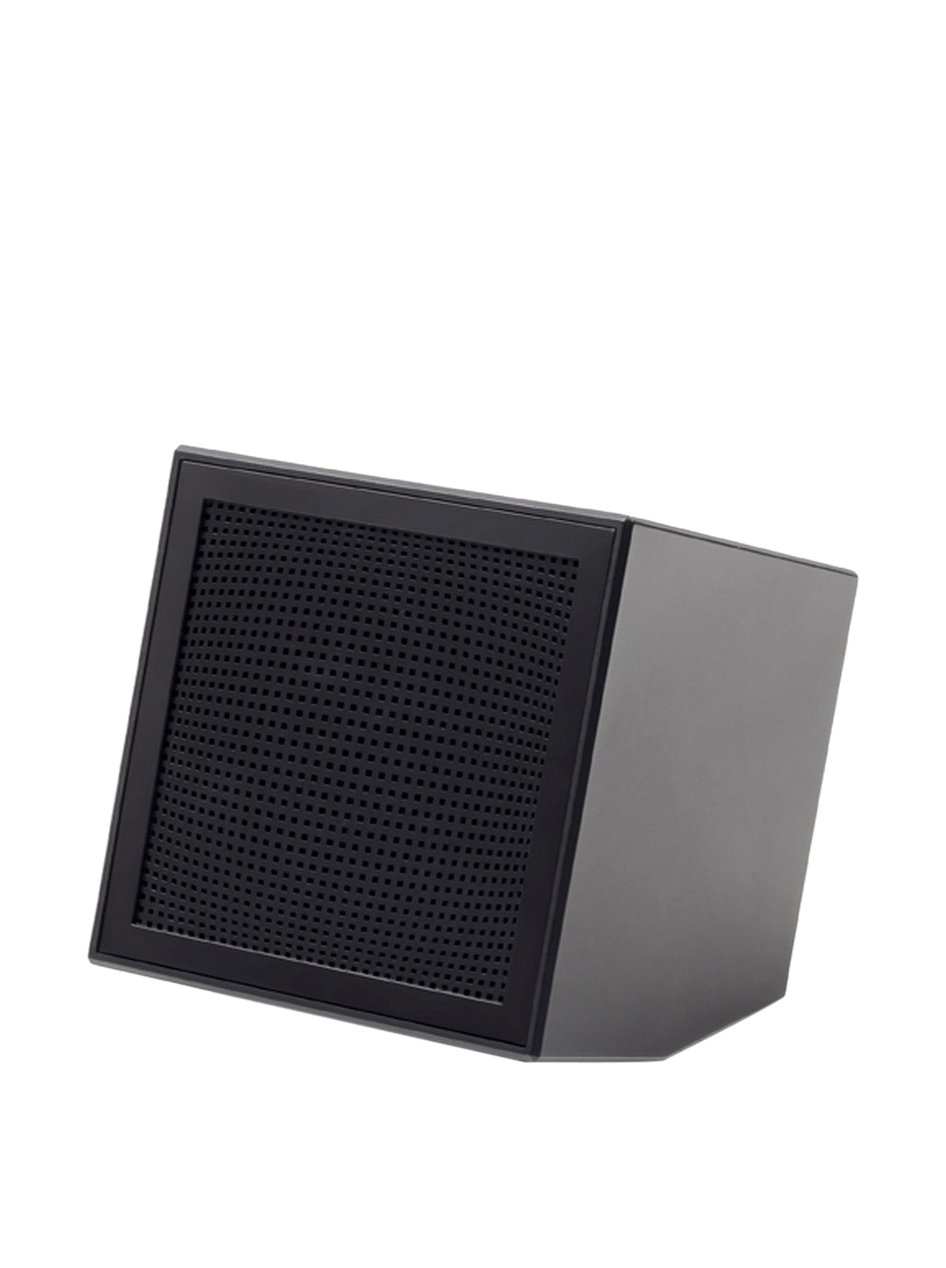
Image: The Lexon Prism Speaker, a compact black cube with a speaker grille, ready for use.
تعليمات التشغيل
1. تشغيل / إيقاف التشغيل
- To power on: Press and hold the power button (usually marked with a power symbol) for a few seconds until you hear an audible tone or see an indicator light.
- To power off: Press and hold the power button again for a few seconds until you hear an audible tone or the indicator light turns off.
2. اقتران بلوتوث
Pair your Lexon Prism Speaker with a Bluetooth-enabled device (e.g., smartphone, tablet, computer).
- Ensure the speaker is powered on and in pairing mode. The Bluetooth indicator light will typically flash rapidly.
- على جهازك، انتقل إلى إعدادات Bluetooth وقم بتمكين Bluetooth.
- بحث عن available devices. The speaker should appear as "Lexon Prism" or a similar name.
- Select "Lexon Prism" from the list to connect.
- Once successfully paired, you will hear a confirmation tone, and the Bluetooth indicator light will stop flashing and remain solid.
- سيحاول مكبر الصوت تلقائيًا إعادة الاتصال بآخر جهاز مقترن به عند تشغيله.
3. تشغيل الصوت
After successful pairing, you can play audio from your connected device. Use your device's controls for:
- Playing/Pausing music
- ضبط مستوى الصوت
- Skipping tracks (if supported by speaker controls)
The speaker itself may have basic controls for volume and playback, refer to the physical buttons on your device.
الصيانة والعناية
- تنظيف: Use a soft, dry cloth to wipe the surface of the speaker. Do not use abrasive cleaners, alcohol, or chemical solvents, as these may damage the finish.
- تخزين: قم بتخزين مكبر الصوت في مكان بارد وجاف بعيدًا عن أشعة الشمس المباشرة ودرجات الحرارة العالية عند عدم استخدامه لفترات طويلة.
- التعرض للماء: هذه السماعة غير مقاومة للماء. تجنب تعريضها للماء أو المطر أو الرطوبة الزائدة.
- تأثير: تجنب إسقاط السماعة أو تعريضها لصدمات قوية، لأن ذلك قد يؤدي إلى تلف المكونات الداخلية.
استكشاف الأخطاء وإصلاحها
| مشكلة | الحل المحتمل |
|---|---|
| لا يتم تشغيل مكبر الصوت. | Ensure the speaker is fully charged. Connect it to a power source using the USB cable and allow it to charge for at least 30 minutes before attempting to power on again. |
| لا يمكن الاقتران بجهاز بلوتوث. |
|
| لا يوجد صوت أو مستوى الصوت منخفض. |
|
| تشويه الصوت. |
|
تحديد
| ميزة | التفاصيل |
|---|---|
| رقم الموديل | LA87N |
| ماركة | ليكسون |
| انتاج الطاقة | 3 واط |
| تكنولوجيا الاتصال | بلوتوث، يو اس بي |
| مصدر الطاقة | تعمل بالبطارية |
| مادة | نظام ABS |
| الأبعاد (الطول × العرض × الارتفاع) | 8 × 8 × 8 سم |
| وزن | 405 جرام |
| لون | أسود |
الضمان والدعم
Lexon products are manufactured to the highest quality standards. For information regarding warranty coverage, terms, and conditions, please refer to the warranty card included with your purchase or visit the official Lexon webموقع.
If you encounter any issues not covered in the troubleshooting section or require further assistance, please contact Lexon customer support through their official webالموقع الإلكتروني أو معلومات الاتصال المرفقة مع وثائق المنتج.
Please have your model number (LA87N) and proof of purchase ready when contacting support.


