1. المقدمة
This manual provides instructions for the setup, operation, and maintenance of your ViewSonic VX2770SMH-LED 27-inch IPS 1080p Frameless LED Monitor. This monitor features a sleek design, Full HD 1920x1080 resolution, and an IPS panel for wide viewing angles and accurate color reproduction. It includes HDMI, DVI, and VGA inputs, along with integrated speakers.
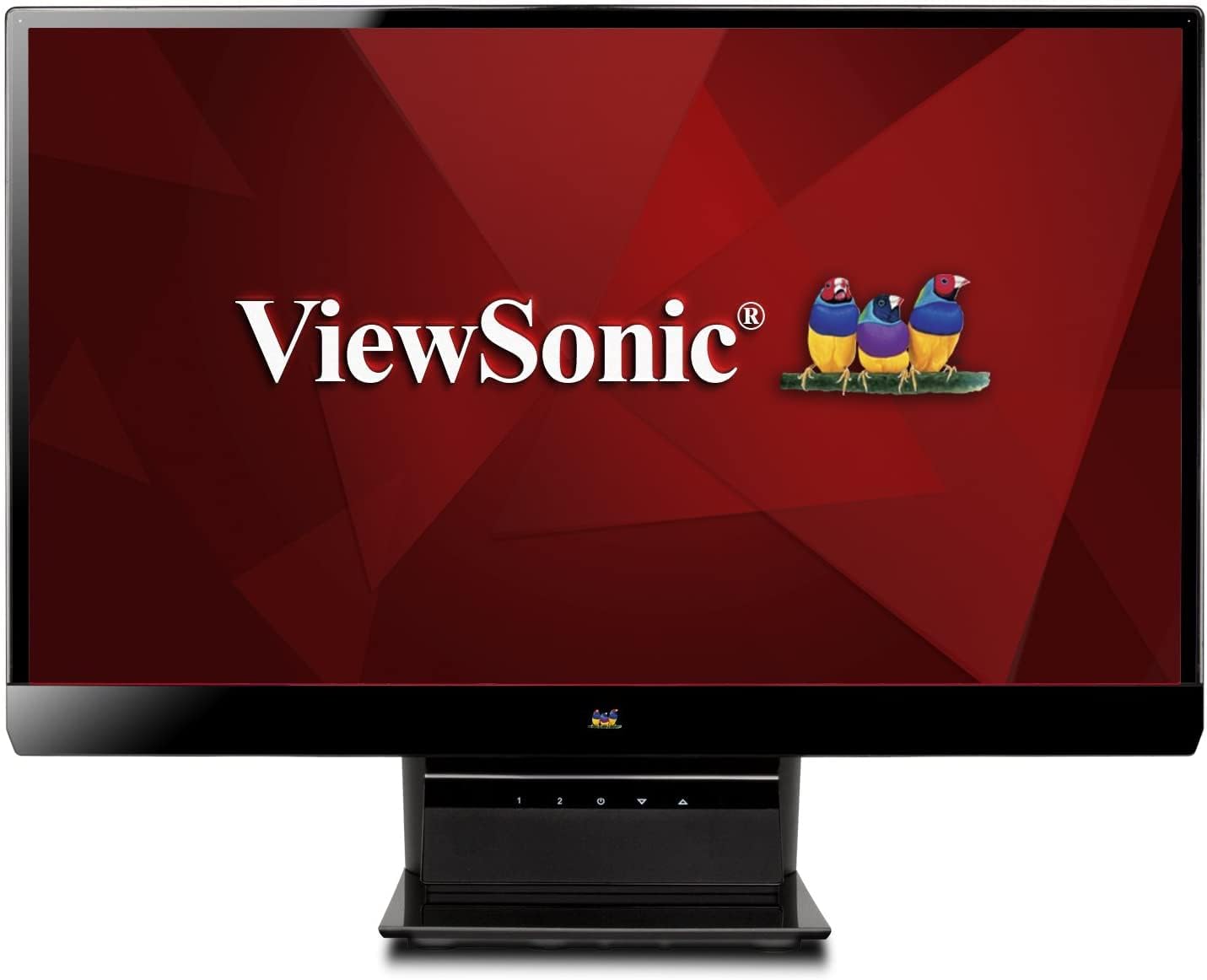
الشكل 1: ViewSonic VX2770SMH-LED 27-inch monitor displaying a tropical beach scene.
2. محتويات العبوة
تأكد من وجود جميع العناصر في عبوة المنتج الخاص بك:
- VX2770Smh-LED display
- كابل الطاقة
- محول التيار المتردد/المستمر
- كابل في جي ايه
- كابل HDMI
- دليل البدء السريع
- Viewقرص مضغوط لمعالج سونيك
3. الإعداد
اتبع هذه الخطوات لإعداد شاشتك:
- تجميع الحامل: Carefully attach the monitor panel to the stand base according to the Quick Start Guide. Ensure it is securely fastened.
- توصيل الطاقة: Connect the AC/DC adapter to the monitor's power input, then plug the power cable into the adapter and a power outlet.
- توصيل كابل الفيديو: Connect one end of the appropriate video cable (HDMI, DVI, or VGA) to the corresponding port on the back of the monitor and the other end to your computer's video output port.
- تشغيل الطاقة: اضغط على زر الطاقة الموجود على الشاشة لتشغيلها.

الشكل 2: خلفي view of the monitor, illustrating the stand attachment area and overall design.
4. تشغيل الشاشة
The monitor features capacitive control buttons located on the stand for easy access to settings and power functions.

الشكل 3: الجبهة view of the monitor, showing the control buttons on the stand.
تشغيل/إيقاف الطاقة
Press the power button (usually indicated by a power symbol) to turn the monitor on or off.
قائمة العرض على الشاشة (OSD)
Use the control buttons to navigate the OSD menu. This menu allows you to adjust various display settings such as brightness, contrast, color temperature, input source, and more. Refer to the digital manual on the ViewSonic Wizard CD for detailed OSD navigation.
5. الاتصال
ال ViewSonic VX2770SMH-LED monitor offers multiple input options for versatile connectivity:
- HDMI: للحصول على فيديو وصوت رقمي عالي الدقة.
- دفي-د: For digital video input.
- VGA: لإدخال الفيديو التناظري.
The monitor also features integrated speakers with SRS Premium Sound for audio output.

الشكل 4: الصورة عن قرب view of the HDMI, DVI, and VGA input ports on the monitor's rear panel.
Video 1: Official product video demonstrating the features and design of the ViewSonic VX2770SMH-LED monitor, including its frameless design, IPS panel technology, connectivity options, and energy efficiency.
6. ميزات العرض
- تقنية لوحة IPS: Provides consistent and accurate colors with wide 178/178-degree viewing angles, ensuring clear images from nearly any perspective.
- دقة الوضوح العالي الكامل 1080 بكسل: Delivers sharp and detailed images (1920x1080) for an enhanced viewتجربة رائعة.
- تصميم بدون إطار: The ultra-thin bezel creates a seamless visual experience, ideal for multi-monitor setups.
- MEGA Dynamic Contrast Ratio: A 30,000,000:1 dynamic contrast ratio enhances image depth and detail.
- الاضاءة الخلفية: Energy-efficient LED backlighting contributes to lower power consumption.
- نمط الصدى: Further reduces power consumption and extends the monitor's lifespan.
- sRGB Color Correction: Ensures accurate color reproduction for various applications.
7. الصيانة
لضمان طول عمر الشاشة وأدائها الأمثل، اتبع إرشادات الصيانة التالية:
- تنظيف الشاشة: امسح الشاشة برفق بقطعة قماش ناعمة وخالية من الوبر. لإزالة البقع الصعبة، امسح برفقampen the cloth with water or a mild, non-abrasive screen cleaner. Avoid spraying liquid directly onto the screen.
- تنظيف Casing: استخدم قطعة قماش ناعمة وجافة لتنظيف سطح الشاشة.asing.
- تهوية: تأكد من عدم حجب فتحات تهوية الشاشة لمنع ارتفاع درجة الحرارة.
- إيقاف التشغيل عند عدم الاستخدام: Turn off the monitor when not in use to save energy and prolong its life.
8. استكشاف الأخطاء وإصلاحها
إذا واجهت مشكلات مع شاشتك، فراجع خطوات استكشاف الأخطاء وإصلاحها الشائعة التالية:
- لا يوجد طاقة: Check if the power cable and AC/DC adapter are securely connected to the monitor and a working power outlet.
- لا توجد تغطية: Verify that the video cable is correctly connected to both the monitor and your computer. Ensure the correct input source is selected via the OSD menu.
- مشاكل الصورة (ضبابية، مشوهة، ألوان غير صحيحة): Adjust the display settings through the OSD menu. Ensure your computer's display resolution is set to the monitor's native resolution (1920x1080).
- لا يوجد صوت: Check the audio cable connection (if using VGA) or ensure HDMI audio is selected. Adjust the volume settings on both the monitor and your computer.
For more detailed troubleshooting, consult the digital manual on the Viewقرص مضغوط لمعالج سونيك.
9. المواصفات
| ميزة | مواصفة |
|---|---|
| حجم عرض الشاشة الدائمة | 27 بوصة |
| دقة الشاشة | 1920×1080 |
| أقصى دقة للشاشة | 1920 × 1080 |
| مسلسل | Viewsonic VX2770SMH-LED |
| رقم موديل السلعة | VX2770SMH-LED |
| وزن العنصر | 11 رطل |
| أبعاد المنتج | 7.6 × 24.5 × 18.1 بوصة |
| لون | أسود |
| حجم الشاشة | 27 بوصة |
| دقة | دقة كاملة 1080 بكسل |
| نسبة العرض إلى الارتفاع | 1.78:1 |
| وصف سطح الشاشة | لامع |

Figure 5: Monitor dimensions for planning your workspace.
10. الضمان والدعم
هذا ViewSonic monitor is covered by a ضمان محدود لمدة سنة واحدة. For warranty claims or technical support, please refer to the contact information provided in your Quick Start Guide or visit the official Viewدعم سونيك webموقع.


