مقدمة
This manual provides comprehensive instructions for the operation and maintenance of your new Sharp Aquos LCD TV Remote Control, model RRMCGA535WJSA. This genuine Sharp remote transmitter is designed to provide seamless control over your compatible Sharp Aquos LCD TV models. Please read this manual thoroughly before use to ensure proper functionality and to maximize your viewتجربة رائعة.
معلومات السلامة
يرجى مراعاة احتياطات السلامة التالية:
- Do not expose the remote control to direct sunlight, high humidity, or extreme temperatures.
- تجنب إسقاط جهاز التحكم عن بعد أو تعريضه لصدمات قوية.
- Do not attempt to disassemble or modify the remote control. This may void the warranty and cause damage.
- احتفظ بالبطاريات بعيدًا عن متناول الأطفال. في حالة الابتلاع ، اطلب عناية طبية فورية.
- تخلص من البطاريات المستعملة وفقًا للأنظمة المحلية. لا تحرقها.
محتويات الحزمة
تأكد من وجود جميع العناصر في العبوة:
- Sharp Aquos LCD TV Remote Control (Model: RRMCGA535WJSA)
- دليل التعليمات (هذا المستند)
ملاحظة: البطاريات غير مشمولة عادةً ويجب شراؤها بشكل منفصل.
المنتج انتهىview
Familiarize yourself with the buttons and features of your remote control.

الشكل 1: الجبهة View من جهاز التحكم عن بعد
This image displays the front of the Sharp Aquos remote control, showing all primary buttons including power, input selection, channel, volume, numeric keypad, and navigation controls. The Sharp and Aquos logos are visible at the bottom.
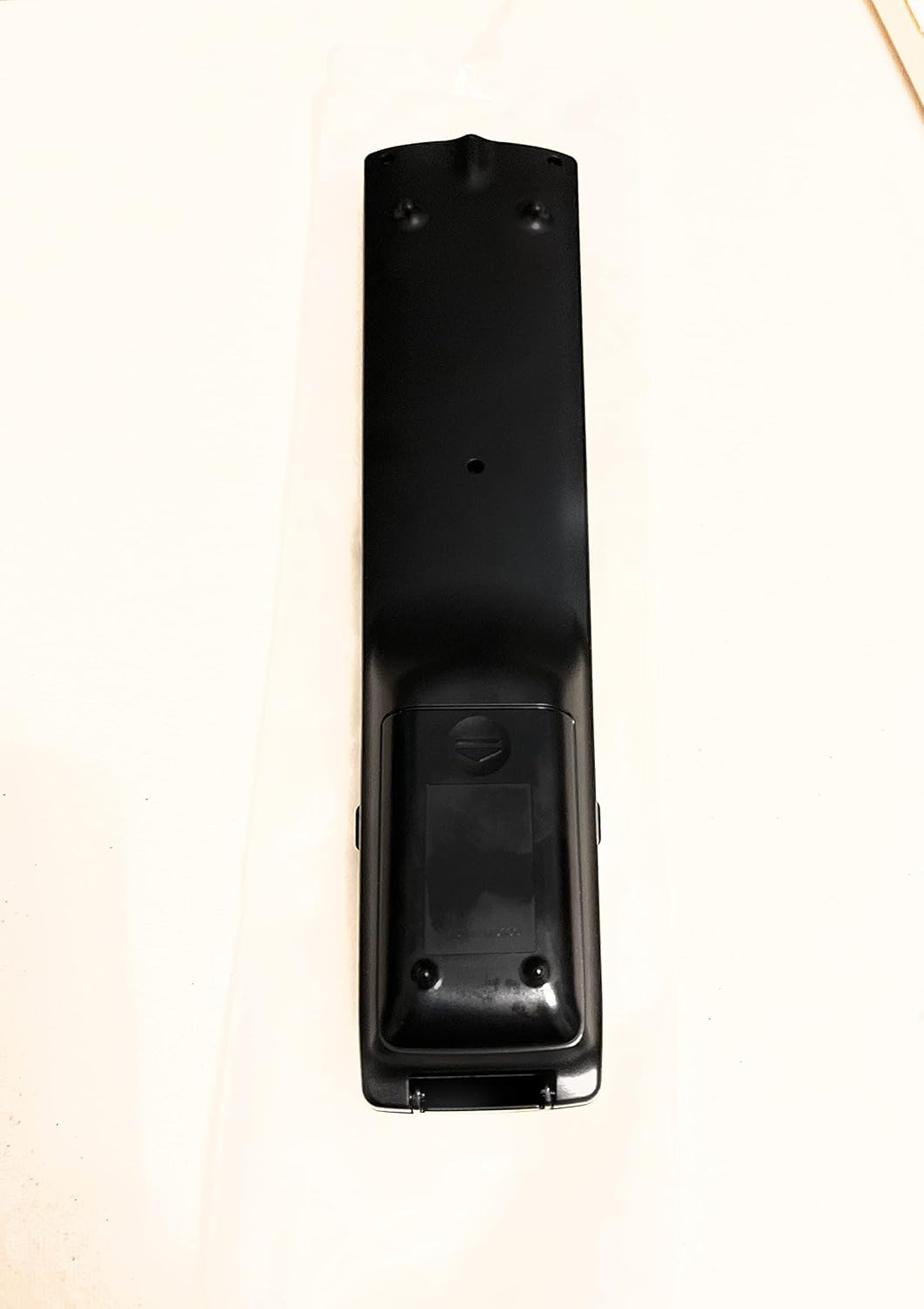
الشكل 2: العودة View من جهاز التحكم عن بعد
This image shows the rear side of the Sharp Aquos remote control, highlighting the smooth, ergonomic design and the battery compartment cover.

Figure 3: Remote Control with Battery Compartment Open
This image illustrates the Sharp Aquos remote control with its battery compartment cover slid open, revealing the space for battery insertion.

Figure 4: Close-up of Hidden Panel
This close-up image shows the lower section of the Sharp Aquos remote control with its hinged panel opened, revealing additional function buttons such as SLEEP, AUDIO, AV MODE, and CC (Closed Caption).
وظائف الأزرار:
| زر | وظيفة |
|---|---|
| قوة | تشغيل التلفزيون أو إيقاف تشغيله. |
| INPUT / SOURCE | Selects the input source (e.g., HDMI, AV, Component). |
| CH +/- | يُغيّر قناة التلفزيون للأعلى أو للأسفل. |
| المجلد +/- | ضبط مستوى الصوت. |
| كتم الصوت | كتم صوت التلفزيون أو إلغاء كتمه. |
| قائمة طعام | يفتح قائمة التلفزيون المعروضة على الشاشة. |
| يدخل | يؤكد الاختيارات داخل القائمة. |
| Navigation Arrows (Up/Down/Left/Right) | التنقل عبر خيارات القائمة. |
| EXIT / RETURN | يخرج من القائمة الحالية أو يعود إلى الشاشة السابقة. |
| لوحة المفاتيح الرقمية (0-9) | يدخل أرقام القنوات مباشرة. |
| ينام (under hidden panel) | Sets the TV to turn off automatically after a set period. |
| صوتي (under hidden panel) | Selects audio modes or tracks. |
| وضع الصوت والصورة (under hidden panel) | Adjusts picture and sound settings for different content types. |
| CC (الترجمة المغلقة) (under hidden panel) | Turns closed captions on or off. |
يثبت
تركيب البطارية:
- حدد مكان حجرة البطارية في الجزء الخلفي من جهاز التحكم عن بعد (انظر الشكل 2).
- Slide the battery compartment cover downwards to open it (refer to Figure 3).
- أدخل بطاريتين (2) من نوع AAA (غير مرفقة)، مع التأكد من محاذاة الأطراف الموجبة (+) والسالبة (-) بشكل صحيح مع المؤشرات الموجودة داخل الحجرة.
- قم بإدخال غطاء حجرة البطارية في مكانه مرة أخرى حتى يصدر صوت نقرة آمنة.
ملاحظة: استخدم دائمًا بطاريات جديدة من نفس النوع. لا تخلط بين البطاريات القديمة والجديدة، أو بين أنواع مختلفة من البطاريات.
تعليمات التشغيل
التشغيل الأساسي:
- تشغيل/إيقاف التشغيل: اضغط على قوة button to turn your Sharp Aquos TV on or off.
- التحكم في مستوى الصوت: اضغط على المجلد + زر لزيادة مستوى الصوت و المجلد - لتقليل الحجم.
- اختيار القناة: استخدم CH + or CH - buttons to change channels sequentially. Alternatively, use the numeric keypad to directly enter a channel number.
- اختيار مصدر الإدخال: اضغط على مدخل or مصدر button to cycle through available input sources (e.g., HDMI 1, HDMI 2, AV, Component).
- صامت: اضغط على كتم الصوت button to temporarily silence the TV audio. Press again to restore sound.
التنقل في القائمة:
- اضغط على قائمة طعام button to display the TV's on-screen menu.
- استخدم أسهم التنقل (Up, Down, Left, Right) to move through menu options.
- اضغط على يدخل button to select a highlighted option or confirm a setting.
- اضغط على EXIT or يعود button to close the menu or go back to the previous menu level.
Advanced Functions (Hidden Panel):
Some advanced functions are located under a hinged panel at the bottom of the remote control (refer to Figure 4). Gently open this panel to access buttons such as:
- ينام: يضبط مؤقتًا لإيقاف تشغيل التلفزيون تلقائيًا.
- صوتي: Adjusts audio settings or selects audio tracks.
- AV MODE: Cycles through preset picture and sound modes (e.g., Standard, Movie, Game).
- CC (الترجمة المصاحبة): يُفعّل أو يُعطّل الترجمة المصاحبة.
صيانة
تنظيف:
لتنظيف جهاز التحكم عن بعد، امسحه برفق بقطعة قماش ناعمة وجافة. تجنب استخدام المنظفات السائلة أو الكاشطة أو المذيبات الكيميائية، لأنها قد تُلحق الضرر بالسطح أو المكونات الداخلية.
استبدال البطارية:
Replace batteries when the remote control's response becomes sluggish or stops working. Follow the battery installation steps outlined in the "Setup" section. Always replace both batteries at the same time.
استكشاف الأخطاء وإصلاحها
| مشكلة | السبب المحتمل | حل |
|---|---|---|
| جهاز التحكم عن بعد لا يعمل. | البطاريات الميتة أو المدخلة بشكل غير صحيح. | استبدل البطاريات بأخرى جديدة، مع التأكد من صحة القطبية (+/-). |
| مدى التحكم عن بعد ضعيف. | Weak batteries; obstruction between remote and TV; infrared sensor on TV is blocked. | Replace batteries. Ensure no objects are blocking the line of sight between the remote and the TV's IR sensor. |
| بعض الأزرار لا تستجيب. | Dirt or debris under the button; internal malfunction. | Clean the remote control. If the issue persists, the remote may require replacement. |
| TV not responding to any remote commands. | TV is unplugged or turned off; TV's IR sensor is faulty. | Ensure the TV is powered on and plugged in. Test with another remote if available. Consult TV's manual for IR sensor location. |
تحديد
| ميزة | التفاصيل |
|---|---|
| رقم الموديل | RRMCGA535WJSA |
| ماركة | حاد |
| الأجهزة المتوافقة | Sharp Aquos LCD Televisions (various models, see product title for list) |
| تكنولوجيا الاتصال | الأشعة تحت الحمراء (IR) |
| مصدر الطاقة | 2 بطاريات AAA (غير مدرجة) |
| الأبعاد (تقريبًا) | 8.8 × 2.4 × 0.9 بوصة (أبعاد العبوة) |
| الوزن (تقريبا) | 4 أونصات |
| ميزة خاصة | Ergonomic design, Hidden function panel |
الضمان والدعم
إخلاء المسؤولية القانونية:
This item is provided in new condition. Please note that this item is offered "as is" as it is past its original manufacturer's warranty period. Any implied warranties are disclaimed to the fullest extent permitted by law.
دعم العملاء:
For further assistance or inquiries regarding your Sharp Aquos LCD TV, please refer to your television's original instruction manual or visit the official Sharp support website. For issues specifically with this replacement remote control, please contact the seller from whom it was purchased.


