1. انتهى المنتجview
The LG 32CS560 is a 32-inch LCD HDTV designed to deliver a Full HD 1080p viewing experience. This television features a 60Hz refresh rate and incorporates LG's Picture Wizard II for optimized picture quality, along with Smart Energy Saving features.
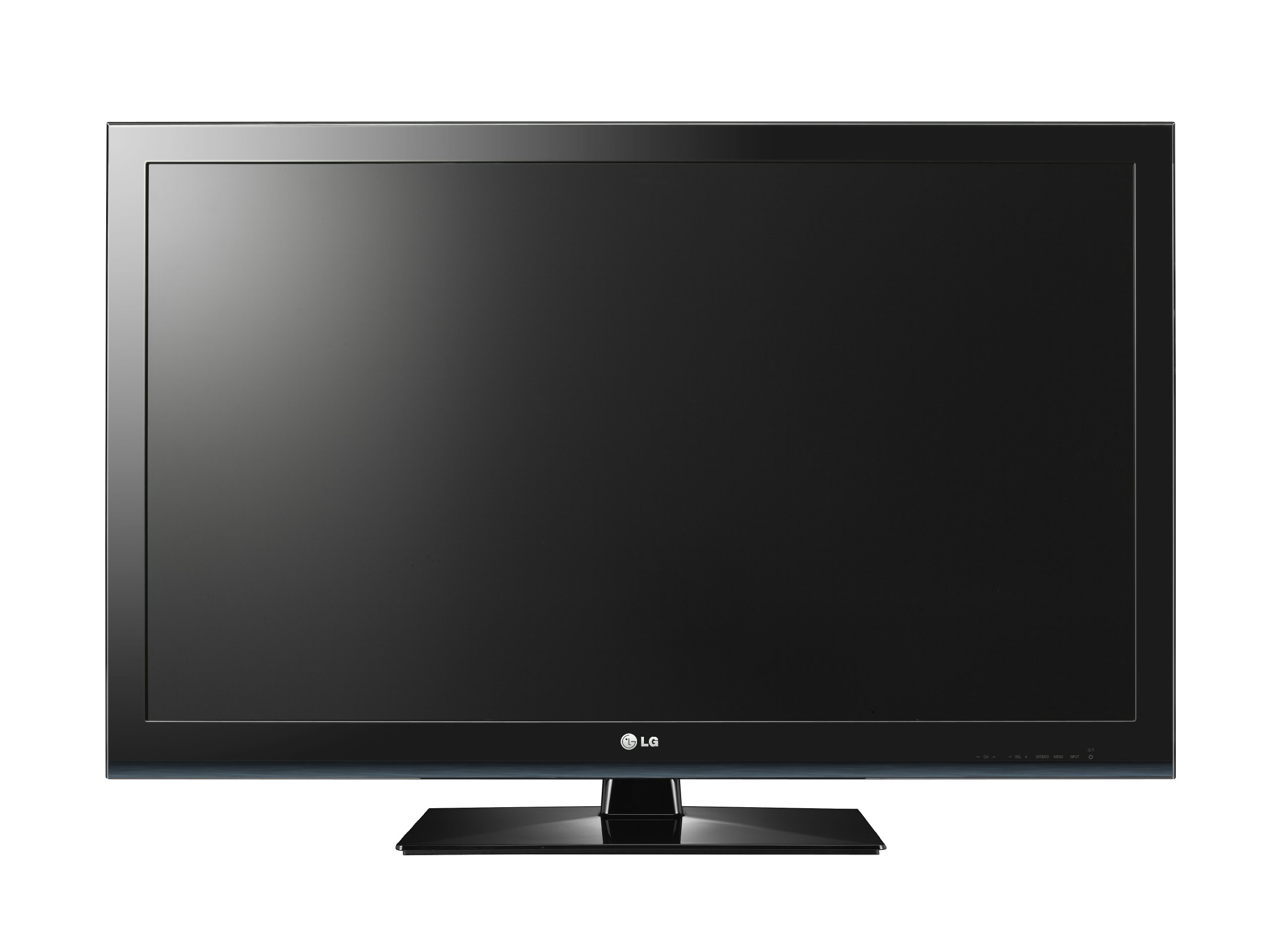
الشكل 1: أمام view of the LG 32CS560 32-Inch LCD HDTV.
المميزات الرئيسية:
- 32-inch LCD display with Full HD 1080p resolution.
- معدل تحديث 60 هرتز لحركة سلسة.
- Picture Wizard II for easy self-calibration of picture quality elements such as black level, color, tint, sharpness, and backlight levels.
- Smart Energy Saving features to conserve energy.
- Connectivity options include HDMI and USB.
- Wall mountable with VESA 200 x 100 mm standard.
2. معلومات السلامة
يرجى قراءة جميع تعليمات السلامة والتشغيل بعناية قبل استخدام هذا المنتج. احتفظ بهذه التعليمات للرجوع إليها مستقبلًا.
- مصدر الطاقة: قم بتوصيل التلفزيون فقط بنوع مصدر الطاقة الموضح على ملصق العلامة.
- تهوية: لا تسد فتحات التهوية. تأكد من وجود مساحة كافية حول التلفزيون لضمان تدفق الهواء بشكل صحيح.
- الماء والرطوبة: لا تعرض التلفاز للمطر أو الرطوبة. لا تستخدمه بالقرب من الماء.
- تنظيف: افصل التلفزيون عن مقبس الكهرباء قبل التنظيف. استخدم قطعة قماش ناعمة وجافة. لا تستخدم المنظفات السائلة أو البخاخات.
- الموقع: ضع التلفزيون على سطح ثابت ومستوٍ. تجنب وضعه تحت أشعة الشمس المباشرة أو بالقرب من مصادر الحرارة.
- أطفال: Supervise children to prevent them from climbing on or playing with the TV. Secure the TV to prevent tipping if necessary.
3. الإعداد
3.1 فك التعبئة
أخرج التلفاز وجميع ملحقاته من العبوة بحرص. احتفظ بمواد التغليف لاستخدامها في النقل أو الصيانة مستقبلاً.
3.2 مجموعة الحامل (اختياري)
If you intend to place the TV on a tabletop, assemble the included stand. Follow the instructions provided in the separate stand assembly guide. Ensure all screws are securely fastened. For added stability, a screw is provided to secure the TV to the desktop, preventing accidental tipping.
3.3 التركيب على الحائط (اختياري)
The LG 32CS560 supports VESA 200 x 100 mm wall mounts. Purchase a compatible wall mount kit separately. Follow the instructions provided with your wall mount kit for safe and secure installation. Professional installation is recommended for wall mounting.
3.4 توصيل الأجهزة
Connect your external devices to the TV using the appropriate ports. Ensure the TV is powered off before making any connections.
- HDMI: For high-definition video and audio from Blu-ray players, game consoles, or set-top boxes.
- USB: لتوصيل أجهزة تخزين USB بـ view الصور أو تشغيل الوسائط files.
- فيديو المكون: For connecting older devices that use component (YPbPr) video and stereo audio cables.
- كابل محوري (هوائي/كابل): لتوصيل هوائي أو إشارة تلفزيون الكابل.
3.5 التشغيل المبدئي
After connecting all desired devices, plug the TV's power cord into a wall outlet. Press the Power button on the TV or the remote control to turn on the TV. Follow the on-screen prompts for initial setup, including language selection and channel scanning.
4. تعليمات التشغيل
4.1 التحكم عن بعد
The TV comes with a remote control for convenient operation. Insert two AAA batteries (not included) into the remote control, observing the correct polarity.
4.2 الوظائف الأساسية
- قوة: تشغيل التلفزيون أو إيقاف تشغيله.
- الحجم (+/-): يضبط مستوى الصوت.
- القناة (أعلى/أسفل): تغيير القنوات التلفزيونية.
- مدخل: Selects the input source (HDMI, USB, Component, TV).
- قائمة طعام: يتيح الوصول إلى القائمة الرئيسية للتلفزيون لضبط الإعدادات.
4.3 Picture Settings (Picture Wizard II)
LG's Picture Wizard II provides an easy way to calibrate your TV's picture settings. Access this feature through the TV's menu. On-screen reference points will guide you through adjusting key picture quality elements:
- مستوى السواد: Adjusts the depth of black colors.
- لون: يتحكم في شدة الألوان.
- لون: Adjusts the balance between red and green colors.
- حدة: Enhances the clarity of image edges.
- مستويات الإضاءة الخلفية: Controls the brightness of the screen's backlight.
4.4 إعدادات الصوت
Adjust audio settings through the TV's menu. The TV includes features to enhance dialogue clarity, which can be particularly useful for movies and TV shows where background noise might otherwise obscure speech.
4.5 Smart Energy Saving
Activate the Smart Energy Saving features in the TV's menu to reduce power consumption. This can help lower electricity costs and contribute to environmental conservation.
5. الصيانة
5.1 تنظيف الشاشة
امسح الشاشة برفق بقطعة قماش ناعمة وجافة وخالية من الوبر. لإزالة البقع الصعبة، امسحها برفق.ampen the cloth with water or a specialized screen cleaner designed for LCD displays. Do not spray liquid directly onto the screen.
5.2 تنظيف الجزء الخارجي
Wipe the TV's exterior casing with a soft, dry cloth. Avoid using abrasive cleaners, waxes, or solvents as they can damage the finish.
5.3 العناية العامة
- Unplug the TV during lightning storms or when it will be left unattended for long periods.
- Do not insert any objects into the TV's openings.
- تجنب وضع الأشياء الثقيلة أعلى التلفزيون.
6. استكشاف الأخطاء وإصلاحها
إذا واجهت مشاكل مع جهاز التلفزيون الخاص بك، فارجع إلى خطوات استكشاف الأخطاء وإصلاحها الشائعة التالية قبل الاتصال بفريق الصيانة.
| مشكلة | السبب المحتمل / الحل |
|---|---|
| لا يوجد طاقة | Ensure the power cord is securely plugged into both the TV and a working wall outlet. Check if the outlet has power. |
| لا توجد صورة، ولكن الصوت موجود | Check the input source selection. Ensure the connected device is powered on and sending a signal. Adjust brightness/backlight settings. |
| لا يوجد صوت ولكن الصورة موجودة | Check the volume level and ensure the TV is not muted. Verify audio cable connections. Check external audio system settings if applicable. |
| جهاز التحكم عن بعد لا يعمل | استبدل البطاريات. تأكد من عدم وجود عوائق بين جهاز التحكم عن بُعد ومستشعر الأشعة تحت الحمراء الخاص بالتلفزيون. |
| جودة الصورة رديئة | Check antenna/cable connections. Adjust picture settings using Picture Wizard II. Ensure the input source is providing a high-quality signal. |
7. المواصفات
| ميزة | التفاصيل |
|---|---|
| ماركة | LG |
| رقم الموديل | 32CS560 |
| حجم الشاشة | 32 بوصة |
| تكنولوجيا العرض | شاشة الكريستال السائل |
| دقة | 1080 بكسل (عالي الدقة بالكامل) |
| معدل التحديث | 60 هرتز |
| تكنولوجيا الاتصال | اتش دي ام اي، يو اس بي |
| إجمالي منافذ USB | 1 |
| أبعاد المنتج (العمق × العرض × الارتفاع) | 10.4 بوصة عمق × 40.2 بوصة عرض × 27.5 بوصة ارتفاع |
| وزن العنصر | 20.3 رطل |
| نوع التركيب | حامل جداري (VESA 200 × 100 مم) |
| لون | أسود |
| سنة الموديل | 2012 |
| نوع الموالف | ايه تي اس سي |
8. معلومات الضمان
This LG 32CS560 LCD HDTV comes with a ضمان على قطع الغيار والعمل لمدة عام. For detailed terms and conditions, please refer to the warranty card included with your product or visit the official LG webموقع.
9. دعم العملاء
If you require further assistance or have questions not covered in this manual, please contact LG Customer Support. You can find contact information on the official LG webيمكنك الاطلاع على المعلومات المتوفرة في الموقع أو في الوثائق المرفقة مع منتجك.
للحصول على الموارد عبر الإنترنت، قم بزيارة متجر إل جي على أمازون.