1. معلومات هامة حول السلامة
Please read this entire manual before assembling or operating the Zipro Holo 2 Exercise Bike. Keep this manual for future reference. Failure to follow these instructions can result in serious injury or damage to the equipment.
- الحد الأقصى لوزن المستخدم: This exercise bike is designed for users weighing up to 130 kg (approximately 286 lbs). Do not exceed this weight limit.
- الاعتبارات الصحية: Consult your physician before starting any new exercise program, especially if you have pre-existing health conditions. Stop exercising immediately if you feel faint, dizzy, or experience pain.
- الوضع المناسب: Place the exercise bike on a stable, level surface. Ensure adequate clearance (at least 0.6 meters or 2 feet) around the equipment for safe operation and movement.
- الأطفال والحيوانات الأليفة: Keep children and pets away from the equipment during operation. This equipment is not a toy.
- تقتيش: Before each use, inspect the bike for loose parts, wear, or damage. Do not use the equipment if it is damaged.
- ملابس: ارتدِ ملابس وأحذية رياضية مناسبة. تجنب الملابس الفضفاضة التي قد تعلق بالأجزاء المتحركة.
- التعديلات: Ensure all adjustment knobs and levers are securely tightened before use.
2. انتهى المنتجview
The Zipro Holo 2 is a robust indoor exercise bike designed for effective home training. It features a sturdy steel frame, adjustable components, and a mechanical resistance system to simulate real cycling conditions.

Image 2.1: The Zipro Holo 2 Exercise Bike, showcasing تصميمها العام ومكوناتها.
المميزات الرئيسية:
- Multifunction LCD Computer: Displays essential training data including time, distance, calories burned, and heart rate.
- Robust Steel Frame: Ensures stability and durability during intense workouts.
- Adjustable Saddle and Handlebars: Allows for vertical and horizontal adjustments to achieve an ergonomic and comfortable riding position for various user heights.
- Heavy Steel Flywheel with Chain Drive: Provides a smooth and realistic cycling motion.
- Non-slip Pedals with Adjustable Straps: Securely holds footwear, ensuring stability even during dynamic riding.
- Fixed Wheel Drive: Engages muscles continuously for maximum training effectiveness.
3. التجميع والإعداد
Before assembly, ensure all parts are present and undamaged. Refer to the included hardware pack and assembly diagram for detailed steps. It is recommended to have two people for assembly.
3.1. فك العبوة وتحديد المكونات
Carefully remove all components from the packaging. Lay them out on a clean, flat surface. Verify all parts against the parts list provided in the separate assembly guide.
3.2. Stabilizer Installation
قم بتثبيت دعامات التوازن الأمامية والخلفية على الإطار الرئيسي باستخدام البراغي والصواميل المرفقة. تأكد من إحكام ربطها جيدًا لتوفير قاعدة ثابتة للدراجة.

Image 3.1: Close-up of the bike's base, showing the transport wheels and adjustable feet for leveling.
3.3. Saddle and Handlebar Adjustment
The saddle and handlebars can be adjusted vertically and horizontally to fit your body. Loosen the adjustment knobs, position the saddle/handlebars to your desired height and distance, and then securely tighten the knobs.

Image 3.2: Detail of the adjustable saddle post, allowing for vertical and horizontal positioning.

Image 3.3: Diagram illustrating the dimensions of the Zipro Holo 2 Exercise Bike (125 cm L x 64 cm W x 126 cm H).
4. تعليمات التشغيل
4.1. البدء
- Ensure the bike is on a stable surface and all adjustments are secure.
- Step onto the bike, placing your feet firmly in the pedal cages. Adjust the straps for a snug fit.
- Begin pedaling at a comfortable pace.

Image 4.1: Close-up of the non-slip pedals with adjustable straps, designed to secure your feet during exercise.
4.2. ضبط المقاومة
The Zipro Holo 2 features a mechanical resistance system. To adjust the resistance level:
- Locate the resistance knob, typically positioned on the frame below the handlebars.
- أدر المقبض باتجاه عقارب الساعة لزيادة المقاومة، مما يجعل التبديل أكثر صعوبة.
- أدر المقبض عكس اتجاه عقارب الساعة لتقليل المقاومة، مما يجعل عملية التبديل أسهل.
- For emergency stops, press down firmly on the resistance knob.
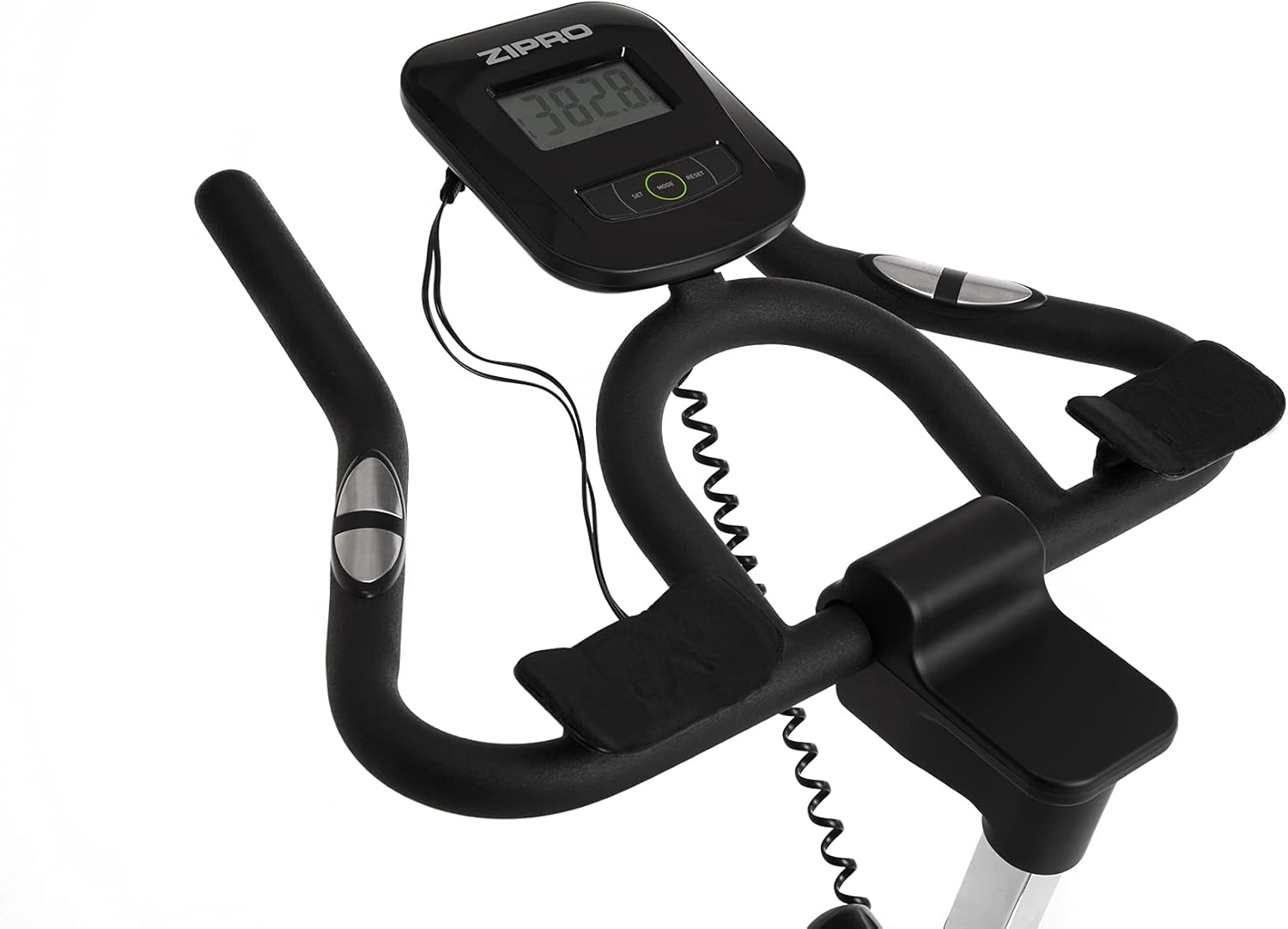
Image 4.2: Detail of the resistance adjustment knob, allowing for precise control over workout intensity.
4.3. Using the Multifunction Computer
The integrated LCD computer displays your workout data. Connect the pulse sensors (if applicable) for heart rate monitoring.
- أوضاع العرض: The computer cycles through various metrics such as Time, Distance, Calories, Speed, and Pulse.
- البدء/الإيقاف: The computer automatically starts when you begin pedaling and pauses when you stop.
- إعادة تعيين: Press and hold the 'MODE' or 'RESET' button (refer to the computer's specific buttons) to clear all data.
- قياس النبض: أمسك مستشعرات النبض على مقود الدراجة لعرض معدل ضربات قلبك. تأكد من تثبيت يديك بإحكام على المستشعرات للحصول على قراءة دقيقة.

Image 4.3: Close-up of the multifunction LCD computer and handlebars with integrated pulse sensors.
4.4. Water Bottle Holder
A convenient water bottle holder is integrated into the frame to keep you hydrated during your workout.

Image 4.4: Detail of the water bottle holder mounted on the bike frame.
5. الصيانة
Regular maintenance ensures the longevity and safe operation of your Zipro Holo 2 Exercise Bike.
- تنظيف: امسح الدراجة بالإعلانamp امسح بقطعة قماش بعد كل استخدام لإزالة العرق والغبار. تجنب المنظفات أو المذيبات الكاشطة.
- تشحيم: Periodically check the chain drive for proper lubrication. Apply a suitable lubricant if necessary, following the manufacturer's recommendations for bicycle chains.
- فحص البراغي والصواميل: Regularly inspect all bolts, nuts, and connections to ensure they are tight. Tighten any loose fasteners.
- التآكل والتلف: Check for signs of wear on moving parts, such as pedals, straps, and the saddle. Replace worn components as needed.
- تخزين: قم بتخزين الدراجة في مكان جاف وبارد بعيدًا عن أشعة الشمس المباشرة ودرجات الحرارة القصوى.
6. استكشاف الأخطاء وإصلاحها
If you encounter issues with your Zipro Holo 2 Exercise Bike, refer to the following common troubleshooting steps:
| مشكلة | السبب المحتمل | حل |
|---|---|---|
| Computer display is blank or erratic. | Low or dead batteries; loose connection. | Replace batteries (AA or AAA, typically). Check all cable connections to the computer. |
| Resistance feels inconsistent or too loose/tight. | Resistance mechanism issue; knob not properly adjusted. | Ensure the resistance knob is fully functional and not stripped. Inspect the mechanical resistance pads for wear. |
| أصوات غير عادية (صرير، طحن). | Loose parts; lack of lubrication; worn components. | Check all bolts and nuts for tightness. Lubricate the chain drive if dry. Inspect pedals and flywheel for any obstructions or wear. |
| Saddle or handlebars slip during use. | لم يتم تثبيت أزرار الضبط بشكل كافٍ. | Ensure all adjustment knobs for the saddle and handlebars are tightened firmly. |
7. المواصفات
| ميزة | مواصفة |
|---|---|
| نموذج | Holo 2 |
| ماركة | زيبرو |
| رقم الموديل | 5944594 |
| الأبعاد (الطول × العرض × الارتفاع) | 125 سم × 64 سم × 126 سم |
| وزن العنصر | 42.5 كجم (42500 جرامًا) |
| الحد الأقصى لوزن المستخدم | 130 كجم (130000 جرامًا) |
| نظام القيادة | سلسلة |
| آلية المقاومة | ميكانيكي |
| مصدر الطاقة | يعمل بالبطارية (للحاسوب) |
| المادة الرئيسية | Plastic (components), Steel (frame) |
| لون | أسود / أخضر |
8. الضمان والدعم
For specific warranty details, please refer to the documentation included with your purchase or contact the retailer. General return policy for this product is typically 30 days from the date of purchase.
For technical support, spare parts, or further assistance, please contact ZIPRO customer service through their official webالموقع أو بائع التجزئة الذي تم شراء المنتج منه.


