1. انتهى المنتجview
The Mitel MiVoice 5304 IP Phone is a compact and cost-effective entry-level display phone designed for various environments such as hotel rooms, university dorms, classrooms, and retail spaces. It provides essential communication features and integrates seamlessly with Mitel IP-based communication platforms.
This phone supports both MiNet and SIP protocols, offering flexibility in deployment. It features a backlit display, two lines with LED indication, and programmable keys for enhanced functionality.
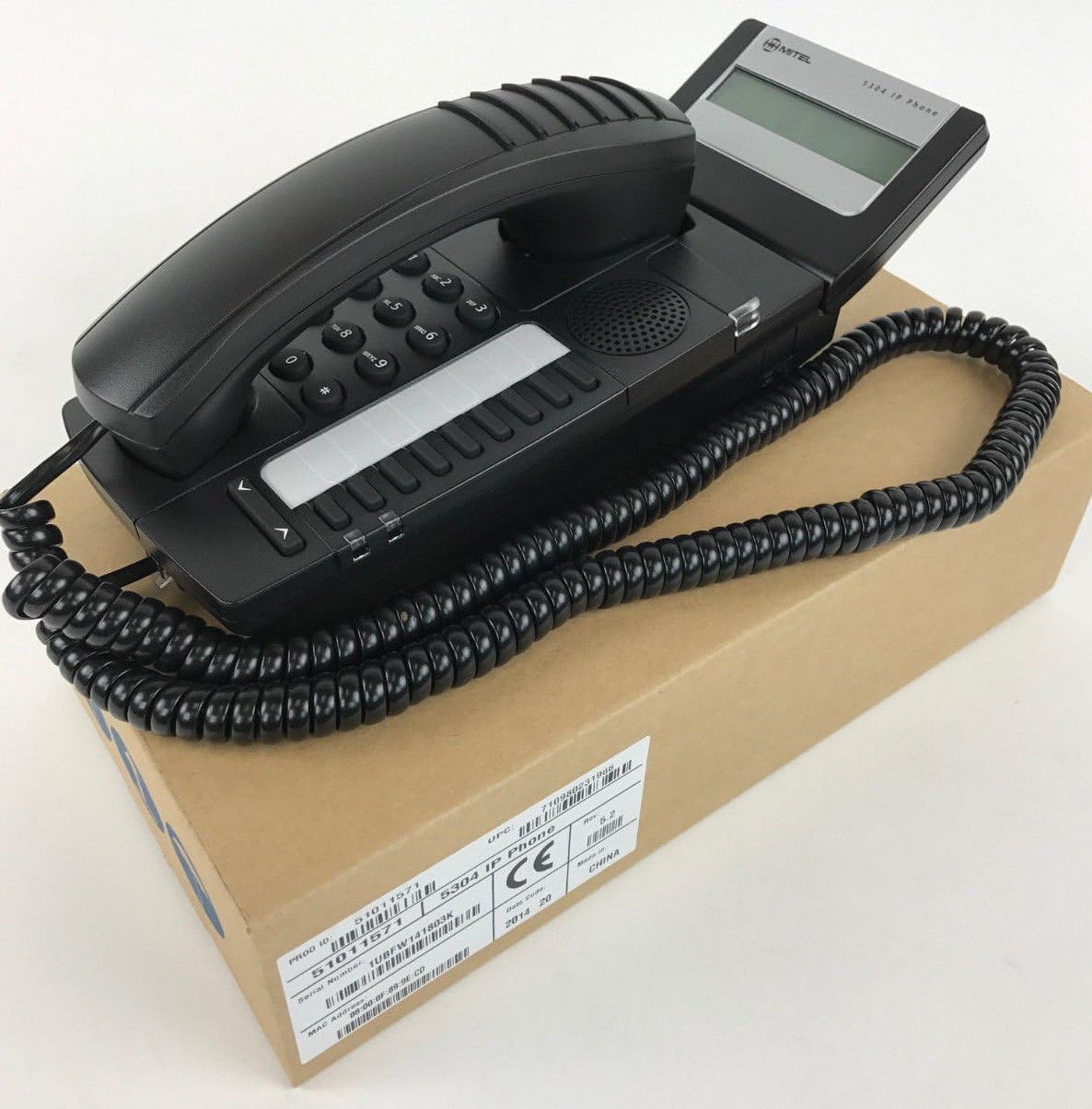
Figure 1: Mitel MiVoice 5304 IP Phone. This image shows the black IP phone with its coiled handset cord, resting on a brown cardboard box. The phone features a numeric keypad, several function buttons, and a small display screen.
2. الميزات الرئيسية
- عرض: Two x 20 character backlit display with auto-dimming.
- الخطوط: Two lines with LED indication (one prime line, one programmable key).
- مفاتيح قابلة للبرمجة: Eight programmable keys for speed dials, feature access codes, paging, conferencing, voicemail access, etc.
- الاستدعاء: Paging and page receive capability, including direct page and group page support.
- دعم الوضع المزدوج: Compatible with both MiNet and SIP protocols.
- المؤشرات البصرية: Incoming call visual indication and message waiting indication.
- عناصر التحكم في الصوت: Adjustable volume and ringing controls.
- التركيب: Wall-mountable (optional accessory may be required).
- القوة: Multiple powering options, including 802.3af compliant Power over Ethernet (PoE).
- إمكانية الوصول: ADA-compliant (HAC handset).
- تصميم مضغوط: Small footprint (approximately 26.5 cm x 10 cm or 10.5 x 4 inches).
- كفاءة الطاقة: Designed for power conservation to reduce overall energy consumption.
3. الإعداد والتثبيت
3.1 محتويات العبوة
قبل أن تبدأ، تأكد من تواجد جميع المكونات:
- Mitel MiVoice 5304 IP Phone unit
- سماعة الهاتف
- سلك ملفوف للهاتف
- كابل إيثرنت
- (Optional) Power adapter if PoE is not used
3.2 توصيل الهاتف
- توصيل سماعة الهاتف: قم بتوصيل أحد طرفي سلك سماعة الهاتف الملفوف بسماعة الهاتف والطرف الآخر بمنفذ سماعة الهاتف الموجود على قاعدة الهاتف.
- الاتصال بالشبكة: Connect one end of the Ethernet cable to the LAN port on the back of the phone and the other end to an active network port (e.g., a wall jack or network switch). If using Power over Ethernet (PoE), the phone will power on automatically.
- توصيل الطاقة (إذا لم تكن تستخدم PoE): If your network does not provide PoE, connect an optional Mitel-approved power adapter to the power port on the phone and then to a standard electrical outlet.
- التمهيد الأولي: The phone will power on and begin its boot-up sequence. This may take a few moments as it obtains an IP address and registers with your communication system.
3.3 التركيب على الحائط (اختياري)
The Mitel 5304 IP Phone can be wall-mounted. An optional wall-mount kit (sold separately) may be required. Follow the instructions provided with the wall-mount kit for proper installation.
4. تعليمات التشغيل
4.1 إجراء المكالمات والرد عليها
- لإجراء أتصال:
- ارفع سماعة الهاتف أو اضغط على المتحدث زر.
- اطلب الرقم المطلوب باستخدام لوحة المفاتيح.
- اضغط على الاتصال الهاتفي or يرسل button (if available) or wait for the call to connect automatically.
- للرد على مكالمة:
- Lift the handset or press the flashing line button or the المتحدث زر.
- لإنهاء المكالمة:
- Replace the handset or press the إنهاء المكالمة or المتحدث زر.
4.2 Using Programmable Keys
The Mitel 5304 features eight programmable keys. Their functions are typically configured by your system administrator and can include:
- Speed Dial numbers
- Access to specific features (e.g., Call Forward, Do Not Disturb)
- Paging functions
- Voicemail access
- مؤتمرات
To use a programmable key, simply press the button corresponding to the desired function.
4.3 ضبط مستوى الصوت
Use the volume control buttons (usually located below the keypad or on the side of the phone) to adjust the handset, speakerphone, or ringer volume. Press the + زر لزيادة مستوى الصوت و - زر لخفض الصوت.
4.4 Message Waiting Indication
A flashing LED indicator on the phone signifies that you have new voicemail messages. To retrieve messages, press the dedicated رسالة button (if configured) or dial your voicemail access code.
5. الصيانة والعناية
- تنظيف: استخدمي قطعة قماش ناعمة وخفيفةamp cloth to clean the phone's surface. Do not use abrasive cleaners, solvents, or strong chemicals, as these can damage the finish.
- تراب: Regularly dust the phone, especially around the keypad and display, to prevent accumulation that could affect performance.
- بيئة: Keep the phone away from excessive heat, direct sunlight, and moisture. Ensure proper ventilation if placed in an enclosed space.
- الكابلات: تأكد من توصيل جميع الكابلات بشكل آمن وعدم تعرضها للضغط أو التلف.
6. استكشاف الأخطاء وإصلاحها
| مشكلة | السبب المحتمل | حل |
|---|---|---|
| الهاتف لا يعمل. | No power from Ethernet (PoE) or power adapter not connected/faulty. |
|
| لا يوجد نغمة اتصال أو لا يمكن إجراء مكالمات. | Network connectivity issue, phone not registered, or system configuration problem. |
|
| الشاشة فارغة أو غير قابلة للقراءة. | Power issue or display fault. |
|
| لا أستطيع سماع المتصل أو المتصل لا يستطيع سماعي. | Volume settings, handset/speaker issue, or network audio problem. |
|
7. المواصفات
| يصف | التفاصيل |
|---|---|
| رقم الموديل | 51011571 |
| أبعاد المنتج (الطول × العرض × الارتفاع) | 10 × 10 × 6 بوصة (25.4 × 25.4 × 15.24 سم) |
| وزن العنصر | 1.9 رطل (0.86 كجم) |
| لون | أسود |
| نوع الهاتف | هاتف IP سلكي |
| مصدر الطاقة | Corded Electric (PoE 802.3af compliant or optional power adapter) |
| نوع المسجل | لوحة مفاتيح واحدة |
| عرض | Two x 20 character backlit display |
| دعم الخط | 2 Lines with LED indication |
| البروتوكولات المدعومة | MiNet, SIP |
| الأجهزة المتوافقة | VoIP services, IP-based communication systems, Mitel 3300, Mitel SX-200 IP Communications Platforms |
| إمكانية إجراء مكالمات مؤتمرية | 2-الطريق |
8. الضمان والدعم
للحصول على معلومات حول ضمان المنتج، يرجى الرجوع إلى بطاقة الضمان المرفقة مع عملية الشراء أو زيارة موقع Mitel الرسمي. website. For technical support, service, or further inquiries, please contact your Mitel authorized dealer or system administrator.
You can also find additional resources and contact information on the official Mitel webموقع: www.mitel.com


