1. المقدمة وما فوقview
The EPOS PC 7 USB is a lightweight, single-sided wired headset designed for clear communication and audio. It connects via USB, offering plug-and-play functionality for various computer systems. Its noise-cancelling microphone ensures clear conversations, making it suitable for online calls, gaming, and listening to audio while remaining aware of your surroundings.

Figure 1: EPOS PC 7 USB Wired Headset
2. مواصفات المنتج
- ميكروفون مانع للضوضاء: Provides clear audio transmission by filtering out background noise.
- التوصيل والتشغيل عبر USB: Simple connection to your computer's USB port for immediate use without additional software installation.
- Single-Sided Wearing Style: Allows you to keep one ear free to stay aware of your environment.
- تصميم خفيف الوزن ومريح: Engineered for extended periods of use without discomfort.
- الصوت ذو النطاق العريض: Delivers high-quality sound for both listening and speaking.

Figure 2: Key features of the EPOS PC 7 USB Headset including noise-cancelling microphone, lightweight design, and plug-and-play simplicity.
3. الإعداد
- الاتصال بمنفذ USB: Locate an available USB-A port on your computer (Windows, macOS, or Chromebook). Insert the headset's USB connector firmly into the port.
- التعرف التلقائي: Your operating system should automatically detect and install the necessary drivers for the headset. This process typically takes a few moments.
- تحقق من إعدادات الصوت: After connection, check your computer's sound settings to ensure the EPOS PC 7 USB is selected as the default input (microphone) and output (speaker) device.
The headset is designed for immediate plug-and-play functionality, requiring no complex installation steps.

Figure 3: Close-up of the single-sided USB headset, highlighting the plug-and-play USB connection and noise-cancelling microphone.
4. تعليمات التشغيل
4.1 ضبط الميكروفون
- التمركز: Gently adjust the flexible boom arm to position the microphone approximately 1-2 inches from your mouth for optimal voice pickup.
- إلغاء الضوضاء: The microphone features noise-cancelling technology to reduce ambient sounds, ensuring your voice is heard clearly.
4.2 عناصر التحكم المضمنة
The headset features an inline control unit for convenient management of calls and audio.
- التحكم في مستوى الصوت: Use the '+' and '-' buttons to increase or decrease the listening volume.
- ميكروفون كتم الصوت: Press the microphone icon button to mute or unmute your microphone.
- إدارة المكالمات: Use the call button (phone icon) to answer or end calls in compatible applications (e.g., Skype, Zoom, Teams).

Figure 4: Detail of the earcup and microphone, designed for clear audio and comfortable fit.
5. الراحة والتصميم
The EPOS PC 7 USB is engineered for user comfort during prolonged use.
- بناء خفيف الوزن: The headset's minimal weight reduces pressure on the head and ears.
- On-Ear Earpad: The single earpad rests comfortably on one ear, allowing for situational awareness.
- عقال قابل للتعديل: The headband can be adjusted to fit various head sizes securely.

Figure 5: User demonstrating the comfortable fit of the EPOS PC 7 USB Headset during a call.
6. المواصفات
| ميزة | التفاصيل |
|---|---|
| اسم الموديل | PC 7 USB |
| ماركة | EPOS |
| تكنولوجيا الاتصال | سلكي (USB-A) |
| وضع الأذن | On Ear (Mono) |
| عامل الشكل | على الأذن |
| التحكم في الضوضاء | إلغاء الضوضاء النشط (الميكروفون) |
| استجابة التردد | 42 - 17000 هرتز |
| مقاومة | 32 أوم |
| وزن العنصر | 2.19 أونصة |
| مادة | بلاستيك |
| لون | أسود |
| الأجهزة المتوافقة | Computers (Windows, macOS, Chromebook) |
7. الصيانة
- تنظيف: استخدم قطعة قماش ناعمة وجافة لتنظيف سماعة الرأس. تجنب استخدام المواد الكيميائية القاسية أو المواد الكاشطة.
- تخزين: احفظ سماعة الرأس في مكان بارد وجاف عند عدم استخدامها. تجنب درجات الحرارة القصوى وأشعة الشمس المباشرة.
- العناية بالكابلات: Do not excessively bend or pull the cable to prevent damage.
8. استكشاف الأخطاء وإصلاحها
- لا يوجد صوت/الميكروفون لا يعمل:
- تأكد من إدخال موصل USB بالكامل في المنفذ.
- Check your computer's audio settings to confirm the EPOS PC 7 USB is selected as the default input/output device.
- Verify that the microphone is not muted via the inline control unit or your computer's software.
- حاول توصيل سماعة الرأس بمنفذ USB مختلف أو بجهاز كمبيوتر آخر لاستبعاد مشكلات المنفذ أو النظام.
- ضعف جودة الصوت:
- Adjust the microphone boom arm closer to your mouth.
- Ensure the earpad is properly positioned on your ear.
- Check for any software conflicts or outdated audio drivers on your computer.
9. فيديو المنتج الرسمي
Video 1: EPOS PC7 USB Mono Headset for Clear Office Calls. This video provides a visual overview of the headset's features and benefits for office communication.
10. الضمان والدعم
The EPOS PC 7 USB Headset comes with a 2-year warranty, as indicated on the product packaging. For further support, product registration, or warranty claims, please visit the official EPOS webالموقع أو الاتصال بخدمة العملاء الخاصة بهم.
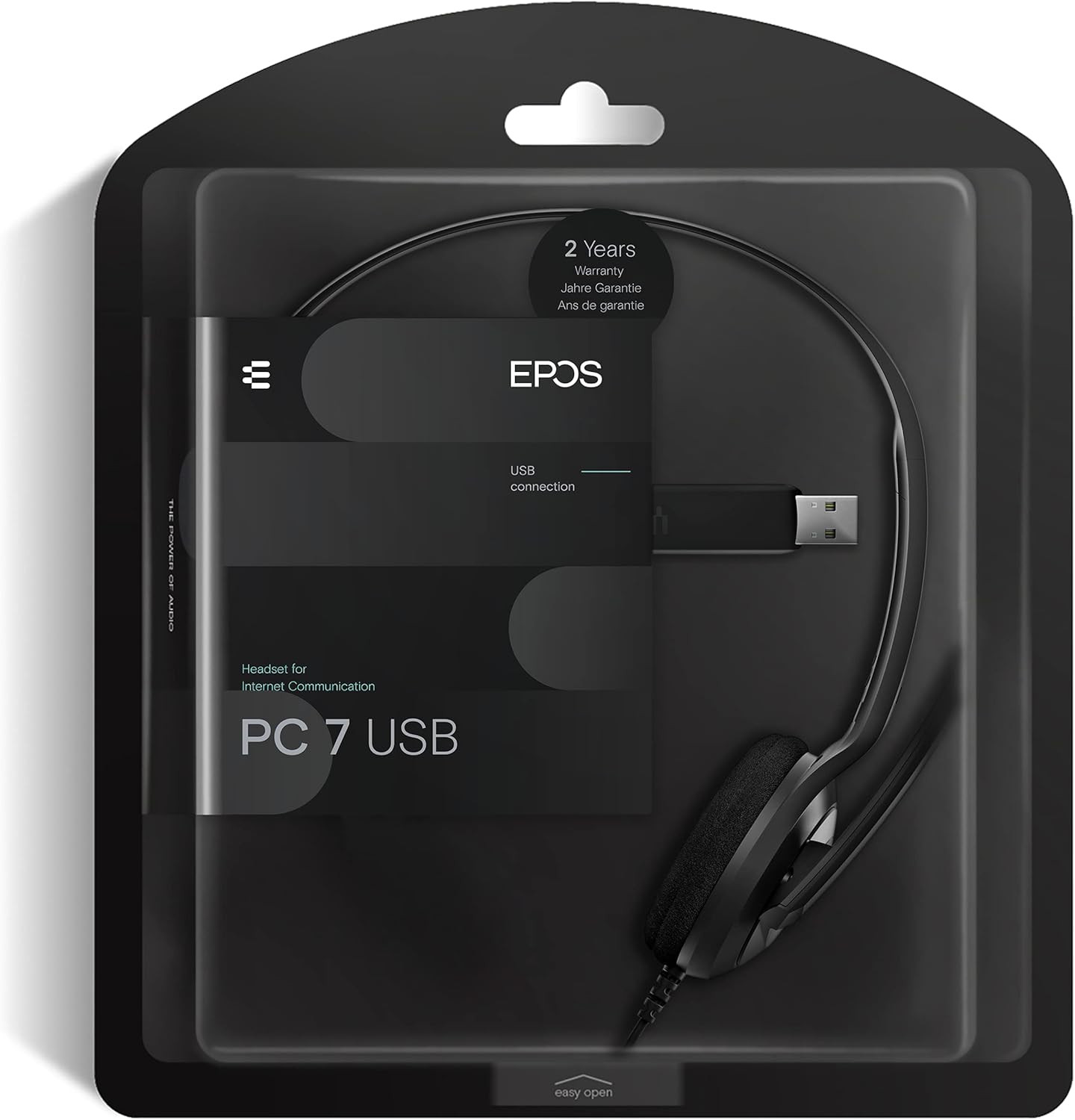
Figure 6: Product packaging highlighting the 2-year warranty information.


