1. المقدمة
This manual provides instructions for the setup, operation, and maintenance of your Acctim 14193 Eclipse Solar Dual Power Alarm Clock. This clock features a hybrid power system, utilizing solar energy during the day and battery power at night. It includes a crescendo alarm with snooze functionality and Smartlite technology for automatic display illumination in low light conditions.
2. معلومات السلامة
- Do not expose the clock to extreme temperatures, direct sunlight for prolonged periods (beyond normal operation), or high humidity.
- تجنب إسقاط الساعة أو تعريضها لصدمات قوية.
- لا تحاول تفكيك الساعة أو إصلاحها بنفسك. استعن بفنيي صيانة مؤهلين.
- تخلص من البطاريات المستخدمة وفقا للوائح المحلية.
3. محتويات العبوة
يرجى التأكد من وجود جميع العناصر:
- Acctim 14193 Eclipse Solar Dual Power Alarm Clock
- 2 بطاريات AA (مثبتة مسبقًا أو مرفقة بشكل منفصل)
4. انتهى المنتجview
Familiarize yourself with the clock's components and controls.
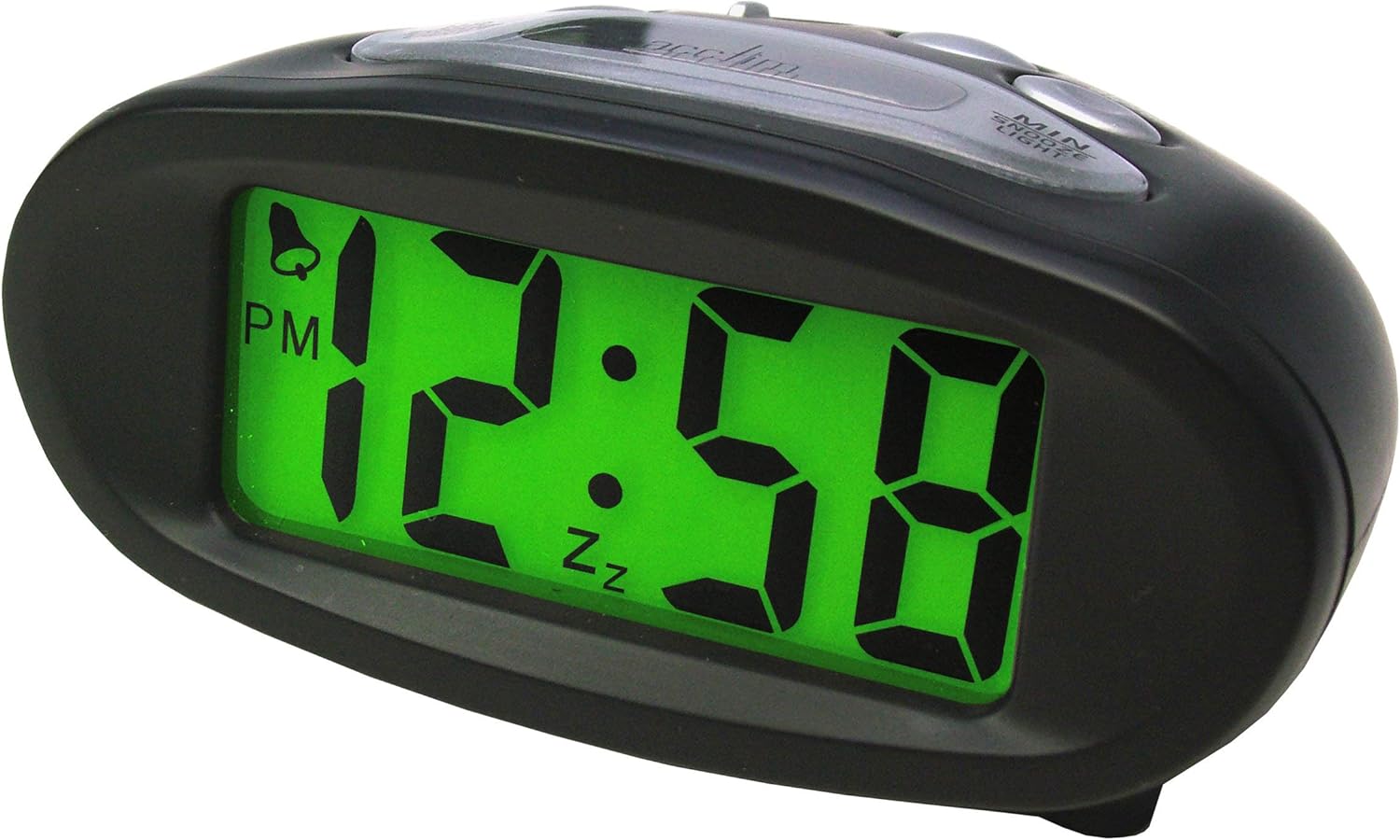
الشكل 4.1: الجبهة View (Illuminated Display)
This image shows the front of the Acctim 14193 alarm clock with its digital display illuminated in green, showing the time 12:58 PM. The clock has a black, oval-shaped casing.

الشكل 4.2: الجبهة View (Unilluminated Display)
This image displays the front of the Acctim 14193 alarm clock with its digital display unilluminated, showing the time 12:58 PM. The clock maintains its black, oval-shaped design.

Figure 4.3: Top and Rear View (ضوابط)
This image provides a top-rear view of the Acctim 14193 alarm clock, highlighting the control buttons and the solar panel. The buttons are labeled for functions such as ALARM ON/OFF, ALARM SET, TIME SET, and a LIGHT switch with OFF, LO, and HI settings. The solar panel is visible on the top surface.
4.1 الضوابط والميزات
- عرض: شاشة عرض الوقت الرقمية.
- لوحة الطاقة الشمسية: Located on the top surface, charges the clock during daylight.
- زر الموارد البشرية: Used to adjust hours.
- زر MIN: Used to adjust minutes.
- زر الغفوة/الإضاءة: Activates snooze during alarm, provides temporary backlight.
- مفتاح تشغيل/إيقاف الإنذار: Toggles the alarm function.
- زر ضبط التنبيه: يدخل وضع ضبط المنبه.
- زر ضبط الوقت: يدخل إلى وضع ضبط الوقت.
- LIGHT Switch (OFF/LO/HI): Controls the Smartlite backlight intensity.
5. الإعداد
5.1 تركيب البطارية
The clock requires 2 x AA batteries (included). If batteries are not pre-installed or need replacement:
- Locate the battery compartment cover on the underside of the clock.
- إزالة الغطاء.
- قم بإدخال بطاريتين AA، مع التأكد من القطبية الصحيحة (+ و-).
- أعد تركيب غطاء حجرة البطارية بشكل آمن.
5.2 Solar Power Functionality
The Acctim Eclipse clock utilizes a hybrid power system. The solar panel on top of the clock charges the internal system during daylight hours, reducing battery consumption. For optimal performance, place the clock in an area that receives ambient light during the day. The clock will automatically switch to battery power at night or in low-light conditions.
6. تعليمات التشغيل
6.1 ضبط الوقت
- اضغط مع الاستمرار على الوقت المحدد اضغط على الزر حتى تبدأ أرقام الساعة في الوميض.
- اضغط على HR button repeatedly to adjust the hour. Pay attention to the AM/PM indicator.
- اضغط على الوقت المحدد اضغط على الزر مرة أخرى لتأكيد الساعة والانتقال إلى ضبط الدقائق. ستومض أرقام الدقائق.
- اضغط على مين اضغط على الزر بشكل متكرر لضبط الدقائق.
- اضغط على الوقت المحدد اضغط على الزر مرة أخيرة لتأكيد الدقائق والخروج من وضع ضبط الوقت.
6.2 ضبط المنبه
- اضغط مع الاستمرار على مجموعة التنبيه اضغط على الزر حتى تبدأ أرقام ساعة التنبيه في الوميض.
- اضغط على HR button repeatedly to adjust the alarm hour. Observe the AM/PM indicator.
- اضغط على مجموعة التنبيه button again to confirm the alarm hour and move to alarm minute setting. The alarm minute digits will flash.
- اضغط على مين اضغط على الزر بشكل متكرر لضبط دقائق المنبه.
- اضغط على مجموعة التنبيه button one last time to confirm the alarm minutes and exit alarm setting mode.
6.3 تفعيل/إلغاء تفعيل جهاز الإنذار
استخدم تشغيل / إيقاف الإنذار switch located on the top of the clock to enable or disable the alarm. When the alarm is active, an alarm icon (often a bell) will appear on the display.
6.4 وظيفة الغفوة
عندما يصدر صوت التنبيه، اضغط على الزر الكبير غفوة / ضوء button on the top of the clock. The alarm will temporarily stop and sound again after approximately 5-10 minutes (standard snooze duration).
6.5 Backlight Functions (Smartlite & Manual)
- Smartlite Technology: The clock features Smartlite technology, which automatically illuminates the display for easy night time viewing. Control its intensity using the ضوء switch (OFF/LO/HI).
- OFF: Smartlite feature is disabled.
- ل: Low intensity automatic backlight.
- أهلاً: High intensity automatic backlight.
- الإضاءة الخلفية اليدوية: اضغط على غفوة / ضوء button at any time to activate a temporary blue backlight for approximately 4 seconds, providing additional illumination.
7. الصيانة
7.1 التنظيف
Wipe the clock with a soft, dry cloth. Do not use abrasive cleaners or chemical solvents, as these may damage the casing أو العرض.
7.2 استبدال البطارية
When the display dims significantly or the clock functions become erratic, it may be time to replace the batteries. Refer to Section 5.1 for battery installation instructions. Always replace both AA batteries simultaneously with new ones.
8. استكشاف الأخطاء وإصلاحها
| مشكلة | السبب المحتمل | حل |
|---|---|---|
| العرض باهت أو فارغ. | Low batteries or insufficient light for solar charging. | Replace batteries (Section 5.1). Ensure the clock is placed in an area with adequate ambient light for solar charging. |
| لا يصدر صوت الإنذار. | Alarm is not activated or alarm time is incorrect. | Check the ALARM ON/OFF switch (Section 6.3). Verify the alarm time is set correctly (Section 6.2). |
| الوقت غير صحيح. | Time was not set correctly or batteries were removed. | Reset the time (Section 6.1). |
| Smartlite backlight not working. | LIGHT switch is set to OFF or insufficient ambient light. | Ensure the LIGHT switch is set to LO or HI (Section 6.5). Test in a darker environment. |
9. المواصفات
| ماركة | الضحية |
| رقم الموديل | 14193 |
| لون | أسود |
| نوع العرض | رقمي |
| مصدر الطاقة | Battery Powered, Solar Powered (Hybrid) |
| البطاريات | 2 × AA (مضمنة) |
| المميزات الخاصة | Alarm, Snooze, Smartlite Automatic Backlight, Manual Blue Backlight |
| الأبعاد (الطول × العرض × الارتفاع) | 105 مم × 50 مم × 75 مم (تقريبًا 4.13 × 1.97 × 2.95 بوصات) |
| وزن العنصر | 0.11 كيلوغرام (حوالي 3.87 أونصة) |
10. الضمان والدعم
The Acctim 14193 Eclipse Solar Dual Power Alarm Clock comes with a ضمان لمدة سنتين من تاريخ الشراء. يغطي هذا الضمان عيوب التصنيع في ظل الاستخدام العادي.
For warranty claims, technical support, or further assistance, please contact your retailer or the manufacturer directly. Please retain your proof of purchase.


