مقدمة
This manual provides detailed instructions for the setup, operation, maintenance, and troubleshooting of your Soleus Ultra Sole Digital Watch, model SR010-052. Please read this manual thoroughly to ensure proper use and to maximize the lifespan of your watch.
المنتج انتهىview
The Soleus Ultra Sole Digital Watch is designed for active individuals, featuring a robust digital display and a durable polyurethane strap. It includes advanced functions such as a chronograph, lap memory, interval timers, and hydration alarms, making it an ideal companion for training and daily activities.
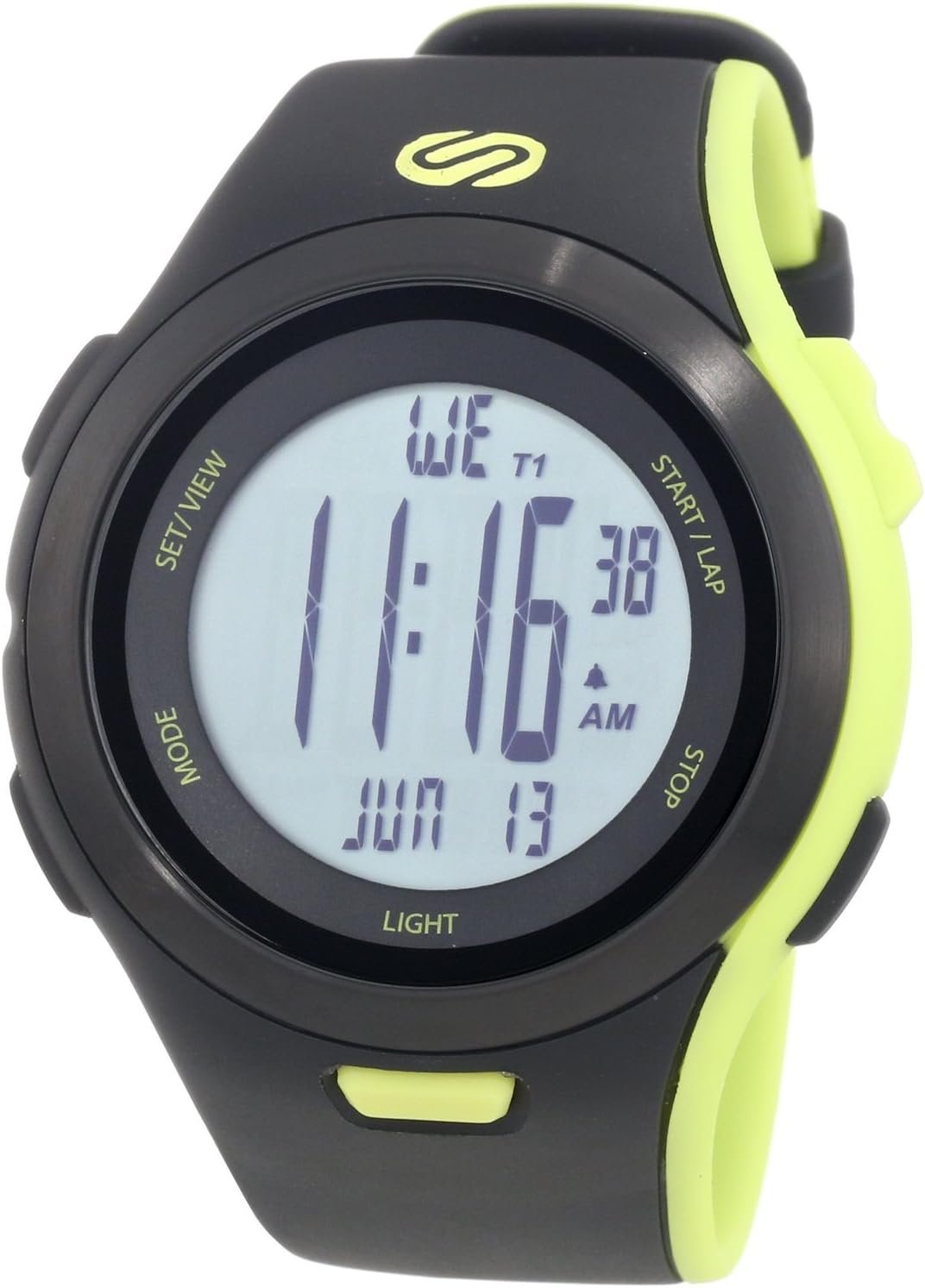
الشكل 1: الجبهة view of the Soleus Ultra Sole Digital Watch.

الشكل 2: العودة view and dimensions of the Soleus Ultra Sole Digital Watch.

Figure 3: Soleus Ultra Sole Digital Watch as worn on a wrist.
يثبت
التشغيل الأولي
Your Soleus Ultra Sole Digital Watch comes with a product-specific battery included and pre-installed. The watch should power on automatically. If the display is blank, ensure the battery is properly seated (though typically not user-serviceable for initial setup).
ضبط الوقت والتاريخ
لتعيين الوقت والتاريخ:
- اضغط على وضع button repeatedly until you reach the Time Setting mode. The digits for hours or minutes will typically flash.
- استخدم تعيين/VIEW or البدء/اللفة buttons to adjust the flashing value (e.g., hours, minutes, year, month, day).
- يضعط وضع again to move to the next setting field.
- بعد التأكد من صحة جميع الإعدادات، اضغط تعيين/VIEW or وضع (depending on the specific model's button logic) to exit the setting mode and save changes.
تعديل الحزام
The polyurethane strap is designed for comfort and durability. Adjust the buckle clasp to ensure a snug, yet comfortable fit on your wrist. The strap accommodates wrist sizes from approximately 150mm to 195mm.
تعليمات التشغيل
Your Soleus Ultra Sole Digital Watch features several modes and functions accessible via its buttons:
- زر الوضع: Cycles through different operational modes (e.g., Time, Chronograph, Timer, Alarm, Dual Time, Run Data).
- تعيين/VIEW زر: Used for setting values in setting modes or viewing data in data modes.
- START/LAP Button: Initiates or pauses functions (e.g., chronograph start), or records laps.
- زر التوقف: Stops functions (e.g., chronograph stop) or resets values.
- زر الضوء: Activates the EL backlight for 15 seconds.
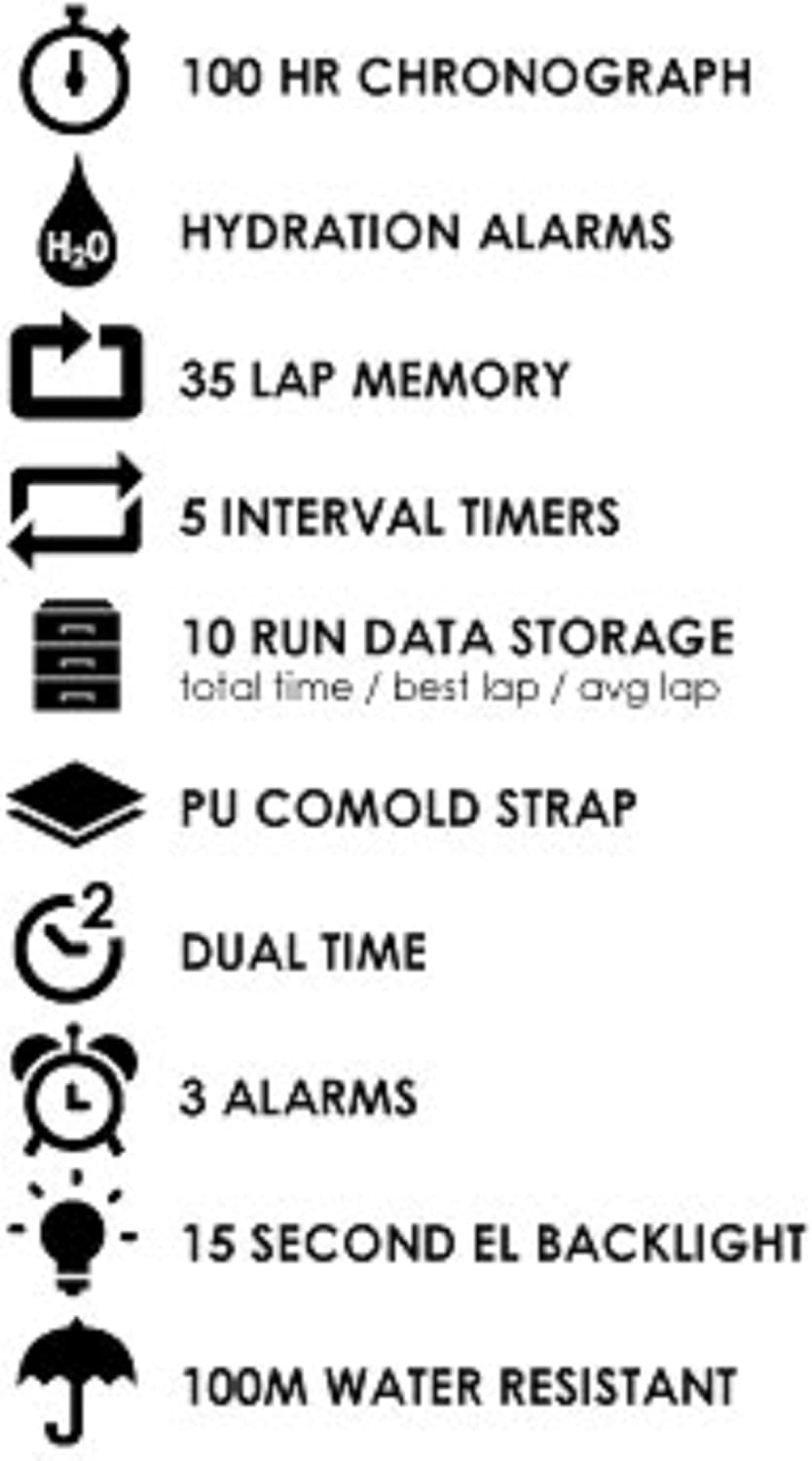
Figure 4: Key features of the Soleus Ultra Sole Digital Watch.
كرونوغراف (ساعة توقيت)
The watch features a 100-hour chronograph:
- يضعط وضع للدخول إلى وضع الكرونوغراف.
- يضعط البدء/اللفة لبدء التوقيت.
- يضعط البدء/اللفة again to record a lap time (up to 35 laps). The main timer continues running.
- يضعط قف لإيقاف الكرونوغراف مؤقتًا.
- يضعط قف مرة أخرى لإعادة ضبط الكرونوغراف إلى الصفر.
الفاصل الزمني
The watch includes 5 interval timers for structured workouts:
- يضعط وضع to navigate to the Interval Timer mode.
- يستخدم تعيين/VIEW to select and set the duration for each of the 5 timers.
- يضعط البدء/اللفة to begin the interval sequence. The watch will alert you at the end of each interval.
إنذار
Set up to 3 independent alarms:
- يضعط وضع to enter Alarm mode.
- يستخدم تعيين/VIEW لاختيار الإنذار 1 أو 2 أو 3.
- يستخدم البدء/اللفة و قف لضبط وقت التنبيه المطلوب.
- قم بتفعيل أو إلغاء تفعيل الإنذار باستخدام الزر المناسب (راجع المؤشرات التي تظهر على الشاشة).
Hydration Alarm
The hydration alarm reminds you to drink fluids:
- يضعط وضع to navigate to the Hydration Alarm setting.
- Set the desired interval for the hydration reminder.
- Activate the alarm. The watch will provide an audible alert at the set intervals.
Run Data Storage
The watch stores data for up to 10 runs, including total time, best lap, and average lap:
- After completing a run using the chronograph, the data is automatically saved.
- يضعط وضع to enter Run Data mode.
- يستخدم تعيين/VIEW to scroll through the stored run data.
صيانة
تنظيف ساعتك
للحفاظ على مظهر ووظائف ساعتك:
- امسح علبة الساعة وحزامها بانتظام بقطعة قماش ناعمة.amp قطعة قماش.
- بالنسبة للأوساخ العنيدة، استخدم محلول صابون خفيف ثم اشطف جيدًا بالماء النظيف.
- تجنب استخدام المواد الكيميائية القاسية أو المذيبات أو المنظفات الكاشطة، لأنها قد تتلف طلاء الساعة وموادها.
- Ensure the watch is completely dry before storing or wearing.
مقاومة الماء
The Soleus Ultra Sole Digital Watch is water-resistant to 100 meters (330 feet). This means it is suitable for showering, swimming, and snorkeling. However, it is important to note:
- Do not press any buttons while the watch is submerged in water. Pressing buttons underwater can compromise the water seal and lead to water ingress.
- Avoid exposing the watch to hot water or steam (e.g., hot showers, saunas, hot tubs), as extreme temperature changes can affect the seals.
- بعد تعرض الساعة للماء المالح، اشطفها جيداً بالماء العذب وجففها بقطعة قماش ناعمة.
استبدال البطارية
The watch uses a product-specific battery. When the display becomes dim or functions become erratic, it may be time for a battery replacement. It is recommended to have the battery replaced by a qualified watch technician to ensure the water resistance is maintained.
استكشاف الأخطاء وإصلاحها
If you encounter issues with your Soleus Ultra Sole Digital Watch, refer to the following common problems and solutions:
| مشكلة | السبب المحتمل | حل |
|---|---|---|
| العرض فارغ أو خافت. | بطارية منخفضة. | استبدال البطارية. |
| الأزرار لا تستجيب. | Watch is in a locked mode or internal error. | Try pressing all buttons simultaneously for a few seconds to attempt a soft reset. If unresponsive, battery replacement may be needed. |
| الوقت غير صحيح. | لم يتم ضبط الوقت بشكل صحيح أو أن البطارية منخفضة. | Re-set the time and date as per the 'Setting Time and Date' section. If issue persists, replace battery. |
| ماء داخل الشاشة. | مقاومة الماء متأثرة. | Stop using the watch immediately. Seek professional repair to prevent further damage. Do not attempt to dry it yourself. |
إذا استمرت المشكلة بعد تجربة هذه الحلول، فيرجى الاتصال بدعم العملاء للحصول على مزيد من المساعدة.
تحديد
| ميزة | مواصفة |
|---|---|
| رقم الموديل | س ر010-052 |
| ماركة | سوليوس |
| مادة العلبة | الراتنج |
| مادة الحزام | البولي يوريثين |
| عرض القضية | 48 ملم |
| عرض الشريط | 22 ملم |
| نطاق مقاسات المعصم | حوالي 150 مم - 195 مم |
| مقاومة الماء | 100 أمتار (330 قدم) |
| كرونوغراف | 100 ساعة |
| ذاكرة اللفة | 35 لفة |
| الفاصل الزمني | 5 |
| إنذار | 3 |
| Run Data Storage | 10 runs (total time, best lap, avg lap) |
| الإضاءة الخلفية | 15-second EL Backlight |
| بطارية | 1 منتج محدد (متضمن) |
| تاريخ أول توفر | 7 أغسطس 2012 |
الضمان والدعم
معلومات الضمان
Soleus products are manufactured to high-quality standards. For specific warranty terms and conditions, please refer to the warranty card included with your purchase or visit the official Soleus website. Typically, watches come with a limited warranty covering manufacturing defects.
دعم العملاء
For technical assistance, troubleshooting not covered in this manual, or warranty claims, please contact Soleus customer support. Contact information can usually be found on the product packaging, the official Soleus webالموقع، أو من خلال بائع التجزئة الخاص بك.
Please have your model number (SR010-052) and purchase date ready when contacting support.


