1. المقدمة
This manual provides essential information for the safe and effective operation of your Canon PowerShot SX130IS digital camera. Please read it thoroughly before using the camera and keep it for future reference.

الشكل 1: الجبهة view of the Canon PowerShot SX130IS Digital Camera.
2. الإعداد
2.1. تركيب البطاريات
The PowerShot SX130IS operates on AA-size batteries. For optimal performance and longevity, it is recommended to use rechargeable AA batteries.
- Open the battery compartment cover, typically located on the bottom of the camera.
- Insert two AA-size batteries, ensuring correct polarity (+/-) as indicated inside the compartment.
- أغلق غطاء حجرة البطارية جيدًا.
2.2. إدخال بطاقة الذاكرة
The camera supports SD, SDHC, and SDXC memory cards (not included). A memory card is required to store photos and videos.
- افتح غطاء فتحة بطاقة الذاكرة، والذي عادة ما يكون مجاورًا لحجرة البطارية.
- قم بإدخال بطاقة الذاكرة مع توجيه الملصق نحو مقدمة الكاميرا حتى يستقر في مكانه.
- أغلق غطاء فتحة بطاقة الذاكرة بشكل آمن.
2.3. ضبط التاريخ والوقت
Upon first use or after replacing batteries, you may need to set the date and time.
- قم بتشغيل الكاميرا.
- If prompted, follow the on-screen instructions to set the date, time, and time zone.
- Use the directional buttons to navigate and the FUNC.SET/OK button to confirm selections.
3. تشغيل الكاميرا
3.1. تشغيل/إيقاف التشغيل
اضغط على تشغيل/إيقاف زر أعلى الكاميرا لتشغيلها أو إيقافها. تتمدد العدسة عند تشغيلها.
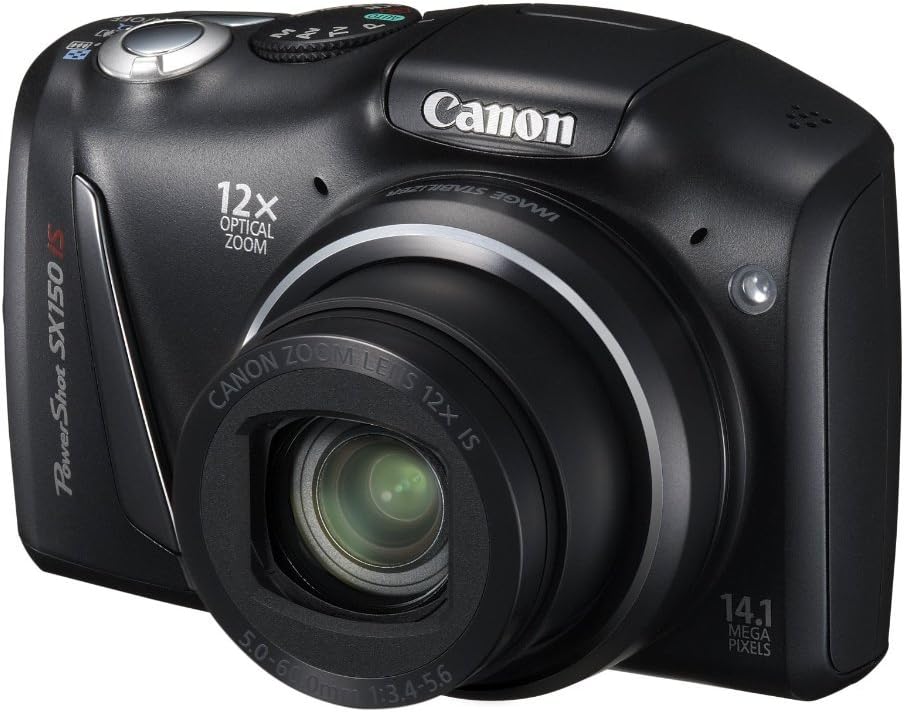
الشكل 2: بزاوية view of the camera, highlighting the top controls including the ON/OFF button and mode dial.
3.2. التقاط الصور
لالتقاط صورة ثابتة:
- اختر وضع التصوير باستخدام قرص تحديد الأوضاع (على سبيل المثال، آلي for automatic settings).
- قم بتأطير اللقطة باستخدام شاشة LCD مقاس 3.0 بوصة.
- اضغط زر الغالق حتى المنتصف للتركيز. سيتحول إطار التركيز إلى اللون الأخضر عند ضبط التركيز.
- اضغط على زر الغالق بالكامل لالتقاط الصورة.
3.3. تسجيل مقاطع الفيديو
The camera can record 720p HD video with stereo sound.
- Turn the mode dial to the movie mode icon (usually a small movie camera symbol).
- Press the movie button (often a red dot or movie camera icon) to start recording.
- Press the movie button again to stop recording.
3.4. Using the Optical Zoom
The camera features a 12x wide-angle optical zoom with Optical Image Stabilizer.
- Use the zoom lever, typically located around the shutter button, to zoom in (telephoto) or zoom out (wide-angle).
- The Optical Image Stabilizer helps reduce blur caused by camera shake, especially at higher zoom levels.
3.5. استخدام الفلاش
The camera has a built-in pop-up flash for low-light conditions.
- In certain shooting modes, the flash may pop up automatically.
- You can manually activate or deactivate the flash by pressing the flash button (lightning bolt icon) and selecting the desired mode (Auto, On, Off, Slow Synchro).
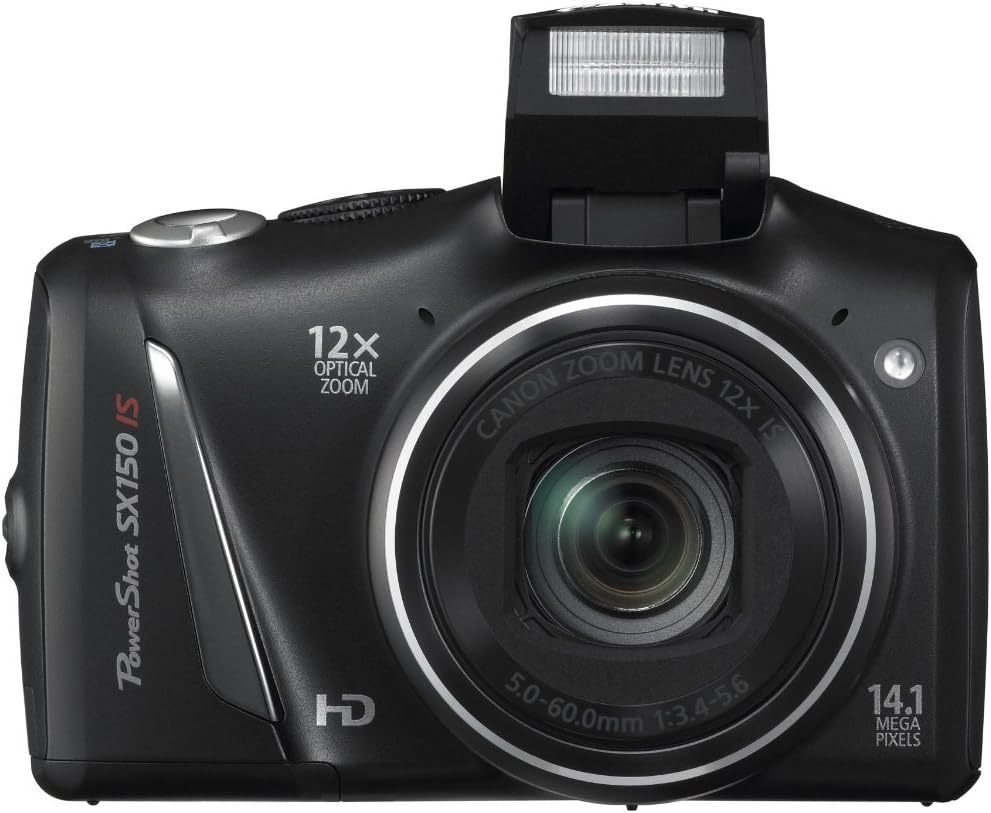
الشكل 3: الجبهة view of the camera with the pop-up flash extended.
3.6. Scene Modes and Smart AUTO
The PowerShot SX130IS offers various scene modes and an advanced Smart AUTO system to optimize settings for different shooting situations.
- السيارات الذكية: Automatically selects from 28 predefined shooting situations to ensure optimal image quality.
- أوضاع المشهد: Includes creative options like Miniature Effect for Movies and Fisheye Effect for artistically distorted stills. Select these via the mode dial or menu.
- Smart Flash Exposure: Analyzes lighting conditions to apply the correct flash, preventing over or underexposed images.
3.7. إعادةviewجي الصور ومقاطع الفيديو
ل view your captured images and videos:
- اضغط على التشغيل button (usually an arrow icon).
- Use the directional buttons to scroll through your media.
- اضغط على FUNC.SET/OK زر ل view مقطع فيديو أو تكبير صورة.
4. الصيانة
4.1. العناية العامة
- حافظ على نظافة الكاميرا عن طريق مسحها بقطعة قماش ناعمة وجافة.
- تجنب تعريض الكاميرا لدرجات الحرارة العالية أو الرطوبة أو الغبار.
- Protect the lens and LCD screen from scratches.
4.2. العناية بالبطارية
- Always use high-quality batteries. Rechargeable batteries are recommended for cost-effectiveness and environmental reasons.
- قم بإزالة البطاريات إذا كنت لن تستخدم الكاميرا لفترة طويلة.
5. استكشاف الأخطاء وإصلاحها
5.1. "No Memory Card" Error
If this message appears, ensure the memory card is inserted correctly and fully seated in its slot. If the issue persists, try a different compatible memory card.
5.2. عمر البطارية القصير
Battery life can vary significantly based on usage (e.g., frequent flash use, video recording, reviewing images). If you experience consistently short battery life:
- Ensure you are using fresh, high-quality alkaline batteries or fully charged rechargeable batteries.
- Consider using higher capacity rechargeable batteries.
- Reduce flash usage and LCD screen brightness if possible.
5.3. Dust in Lens
If dust appears on images, it may be on the lens. Avoid attempting to clean the internal lens elements yourself. Consult a professional camera service center for cleaning.
5.4. Video Playback Issues
The camera records videos in .mov format. If you encounter issues playing videos on a computer, ensure you have the necessary codecs or a compatible media player installed.
6. المواصفات
| ميزة | مواصفة |
|---|---|
| أبعاد المنتج | 4.45 × 1.81 × 2.87 بوصة |
| وزن العنصر | 10.9 أونصات |
| رقم موديل العنصر | إس إكس 130 |
| البطاريات | بطاريات الليثيوم المعدنية مطلوبة (مرفقة) |
| الشركة المصنعة | كاميرات كانون في الولايات المتحدة |
| لغة | إنجليزي |
| حوامل متوافقة | كانون |
| نسبة العرض إلى الارتفاع | 16:9 |
| تقنية مستشعر الصور | جهاز اقتران الشحنات |
| مدعوم File شكل | JPEG ، الخام |
| تثبيت الصورة | بصري |
| الطول البؤري الأقصى | 336 مليمتر |
| التكبير البصري | 12 × |
| الفتحة القصوى | 3.5 مليمتر |
| الحد الأدنى الموسع لـ ISO | 80 |
| وصف القياس | متعدد، مركزي، موضعي |
7. الضمان والدعم
For warranty information, technical support, or service inquiries, please refer to the official Canon website or contact Canon customer service directly. Keep your purchase receipt as proof of purchase.
8. مقاطع فيديو المنتج
لا تتوفر مقاطع فيديو رسمية للبائع لهذا المنتج في الوقت الحالي.


