1. المقدمة
Thank you for choosing the Takstar E 340 Karaoke Microphone. This manual provides essential information for the proper setup, operation, and maintenance of your microphone. Please read this manual thoroughly before using the product to ensure optimal performance and longevity.
2. انتهى المنتجview
The Takstar E 340 is a high-quality unidirectional handheld dynamic microphone designed for clear vocal reproduction, ideal for karaoke and general speech applications. It features a robust construction and a design focused on user comfort and sound clarity.
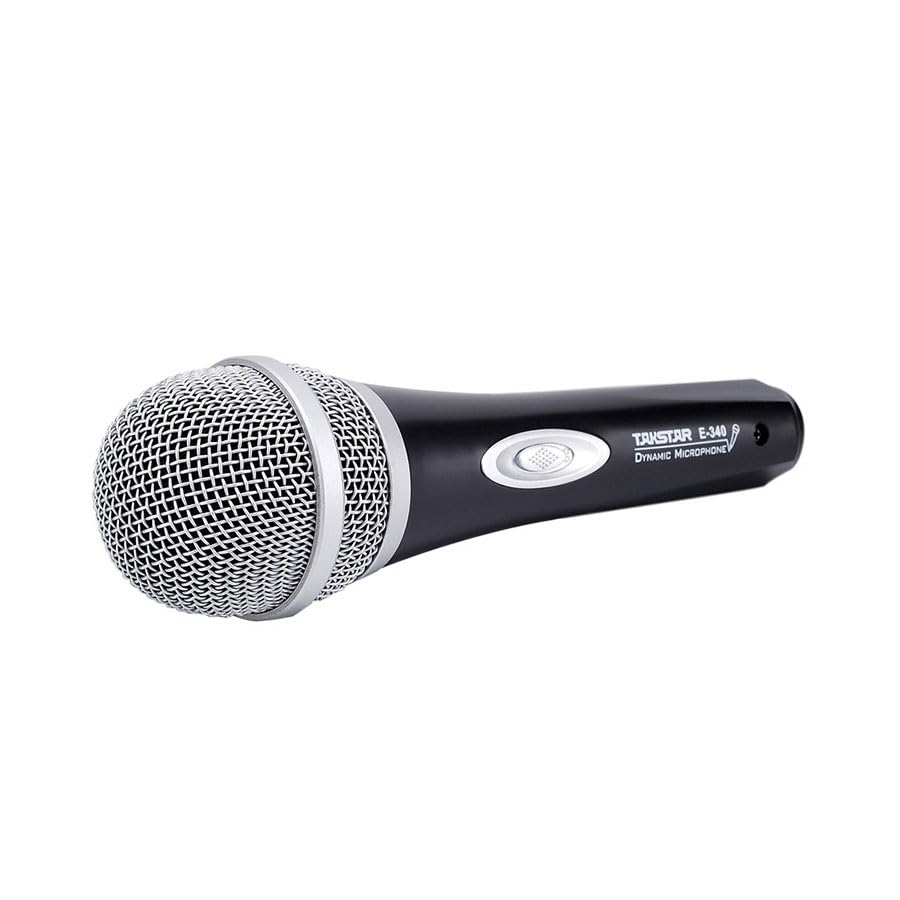
Figure 2.1: Takstar E 340 Handheld Dynamic Microphone. This image shows the full view of the microphone, highlighting its black body and silver grille.
المميزات الرئيسية:
- النمط القطبي أحادي الاتجاه: يركز على الصوت من الأمام، مما يقلل من الضوضاء الخلفية.
- الكبسولة الديناميكية: Provides clear and powerful sound reproduction.
- بناء متين: Plastic housing with a paint finish for comfortable handling and durability.
- اتصال XLR: Utilizes a dual-core XLR cable for clear signal transmission and noise interference shielding.
- تصميم خفيف الوزن: Ensures ease of use and portability.

الشكل 2.2: مفصل view of the Takstar E 340 microphone highlighting its internal dynamic capsule and the robust construction. This image illustrates the quality components and design features.
تحديد المكون:
- شبكة الميكروفون: Protects the microphone capsule and helps shape the sound.
- جسم الميكروفون: Houses the internal components and provides a comfortable grip.
- مفتاح التشغيل/الإيقاف: Controls the microphone's power.
- XLR Output Connector: For connecting the microphone to an audio interface or karaoke machine.
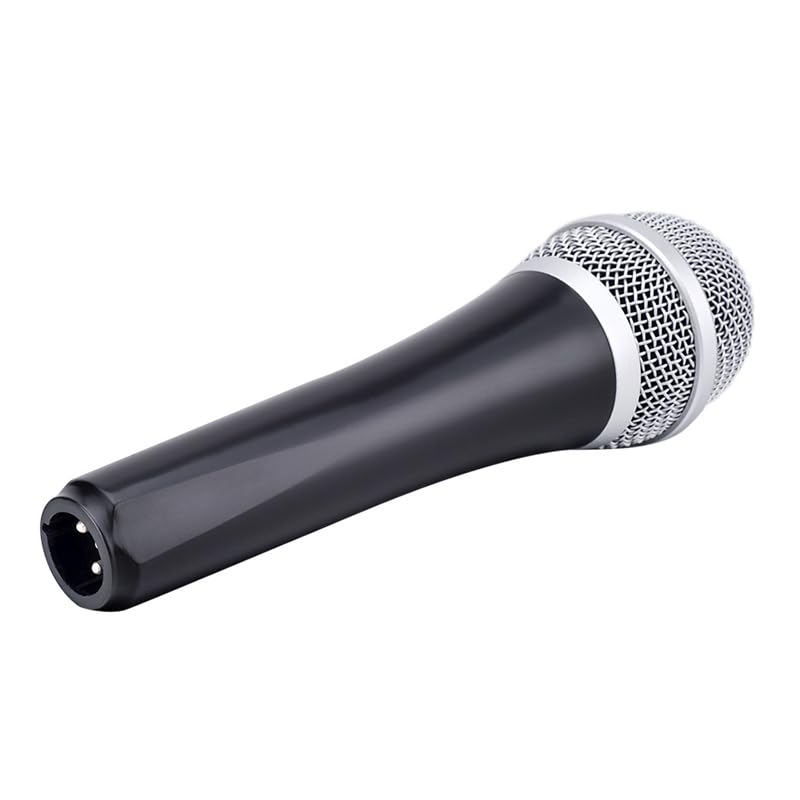
Figure 2.3: The XLR output connector located at the base of the Takstar E 340 microphone. This is where the microphone cable connects.
3. تعليمات الإعداد
- فك الميكروفون: Carefully remove the Takstar E 340 microphone and any included accessories from its packaging.
- قم بتوصيل الكابل: Insert the XLR end of your microphone cable into the XLR output connector at the base of the microphone. Ensure it clicks securely into place.
- الاتصال بجهاز الصوت: Connect the other end of the microphone cable (e.g., 1/4-inch jack or USB Type-C, depending on your cable) to the microphone input of your karaoke machine, mixer, or audio interface.
- تشغيل الطاقة: Ensure your audio device is powered on and its volume is set to a low level before activating the microphone.
4. تعليمات التشغيل
- Turn On the Microphone: Locate the On/Off switch on the microphone body and slide it to the 'ON' position.
- التمركز: Hold the microphone approximately 2-6 inches (5-15 cm) from your mouth for optimal sound pickup. Experiment with distance to find the best sound for your voice and environment.
- ضبط مستوى الصوت: Gradually increase the volume on your connected audio device until the desired sound level is achieved. Avoid setting the volume too high to prevent feedback or distortion.
- لاقط أحادي الاتجاه: The E 340 is a unidirectional microphone, meaning it primarily picks up sound from the front. Point the top of the microphone directly towards the sound source (your mouth) for the clearest audio.
- إيقاف التشغيل: When finished, slide the On/Off switch to the 'OFF' position and then turn off your audio device.
5. الرعاية والصيانة
- تنظيف: Use a soft, dry cloth to clean the microphone body. For the grille, a soft brush can be used to gently remove dust or debris. Do not use liquid cleaners or solvents.
- تخزين: Store the microphone in a dry, cool place away from direct sunlight and extreme temperatures. If possible, use a protective case to prevent physical damage.
- التعامل: تجنب إسقاط الميكروفون أو تعريضه لصدمات قوية، لأن ذلك قد يؤدي إلى تلف المكونات الداخلية.
- العناية بالكابلات: Always grasp the connector, not the cable, when plugging or unplugging. Avoid bending or kinking the cable excessively.
6. استكشاف الأخطاء وإصلاحها
| مشكلة | السبب المحتمل | حل |
|---|---|---|
| لا يوجد مخرج صوت | مفتاح الميكروفون في وضع الإيقاف الكابل غير متصل بشكل صحيح Audio device input volume too low Faulty cable or audio device input | حرك المفتاح إلى وضع "التشغيل" Ensure cable is securely connected at both ends Increase input volume on audio device Test with a different cable or audio input |
| صوت منخفض أو مشوه | الميكروفون بعيد جدًا عن مصدر الصوت Input volume too high (distortion) كبسولة الميكروفون التالفة | Hold microphone closer to mouth Reduce input volume on audio device Contact customer support if damage is suspected |
| صدى (صوت عواء) | الميكروفون قريب جدًا من مكبرات الصوت حجم مرتفع للغاية Microphone pointed at speakers | قم بزيادة المسافة بين الميكروفون ومكبرات الصوت Reduce overall volume Ensure microphone is not pointed directly at speakers |
7. المواصفات الفنية
| ميزة | مواصفة |
|---|---|
| نموذج | إي340 |
| النمط القطبي | أحادي الاتجاه |
| عامل شكل الميكروفون | محمول باليد |
| مقاومة | 600 أوم |
| نسبة الإشارة إلى الضوضاء (SNR) | 72 ديسيبل |
| استجابة التردد | 16 كيلو هرتز |
| حساسية الصوت | 54 ديسيبل |
| تكنولوجيا الاتصال | UHF (via cable) |
| نوع الموصل | USB Type-C (implied for cable connection, typically XLR on mic) |
| الأجهزة المتوافقة | آلة الكاريوكي |
| مصدر الطاقة | كهرباء سلكية |
| وزن العنصر | 580 جرام |
| أبعاد الحزمة | 24.8 × 12.6 × 8 سم |
| ميزة خاصة | Adjustable Headband (Note: This feature is typically associated with headsets, but listed in product specifications.) |
8. الضمان والدعم
For warranty information and customer support, please refer to the documentation provided at the time of purchase or visit the official Takstar webالموقع. احتفظ بإثبات الشراء الخاص بك لاستخدامه في أي مطالبات بالضمان.


