1. المقدمة
المنتج انتهىview
The Visual Land VL-G4 is a compact and versatile portable media player designed for on-the-go entertainment. It features a 1.8-inch screen, 4GB of internal storage, and supports various media formats. This device allows you to enjoy your favorite music, videos, and images, along with additional functionalities such as an FM radio and a voice recorder.
تتضمن الميزات الرئيسية ما يلي:
- 4 GB storage capacity, sufficient for approximately 4,000 songs.
- يصل وقت تشغيل الصوت إلى 6 ساعات بشحنة واحدة.
- 1.8-inch color LCD display for media viewعمل.
- Supports MP3, WMA, and WAV audio formats; AMV video format; JPG image format.
- Integrated FM radio tuner.
- مسجل صوت مدمج.
- Functions as a USB flash memory drive for data storage.
- Built-in speaker for shared listening.
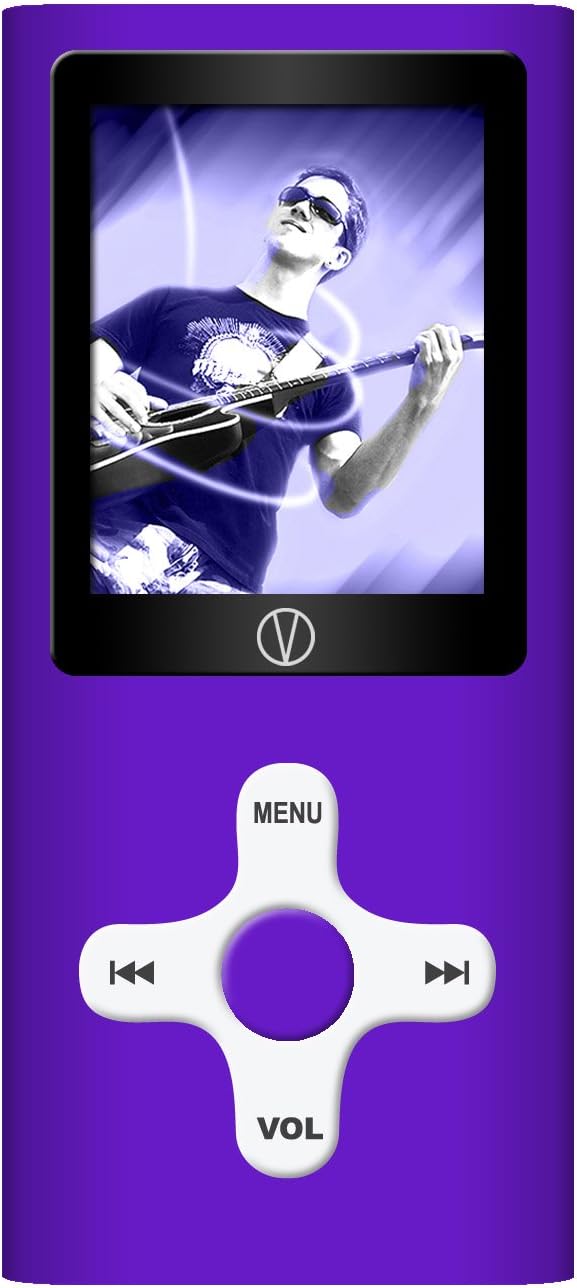
This manual provides detailed instructions for setting up, operating, and maintaining your VL-G4 device to ensure optimal performance and user experience.
2. الإعداد
2.1 محتويات العبوة
قبل البدء، يرجى التأكد من وجود جميع العناصر في العبوة:
- Visual Land VL-G4 Media Player
- سماعات الأذن
- محول التيار المتردد
- كابل يو اس بي
- دليل المستخدم (هذه الوثيقة)
2.2 شحن الجهاز
The VL-G4 is equipped with an internal lithium-ion battery. Before initial use, fully charge the device.
- Connect the small end of the USB cable to the USB port on the bottom of the VL-G4.
- قم بتوصيل الطرف الكبير من كابل USB بمحول التيار المتردد.
- قم بتوصيل محول التيار المتردد بمأخذ الحائط القياسي.
- The device will indicate charging status on its screen. A full charge typically takes approximately 2-3 hours.
- Alternatively, you can connect the USB cable directly to a powered USB port on your computer for charging.
2.3 تحميل الوسائط Files
To transfer music, videos, or images to your VL-G4:
- تأكد من تشغيل الجهاز.
- Connect the VL-G4 to your computer using the provided USB cable.
- Your computer should recognize the VL-G4 as a removable disk drive.
- Open the VL-G4 drive on your computer. You can create folders (e.g., 'Music', 'Videos', 'Photos') to organize your files.
- Drag and drop your desired MP3, WMA, WAV, AMV, or JPG files into the appropriate folders on the VL-G4 drive.
- مرة واحدة file transfer is complete, safely eject the VL-G4 drive from your computer before disconnecting the USB cable.
Note: For video playback, AMV format is supported. You may need to convert other video formats using the included software (if applicable) or third-party conversion tools.
3. تعليمات التشغيل
3.1 تصميم الجهاز وعناصر التحكم
Familiarize yourself with the buttons and ports on your VL-G4:
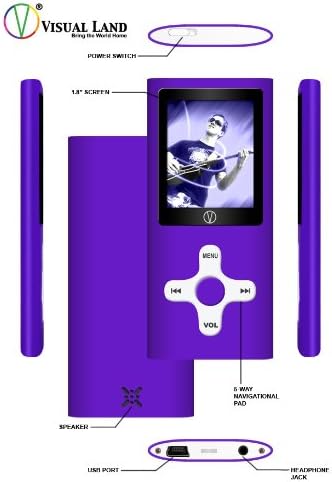
- مفتاح التشغيل: Located on the top edge, slides to turn the device On or Off.
- شاشة 1.8 بوصة: Displays menus, media content, and device status.
- 5-Way Navigational Pad: Central control for menu navigation and media playback.
- MENU button (Top): للوصول إلى القائمة الرئيسية أو العودة إلى الشاشة السابقة.
- أزرار اليسار / اليمين: Navigate through menus, skip tracks, fast forward/rewind.
- Play/Pause/Confirm button (Center): Starts/pauses playback, confirms selections.
- VOL button (Bottom): Enters volume adjustment mode. Use Left/Right to change volume.
- المتحدث: Built-in speaker for audio output without earphones.
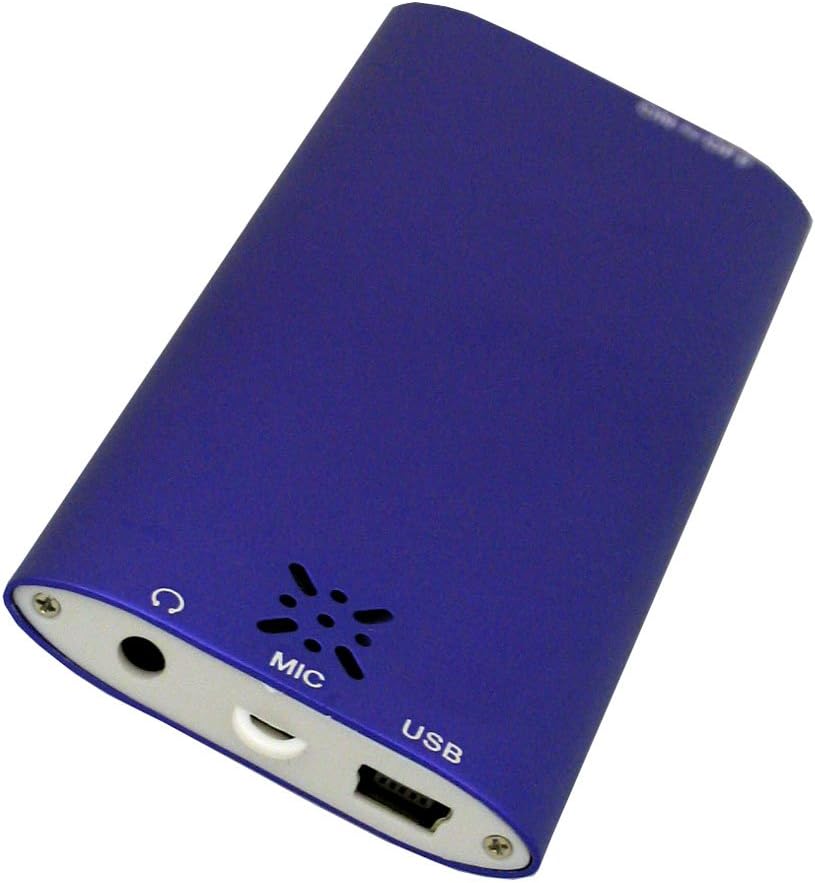
- منفذ USB: للشحن والاتصال بالكمبيوتر.
- مقبس سماعة الرأس: 3.5mm port for connecting earphones.
- ميك: ميكروفون مدمج لتسجيل الصوت.
3.2 تشغيل/إيقاف التشغيل
To power on the device, slide the Power Switch to the 'On' position. To power off, slide it to the 'Off' position.
3.3 الملاحة الأساسية
From the main menu, use the Left/Right buttons on the navigational pad to scroll through options. Press the central Play/Pause/Confirm button to select an option. Press the MENU button to go back to the previous screen or the main menu.
3.4 Audio Playback (MP3/WMA/WAV)
- From the main menu, select 'Music' or 'Audio'.
- تصفح مجلداتك و files using the Left/Right buttons.
- Press the central Play/Pause/Confirm button to start playback of a selected track.
- أثناء التشغيل:
- Press Play/Pause/Confirm to pause/resume.
- Press Left/Right briefly to skip to the previous/next track.
- Press and hold Left/Right to fast forward/rewind within a track.
- Press the VOL button, then use Left/Right to adjust the volume. Press VOL again to exit volume mode.
- The device offers EQ presets (Natural, Rock, Pop, Classical, Soft, Jazz, DBB) which can typically be accessed through the music playback options menu.
3.5 Video Playback (AMV)
- من القائمة الرئيسية، اختر "فيديو".
- Navigate to your desired AMV video file.
- Press the central Play/Pause/Confirm button to begin playback.
- Playback controls are similar to audio playback.
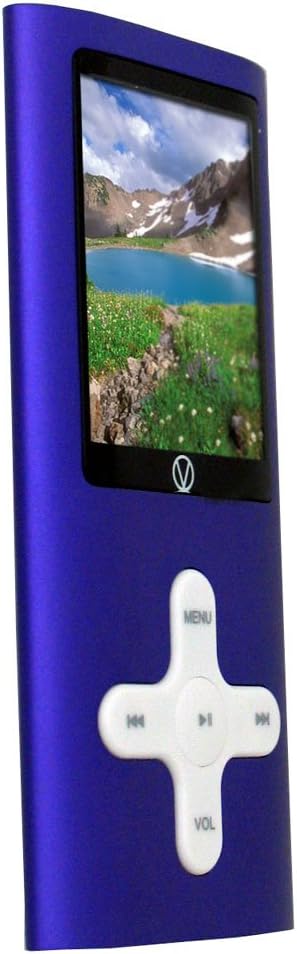
3.6 الصورة Viewing (JPG)
- From the main menu, select 'Photos' or 'Images'.
- Navigate to your JPG image files.
- Press the central Play/Pause/Confirm button to view صورة.
- Use Left/Right buttons to cycle through images.
- Some models may offer a slideshow function, typically accessible via the options menu during image viewعمل.
3.7 راديو FM
- Connect earphones to the headphone jack; they act as the antenna for the FM radio.
- من القائمة الرئيسية، اختر "راديو FM".
- Use the Left/Right buttons to manually tune frequencies.
- Look for an 'Autoscan' or 'Search' option within the FM radio menu to automatically find and save available stations.
3.8 مسجل صوت
- From the main menu, select 'Recorder' or 'Voice'.
- Select 'Start Recording' or a similar option. The built-in microphone (MIC) will capture audio.
- Press Play/Pause/Confirm to stop recording.
- Recordings are typically saved in a dedicated folder and can be played back from the 'Audio' or 'Recorder' menu.
3.9 Using as a USB Drive
When connected to a computer, the VL-G4 functions as a standard USB mass storage device. You can drag and drop any file type onto it, making it useful for carrying documents or other data in addition to media files.
4. الصيانة
4.1 التنظيف
To clean your VL-G4, use a soft, dry, lint-free cloth. Do not use liquid cleaners, aerosols, or solvents, as these can damage the device's finish or internal components.
4.2 العناية بالبطارية
- تجنب تفريغ البطارية بالكامل بشكل متكرر.
- قم بشحن الجهاز بانتظام، حتى لو لم يكن قيد الاستخدام، للحفاظ على صحة البطارية.
- Do not expose the device to extreme temperatures, as this can degrade battery performance and lifespan.
4.3 التخزين
When storing the device for extended periods, ensure it is partially charged (around 50%) and kept in a cool, dry place away from direct sunlight and extreme temperatures.
5. استكشاف الأخطاء وإصلاحها
If you encounter issues with your VL-G4, refer to the following common problems and solutions:
| مشكلة | الحل المحتمل |
|---|---|
| الجهاز لا يعمل. | Ensure the battery is charged. Connect to the AC adapter and try again. Check the power switch position. |
| No sound from earphones/speaker. | Check volume level. Ensure earphones are properly plugged in. Test with different earphones. Verify media file غير تالف. |
| الكمبيوتر لا يتعرف على الجهاز. | Ensure the device is powered on. Try a different USB port or cable. Restart your computer. |
| Fileلا يلعبون. | التحقق من file format is supported (MP3/WMA/WAV for audio, AMV for video, JPG for images). Ensure fileليست تالفة. |
| عمر البطارية قصير. | Ensure the device is fully charged. Reduce screen brightness. Close unused applications. Battery performance may degrade over time with usage. |
6. المواصفات
| ميزة | التفاصيل |
|---|---|
| رقم الموديل | VL-G4 |
| سعة تخزين الذاكرة | 4 جيجا بايت |
| حجم الشاشة | 1.8 Inches (Note: Product description states 1.8-inch, specifications list 2.4 inches. Using 1.8-inch as per detailed description.) |
| تنسيقات الصوت المدعومة | MP3، WMA، WAV |
| تنسيقات الفيديو المدعومة | فيديو قصير |
| تنسيقات الصور المدعومة | JPG |
| المميزات الخاصة | FM Radio, Video Playback, Voice Recorder, Built-in Speaker |
| تكنولوجيا الاتصال | USB |
| Battery Life (Audio) | حتى ساعتين |
| أبعاد المنتج | 1.6 × 0.34 × 3.6 بوصة |
| وزن العنصر | 1.28 أونصات |
7. معلومات الضمان
The Visual Land VL-G4 Portable Media Player comes with a one-year limited warranty from the date of purchase. This warranty covers manufacturing defects under normal use. It does not cover damage caused by misuse, accidents, unauthorized modifications, or normal wear and tear. Please retain your proof of purchase for warranty claims.
8. دعم العملاء
For further assistance, technical support, or warranty inquiries, please refer to the contact information provided on the Visual Land official website or the original product packaging. When contacting support, please have your product model number (VL-G4) and proof of purchase readily available.


