1. المقدمة
The Apache AL13 13 Inch Laminator Machine is designed to protect and preserve your documents, photos, and artwork with a durable, clear laminate finish. This thermal laminator is suitable for a variety of uses in home, office, or school environments, accommodating documents up to 13 inches wide. Its user-friendly design ensures efficient and reliable lamination.
المميزات الرئيسية:
- 13-inch laminating width and 2 silicone rollers for smooth operation.
- Quality grade motor and heating element for consistent results.
- Power and Ready LED indicators for easy status monitoring.
- ABS release button to clear misfed or jammed pouches.
- Sleek, compact, and lightweight design for portability and easy storage.
- Compatible with 5 mil and 3 mil laminator pouches.
2. معلومات السلامة
Please read all safety instructions carefully before using the laminator to prevent injury or damage to the machine.
- ضع جهاز التغليف دائمًا على سطح ثابت ومستوٍ ومقاوم للحرارة.
- أبقِ جهاز التغليف بعيدًا عن الماء أو السوائل الأخرى. لا تستخدمه ويداك مبللتان.
- تأكد من التهوية المناسبة حول الماكينة أثناء التشغيل.
- Do not touch the laminator's feed opening or exit slot during operation, as they may become hot.
- افصل جهاز التغليف عن مأخذ الطاقة عند عدم استخدامه أو قبل تنظيفه.
- يحفظ بعيدًا عن متناول الأطفال والحيوانات الأليفة.
- Do not attempt to disassemble or repair the laminator yourself. Contact qualified service personnel.
- Use only laminating pouches designed for thermal laminators.
3. انتهى المنتجview
عناصر:
Familiarize yourself with the main parts of your Apache AL13 laminator:
- افتتاح التغذية: Where laminating pouches are inserted.
- Exit Slot: مكان خروج المستندات المغلفة.
- مفتاح التشغيل: Turns the laminator On/Off.
- Power LED Indicator (Red): يضيء عند تشغيل الجهاز.
- Ready LED Indicator (Green): Illuminates when the machine has reached optimal laminating temperature.
- ABS Release Button: Used to release jammed pouches.

The Apache AL13 laminator is designed for ease of use, featuring clear indicators and essential controls for efficient operation.

The power switch controls the machine's on/off state. The red Power LED indicates the machine is receiving power, while the green Ready LED signals that the laminator has reached its optimal operating temperature. The ABS release button, located at the back, is crucial for safely removing misfed pouches.
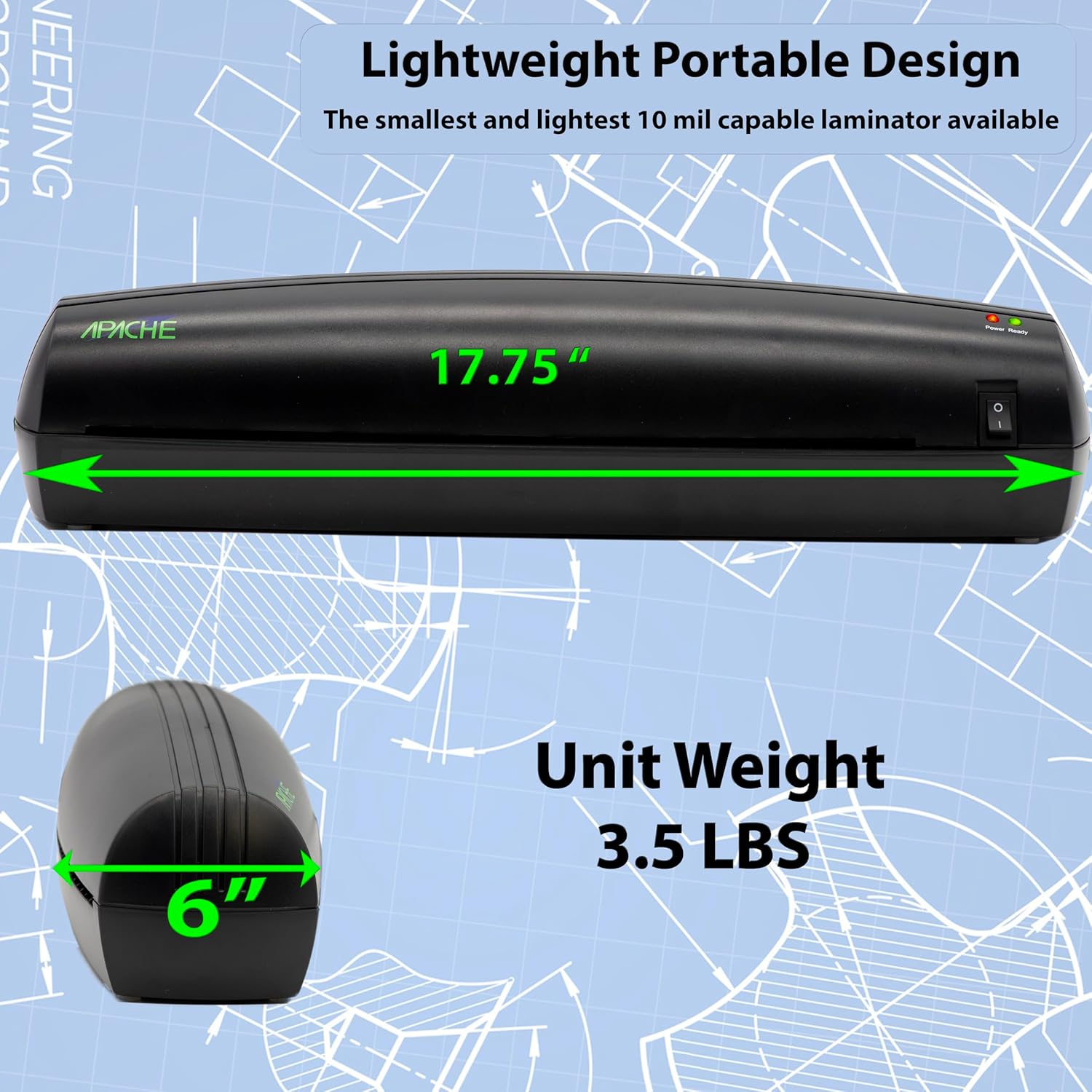
The compact design of the AL13 makes it suitable for various workspaces, offering a 13-inch laminating width while maintaining a lightweight profile لسهولة النقل.
4. الإعداد
Follow these steps for the initial setup of your laminator:
- أفرغ: Carefully remove the laminator and all packaging materials from the box.
- الموقع: ضع جهاز التغليف على سطح مستوٍ وثابت ومقاوم للحرارة. تأكد من وجود مساحة كافية خلف الجهاز لخروج المستندات المغلفة بحرية.
- توصيل الطاقة: قم بتوصيل سلك الطاقة بمأخذ كهربائي قياسي.
- تشغيل الطاقة: Flip the power switch to the 'On' position. The red Power LED indicator will illuminate.
- تسخين: Allow the laminator to warm up. The green Ready LED indicator will illuminate when the machine has reached the optimal operating temperature (approximately 3-5 minutes).
5. تعليمات التشغيل
Basic Laminating:
Once the laminator is set up and the green Ready light is on, you can begin laminating:
- إعداد الوثيقة: Place your document inside a laminating pouch, ensuring it is centered and there is an even border around the edges.
- أدخل الكيس: Insert the sealed edge of the laminating pouch into the feed opening of the laminator. Ensure the pouch is fed straight and evenly.
- عملية التغليف: The laminator will automatically pull the pouch through. Do not pull or push the pouch during this process.
- استرجاع المستند: Once the laminated document exits the rear slot, carefully remove it. It may be warm, so handle with care.
- ترطيب: Place the laminated document on a flat surface to cool and harden.

نصائح للحصول على أفضل النتائج:
- Insert the sealed end of the pouch first to prevent air bubbles and potential jamming.
- Insert the pouch with the document straight into the machine to avoid wrinkled sides.
- Always perform a test lamination with a scrap document before laminating important items.
- For thicker documents or pouches, a second pass through the laminator may be beneficial after allowing the machine to reheat briefly.

6. الصيانة
Proper maintenance ensures the longevity and optimal performance of your laminator:
- تنظيف: Ensure the laminator is unplugged and completely cool before cleaning. Use a soft, dry cloth to wipe the exterior. Do not use abrasive cleaners or solvents.
- تنظيف الأسطوانة: Occasionally, run a laminator cleaning sheet (available separately) through the machine to remove any adhesive residue from the rollers.
- تخزين: Store the laminator in a cool, dry place when not in use. Keep it covered to prevent dust accumulation.
- تجنب ارتفاع درجة الحرارة: For extended laminating sessions, allow the machine to rest periodically to prevent overheating.
7. استكشاف الأخطاء وإصلاحها
راجع الجدول أدناه للتعرف على المشكلات الشائعة وحلولها:
| مشكلة | السبب المحتمل | حل |
|---|---|---|
| جهاز التغليف لا يعمل. | لا يوجد تيار كهربائي، مفتاح الطاقة مطفأ. | Check power cord connection, ensure power switch is 'On'. |
| Green 'Ready' light not illuminating. | Not enough warm-up time. | Allow 3-5 minutes for the machine to heat up. |
| Pouch jammed in the machine. | Misfed pouch, incorrect pouch size. | Press and hold the ABS release button while gently pulling the pouch out. Ensure correct pouch size and feed straight. |
| المستند المغلف بالبلاستيك يكون ضبابيًا أو يحتوي على فقاعات. | Laminator not hot enough, air trapped. | Ensure 'Ready' light is on. Run the pouch through a second time. Insert sealed end first. |
| المستند المغلف مموج أو مموجurlالمحرر | Laminator too hot, pouch too thin. | Allow machine to cool slightly. Use a carrier sheet. Ensure pouch thickness is appropriate. |
| Pouch not sealing completely. | Laminator not hot enough, incorrect pouch. | Wait for 'Ready' light. Run through a second time. Ensure using thermal laminating pouches. |
8. المواصفات
Technical specifications for the Apache AL13 Laminator Machine:
| ميزة | التفاصيل |
|---|---|
| ماركة | أباتشي |
| رقم الموديل | ال13 |
| عرض الترقق | 13 بوصة |
| نوع الترقق | حراري |
| عدد البكرات | 2 Silicone Rollers |
| وقت الإحماء | تقريبا. دقائق شنومكس-شنومكس |
| Pouch Thickness Compatibility | 3 مل، 5 مل |
| الأبعاد (الطول × العرض × الارتفاع) | 13 × 12.6 × 12.6 بوصة (أبعاد المنتج من المواصفات) |
| وزن العنصر | 3.69 رطل |
| سمات | Power/Ready LED Indicators, ABS Release Button |
9. الضمان والدعم
Apache stands behind the quality of its products. For specific warranty details, please refer to the warranty card included with your purchase or visit the official Apache website. If you encounter any issues or require technical assistance, please contact Apache customer support.
دعم العملاء:
- للحصول على أحدث معلومات الاتصال، يرجى زيارة Apache Store on Amazon or the official Apache webموقع.
- When contacting support, please have your product model (AL13) and purchase information ready.


