مقدمة
This manual provides essential information for the proper setup, operation, and maintenance of your Sony PlayStation 2 DualShock 2 Analog Wired Controller, model SCPH-10010. This controller is designed for use with the PlayStation 2 console, offering enhanced control and immersive feedback for your gaming experience.
معلومات السلامة
- لا تعرض جهاز التحكم لدرجات الحرارة العالية أو الرطوبة أو أشعة الشمس المباشرة.
- تجنب إسقاط وحدة التحكم أو تعريضها لصدمات قوية.
- Keep the controller away from liquids. If liquid enters the controller, discontinue use immediately and consult a qualified technician.
- Do not attempt to disassemble or modify the controller. Doing so may cause damage and void any warranty.
- Ensure the cable is not tangled or stretched excessively to prevent damage.
محتويات الحزمة
تأكد من أن الحزمة الخاصة بك تحتوي على العنصر التالي:
- One (1) Sony PlayStation 2 DualShock 2 Analog Wired Controller (SCPH-10010)

This image displays the Sony PlayStation 2 DualShock 2 Analog Wired Controller, model SCPH-10010, in its original clear plastic packaging. The front of the package shows the controller's design and branding.
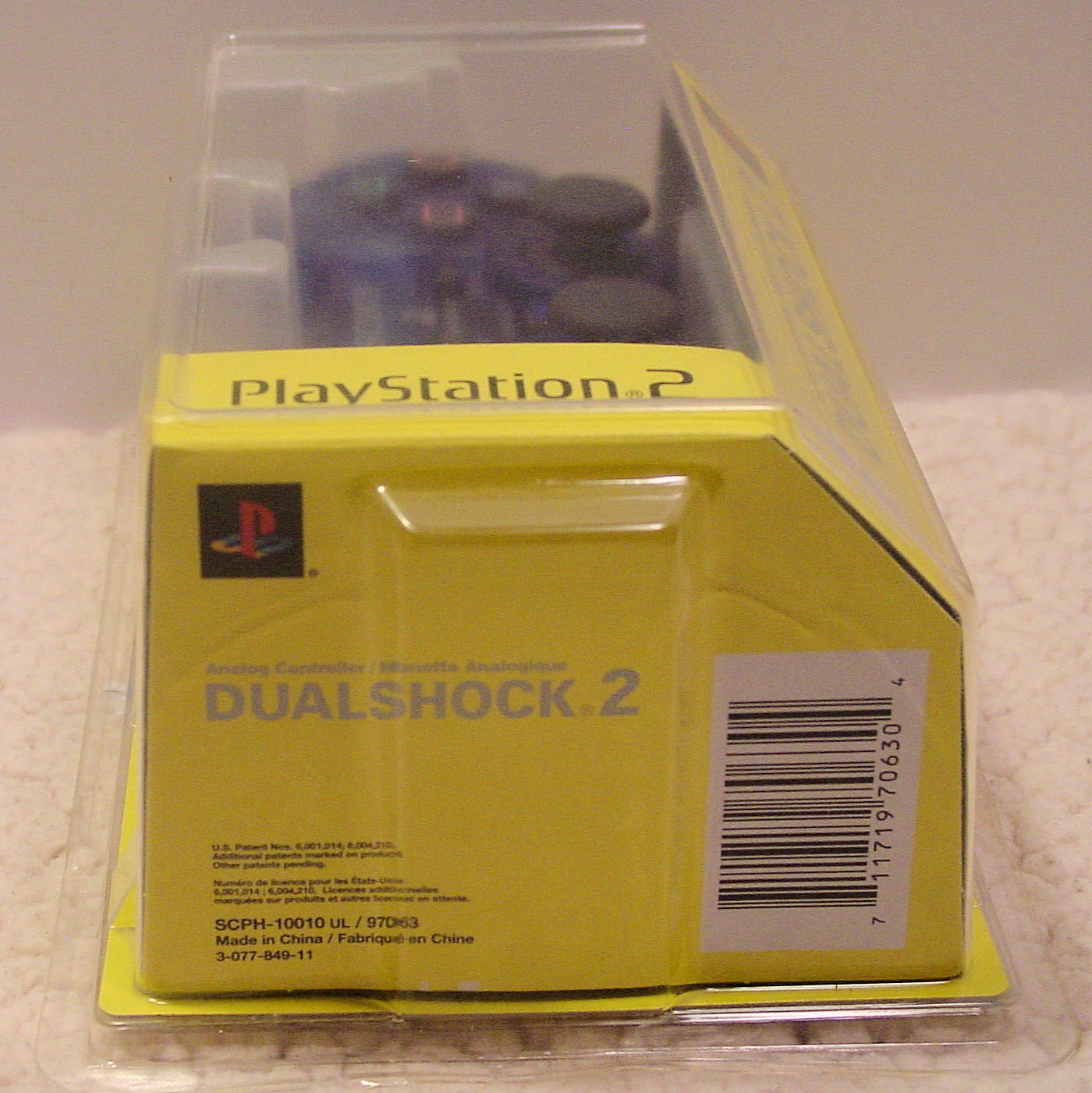
تُظهر هذه الصورة جانبًا view of the Sony PlayStation 2 DualShock 2 Analog Wired Controller packaging. The barcode with the UPC 0711719706304 and the model number SCPH-10010 UL / 97063 are visible on the yellow cardboard insert.
انتهى التحكمview
The DualShock 2 controller features an ergonomic design for comfortable gameplay and precise control. Key components include:
- لوحة الاتجاهات (D-Pad): For digital movement and menu navigation.
- العصي التناظرية اليسرى واليمنى: For 360-degree analog movement and camera control. These are clickable buttons as well.
- أزرار الحركة (المثلث، الدائرة، الصليب، المربع): Pressure-sensitive buttons for in-game actions.
- زر البدء: يوقف الألعاب مؤقتًا أو يؤكد الاختيارات.
- حدد زر: Often used for in-game menus or secondary functions.
- ANALOG Button: Toggles analog stick functionality on/off (indicated by a red LED).
- أزرار L1، L2، R1، R2: Shoulder buttons, with L2 and R2 being pressure-sensitive.
- وظيفة الاهتزاز: يوفر ردود فعل لمسية أثناء اللعب.

تقدم هذه الصورة من أعلى إلى أسفل view of the Sony PlayStation 2 DualShock 2 Analog Wired Controller. It highlights the layout of the directional pad, action buttons (Triangle, Circle, Cross, Square), analog sticks, START, SELECT, and ANALOG buttons, and the wired connection.
يثبت
- Locate Controller Port: Identify an available controller port on the front of your PlayStation 2 console. The PlayStation 2 typically has two controller ports.
- ربط وحدة التحكم: Insert the controller's plug firmly into the desired controller port. Ensure the plug is oriented correctly.
- تشغيل وحدة التحكم: Turn on your PlayStation 2 console. The controller is ready for use once the console has booted.
- الوضع التناظري: اضغط على تناظري button located between the two analog sticks to activate or deactivate analog mode. A red LED will illuminate when analog mode is active, indicating that the analog sticks are enabled for control.
تعليمات التشغيل
The DualShock 2 controller offers precise control for a wide range of PlayStation 2 games. Its pressure-sensitive buttons and analog sticks provide a nuanced gaming experience.
- التحكم التناظري: When the ANALOG light is on, the analog sticks provide variable input, allowing for subtle movements in games like racing or action titles. The face buttons (Triangle, Circle, Cross, Square) and shoulder buttons (L2, R2) are also pressure-sensitive, meaning the game can detect how hard you press them.
- التحكم الرقمي: When the ANALOG light is off, the D-Pad provides digital (on/off) input. The analog sticks will not function in this mode.
- ردود فعل الاهتزاز: The controller's vibration function provides immersive feedback, reacting to in-game events such as impacts, explosions, or specific actions. This feature is automatically managed by compatible games.
- التوافق: This controller is compatible with all PlayStation 2 software and most original PlayStation software that supports the DualShock controller.
صيانة
- تنظيف: استخدم قطعة قماش ناعمة وجافة لتنظيف الجزء الخارجي من وحدة التحكم. لإزالة الأوساخ المستعصية، افركها برفق.ampاغسل قطعة القماش بالماء. تجنب استخدام المواد الكيميائية القاسية أو المنظفات الكاشطة.
- تخزين: Store the controller in a clean, dry place away from direct sunlight and extreme temperatures when not in use. Avoid wrapping the cable too tightly around the controller to prevent damage.
- العناية بالكابلات: Regularly inspect the controller cable for any signs of wear, fraying, or damage. Do not pull the cable forcefully when disconnecting it from the console; always grasp the plug.
استكشاف الأخطاء وإصلاحها
- Controller is unresponsive:
- Ensure the controller cable is securely plugged into the PlayStation 2 console's controller port. Try a different controller port if available. Test the controller with another game or console if possible to rule out game-specific issues or console port malfunction.
- Vibration function is not working:
- Verify that the game you are playing supports vibration feedback. Some games may have an option to enable/disable vibration in their settings menu. Ensure the controller is fully functional otherwise.
- Analog sticks or buttons are not responding correctly:
- Check if the ANALOG light is on if you intend to use analog control. If buttons feel sticky, gently clean around them with a slightly damp cloth. If the issue persists, the controller may require professional service.
تحديد
| ميزة | التفاصيل |
|---|---|
| رقم الموديل | SCPH-10010 |
| Item Model Number (UPC) | 711719706304 |
| الاتصال | سلكي |
| الأبعاد (الطول × العرض × الارتفاع) | 8.75 × 5.75 × 2.75 بوصة |
| وزن | 4 أونصات |
| الشركة المصنعة | سوني |
| سمات | DualShock 2 vibration, Analog control, Pressure-sensitive buttons |
الضمان والدعم
For information regarding warranty coverage and technical support for your Sony PlayStation 2 DualShock 2 Analog Wired Controller, please refer to the documentation included with your original purchase or visit the official PlayStation support webالموقع. احتفظ بإثبات الشراء الخاص بك لتقديم مطالبات الضمان.


