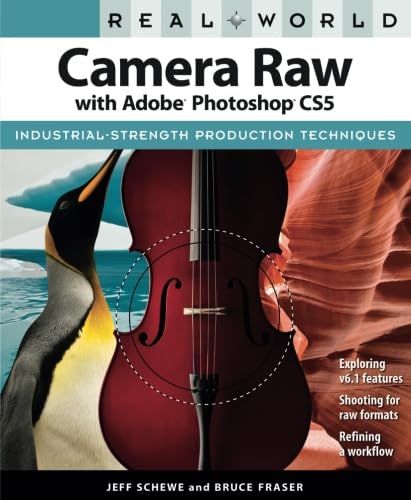
مقدمة في معالجة الصور الخام
يقدم هذا الدليل إرشادات متعمقة للمصورين الذين يستخدمون Adobe Camera Raw ضمن Adobe Photoshop CS5. ويشرح المزاياtagيتناول هذا المحتوى أساليب ومنهجيات معالجة الصور الخام لتحقيق أفضل النتائج. ويشمل تقنيات أساسية لتحسين الصور وتحويلها، مستفيدًا من الميزات القوية لبرنامجي Camera Raw 6 و Adobe Bridge CS5.
ينصب التركيز على الأساليب العملية والتطبيقية لتحسين جودة الصورة، وإدارة الأصول الرقمية بكفاءة، وتطوير سير عمل قوي للمواد الخام.
الإعداد: البدء باستخدام Adobe Camera Raw
لبدء معالجة الصور الخام، تأكد من تثبيت Adobe Photoshop CS5. Adobe Camera Raw (ACR) هو إضافة مدمجة مع Photoshop وAdobe Bridge. عند فتح ملف خام file (على سبيل المثال، .CR2، .NEF، .DNG) في برنامج Photoshop أو Bridge، سيتم تشغيل واجهة Camera Raw تلقائيًا.
- تشغيل Camera Raw: افتح صورة خام file مباشرة من Adobe Bridge CS5 أو Photoshop CS5.
- الإعدادات الأولية: افهم الإعدادات الافتراضية وكيفية تطبيقها على ملفات RAW الخاصة بكاميرتك files.
- الكشف عن نفسه لصالح برنامج Raw: تعلم تقنيات تعريض الصور وتصويرها خصيصًا لزيادة البيانات الملتقطة بتنسيق خام، مما يوفر مرونة أكبر في المعالجة اللاحقة.
التشغيل: الميزات والتقنيات الرئيسية
يُقدّم برنامج Adobe Camera Raw 6 مجموعة شاملة من الأدوات لإجراء تعديلات دقيقة على الصور. يشرح هذا القسم بالتفصيل كيفية استخدام هذه الميزات بفعالية:
- فرشاة التعديل: استخدم فرشاة التعديل لإجراء تصحيحات موضعية، مثل تفتيح مناطق محددة، أو ضبط التباين، أو تعديل درجة حرارة اللون على أجزاء محددة من الصورة.
- مرشح متدرج: قم بتطبيق تعديلات تدريجية على منطقة من الصورة، وهو أمر مثالي لتحقيق التوازن في التعريض بين السماء الساطعة والمقدمة الداكنة.
- تقليل الضوضاء: أتقن استخدام ميزات تقليل الضوضاء المحسّنة لتقليل الضوضاء الرقمية مع الحفاظ على تفاصيل الصورة.
- قص المنظور: قم بتصحيح تشوهات المنظور واقتصاص الصور بدقة.
- تصحيح العدسة التلقائي: قم بتطبيق تصحيحات تلقائية لتشوهات العدسة، والانحراف اللوني، والتظليل بناءً على خصائص عدستك.file.
- تعديلات اللون والدرجة اللونية: اضبط توازن اللون الأبيض، والتعريض، والتباين، والإضاءة، والظلال، والأبيض، والأسود، والوضوح، والحيوية، والتشبع للحصول على مظهر صورة مثالي.
للاطلاع على مرجع مرئي لمحتوى الكتاب ونطاقه، انظر إلى الغلاف الخلفي:

صورة: الغلاف الخلفي الذي يوضح الميزات الرئيسية ورؤى المؤلف.
تحسين سير العمل وأفضل الممارسات
يُعدّ سير العمل الفعال أمراً بالغ الأهمية لإدارة كميات كبيرة من الصور الخام. يوضح هذا القسم استراتيجيات لتبسيط عملية المعالجة اللاحقة للصور:
- التكامل مع Adobe Bridge: استخدم Adobe Bridge CS5 لتحديد وفرز وإضافة التعليقات وتحرير آلاف الصور الخام بسرعة وكفاءة قبل المعالجة التفصيلية في Camera Raw.
- تطوير سير عمل أولي: قم بإنشاء سير عمل متسق يتضمن Adobe Photoshop CS5 و Camera Raw 6 و Bridge CS5 لضمان جودة الصورة المثلى وإدارة البيانات.
- زيادة بيانات الصورة إلى أقصى حد: فهم كيفية تأثير عناصر التحكم الأساسية في درجة اللون على بيانات الصورة المتاحة وتعلم التقنيات، مثل زيادة تعريض الصور قليلاً، لزيادة المعلومات إلى أقصى حد للمعالجة اللاحقة.
- تحسين الحدة وتقليل الضوضاء: قم بتطبيق هذه التعديلات بشكل فعال ضمن سياق سير العمل العام الخاص بك لتحقيق صور واضحة وحادة.
التحديات والحلول الشائعة
على الرغم من شمولية هذا الدليل، إلا أن إتقان معالجة الصور الخام قد يمثل تحديات. يتناول هذا الدليل جوانب الصعوبة الشائعة التالية:
- فهم المفاهيم: يؤكد الكتاب على المفاهيم الأساسية الكامنة وراء بيانات الصور الرقمية ومعالجتها، وهو أمر أساسي للاستخدام الفعال لبرنامج Camera Raw.
- تطبيق التعديلات: تعلم كيفية ربط مشاكل الصور المحددة بأدوات وتعديلات Camera Raw المناسبة، متجاوزًا نهج قائمة التحقق البسيطة.
- تصفح الواجهة: توفر الشروحات المفصلة إرشادات للمستخدمين خلال واجهة Camera Raw، مما يضمن سهولة تحديد موقع جميع الأدوات ومربعات الحوار وفهمها.
مواصفات المنتج
معلومات تفصيلية حول دليل استخدام برنامج "Real World Camera Raw with Adobe Photoshop CS5":
| مواصفة | التفاصيل |
|---|---|
| الناشر | بيتشبيت بريس |
| تاريخ النشر | 20 يوليو 2010 |
| طبعة | الحادي عشر |
| لغة | إنجليزي |
| طباعة طول | 480 صفحة |
| رقم الكتاب الدولي المعياري 10 | 0321713095 |
| رقم الكتاب الدولي المعياري 13 | 978-0321713094 |
| وزن العنصر | 2.15 رطل |
| أبعاد | 7.5 × 1.09 × 9.13 بوصة |
للحصول على تمثيل مرئي لأبعاد الكتاب:

صورة: أبعاد الكتاب كمرجع مادي.
عن المؤلفين
تم تأليف هذا الدليل من قبل خبراء بارزين في مجال التصوير الرقمي:
- جيف شوي: مصور إعلانات محترف ورائد في مجال التصوير الرقمي. ساهم جيف شوي بشكل كبير في تطوير برنامجي Adobe Camera Raw و Adobe Photoshop، وحصل على تقدير داخل البرنامج نفسه.
- بروس فريزر: مؤلف وخبير استشاري ومتحدث ذو شهرة عالمية في مجال التصوير الرقمي وإعادة إنتاج الألوان. اشتهر بروس فريزر بكتبه الأكثر مبيعًا، بما في ذلك الطبعات السابقة من كتب Real World Camera Raw with Adobe Photoshop وReal World Adobe Photoshop وReal World Image Sharpening وReal World Color Management.


