1. المقدمة
The FOSCAM BP4 is a 2K (4MP) wireless outdoor security camera designed for home surveillance. It features a built-in rechargeable battery and is powered by a high-efficiency solar panel, offering a truly wire-free installation. With advanced features like color night vision, PIR human detection, and sound and light alarms, the BP4 provides reliable and intelligent monitoring for your property. This manual will guide you through the setup, operation, and maintenance of your FOSCAM BP4 camera.
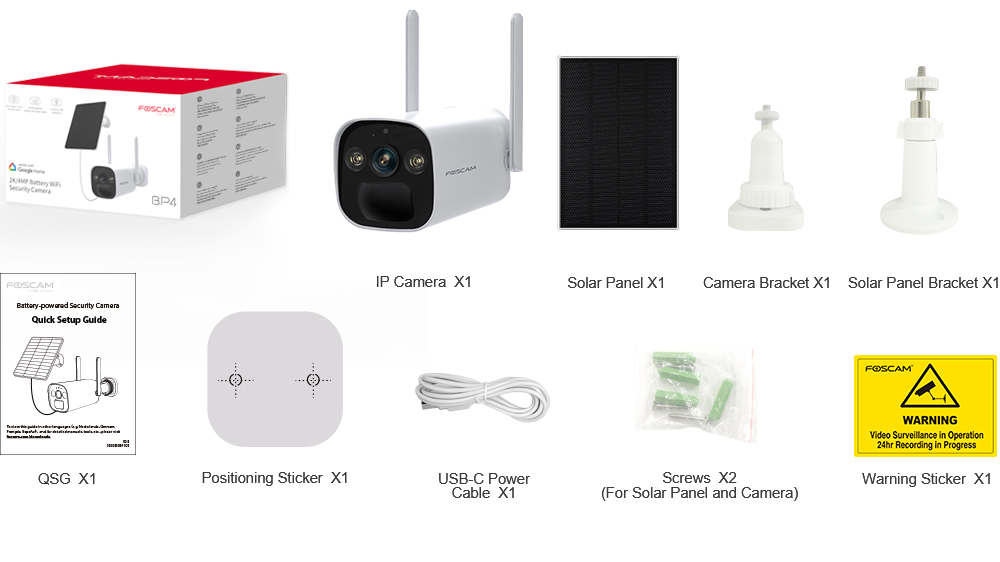
2. محتويات العبوة
Please check the package carefully to ensure all items are present and in good condition. If anything is missing or damaged, please contact FOSCAM support.
- IP Camera (BP4) x1
- لوحة شمسية x1
- حامل كاميرا x1
- حامل اللوحة الشمسية x1
- دليل الإعداد السريع (QSG) عدد 1
- ملصق تحديد المواقع x1
- USB-C Power Cable x1
- Screws x2 (for Solar Panel and Camera)
- ملصق تحذيري عدد 1
3. الميزات الرئيسية
- 2K (4MP) Quad HD Video: يلتقط صورًا واضحة ومفصلة للطعامtage with a resolution of 2560 x 1440 pixels at 20 frames per second.
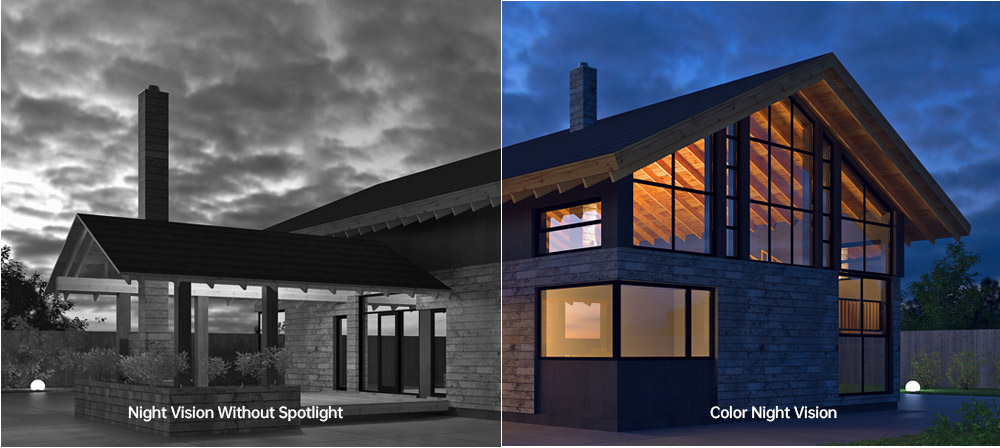
- رؤية ليلية ملونة: Equipped with 2pcs Spotlight IR LED, providing a night vision range up to 10m (33ft) and supporting full-color images even in low-light conditions.
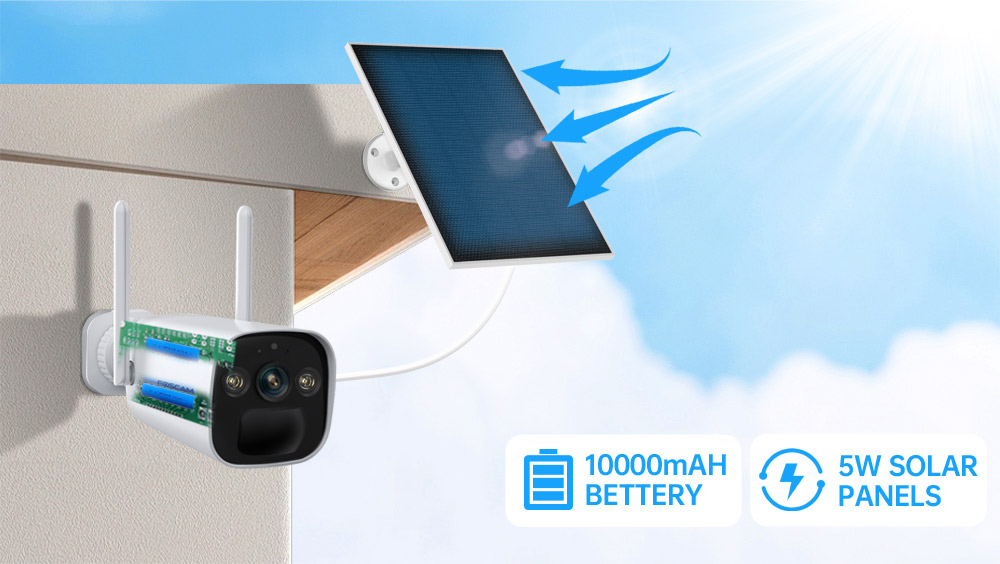
- Rechargeable Battery & Solar Panel: Features a 10000mAh rechargeable battery (4pcs 18650 battery included) and a 5W high-efficiency solar panel for continuous power, ensuring truly wire-free operation.
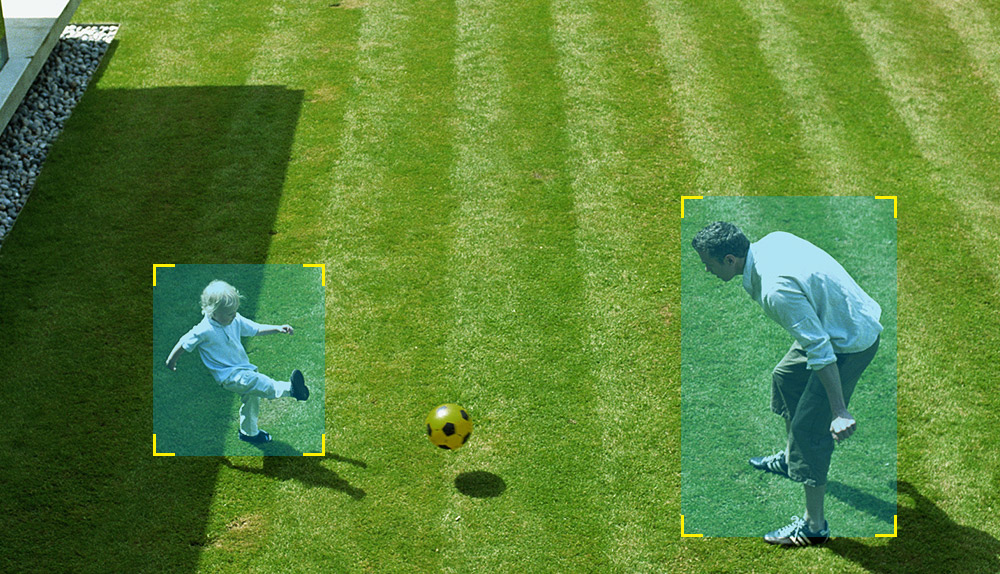
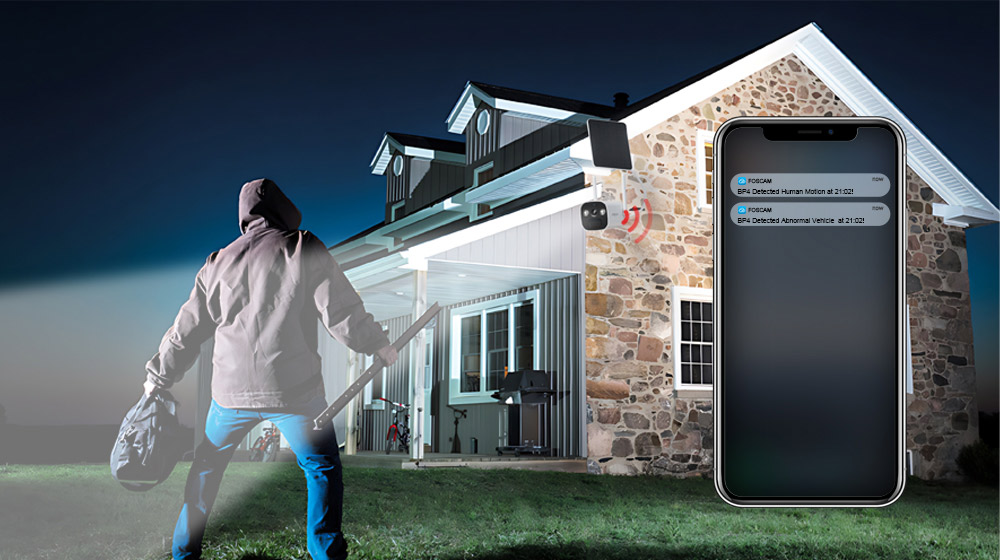
- كشف الأشخاص بواسطة مستشعر الأشعة تحت الحمراء السلبية: Advanced Passive Infrared (PIR) sensor distinguishes human movement from other objects, reducing false alarms and sending accurate alerts.
- إنذار الصوت والضوء: Triggers a spotlight and a siren (up to 110dB) upon detection of an intruder, acting as a deterrent. Can also be manually activated.
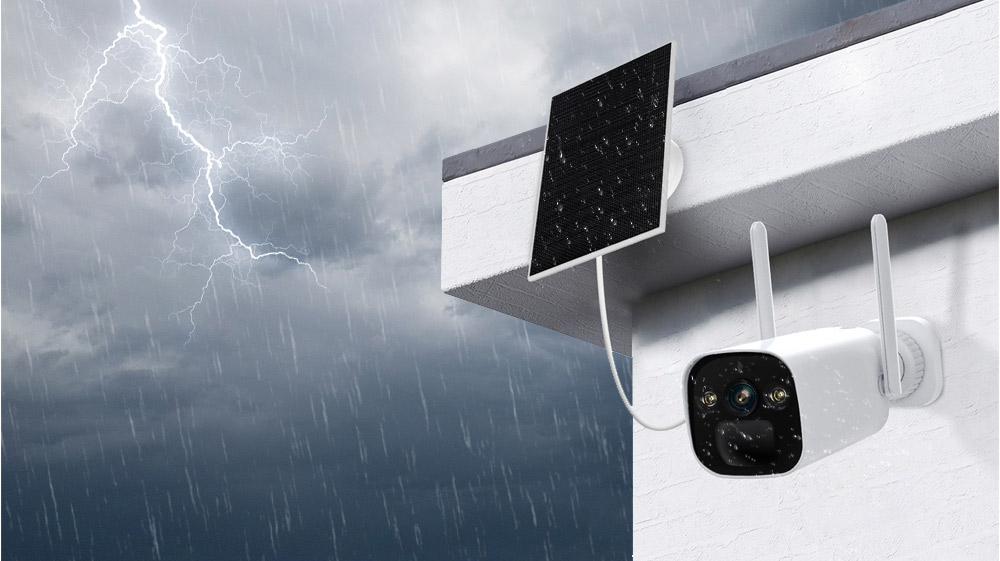
- IP66 Rated Weatherproof: Designed to withstand harsh outdoor weather conditions, operating reliably in temperatures from -20°C to 60°C (-4°F to 140°F).
- صوت ثنائي الاتجاه: يسمح الميكروفون ومكبر الصوت المدمجان بالتواصل في الوقت الفعلي مع الزوار أو المتسللين.
- تكامل المنزل الذكي: Supports integration with Alexa and Google Home for convenient voice control and smart home automation.
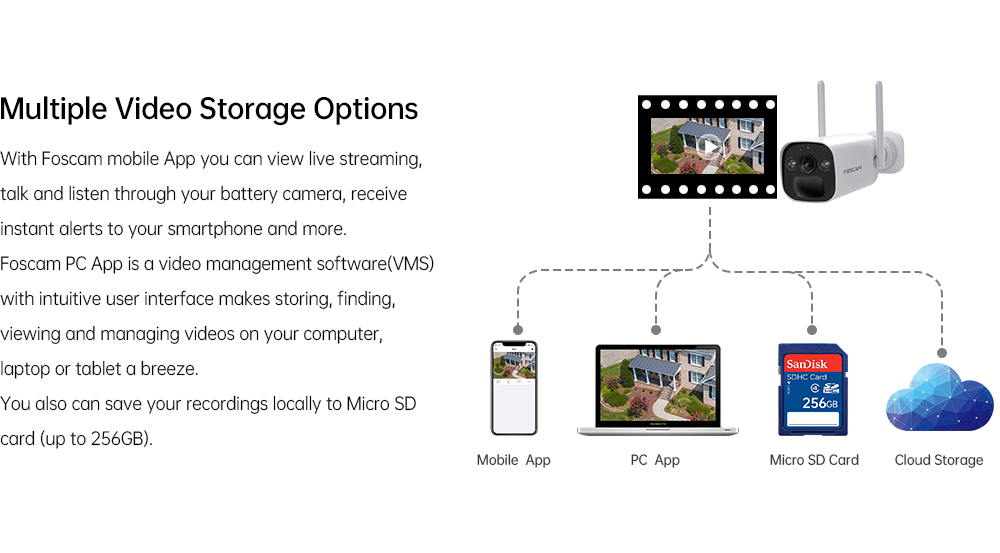
- خيارات تخزين متعددة: Supports local storage via Micro SD Card (up to 256GB) and Foscam cloud storage for flexible video recording and backup.
- ضغط الفيديو H.264: Efficient video compression technology to save storage space and bandwidth.
- P2P Feature: Enables easy remote access to your camera feed from anywhere.
- Mobile App & VMS Compatibility: Compatible with the free Foscam iOS and Android APP, as well as Foscam Video Management Software (VMS) for Windows and macOS.

4. دليل الإعداد
4.1 التثبيت المادي
- اختر الموقع: اختر موقعًا خارجيًا يوفر ما هو مطلوب viewزاوية الاستقبال ويستقبل ample direct sunlight for the solar panel. Ensure the camera is within range of your 2.4GHz Wi-Fi network.
- Mount the Camera Bracket: Use the positioning sticker to mark drill holes. Drill holes and insert wall plugs if necessary. Secure the camera bracket to the wall using the provided screws.
- Mount the Solar Panel Bracket: Similarly, choose a location for the solar panel that maximizes sun exposure. Mount the solar panel bracket using the provided screws.
- قم بتوصيل الكاميرا واللوحة الشمسية: Attach the FOSCAM BP4 camera to the camera bracket and the solar panel to its bracket. Adjust their angles for optimal coverage and sun exposure.
- ربط اللوحة الشمسية: Connect the USB-C cable from the solar panel to the USB-C port on the camera.
4.2 تثبيت التطبيق والإعداد الأولي
- قم بتنزيل تطبيق Foscam: بحث عن 'Foscam' in the App Store (iOS) or Google Play Store (Android) and download the official Foscam app.
- إنشاء حساب: Open the app and register for a new Foscam account if you don't have one.
- إضافة كاميرا: Tap the '+' icon in the app to add a new device. Follow the on-screen instructions to scan the QR code on your camera or manually enter its details.
- الاتصال بشبكة Wi-Fi: The app will guide you through connecting the camera to your 2.4GHz Wi-Fi network. Ensure your phone is connected to the same 2.4GHz network during this process.
- تكوين الإعدادات: Once connected, you can name your camera, set a password, and configure initial settings like time zone and recording preferences.
5. تعليمات التشغيل
5.1 مباشر View
Open the Foscam app and select your BP4 camera from the device list. You will see the live video feed. From here, you can:
- التقاط الصور: التقاط الصور الثابتة من البث المباشر.
- Record Manually: Start and stop video recording manually.
- Use Two-Way Audio: Tap the microphone icon to speak through the camera's speaker, and listen through your phone.
- التكبير الرقمي: Pinch to zoom in on the live video feed.
5.2 التسجيل والتشغيل
The FOSCAM BP4 supports event-triggered recording (motion/human detection) and continuous recording (with cloud subscription or local storage). Recorded footage can be accessed via the app or Foscam VMS.
- تسجيلات الدخول: In the app, navigate to the camera's settings or playback section to view مقاطع الفيديو المخزنة.
- Filter Events: Use filters to quickly find recordings based on date, time, or event type (e.g., human detection).
5.3 إعدادات التنبيه
Configure the camera's detection and alarm features for optimal security.
- كشف الأشخاص بواسطة مستشعر الأشعة تحت الحمراء السلبية: Enable or disable human detection. Adjust sensitivity levels and detection zones to minimize false alarms.
- إنذار الصوت والضوء: Set the camera to automatically trigger its spotlight and siren when an intruder is detected. You can also manually activate these alarms from the app.
- إشعارات: Ensure push notifications are enabled in the Foscam app and your phone's settings to receive instant alerts.
6. الصيانة
- شحن البطارية: The solar panel will continuously charge the internal battery. If the camera is in a shaded area or during prolonged cloudy weather, you may need to manually charge the battery using the USB-C power cable and a DC 5V/2A USB power adapter (not included).
- تنظيف: نظّف عدسة الكاميرا وسطح اللوحة الشمسية بشكل دوري باستخدام قطعة قماش ناعمة.amp استخدم قطعة قماش لضمان الأداء الأمثل. تجنب استخدام المنظفات الكاشطة.
- تحديثات البرامج الثابتة: FOSCAM regularly releases firmware updates to improve performance and add new features. Check the Foscam app for available updates and follow the instructions to install them.
- إدارة بطاقة Micro SD: If using a Micro SD card, ensure it is formatted correctly (FAT32 recommended for cards over 32GB, check app for specific instructions). Regularly review ونسخ احتياطي للأطعمة المهمةtage, and consider setting up automatic overwriting for continuous recording.
7. استكشاف الأخطاء وإصلاحها
7.1 الكاميرا لا تتصل بشبكة Wi-Fi
- Ensure your Wi-Fi network is 2.4GHz. The BP4 does not support 5GHz Wi-Fi.
- تأكد من أن الكاميرا تقع ضمن نطاق جهاز توجيه الواي فاي الخاص بك.
- تأكد من صحة كلمة مرور الواي فاي التي أدخلتها في التطبيق.
- Restart your router and the camera, then try connecting again.
7.2 جودة فيديو رديئة
- Check your Wi-Fi signal strength. A weak signal can affect video quality.
- تأكد من أن عدسة الكاميرا نظيفة وخالية من العوائق.
- Adjust the camera's position to avoid direct glare or strong backlighting.
7.3 Battery Not Charging / Draining Quickly
- Ensure the solar panel is receiving direct sunlight for several hours a day. Clear any obstructions.
- تحقق من التوصيل بين اللوحة الشمسية والكاميرا.
- يمكن أن تؤثر درجات الحرارة الباردة الشديدة على أداء البطارية.
- بث مباشر متكرر view access or excessive motion detections can drain the battery faster. Adjust detection sensitivity and recording schedules.
7.4 الإنذارات الكاذبة
- اضبط حساسية كشف الأشعة تحت الحمراء السلبية في التطبيق.
- Define specific detection zones to exclude areas with frequent non-human movement (e.g., trees swaying, passing cars).
- Ensure the camera is not pointing directly at heat sources or reflective surfaces that could trigger the PIR sensor.
8. المواصفات

| فئة | غرض | مواصفة |
|---|---|---|
| مركز الاهتمام | درجة حرارة اللون | 6500 كيلو |
| مستشعر الصورة | نوع المستشعر | مستشعر ألوان CMOS عالي الدقة |
| دقة العرض | 4.0 ميجابكسل (2560*1440) | |
| الحد الأدنى للإضاءة | 0 لوكس (مع مصباح الأشعة تحت الحمراء) | |
| عدسة | نوع العدسة | f: 3.3 ملم؛ F2.0 |
| زاوية view | قطري: 104 درجة ، أفقي: 89 درجة ، عمودي: 48 درجة | |
| فيديو | ضغط الصورة | ح.264 |
| دقة | 2K (2560*1440) 20fps, VGA (640 x 360) | |
| تدفق | تيار مزدوج | |
| انعكاس الصورة | قلب ومرآة | |
| تقريب رقمي | تقريب رقمي 20× | |
| وضع الأشعة تحت الحمراء | Automatic / Color Night / Night Vision | |
| الرؤية الليلية | With 2pcs Spotlight and IR LED, Night Vision Range up to 10m (33ft) | |
| صوتي | الإدخال/الإخراج | Full Duplex two-way audio |
| صفارة الإنذار | Supports maximum 110dB alarm siren | |
| شبكة | المعيار اللاسلكي | IEEE802.11b/g/n |
| الأمن اللاسلكي | WPA، WPA2 | |
| الوصول عن بعد | نظير إلى نظير | |
| شبكة بروتوكول | إب، تكب، أودب | |
| متطلبات النظام | نظام التشغيل | Microsoft Windows (Foscam VMS), Mac OS (Foscam VMS), Android (Foscam app), iOS (Foscam app) |
| مميزات اخرى | كشف PIR عن بعد | قابل للتعديل حتى 8 أمتار (26.2 قدمًا) |
| زاوية كشف PIR | 110 ° أفقي | |
| إنذار ذكي | PIR Detection/Human Detection | |
| تخزين | Support max 256G Micro SD card, Foscam cloud storage | |
| منع الخصوصية | نعم | |
| مساعد ذكي | يدعم أليكسا وجوجل هوم | |
| قوة | بطارية | 10000mAh rechargeable battery (battery life varies based on settings, usage & temperature) |
| الطاقة الشمسية | لوحة شمسية 5 واط | |
| طاقة التيار المستمر | DC 5V/2A USB power adapter (Not included) | |
| بدني | الأبعاد (الطول × العرض × الارتفاع) | 67 مم*67 مم*203 مم |
| الوزن الصافي | 690 جرام | |
| بيئة | ضد للماء | IP66 |
| درجة حرارة التشغيل | -20 درجة مئوية ~ 60 درجة مئوية (-4 درجة فهرنهايت ~ 140 درجة فهرنهايت) | |
| رطوبة التشغيل | 10% ~ 80% بدون تكاثف | |
| درجة حرارة التخزين | -20 درجة مئوية ~ 60 درجة مئوية (-4 درجة فهرنهايت ~ 140 درجة فهرنهايت) | |
| رطوبة التخزين | 0% ~ 90% بدون تكاثف | |
| درجة حرارة شحن البطارية | 0 درجة مئوية ~ 45 درجة مئوية (32 درجة فهرنهايت ~ 113 درجة فهرنهايت) | |
| شهادة | الشهادات | لجنة الاتصالات الفدرالية، CE، بنفايات، WEEE، IP66 |
9 نصائح المستخدم
- Optimal Solar Panel Placement: For best battery performance, ensure the solar panel is installed in a location that receives at least 4-6 hours of direct sunlight daily. Avoid shaded areas.
- قوة إشارة Wi-Fi: Before final installation, use your smartphone to check the Wi-Fi signal strength at the camera's intended location to ensure a stable connection.
- تخصيص مناطق الكشف: To reduce unwanted notifications, utilize the Foscam app to draw specific detection zones, focusing on critical areas and excluding public pathways or moving foliage.
- عمليات فحص التطبيقات الدورية: Periodically check the Foscam app for battery status, recording history, and any available firmware updates to keep your camera running smoothly.
10. الضمان والدعم
FOSCAM products come with a standard manufacturer's warranty. For detailed warranty information, technical support, or service inquiries, please visit the official FOSCAM webالموقع أو تواصل مع خدمة العملاء مباشرةً. احتفظ بإيصال الشراء كإثبات للشراء في حال وجود أي مطالبات بالضمان.


