
1. المقدمة
The IRiver IAB60 is a versatile audio system designed to enhance your daily life with multiple entertainment and utility features. It combines a CD player, FM radio, Bluetooth connectivity, wireless charging, and an alarm clock into a compact and stylish unit. This manual provides detailed instructions for setup, operation, and maintenance to ensure optimal performance and longevity of your device.

2. محتويات العبوة
- IRiver IAB60 Main Unit
- كابل الطاقة
- جهاز التحكم عن بعد
- دليل المستخدم (هذا المستند)
3. الإعداد
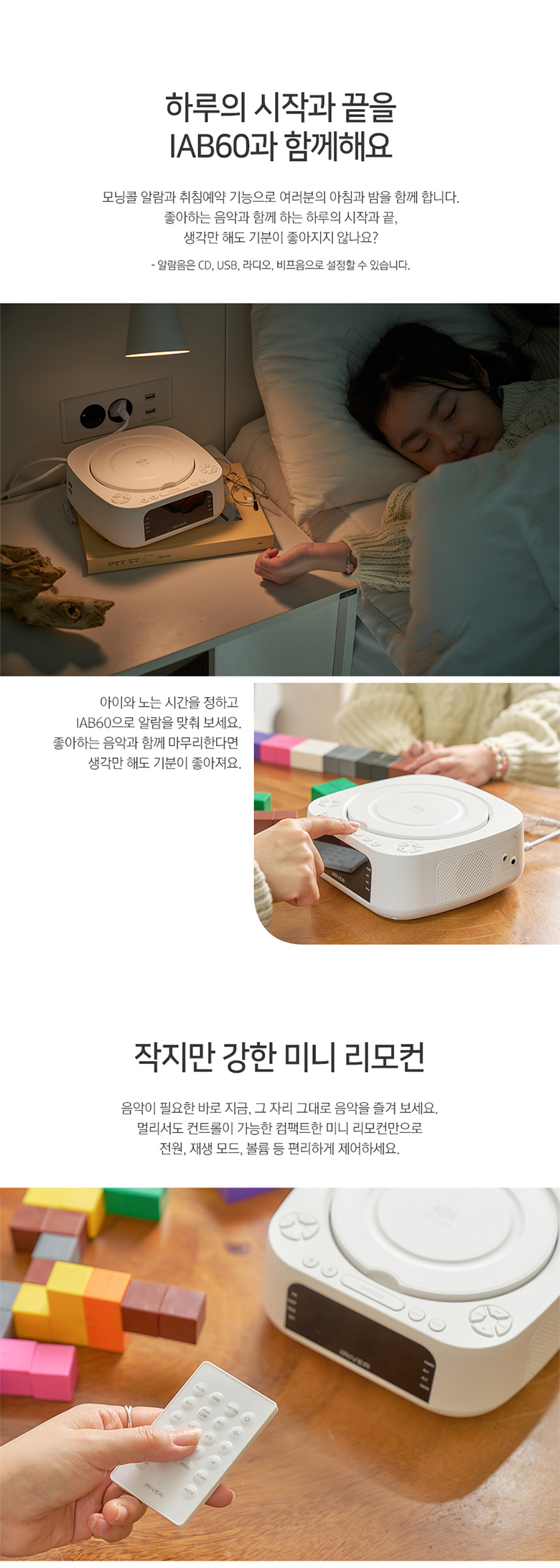
3.1 توصيل الطاقة
- Connect the provided power cable to the DC IN port on the rear of the IAB60 unit.
- Plug the other end of the power cable into a standard AC power outlet (100-240V, 60Hz).
3.2 Battery Installation (for Clock Memory)
للحفاظ على الوقت وإعدادات التنبيه أثناء انقطاع التيار الكهربائيtage, install two AAA batteries (not included) in the battery compartment located on the bottom of the unit.
3.3 توصيل هوائي FM
For optimal FM radio reception, connect the included FM antenna wire to the FM ANT port on the rear of the unit. Extend the antenna fully and position it for best signal.
4. تعليمات التشغيل
4.1 تشغيل/إيقاف التشغيل
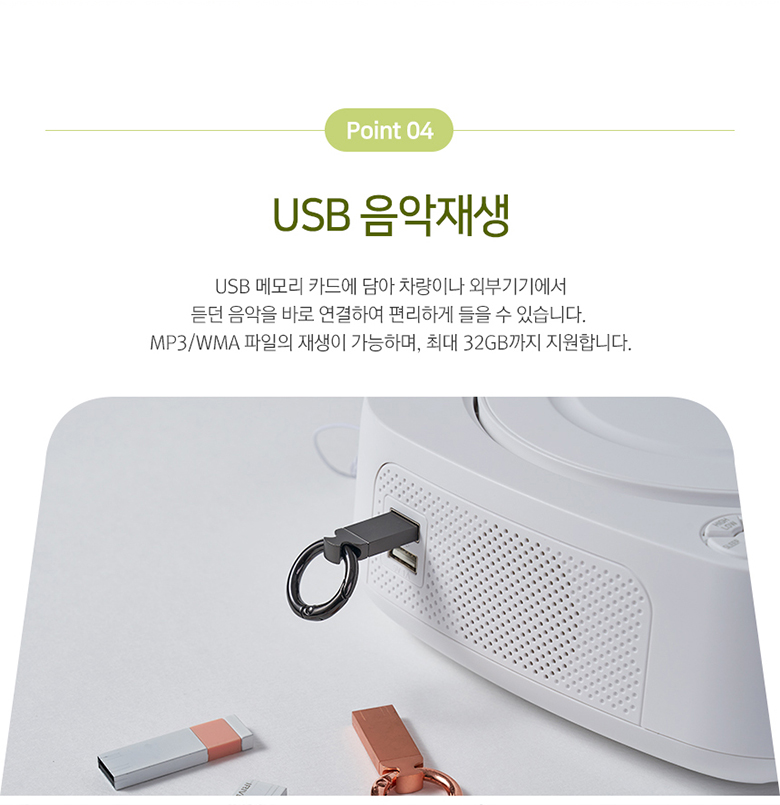
اضغط على قوة زر في اللوحة العلوية أو جهاز التحكم عن بعد لتشغيل الوحدة أو إيقاف تشغيلها.
4.2 إعدادات الساعة والمنبه
The IAB60 features a clear LED display for time and alarm functions.
- وقت الضبط: استخدم الوقت المحدد استخدم الزر للدخول إلى وضع ضبط الوقت. +/- أزرار لضبط الساعات والدقائق.
- ضبط الإنذارات: يضعط ال1 or ال2 to set individual alarms. You can choose to wake up to CD, FM radio, or a buzzer sound.
تشغيل مشغل الأقراص المضغوطة 4.3
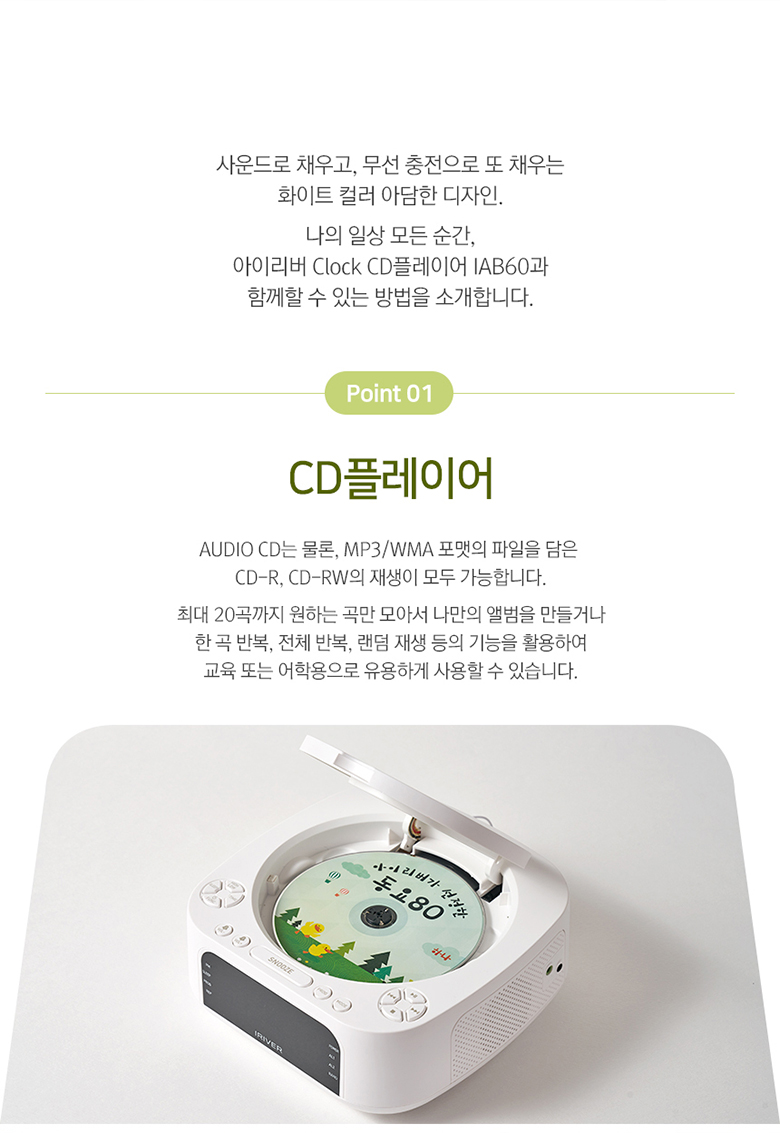
The IAB60 supports AUDIO CD, CD-R, and CD-RW discs with MP3/WMA formats.
- Gently open the top cover of the CD player.
- ضع قرصًا مضغوطًا بحيث يكون جانب الملصق متجهًا لأعلى على محور القرص.
- Close the top cover. The unit will automatically detect the CD and begin playback or display 'OP' if no disc is detected.
- استخدم تشغيل/إيقاف مؤقت, قف, SKIP (◀◀/▶▶), يكرر، و بروغ (program up to 20 tracks) buttons for control.
4.4 Bluetooth Connectivity (v5.0)
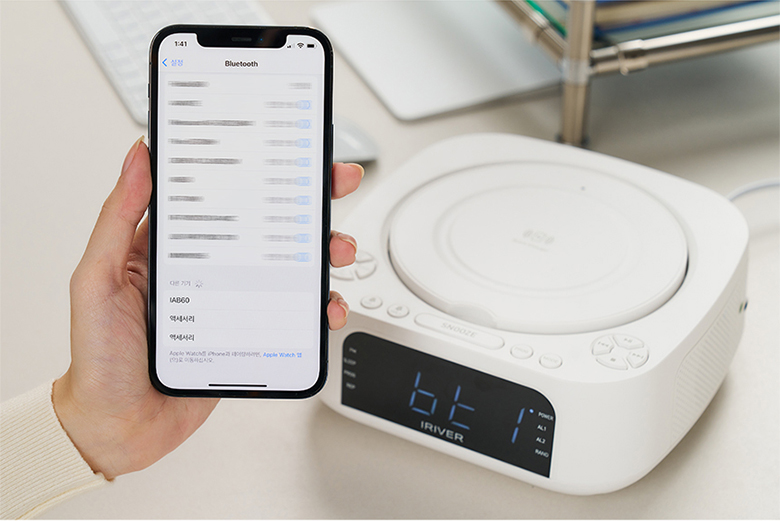
The IAB60 supports Bluetooth v5.0 for both input (playing audio from your phone) and output (connecting to Bluetooth headphones/speakers).
- وضع الإقتران: اضغط على وضع button until 'BT' appears on the display. The unit will enter pairing mode.
- Connecting to a Device (Input): On your smartphone or other Bluetooth device, search for 'IAB60' in the Bluetooth settings and connect.
- Connecting to Headphones/Speakers (Output): Refer to the specific instructions for your Bluetooth headphones or speakers to put them into pairing mode, then initiate pairing from the IAB60 (specific button or menu option may vary, refer to remote control functions).
4.5 راديو FM
Enjoy clear FM radio reception with the built-in tuner.
- اضغط على وضع اضغط على الزر حتى تظهر كلمة "FM" على الشاشة.
- استخدم لحن +/- اضغط باستمرار على الأزرار لضبط المحطة يدويًا، أو اضغط عليها للبحث تلقائيًا عن المحطة التالية المتاحة.
- اضغط على بروغ button to save favorite stations.
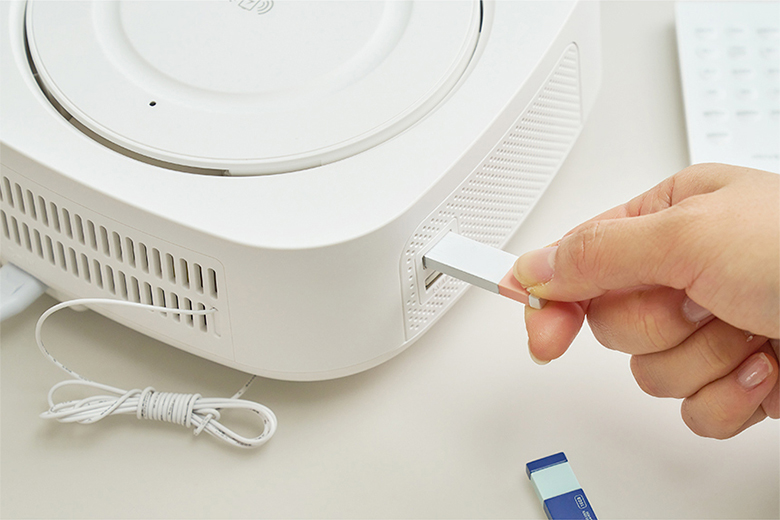
4.6 تشغيل الموسيقى عبر منفذ USB
تشغيل ملفات صوتية بصيغة MP3/WMA fileمباشرة من محرك أقراص فلاش USB (حتى 32 جيجابايت).
- Insert a USB flash drive into the USB port on the side of the unit.
- اضغط على وضع button until 'USB' appears on the display.
- استخدم عناصر التحكم في التشغيل (تشغيل/إيقاف مؤقت, يتخطى) to navigate your music.
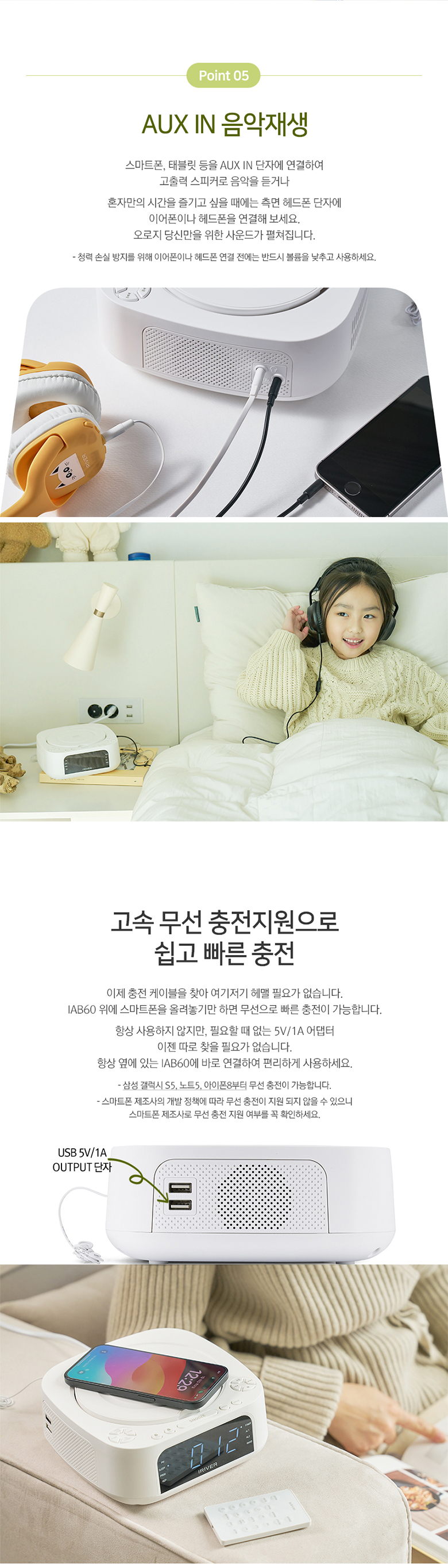
4.7 مدخل AUX
Connect external audio devices (e.g., MP3 players, smartphones) using a 3.5mm audio cable.
- Connect one end of a 3.5mm audio cable to the AUX IN port on the side of the IAB60.
- قم بتوصيل الطرف الآخر بمقبس سماعة الرأس أو مخرج الصوت الخاص بجهازك الخارجي.
- اضغط على وضع button until 'AUX' appears on the display.
- التحكم في التشغيل من جهازك الخارجي.
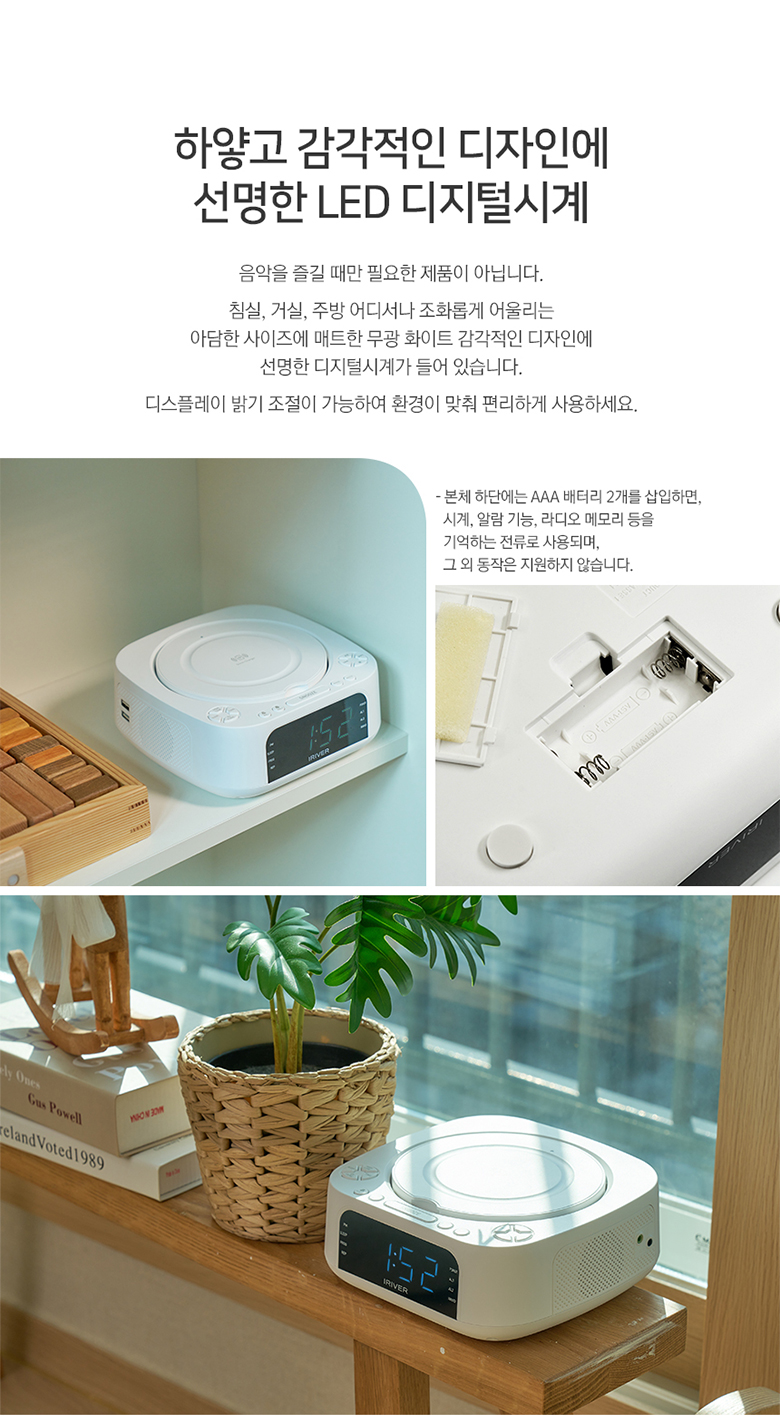
4.8 الشحن اللاسلكي
The IAB60 features a high-speed wireless charging pad on its top surface.
- Ensure the IAB60 is powered on.
- Place your Qi-compatible smartphone or device on the center of the wireless charging pad.
- The device should indicate that it is charging. If not, adjust its position slightly.
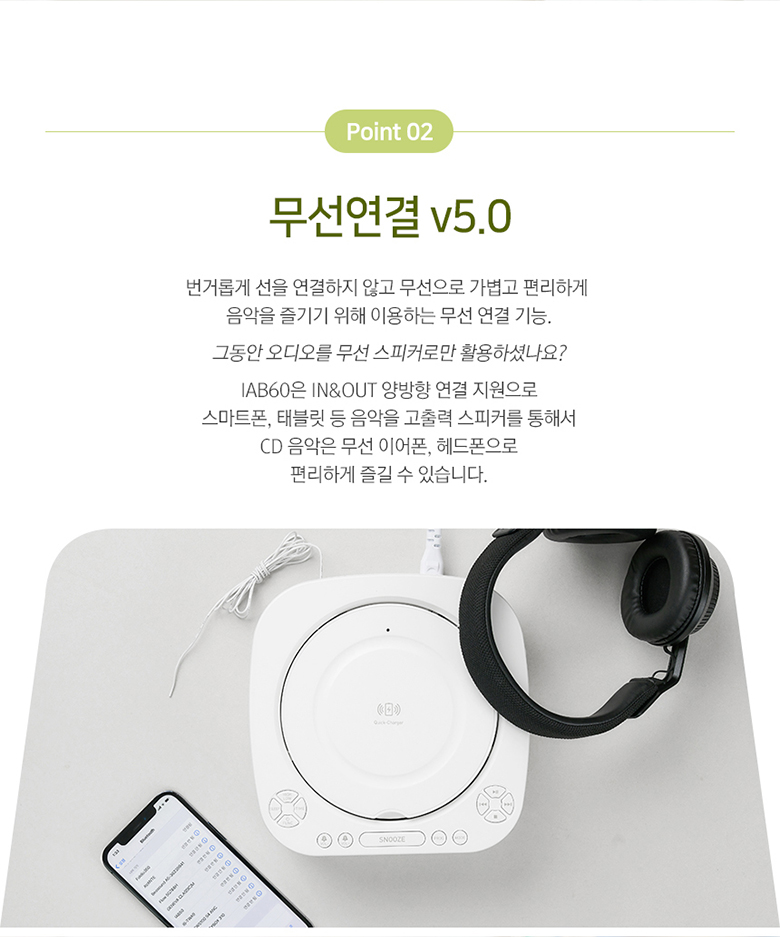
4.9 التحكم عن بعد
The included mini remote control provides convenient access to all major functions, including power, mode selection, playback controls, volume, alarm settings, and sleep timer.
5. الصيانة
- تنظيف: استخدم قطعة قماش ناعمة وجافة لتنظيف الجزء الخارجي من الوحدة. لا تستخدم منظفات أو مذيبات كاشطة.
- مشغل أقراص ليزرية: Keep the CD compartment clean and free of dust. Avoid touching the lens.
- استبدال البطارية: Replace the AAA backup batteries annually or when the clock settings are not retained during power interruptions.
- تخزين: في حالة تخزين الوحدة لفترة طويلة، افصلها عن مصدر الطاقة وقم بإزالة بطاريات النسخ الاحتياطي.
6. استكشاف الأخطاء وإصلاحها
- لا يوجد طاقة: تأكد من توصيل كابل الطاقة بشكل آمن بكل من الجهاز ومأخذ الطاقة.
- لا يوجد صوت: Check the volume level. Ensure the correct mode (CD, FM, BT, USB, AUX) is selected. If using Bluetooth output, ensure your external device is properly paired and connected.
- القرص المضغوط لا يعمل: Ensure the CD is inserted correctly (label side up) and is clean and free of scratches. Try a different CD.
- البلوتوث غير متصل: Ensure the IAB60 is in Bluetooth mode and your external device's Bluetooth is enabled and in pairing mode. Move devices closer together.
- الشحن اللاسلكي لا يعمل: Ensure your device is Qi-compatible and placed centrally on the charging pad. Remove any thick cases that might interfere with charging.
- استقبال ضعيف لموجات الراديو FM: اضبط موضع هوائي FM. حاول نقل الجهاز إلى مكان مختلف.
7. المواصفات
| ميزة | مواصفة |
|---|---|
| نموذج | IAB60 |
| لون | أبيض |
| الأبعاد (العرض × العمق × الارتفاع) | 180.5 × 198 × 73.5 ملم |
| وزن | حوالي 1.13 كجم |
| مدخلات الطاقة | تيار متردد 100-240 فولت ، 60 هرتز |
| انتاج الطاقة | DC 9V، 2A |
| درجة حرارة التشغيل | 0 درجة مئوية - 40 درجة مئوية |
| مخرج مكبر الصوت | 5 واط × 2 (إجمالي 10 واط) |
| نسخة البلوتوث | 5.0 |
| بلوتوث بروfiles | A2DP ، AVRCP |
| مدى البلوتوث | حتى 10 مترا (33 قدما) |
| تشغيل القرص المضغوط | AUDIO CD, CD-R, CD-RW |
| تنسيقات الصوت المدعومة | ام بي 3، دبليو ام ايه |
| تردد راديو FM | 87.5 - 108.0 MHz (0.1 MHz step) |
| منفذ يو اس بي | 5V 1A output, Max 32GB support |
| AUX IN | مقبس استريو مقاس 3.5 ملم |
| بطارية احتياطية | 2 x AAA batteries (for clock memory) |

8. الضمان والدعم
للحصول على معلومات الضمان والدعم الفني، يُرجى مراجعة الوثائق المُقدمة عند الشراء أو التواصل مع التاجر. احتفظ بإيصال الشراء لأي مطالبات تتعلق بالضمان.
9 نصائح المستخدم
- Wireless Charging Placement: For optimal wireless charging, ensure your device is centered on the charging pad. Slight adjustments may be needed for different phone models.
- نطاق التحكم عن بعد: Ensure there are no obstructions between the remote control and the main unit for best performance.
- جودة الصوت: Experiment with the unit's placement in your room to find the best acoustic environment for sound quality.