
1. المقدمة
Thank you for choosing the Aigostar Gx-5555 Ceiling Fan with Light. This product combines a powerful ceiling fan with an integrated LED light, offering both comfort and illumination for your living space. It features a silent DC motor, five durable ABS blades, and a sleek black metal design. The light offers adjustable color temperature and brightness, while the fan provides six speed settings and a convenient timer function. This manual provides essential information for safe installation, operation, and maintenance of your new ceiling fan.
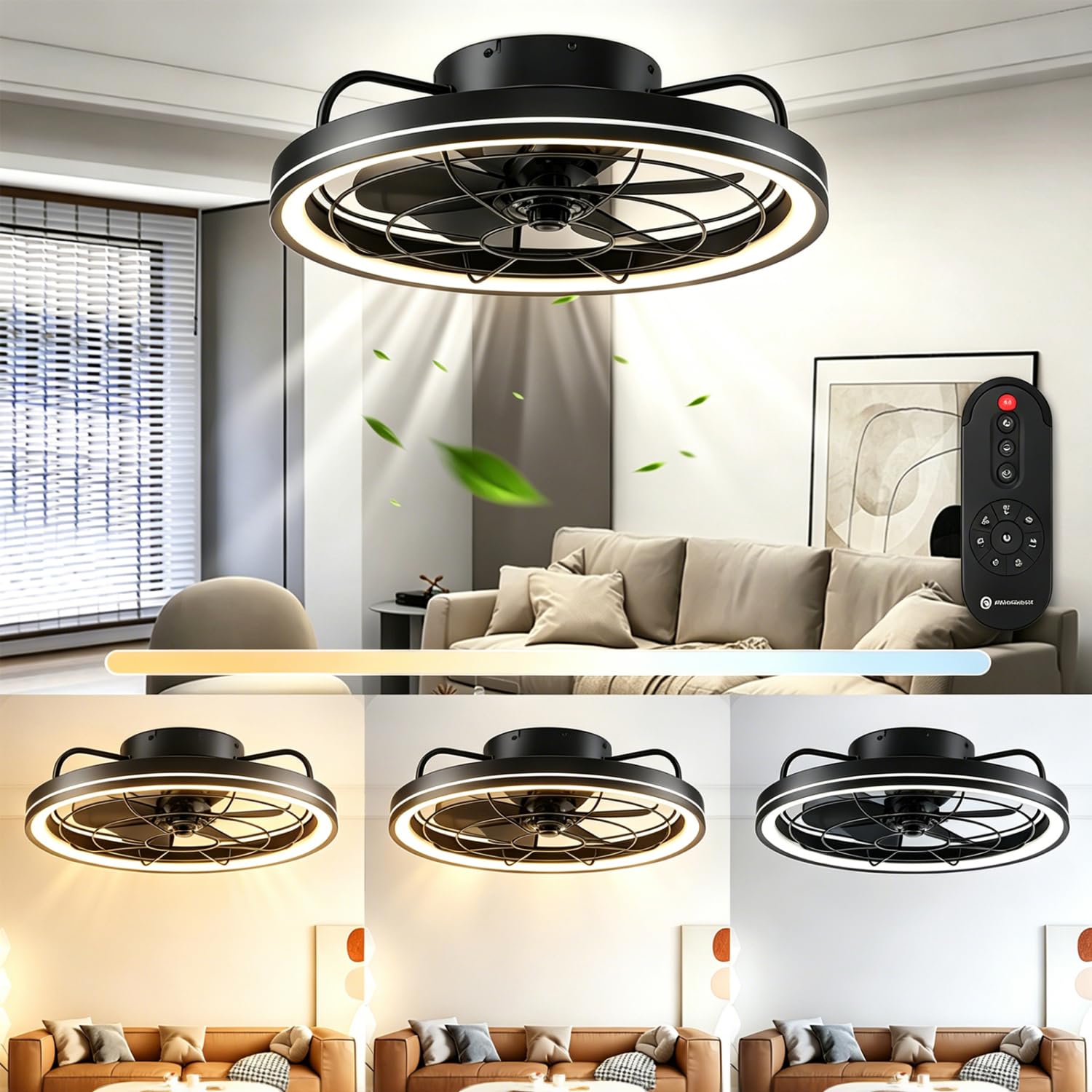
الشكل 1: انتهىview of the Aigostar Gx-5555 Ceiling Fan with Light.
2. تعليمات السلامة
يرجى قراءة جميع تعليمات السلامة بعناية قبل التركيب والاستخدام. احتفظ بهذا الدليل للرجوع إليه مستقبلاً.
- تأكد من فصل مصدر الطاقة قبل التركيب أو التنظيف أو الصيانة.
- يجب أن يتم إجراء التثبيت بواسطة كهربائي مؤهل وفقًا للوائح الأسلاك المحلية.
- يجب أن يكون هيكل التثبيت قادراً على تحمل وزن المروحة (حوالي 4.05 كجم).
- لا تقم بإدخال أي أجسام في شفرات المروحة أثناء تشغيلها.
- أبقِ الأطفال بعيداً عن المروحة أثناء تشغيلها.
- لا تستخدم المروحة في دamp أو الأماكن الرطبة.
- Only use the provided remote control for operation.
3. محتويات العبوة
تأكد من وجود جميع المكونات وعدم تلفها عند فتح العبوة.
- وحدة مروحة سقف أيغوستار
- جهاز التحكم عن بعد
- دليل التعليمات
4. المواصفات
| ميزة | مواصفة |
|---|---|
| رقم الموديل | جي إكس-5555 |
| الأبعاد (الطول × العرض × الارتفاع) | 48 × 48 × 15.5 سم |
| وزن | 4.05 كجم |
| Power (Light) | 40 واط |
| الطاقة (المروحة) | 20 واط |
| التدفق الضوئي | 4400 لومن |
| درجة حرارة اللون | 2700 كلفن - 6500 كلفن (قابل للتعديل) |
| سطوع | 10-100% (قابل للتعديل) |
| سرعات المروحة | 6 مستويات |
| وظيفة المؤقت | 1/2/4 ساعات |
| نوع المحرك | DC Motor (Silent) |
| الشفرات | 5 شفرات ABS |
| المجلدtage | 230 فولت (تيار متردد) |
| طريقة التحكم | جهاز التحكم عن بعد |
| نوع التركيب | التركيب على السقف |
| الشهادات | CE، RoHS |
5. الإعداد والتثبيت
Installation should only be performed by a qualified professional to ensure safety and proper functionality. Always disconnect power at the circuit breaker before beginning any installation work.
5.1 فك التعبئة
Carefully remove all components from the packaging. Inspect for any damage during transit. Retain packaging for future transport or returns.
5.2 موقع التركيب
Choose a ceiling location that can safely support the fan's weight and allows for adequate clearance around the blades. The fan has a diameter of 480mm and a height of 155mm.

الشكل 2: أبعاد المنتج لتخطيط التركيب.
5.3 التوصيل والتجميع
Follow the detailed wiring diagrams and assembly instructions provided in the separate installation guide included with your product. Ensure all electrical connections are secure and comply with local electrical codes. After wiring, securely attach the fan unit to the ceiling mount.
6. تعليمات التشغيل
The Aigostar Gx-5555 Ceiling Fan with Light is operated using the included remote control. Ensure batteries are correctly inserted into the remote.
6.1 وظائف الإضاءة
Use the remote control to adjust the light settings:
- ضبط درجة حرارة اللون: Cycle through warm white (2700K), neutral white (4500K), and cool white (6500K) to suit your preference.
- ضبط السطوع: ضبط شدة الضوء من 10% إلى 100%.
- The light features a memory function, retaining the last setting when turned off and on again.

Figure 3: Adjustable color temperature and brightness settings.
6.2 وظائف المروحة
Control the fan speed and direction with the remote:
- تعديل السرعة: Select from 6 fan speeds. Lower speeds (1-2) are ideal for sleeping, medium speeds (3-4) for daily activities, and higher speeds (5-6) for increased air circulation.

Figure 4: Fan speed settings for various comfort levels.
- التشغيل الهادئ: The DC motor ensures quiet operation, minimizing disturbance, especially during sleep.

Figure 5: The fan's quiet operation for undisturbed rest.
- الدوران العكسي: The fan can rotate clockwise for downward airflow (ideal for cooling in summer) or counter-clockwise for upward airflow (to circulate warm air in winter). Refer to the remote control for the specific button to change rotation direction.
6.3 وظيفة المؤقت
Set the fan and/or light to automatically turn off after a specified period:
- Press the timer button on the remote to select 1, 2, or 4 hours.
- Note: Pressing any other button after setting the timer will cancel the timer function.

Figure 6: Remote control displaying the timer function.
7. الصيانة
تضمن الصيانة المنتظمة الأداء الأمثل وطول العمر لمروحة السقف الخاصة بك.
- تنظيف: Always disconnect power before cleaning. Use a soft, damp استخدم قطعة قماش لمسح غطاء المروحة وشفراتها. لا تستخدم منظفات أو مذيبات كاشطة.
- فحص الشفرة: Periodically check the fan blades for any dust buildup or damage.
- ضيق: Ensure all screws and connections remain tight.
8. استكشاف الأخطاء وإصلاحها
إذا واجهت أي مشكلات، راجع المشكلات والحلول الشائعة التالية:
| مشكلة | السبب المحتمل | حل |
|---|---|---|
| المروحة لا تعمل | لا يوجد مصدر طاقة؛ بطارية جهاز التحكم عن بعد منخفضة/فارغة؛ توصيلات كهربائية غير صحيحة. | Check circuit breaker; Replace remote batteries; Consult a qualified electrician to check wiring. |
| الضوء لا يضيء | No power supply; Light component fault. | Check circuit breaker; Contact customer support if light component is faulty. |
| جهاز التحكم عن بعد لا يعمل | Batteries incorrectly inserted or dead; Remote not paired (if applicable). | Check battery orientation and replace if necessary; Refer to remote pairing instructions in the full manual. |
| تذبذب المروحة | براغي تثبيت مفكوكة؛ شفرات غير متوازنة. | Ensure all mounting screws are tight; Check for balanced blades and re-tighten if necessary. |
إذا استمرت المشكلة بعد تجربة هذه الحلول، يرجى الاتصال بدعم عملاء Aigostar.
9. الضمان والدعم
Aigostar products are designed and manufactured to the highest quality standards. This product comes with a standard manufacturer's warranty. For detailed warranty information, please refer to the warranty card included in your package or visit the official Aigostar webموقع.
For technical support, replacement parts, or any other inquiries, please contact Aigostar customer service through the contact information provided on our website or in your product documentation. Please have your model number (Gx-5555) and purchase date ready when contacting support.