
مقدمة
Thank you for choosing the Monster Open Ear BC300 Swimming Headphones. These bone conduction headphones are designed for comfort and versatility, offering both Bluetooth connectivity and an integrated MP3 player with 32GB storage. With an IPX8 waterproof rating, they are suitable for various activities, including swimming, running, and cycling, allowing you to stay aware of your surroundings while enjoying your audio.
محتويات الحزمة
- Monster Open Ear BC300 Swimming Headphones
- كابل الشحن المغناطيسي
- دليل المستخدم
المنتج انتهىview
Familiarize yourself with the components and controls of your BC300 headphones.
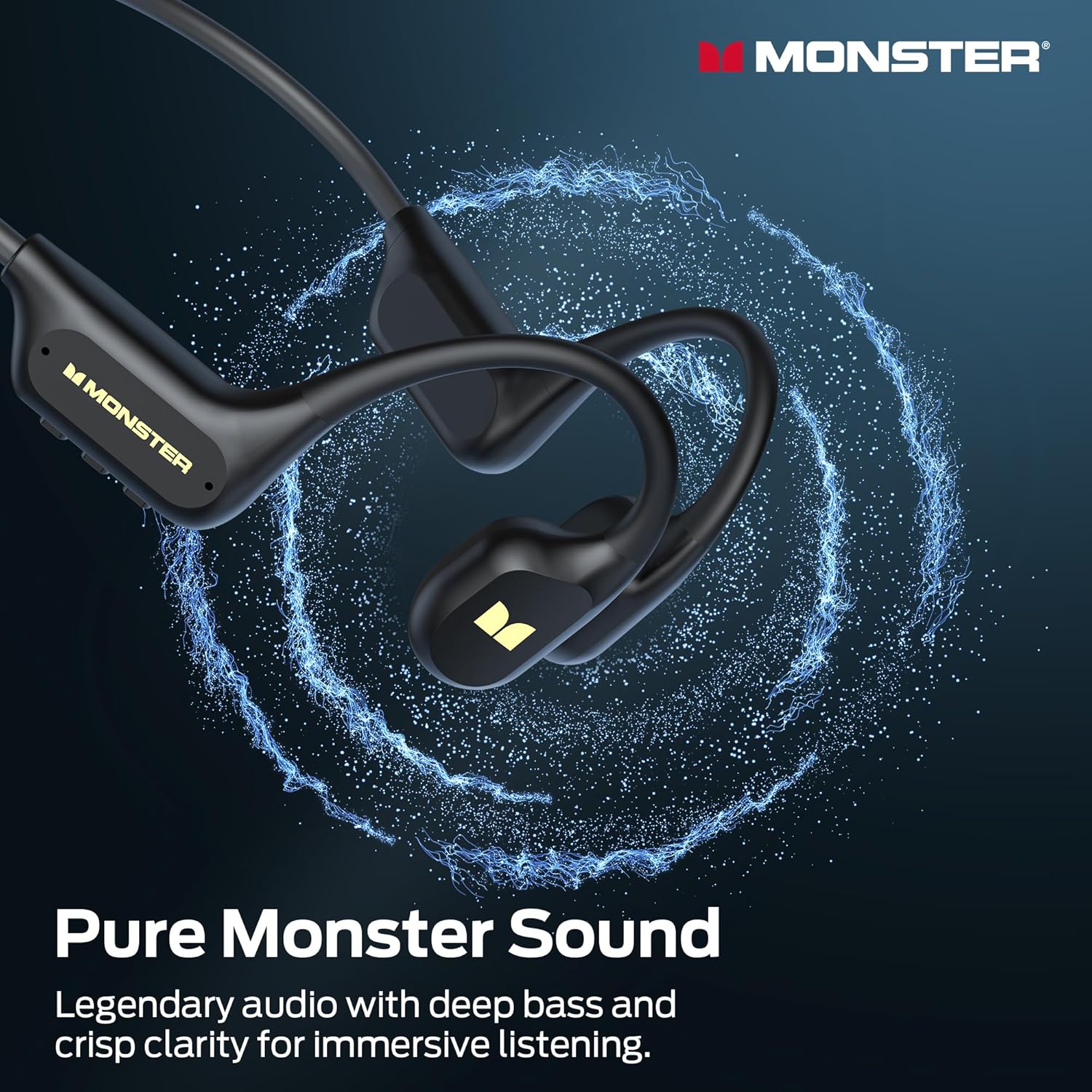
Image: The Monster BC300 headphones, showcasing their open-ear design and flexible neckband.
الضوابط والمؤشرات:
- زر الطاقة/متعدد الوظائف: Power on/off, Play/Pause, Answer/End calls.
- رفع الصوت (+): رفع مستوى الصوت، ثم الانتقال إلى المقطع التالي (بالضغط المطول).
- اخفض الصوت (-): خفض مستوى الصوت، المسار السابق (بالضغط المطول).
- زر تبديل الوضع: Toggle between Bluetooth mode and MP3 mode.
- منفذ الشحن المغناطيسي: للشحن ونقل البيانات.
- مؤشر LED: يعرض حالة الطاقة والشحن والاتصال.
يثبت
1. شحن سماعات الرأس
قبل الاستخدام الأول، اشحن سماعات الرأس بالكامل.
- قم بتوصيل كابل الشحن المغناطيسي بمنفذ الشحن الموجود في سماعات الرأس.
- قم بتوصيل الطرف الآخر من الكابل بمحول طاقة USB (غير متضمن) أو بمنفذ USB الخاص بالكمبيوتر.
- The LED indicator will show charging status (e.g., red while charging, blue when fully charged).
- يستغرق الشحن الكامل حوالي ساعتين ويوفر ما يصل إلى 10 ساعة من التشغيل.

Image: The Monster BC300 headphones connected to a laptop via its magnetic charging cable, illustrating the charging process and data transfer capability.
2. تشغيل / إيقاف التشغيل
- تشغيل الطاقة: اضغط مع الاستمرار على زر الطاقة/الوظائف المتعددة لمدة 3 ثوانٍ حتى يومض مؤشر LED باللون الأزرق.
- إيقاف التشغيل: Press and hold the Power/Multi-function button for 5 seconds until the LED indicator flashes red and then turns off.
3. اقتران بلوتوث
قم بإقران سماعات الرأس بجهاز يدعم تقنية البلوتوث.
- تأكد من إيقاف تشغيل سماعات الرأس.
- اضغط مع الاستمرار على زر الطاقة/الوظائف المتعددة لمدة 5-7 ثوانٍ حتى يومض مؤشر LED باللونين الأحمر والأزرق بالتناوب، مما يشير إلى وضع الاقتران.
- على جهازك (الهاتف الذكي، الجهاز اللوحي، الكمبيوتر)، قم بتمكين البلوتوث وابحث عن الأجهزة المتاحة.
- Select "Monster BC300" from the list.
- بمجرد الاقتران، سيومض مؤشر LED باللون الأزرق ببطء.
4. Using MP3 Mode (Internal Storage)
The headphones have 32GB of internal storage for music playback without a connected device.
نقل الموسيقى Files:
- قم بتوصيل سماعات الرأس بجهاز الكمبيوتر الخاص بك باستخدام كابل الشحن المغناطيسي.
- ستظهر سماعات الرأس كقرص قابل للإزالة على جهاز الكمبيوتر الخاص بك.
- اسحب وأفلت ملف الصوت الذي تريده files (e.g., MP3 format) into the headphone's storage folder.
- قم بإخراج الجهاز من جهاز الكمبيوتر الخاص بك بأمان قبل فصل الكابل.
التحويل إلى وضع MP3:
- While the headphones are powered on, press the Mode Switch button to toggle between Bluetooth and MP3 modes.
- A voice prompt will indicate the current mode.
- ملحوظة: MP3 mode is recommended for underwater use as Bluetooth signals do not transmit effectively through water.
تعليمات التشغيل
الضوابط الأساسية:
| وظيفة | فعل |
|---|---|
| تشغيل/إيقاف الطاقة | Press and hold Power button (3s for On, 5s for Off) |
| تشغيل/إيقاف مؤقت | اضغط لفترة قصيرة على زر الطاقة |
| رفع الصوت | اضغط ضغطة قصيرة على زر "+" |
| خفض الصوت | اضغط ضغطة قصيرة على زر "-" |
| المسار التالي | اضغط مطولاً على زر "+" |
| المسار السابق | اضغط مطولاً على زر "-" |
| الرد على المكالمة/إنهائها | اضغط لفترة قصيرة على زر الطاقة |
| رفض المكالمة | الضغط لفترة طويلة على زر الطاقة |
| Switch Mode (Bluetooth/MP3) | Short press Mode Switch button |
ارتداء سماعات الرأس
Place the headphones with the transducers resting on your cheekbones, just in front of your ears. The neckband should rest comfortably behind your head.

Image: A person wearing the Monster BC300 headphones during a basketball game, demonstrating the secure and comfortable fit during physical activity.

Image: A person wearing the Monster BC300 headphones while cycling, showing how they fit comfortably with a helmet, maintaining open awareness of surroundings.
Underwater Use (IPX8 Waterproof)
The BC300 headphones are IPX8 rated, suitable for submersion up to 2 meters for 2 hours.
- Always switch to وضع MP3 before entering water. Bluetooth signals do not transmit effectively underwater.
- Ensure the magnetic charging port is clean and dry before and after use to prevent corrosion.
- Rinse the headphones with fresh water after swimming in chlorinated or saltwater, then dry thoroughly.

Image: A person swimming underwater while wearing the Monster BC300 headphones and goggles, demonstrating their IPX8 waterproof capability for aquatic activities.
صيانة
- تنظيف: امسح السماعات بقطعة ناعمة، دamp قماش. لا تستخدم مواد كيميائية قاسية أو منظفات كاشطة.
- تجفيف: After exposure to water, especially after swimming, ensure the headphones are completely dry before charging or connecting to a computer. Gently shake off excess water and wipe with a dry cloth.
- تخزين: قم بتخزين سماعات الرأس في مكان بارد وجاف بعيدًا عن أشعة الشمس المباشرة ودرجات الحرارة القصوى.
- منفذ الشحن: Keep the magnetic charging contacts clean and free of debris to ensure proper charging and data transfer.
استكشاف الأخطاء وإصلاحها
| مشكلة | الحل المحتمل |
|---|---|
| لن يتم تشغيل سماعات الرأس. | Charge the headphones fully. Ensure the Power button is pressed and held for 3 seconds. |
| لا يمكن الاقتران عبر البلوتوث. | Ensure headphones are in pairing mode (flashing red/blue). Turn off and on Bluetooth on your device. Move closer to the device. |
| لا يوجد صوت في وضع البلوتوث. | Check volume levels on both headphones and connected device. Ensure headphones are correctly paired. Try re-pairing. |
| لا يوجد صوت في وضع MP3. | Ensure headphones are switched to MP3 mode. Check if music files are properly loaded onto the internal storage. Adjust volume. |
| سماعات الرأس غير معترف بها من قبل الكمبيوتر. | Ensure the magnetic charging cable is securely connected. Try a different USB port or cable. Ensure headphones are powered on. |
| جودة الصوت رديئة تحت الماء. | Ensure you are using MP3 mode for underwater listening. Bluetooth is not effective underwater. |
تحديد
- نموذج: إي129
- ماركة: وحش
- الاتصال: بلوتوث 6.0
- نطاق البلوتوث: 10 مترا
- التخزين الداخلي: 32 جيجابايت (حتى 8,000 أغنية)
- مقاومة الماء: IPX8 (submersible up to 2 meters for 2 hours)
- عمر البطارية: مدة تشغيل تصل إلى 10 ساعة
- وقت الشحن: حوالي 2 ساعات
- نوع الشحن: الشحن المغناطيسي
- وضع الأذن: Over Ear (Open Ear design)
- نوع برنامج تشغيل الصوت: محرك التوصيل العظمي
- حجم برنامج تشغيل الصوت: 13 مليمتر
- نوع التحكم: التحكم بالأزرار
- أبعاد الطرد: 15.7 × 11.99 × 5.69 سم
- وزن: 191 جرام
معلومات الضمان
The Monster Open Ear BC300 Swimming Headphones come with a ضمان لمدة سنتين يسري هذا الضمان من تاريخ الشراء. ويغطي عيوب التصنيع وجودة الصنع في ظل الاستخدام العادي. ولا يغطي الأضرار الناجمة عن سوء الاستخدام أو الحوادث أو التعديلات غير المصرح بها أو التلف الناتج عن الاستخدام العادي. يرجى الاحتفاظ بإثبات الشراء لتقديم مطالبات الضمان.
يدعم
For further assistance, technical support, or warranty inquiries, please contact Monster customer service through their official website or the retailer where you purchased the product. Please have your model number (E129) and proof of purchase ready.
يمكنك زيارة متجر مونستر الرسمي لمزيد من المعلومات: متجر مونستر الرسمي