
1. المقدمة
The Contixo F15 Astro Mini Drone is designed for ease of use and stable flight, making it suitable for beginners. It features a 720P HD camera, a 2.4-inch screen remote for live video display, optical flow hovering, and one-key takeoff/landing. This manual provides detailed instructions for safe operation and maintenance of your drone.
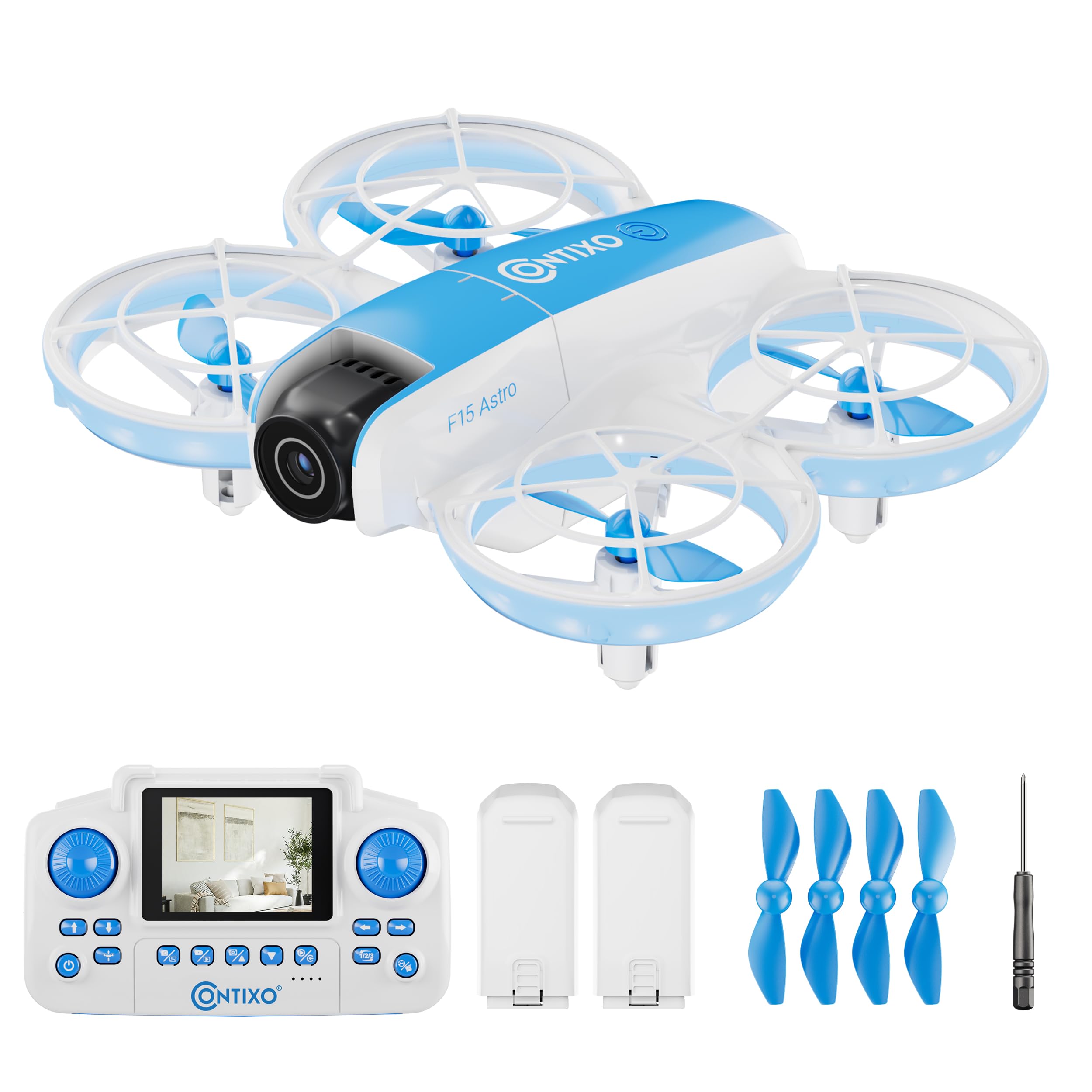
Image: The Contixo F15 Astro Mini Drone, showcasing its compact design and illuminated propellers.
فيديو: مقدمة شاملةview of the Contixo F15 Astro Drone, highlighting its main features and design.
2. محتويات العبوة
تأكد من وجود جميع العناصر في العبوة:
- Contixo F15 Astro Mini Drone
- 2.4-inch Screen Remote Controller
- Drone Batteries (x2)
- كابل شحن USB
- Propeller Guards (x4)
- مراوح احتياطية (عدد 4)
- مفك البراغي
- دليل المستخدم

Image: Visual representation of the drone, controller, batteries, propellers, screwdriver, and charging cable included in the package.
3. انتهى المنتجview
3.1 مكونات الطائرات بدون طيار
- مراوح: Four rotating blades for lift and movement.
- حراس المروحة: إطارات واقية حول المراوح.
- آلة تصوير: 720P HD camera for photo and video capture, with adjustable angle.
- أضواء LED: Indicator lights for status and visibility.
- حجرة البطارية: Location for inserting the drone battery.
- زر الطاقة: لتشغيل/إيقاف الطائرة بدون طيار.
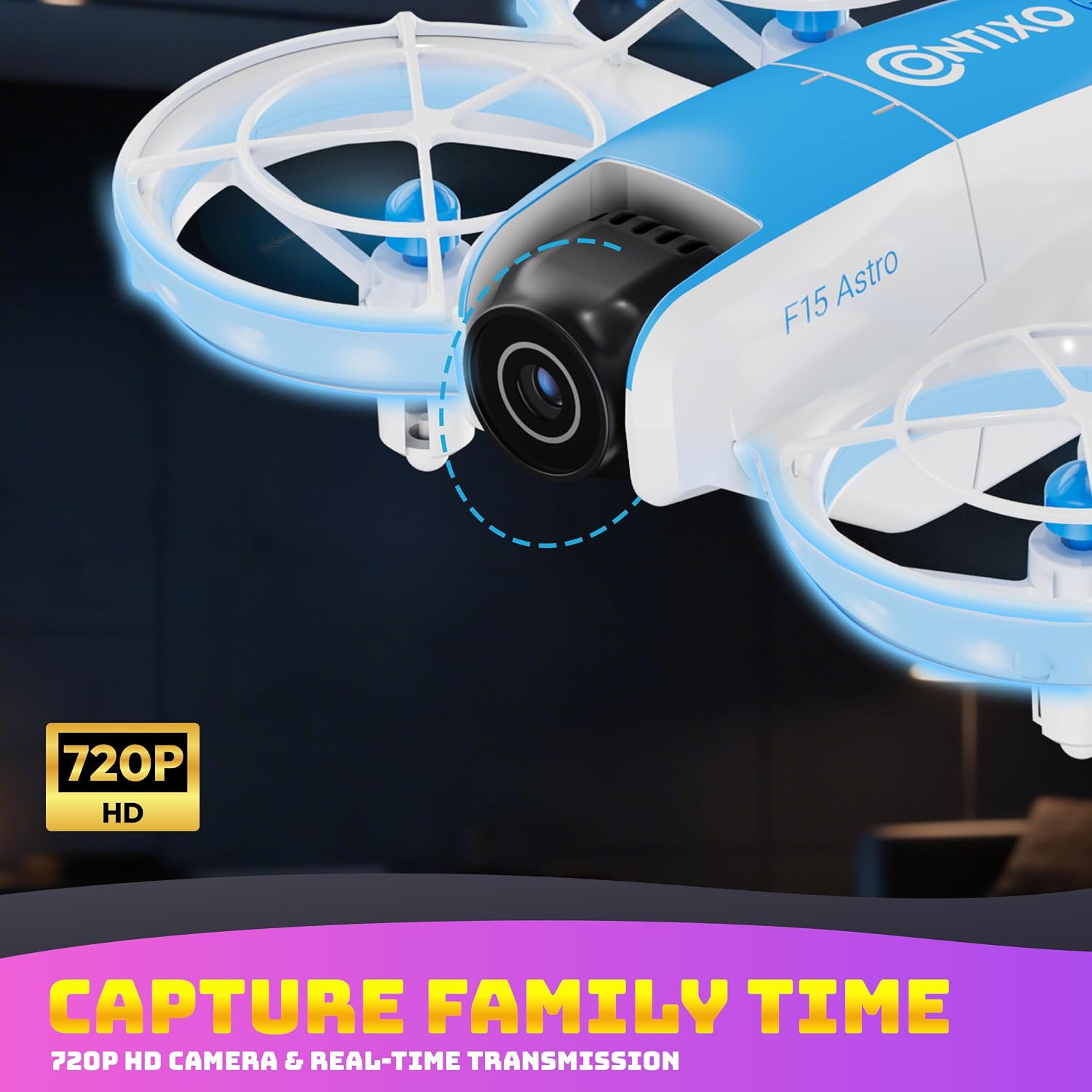
الصورة: تفصيلية view of the drone's front, highlighting the 720P HD camera with its adjustable tilt feature.
3.2 مكونات جهاز التحكم عن بعد
- شاشة 2.4 بوصة: Displays live video feed from the drone.
- عصا التحكم اليسرى: يتحكم في الارتفاع (أعلى/أسفل) والدوران (يسار/يمين).
- عصا التحكم اليمنى: يتحكم في الحركة للأمام/للخلف ولليسار/لليمين.
- زر الإقلاع/الهبوط بمفتاح واحد: يبدأ عملية الإقلاع أو الهبوط التلقائي.
- زر تبديل السرعة: يضبط سرعة الطيران (منخفضة/متوسطة/عالية).
- زر قلب بزاوية 360 درجة: Activates stunt mode for aerial flips.
- زر الصورة/الفيديو: يلتقط الصور أو يبدأ/يوقف تسجيل الفيديو.
- زر المعايرة: Used for gyroscope and GPS calibration.
- زر الطاقة: To turn the remote on/off.
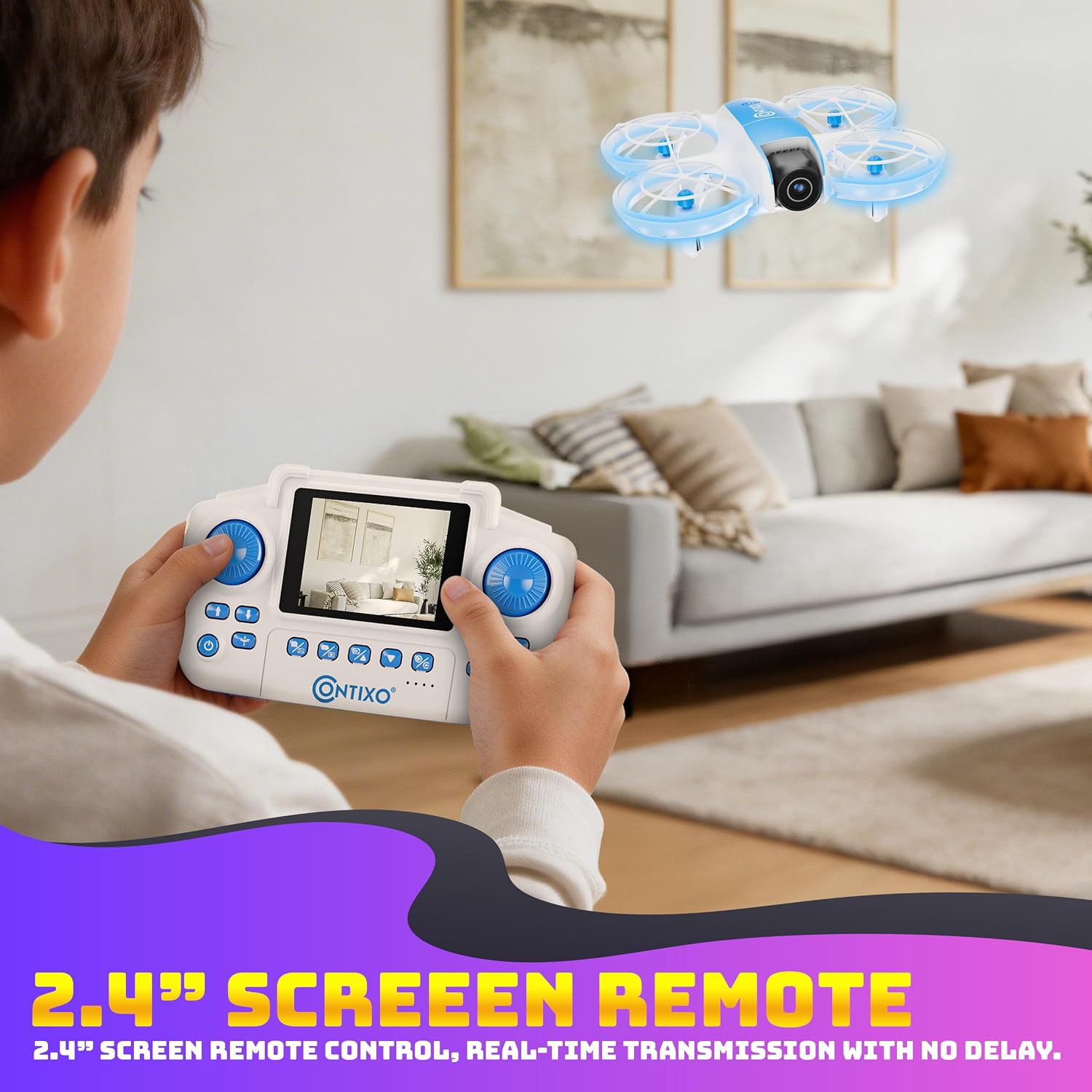
Image: A user holding the remote controller, demonstrating the integrated 2.4-inch screen displaying the drone's live video feed.
Video: A demonstration of the F15 drone's features and flight capabilities, including the remote control interface.
4. شحن البطاريات
4.1 شحن بطارية الطائرة بدون طيار
- Remove the drone battery from the drone.
- قم بتوصيل بطارية الطائرة بدون طيار بكابل شحن USB.
- Plug the USB charging cable into a USB power adapter (not included) or a computer USB port.
- سيُظهر ضوء المؤشر الموجود على كابل الشحن حالة الشحن (على سبيل المثال، أحمر للشحن، وأخضر للشحن الكامل).
- تستغرق عملية الشحن عادةً ما بين 60 و90 دقيقة. تجنب الشحن الزائد.
4.2 Remote Controller Charging
- Connect the USB charging cable to the charging port on the remote controller.
- Plug the USB charging cable into a USB power adapter or a computer USB port.
- The remote controller's indicator lights will show charging status.
- Charging typically takes approximately 45-60 minutes.
Important: Always use the provided USB charging cable. Do not leave charging batteries unattended.
5. الإعداد
5.1 تركيب واقيات المروحة
- Identify the four propeller guards.
- Align each guard with the corresponding arm of the drone.
- Gently snap or screw the guards into place. Ensure they are securely attached to prevent detachment during flight.

Image: The drone with its propeller guards fully installed, illustrating the protective design.
5.2 تركيب بطارية الطائرة بدون طيار
- تأكد من إيقاف تشغيل الطائرة بدون طيار.
- حدد مكان حجرة البطارية على الطائرة بدون طيار.
- Insert the fully charged drone battery into the compartment, ensuring it clicks into place.
5.3 إعداد جهاز التحكم عن بعد
- تأكد من شحن جهاز التحكم عن بعد بالكامل.
- If using a Micro SD card for recording, insert it into the designated slot on the drone (card not included).
6. تعليمات التشغيل
6.1 التشغيل والاقتران
- ضع الطائرة بدون طيار على سطح مستوٍ ومستوٍ.
- Press and hold the power button on the drone until the LED lights illuminate.
- Press and hold the power button on the remote controller until it powers on.
- The drone and remote will automatically pair. The drone's LED lights will stop flashing and remain solid, and the remote screen will display the live video feed.
6.2 المعايرة
- After pairing, press the Calibration button on the remote controller.
- The drone's lights will flash rapidly during calibration.
- Once calibration is complete, the lights will become solid. This ensures stable flight.
Video: A step-by-step guide on how to use the Contixo F15 Astro Drone, including pairing and calibration.
6.3 الإقلاع والهبوط
- انطلاق بمفتاح واحد: Press the One-Key Takeoff/Landing button. The drone will automatically ascend to a stable hovering height.
- هبوط بمفتاح واحد: Press the One-Key Takeoff/Landing button again. The drone will automatically descend and land gently.

Image: The drone illustrating the simplicity of one-touch takeoff and landing with directional arrows.
6.4 عناصر التحكم الأساسية في الطيران
- ارتفاع: Push the Left Joystick up to ascend, pull down to descend.
- تناوب: Push the Left Joystick left or right to rotate the drone counter-clockwise or clockwise.
- إلى الأمام / الخلف: ادفع عصا التحكم اليمنى للأعلى للطيران للأمام، واسحبها للأسفل للطيران للخلف.
- Left/Right Movement: Push the Right Joystick left or right to fly sideways (strafe).
- تعديل السرعة: Press the Speed Switch Button to cycle through low, medium, and high-speed modes.
6.5 ميزات الطيران المتقدمة
- تأثير التحليق بالتدفق البصري: The drone uses a downward-facing sensor to maintain its position stably, especially indoors.
- دوران 360 درجة: While flying, press the 360° Flip Button, then push the Right Joystick in any direction to perform an aerial flip.
- صورة سيلفي بالإيماءات: (If supported by firmware) Perform specific hand gestures in front of the camera to trigger photo or video capture. Refer to on-screen prompts or additional documentation for specific gestures.
- Flight Path Drawing: (If supported by firmware) On the remote's screen, you may be able to draw a flight path, and the drone will follow it.

Image: The drone performing a 360-degree flip, demonstrating its stunt capabilities.
6.6 تشغيل الكاميرا
- فيديو مباشر: The 2.4-inch screen on the remote displays real-time video from the drone's camera.
- التقط الصورة: Press the Photo/Video button once to capture a still image.
- تسجيل الفيديو: Press and hold the Photo/Video button to start video recording. Press again to stop.
- ضبط زاوية الكاميرا: The camera's tilt can be manually adjusted before flight to achieve different perspectives.
7. الصيانة
7.1 استبدال المروحة
- If a propeller is damaged, carefully remove it using the provided screwdriver.
- Ensure to replace it with a new propeller of the correct type (A or B, usually marked on the propeller and drone arm).
- Securely fasten the new propeller with the screw.
7.2 التنظيف
- Use a soft, dry cloth to clean the drone and remote controller.
- Avoid using water or solvents, as they may damage electronic components.
- Gently clean the camera lens with a microfiber cloth if needed.
7.3 التخزين
- قم بتخزين الطائرة بدون طيار وجهاز التحكم عن بعد في مكان بارد وجاف بعيدًا عن أشعة الشمس المباشرة.
- Remove batteries from the drone and remote if storing for extended periods.
- Charge batteries to approximately 50% before long-term storage to prolong battery life.
8. استكشاف الأخطاء وإصلاحها
| مشكلة | السبب المحتمل | حل |
|---|---|---|
| الطائرة بدون طيار لا تعمل | البطارية غير مشحونة أو مثبتة بشكل غير صحيح. | تأكد من شحن البطارية بالكامل وإدخالها بشكل صحيح. |
| الطائرة بدون طيار لا تستجيب لجهاز التحكم عن بعد | Not paired or out of range. | Re-pair the drone and remote. Ensure drone is within operating range. |
| طيران غير مستقر/انجراف | Drone not calibrated or uneven surface at takeoff. | قم بإجراء معايرة الجيروسكوب على سطح مستوٍ. |
| Poor video quality/No live feed | Weak Wi-Fi signal or camera issue. | Ensure drone is close to the remote. Check for obstructions. Restart drone and remote. |
| مدة الرحلة قصيرة | البطارية غير مشحونة بالكامل أو بطارية قديمة. | Fully charge batteries before each flight. Consider replacing old batteries. |
9. المواصفات
- اسم الموديل: F15 Astro
- ماركة: كونتيكسو
- دقة التقاط الفيديو: 720 بكسل
- دقة ثابتة فعالة: 0.92 ميجا بكسل
- تقنية الاتصال: واي فاي
- نوع التحكم: Remote Control (2.4-inch screen)
- سعة البطارية: 580 mAh (per drone battery)
- المميزات الخاصة: Optical Flow Hovering, One-Key Takeoff/Landing, Gesture Selfie, Flight Path Drawing, 360° Stunts
- أبعاد العنصر (الطول × العرض × الارتفاع): 10 بوصة × 7 بوصة × 2 بوصة
- الفئة العمرية (الوصف): Kid (suitable for beginners)
10. إرشادات السلامة
- قم بتشغيل الطائرة بدون طيار دائمًا في مناطق مفتوحة وواضحة، بعيدًا عن الناس والحيوانات والعوائق.
- لا تحلق بالقرب من المطارات أو المجال الجوي المحظور أو المناطق الحساسة.
- حافظ على مسافة آمنة من الطائرة بدون طيار أثناء التشغيل.
- Ensure propeller guards are installed for added safety, especially for beginners.
- لا تطير في رياح قوية أو ظروف جوية سيئة.
- الإشراف على الأطفال أثناء تشغيل الطائرات بدون طيار.
- Avoid touching the propellers when they are spinning.
- Turn off the drone and remote when not in use.
- يجب الالتزام بجميع اللوائح والقوانين المحلية المتعلقة بتشغيل الطائرات بدون طيار.
11. الضمان والدعم
For warranty information, technical support, or service inquiries, please refer to the official Contixo webالموقع الإلكتروني أو تواصل مع قسم خدمة العملاء. احتفظ بإيصال الشراء كإثبات للشراء في حال وجود أي مطالبات بالضمان.
Contixo Customer Service: يرجى الزيارة www.contixo.com للحصول على تفاصيل الاتصال وموارد الدعم.
