
1. علىview
This manual provides essential information for setting up, operating, maintaining, and troubleshooting your INSIGNIA 85-inch Class QF Series QLED 4K UHD Smart Fire TV. This television offers a high-quality viewing experience with 4K UltraHD resolution, Quantum Dot Technology for enhanced color, and Direct LED Backlight for uniform brightness. It integrates the Fire TV Smart OS, providing access to various streaming services and features like the Voice Remote with Alexa. The design features a metal bezel-less display for a modern aesthetic.
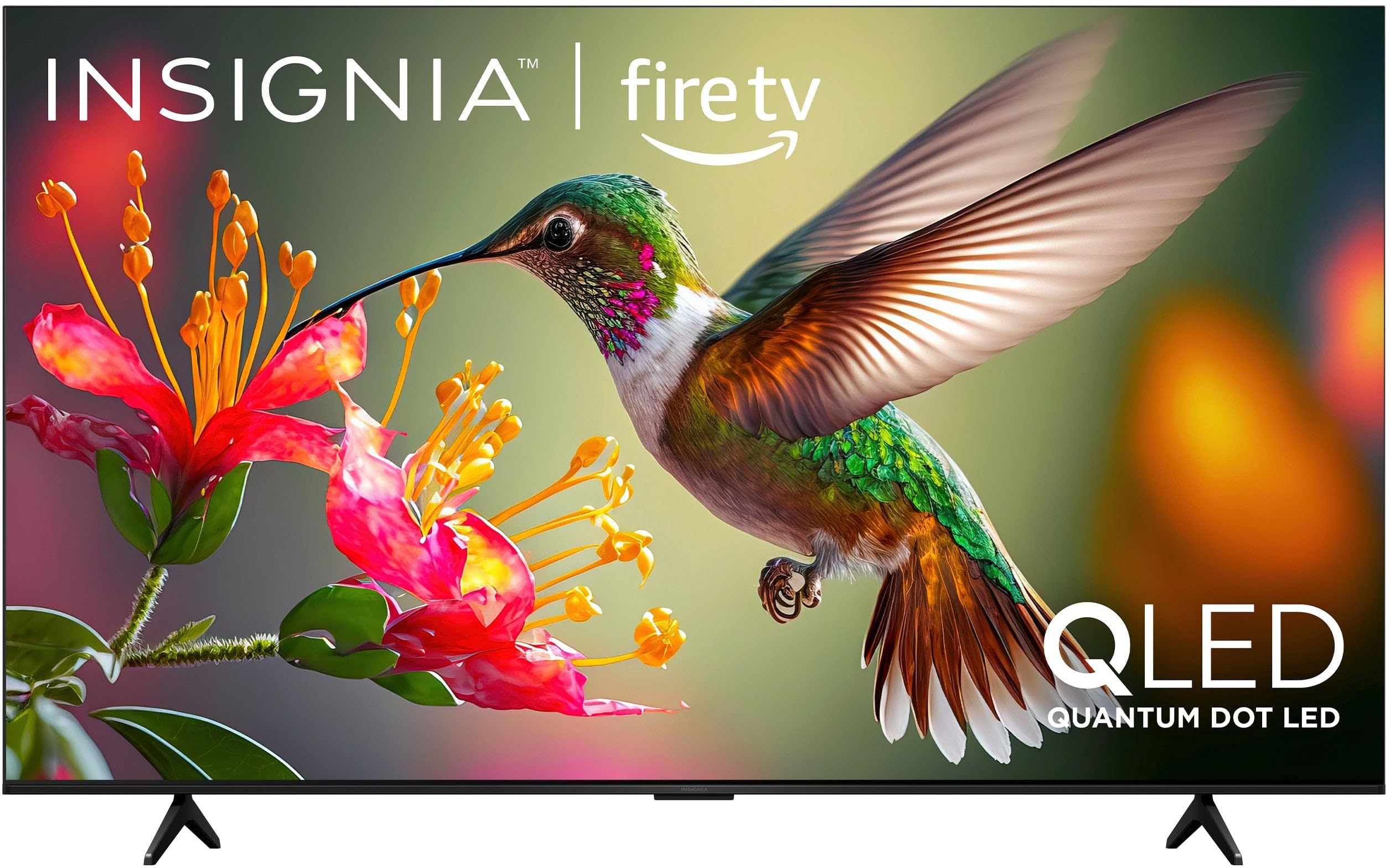
الصورة 1.1: الجبهة view of the INSIGNIA 85-inch QF Series QLED 4K UHD Smart Fire TV.
2. ماذا يوجد في الصندوق
تأكد من وجود جميع المكونات قبل المتابعة بالإعداد:
- INSIGNIA 85-inch QF Series QLED 4K UHD Smart Fire TV
- جهاز التحكم الصوتي مع أليكسا
- بطاريات جهاز التحكم عن بعد (2 AAA)
- حامل تلفاز
- براغي لتثبيت الحامل
- دليل الإعداد السريع (هذه الوثيقة)
3. الإعداد
3.1. تركيب حامل التلفزيون
If you are not wall-mounting your TV, attach the included stand:
- قم بوضع التلفاز بعناية على سطح ناعم ونظيف بحيث يكون وجهه لأسفل لمنع تلف الشاشة.
- قم بمحاذاة أرجل الحامل مع فتحات البراغي الموجودة في الجزء السفلي من التلفزيون.
- ثبّت أرجل الحامل باستخدام البراغي المرفقة. تأكد من إحكام ربطها.
3.2. التشغيل الأولي والاتصال بالشبكة
- قم بتوصيل سلك الطاقة بالتلفزيون ثم بمأخذ الطاقة.
- اضغط على زر الطاقة الموجود على التلفزيون أو جهاز التحكم عن بعد لتشغيل التلفزيون.
- Follow the on-screen instructions to select your language, connect to your Wi-Fi network, and sign in to your Amazon account.
3.3. الاقتران عن بعد
Your Voice Remote with Alexa should pair automatically. If it does not, press and hold the بيت button on the remote for 10 seconds until the LED indicator flashes blue, then release. The remote will attempt to pair.

Image 3.1: The Voice Remote with Alexa, used for controlling the TV and accessing smart features.
4. تعليمات التشغيل
4.1. Fire TV Smart OS Navigation
The Fire TV Smart OS provides a centralized hub for all your entertainment. Use the navigation buttons on your remote to browse:
- الشاشة الرئيسية: Access recommended content, recently used apps, and various streaming services.
- التطبيقات: قم بتنزيل تطبيقات البث المفضلة لديك وإدارتها.
- البث التلفزيوني المباشر: Integrate live TV channels from supported services or an antenna.
- إعدادات: Adjust picture, sound, network, and device preferences.

Image 4.1: The Fire TV interface displaying a selection of streaming services and content.
4.2. Voice Remote with Alexa
Utilize the built-in Alexa voice assistant for hands-free control:
- اضغط مع الاستمرار على زر الميكروفون على جهاز التحكم عن بعد الخاص بك.
- Speak commands such as "Find action movies," "Launch Netflix," "Switch to HDMI 2," or "Show me the weather."
- Alexa can also control compatible smart home devices.
4.3. توصيل الأجهزة الخارجية
Your TV is equipped with four HDMI inputs for connecting external devices:
- Connect gaming consoles, Blu-ray players, soundbars, or cable/satellite boxes to the HDMI ports.
- One HDMI port supports eARC for enhanced audio return channel functionality with compatible sound systems.
- للتبديل بين المدخلات، اضغط على مدخل button on your remote and select the desired source.

Image 4.2: Illustration of the TV's connectivity options, including HDMI ports.
4.4. تحسينات الصورة والصوت
This TV features advanced technologies for an immersive experience:
- QLED (شاشة LED ذات النقاط الكمومية): Delivers vibrant, lifelike colors and improved brightness.
- دقة 4K UltraHD: Provides four times the detail of Full HD TVs.
- دولبي فيجن ودولبي أتموس: Supports advanced HDR for enhanced contrast and accurate colors, along with immersive spatial audio.

Image 4.3: Visual representation of Dolby Vision and Dolby Atmos features, highlighting cinematic picture and immersive sound.
5. الصيانة
5.1. تنظيف التلفزيون
للحفاظ على مظهر وأداء التلفزيون:
- افصل دائمًا التلفاز عن الكهرباء قبل التنظيف.
- استخدم قطعة قماش ناعمة وجافة وخالية من الوبر لمسح الشاشة والخزانة برفق.
- بالنسبة للعلامات العنيدة على الشاشة، قم بالمسح برفقampاغسل قطعة القماش بالماء أو بمنظف شاشات متخصص. لا ترش السائل مباشرةً على الشاشة.
- تجنب استخدام المنظفات الكاشطة، أو الشمع، أو المذيبات.
5.2. تحديثات البرامج
Your Fire TV automatically receives software updates to improve performance and add new features. Ensure your TV is connected to the internet to receive these updates. You can manually check for updates in the Settings menu.
6. استكشاف الأخطاء وإصلاحها
إذا واجهت مشكلات مع التلفزيون الخاص بك، فراجع الحلول الشائعة التالية:
| مشكلة | حل |
|---|---|
| لا يوجد طاقة | تأكد من توصيل سلك الطاقة بإحكام بالتلفزيون ومقبس كهربائي سليم. جرّب مقبسًا كهربائيًا آخر. |
| لا توجد صورة، ولكن الصوت موجود | تحقق من مصدر الإدخال. اضغط على مدخل button on the remote to cycle through inputs. Verify external devices are powered on and connected correctly. |
| جهاز التحكم عن بعد لا يستجيب | Replace the AAA batteries in the remote. If the issue persists, re-pair the remote by holding the بيت اضغط على الزر لمدة 10 ثوان. |
| لا يمكن الاتصال بشبكة Wi-Fi | Ensure your Wi-Fi router is on and within range. Restart your router and TV. Check Wi-Fi settings in the TV's menu to ensure the correct network and password are entered. |
| جودة الصورة رديئة | Adjust picture settings (brightness, contrast, color) in the TV's menu. Ensure the content source is high-quality (e.g., 4K content for 4K resolution). |
| لا يوجد صوت | Check the volume level and ensure the TV is not muted. Verify external audio devices (soundbar, receiver) are connected and configured correctly. |
7. المواصفات
| ميزة | التفاصيل |
|---|---|
| اسم الموديل | NS85-UQFL27 |
| حجم الشاشة | 84.6 inches (85-inch class) |
| تكنولوجيا العرض | QLED (شاشة LED ذات النقاط الكمومية) |
| دقة | 4K Ultra HD (3840 × 2160) |
| معدل التحديث | 60 هرتز |
| نظام التشغيل | فاير أو إس |
| دعم HDR | دولبي فيجن |
| تكنولوجيا الصوت | دولبي أتموس |
| الاتصال | واي فاي |
| مداخل HDMI | 4 (بما في ذلك نسخة إلكترونية واحدة) |
| المميزات الخاصة | Voice Remote with Alexa, Apple Airplay |
| أبعاد المنتج (العمق × العرض × الارتفاع) | 2.5 بوصة عمق × 74.4 بوصة عرض × 42.8 بوصة ارتفاع |
| Item Weight Without Stand | 64.6 رطل |
| المكونات المضمنة | Remote Control, Remote Control Battery, Screws, Stand |
| رمز المنتج الموحد | 600603325472 |
8. الضمان والدعم
8.1. معلومات الضمان
This INSIGNIA TV comes with a ضمان لمدة سنتين. For specific terms and conditions, please refer to the warranty card included with your product or visit the official INSIGNIA support webموقع.
8.2. دعم العملاء
If you require further assistance or encounter issues not covered in this manual, please contact INSIGNIA customer support. Contact information can typically be found on the manufacturer's webالموقع أو في عبوة منتجك.