
1. المقدمة
This manual provides instructions for the installation, operation, and maintenance of your SIXWIN Android 15 Autoradio. This unit is designed for specific Nissan Micra K13 models manufactured between 2013 and 2017. It features a 9-inch touchscreen, wireless CarPlay and Android Auto, integrated GPS, Bluetooth 5.0, Mirror Link functionality, FM/RDS radio, and supports USB connectivity and a rear camera.
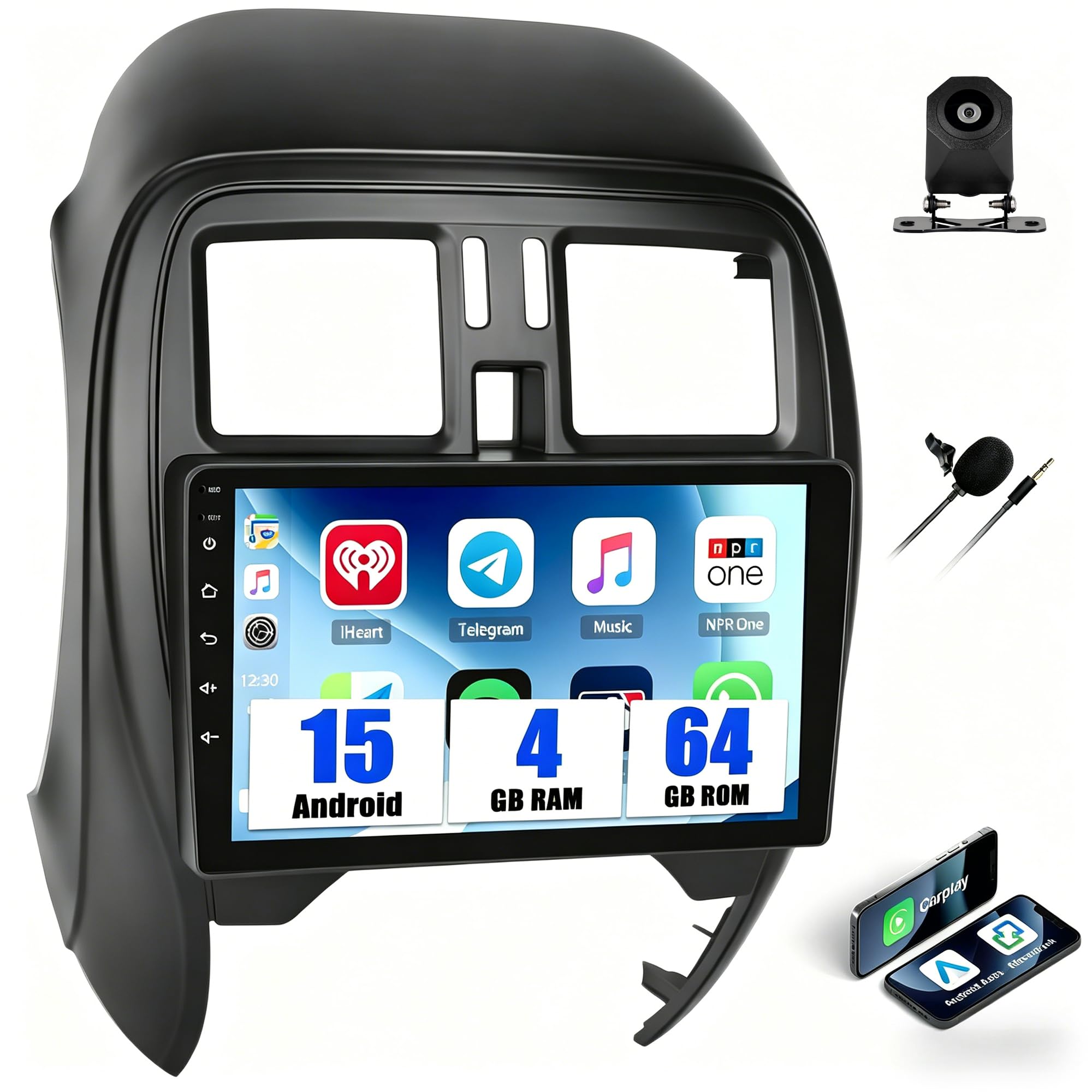
Image: The SIXWIN Android 15 Autoradio seamlessly integrated into a Nissan Micra K13 dashboard.
2. معلومات هامة حول التوافق
This autoradio is specifically designed for NISSAN Micra K13 models from 2013-2017. Please note the following critical compatibility details:
- متناسق: Nissan Micra K13 City models with manual air conditioning.
- غير متوافق: Nissan Micra K13 City models with automatic air conditioning (these typically lack a decorative trim above the control panel).
To ensure correct compatibility before installation, please verify your vehicle's central console matches the compatible models shown below. If you are unsure, contact customer support with your vehicle's model, year, and a photo of your central console.

Image: Visual guide for identifying compatible Nissan Micra K13 central console types (A and B are compatible, C is not).
3. الإعداد والتثبيت
3.1 محتويات العبوة
Before beginning installation, please ensure all components are present:
- 1 x Android Autoradio Unit
- 1 × حزام الطاقة
- 1 × هوائي GPS
- 1 x RCA Cable + 2 x USB Cables
- 1 × دليل المستخدم (هذه الوثيقة)
- 1 x HD Rear View Camera (if included in your package)
3.2 عملية التثبيت
The SIXWIN Autoradio is designed for simple integration with your Nissan Micra K13 dashboard. No additional adapters are typically required. For detailed wiring diagrams and specific installation steps, please refer to the separate installation guide provided with your product. Professional installation is recommended if you are unfamiliar with car audio systems.

Image: Comparison of the car's central console before and after the autoradio installation.

الصورة: أكثر منview of the autoradio's rear connections and included cables (Power, RCA, USB, GPS Antenna, Rear Camera Input).
4. تعليمات التشغيل
4.1 انتهى النظامview
Your SIXWIN Autoradio operates on the Android 15 system, powered by a quad-core processor with 4GB RAM and 64GB internal memory. The 9-inch HD screen (1280x720 resolution) provides clear visuals for navigation and media playback. You can download applications from the Play Store and store offline maps.
4.2 نظام CarPlay اللاسلكي ونظام Android Auto
Connect your smartphone wirelessly via Bluetooth or Wi-Fi to access CarPlay (for iPhone) or Android Auto (for Android devices). This allows seamless integration for navigation, calls, messages, and music directly from the touchscreen. Voice commands can be used to control functions like launching Google Maps or Waze, and answering calls without taking your hands off the steering wheel.

Image: Display of Wireless CarPlay and Android Auto interfaces on the autoradio screen.
4.3 وظيفة رابط المرآة
The Mirror Link feature allows you to display your smartphone's screen directly onto the autoradio's display. Android devices can connect via USB or Wi-Fi, while iPhones connect via Wi-Fi. This is useful for sharing videos or other content with passengers.

Image: A smartphone screen being mirrored onto the autoradio display.
4.4 GPS Navigation and Wi-Fi Connectivity
The unit includes integrated GPS. You can use pre-installed maps or download other online/offline navigation applications. Connect to a Wi-Fi network or a mobile hotspot to access online maps, stream content, and update applications in real-time.

Image: The GPS navigation interface displaying a map with route guidance.
4.5 Bluetooth 5.0 and FM/RDS Radio
Bluetooth 5.0 provides a stable, low-power connection for music streaming, hands-free calls, and file transfers. The FM/RDS radio allows you to listen to your favorite stations, displaying station names and real-time traffic information for a clear audio experience. The unit supports 18 preset stations.

Image: The FM radio interface displaying station frequency and RDS information.
4.6 معادل صوت بخمسة نطاقات
Customize your audio experience with the built-in 32-band equalizer. Choose from preset sound styles (Jazz, Rock, Classic, Pop) or create your own custom audio profile to ensure every sound detail is reproduced faithfully.

Image: The equalizer interface with frequency adjustments and a visual representation of the sound spectrum.
4.7 تحكم في عجلة القيادة
After configuring the steering wheel control learning function, you can safely adjust volume, change tracks, or switch radio stations without removing your hands from the steering wheel.

Image: The steering wheel control setup screen on the autoradio, showing button assignments.
4.8 HD Rear View آلة تصوير
يتضمن غطاء خلفي عالي الدقة view camera activates automatically when you engage reverse gear, displaying a wide and clear image on the screen. This feature simplifies parking, even in tight spaces or low-light conditions.

الصورة: الجزء الخلفي view camera display on the autoradio screen, showing parking guidelines.
4.9 Optional Functions
The unit supports several optional functions:
- Integrated Dashcam for recording journeys.
- Intelligent Voice Assistant.
- Global Radio Streaming.
- Real-time Global Weather Widget.
- DAB+ for high-quality digital radio.
5. الصيانة
To ensure the longevity and optimal performance of your SIXWIN Autoradio, follow these maintenance guidelines:
- تنظيف الشاشة: استخدم قطعة قماش ناعمة وخالية من الوبر لمسح شاشة اللمس برفق. لإزالة البقع الصعبة، امسحها برفق.ampامسح القماش بالماء أو بمنظف آمن للشاشات. تجنب المواد الكيميائية القاسية أو المواد الكاشطة.
- تنظيف الوحدة: Keep the main unit and surrounding areas free from dust and debris. Use a dry cloth for cleaning.
- تحديثات البرامج: Periodically check for system software updates via the Wi-Fi connection to ensure you have the latest features and performance enhancements. Follow the on-screen prompts for any available updates.
- الظروف البيئية: تجنب تعريض الوحدة لدرجات حرارة عالية، أو أشعة الشمس المباشرة لفترات طويلة، أو الرطوبة الزائدة.
6. استكشاف الأخطاء وإصلاحها
If you encounter issues with your autoradio, consider the following basic troubleshooting steps:
- لا يوجد طاقة: Check all power connections to ensure they are securely fastened. Verify the vehicle's fuse for the radio is intact.
- لا يوجد صوت: Check volume settings. Ensure speakers are properly connected. Verify audio source selection.
- شاشة اللمس لا تستجيب: Try restarting the unit. Ensure the screen is clean and free of obstructions.
- نظام تحديد المواقع العالمي (GPS) لا يعمل: تأكد من تركيب هوائي نظام تحديد المواقع العالمي (GPS) بشكل صحيح وأن يكون خالياً من العوائق. view من السماء. تحقق من إعدادات نظام تحديد المواقع العالمي (GPS) داخل الجهاز.
- Bluetooth/Wi-Fi Connection Issues: Ensure Bluetooth/Wi-Fi is enabled on both the autoradio and your device. Try re-pairing or reconnecting.
- عدم اتصال CarPlay/Android Auto: Verify your phone's compatibility and ensure the respective apps are updated. Try restarting both the phone and the autoradio.
إذا لم تنجح هذه الخطوات في حل المشكلة، فيرجى الاتصال بدعم العملاء للحصول على مزيد من المساعدة.
7. المواصفات
| ميزة | التفاصيل |
|---|---|
| ماركة | سيكس وين |
| نوع خدمة المركبة | سيارة |
| حجم الشاشة | 9 بوصة |
| المميزات الخاصة | 32EQ, Bluetooth 5.0, FM/RDS, 4GB RAM+64GB ROM 4-Core, WiFi, GPS, Wireless Carplay & Android Auto |
| تكنولوجيا الاتصال | بلوتوث، يو اس بي، واي فاي |
| نوع الخريطة | عالمي |
| نوع التركيب | جبل لوحة القيادة |
| سعة تخزين الذاكرة | 64 جيجا بايت |
| نوع العرض | شاشة تعمل باللمس |
| مدخلات واجهة الإنسان | أزرار، ميكروفون، شاشة لمس |
| طريقة التحكم | Push Button, Touch, Voice |
| نظام الملاحة عبر الأقمار الصناعية المدعوم | نظام تحديد المواقع العالمي (جي بي اس) |
| ASIN | B0GTNS1DHX |
8. معلومات الضمان
The SIXWIN Autoradio comes with a ضمان لمدة 2 سنوات يسري هذا الضمان من تاريخ الشراء. ويغطي عيوب التصنيع ويضمن مطابقة المنتج لمعايير الأداء المحددة. يرجى الاحتفاظ بإثبات الشراء لتقديم مطالبات الضمان.
9. دعم العملاء
For any questions, technical assistance, or support regarding your SIXWIN Autoradio, please do not hesitate to contact our customer service team. We offer 24/7 support to assist you before and after your purchase.
بريد إلكتروني: SIXWINVIP@126.com

Image: A customer service representative ready to assist.