
1. المقدمة
Welcome to the user manual for your new TCL 65A400 Pro 65-inch 4K UHD MiniLED Smart TV. This guide provides essential information for setting up, operating, maintaining, and troubleshooting your television. Please read these instructions carefully to ensure proper use and to maximize your viewتجربة رائعة.
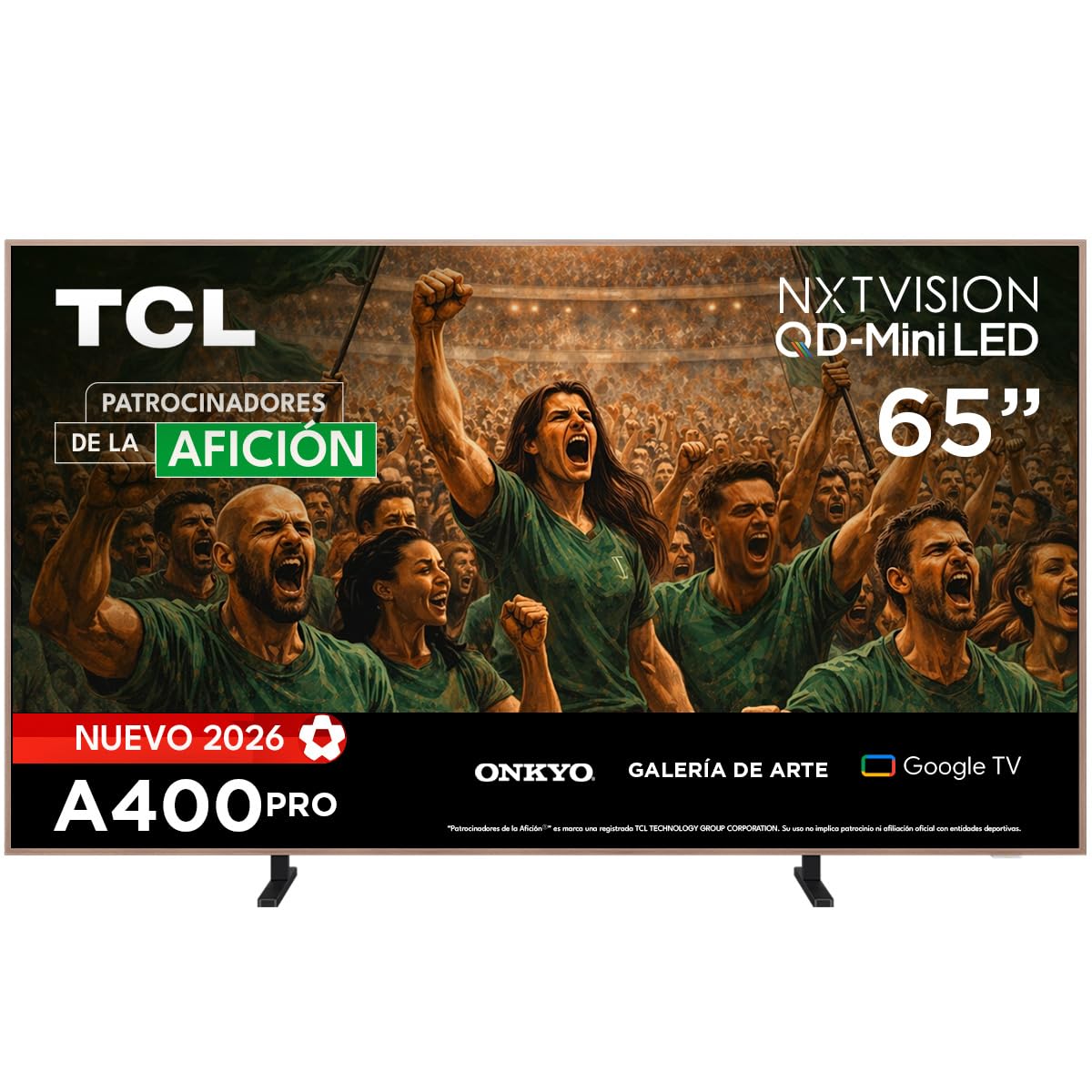
الصورة: الجبهة view of the TCL 65A400 Pro 65-inch Smart TV.
2. ماذا يوجد في الصندوق
قبل أن تبدأ، يرجى التحقق من محتويات الحزمة للتأكد من وجود جميع العناصر:
- TCL Smart TV with Google TV
- حامل الطاولة
- كابل الطاقة
- دليل البدء السريع
- جهاز التحكم عن بعد والبطاريات

Image: Diagram showing the TV dimensions and a list of included accessories.
3. الإعداد
3.1 التثبيت المادي
Your TCL 65A400 Pro TV offers flexible installation options:
- حامل الطاولة: Attach the included table stand according to the Quick Start Guide for placement on a flat surface.
- جدار جبل: The TV supports flush wall mounting. Ensure you use a compatible VESA wall mount (sold separately) and follow its installation instructions carefully.
- Easel Bases: Optional easel-style bases are available for a unique display (sold separately).

Image: The ultra-thin design of the TV, suitable for flush wall mounting.
3.2 توصيل الأجهزة
قم بتوصيل أجهزتك الخارجية بالتلفزيون باستخدام المنافذ المتاحة:
- HDMI: Use one of the four HDMI ports for high-definition devices like Blu-ray players, game consoles, or cable boxes.
- USB: Two USB ports are available for connecting USB storage devices to play media.
- قوة: قم بتوصيل كابل الطاقة بالتلفزيون ثم بمأخذ الطاقة.
3.3 التشغيل الأولي وإعداد الشبكة
After connecting all devices and power, press the power button on the remote control. Follow the on-screen instructions to complete the initial setup, including connecting to your Wi-Fi network and logging into your Google account for Google TV features.
4. تشغيل جهاز التلفزيون
4.1 واجهة Google TV
Your TV runs on Google TV, providing a personalized experience with access to streaming services, apps, and content recommendations. Use the remote control to navigate the interface, search for content, and manage your smart home devices.

Image: The Google TV home screen displaying various streaming applications and content.
4.2 وضع الفن
Transform your TV into a digital art display with Art Mode. Access a collection of famous paintings and photographs in stunning 4K UHD. This mode allows your screen to blend seamlessly into your home decor when not actively watching content.

Image: The TV in Art Mode, showcasing a painting in a gallery environment.
4.3 ميزات العرض
- QD-Mini LED: Experience deep blacks and intense brightness with Quantum Dot and Mini LED technology, offering superior cinematic realism.
- دقة 4K الترا اتش دي: استمتع بصور فائقة الوضوح والتفاصيل.
- 144 Hz VRR: Variable Refresh Rate at 144 Hz provides smooth motion, especially beneficial for gaming.
- Matte Panel: The HVA Matte finish reduces glare from natural or artificial light, maintaining color fidelity and protecting your eyes.

Image: Illustration of QD-Mini LED technology enhancing picture precision, brightness, and contrast.
4.4 نظام الصوت
The integrated Onkyo audio system with Dolby Atmos delivers powerful and clear sound, creating an immersive audio experience for all your entertainment.
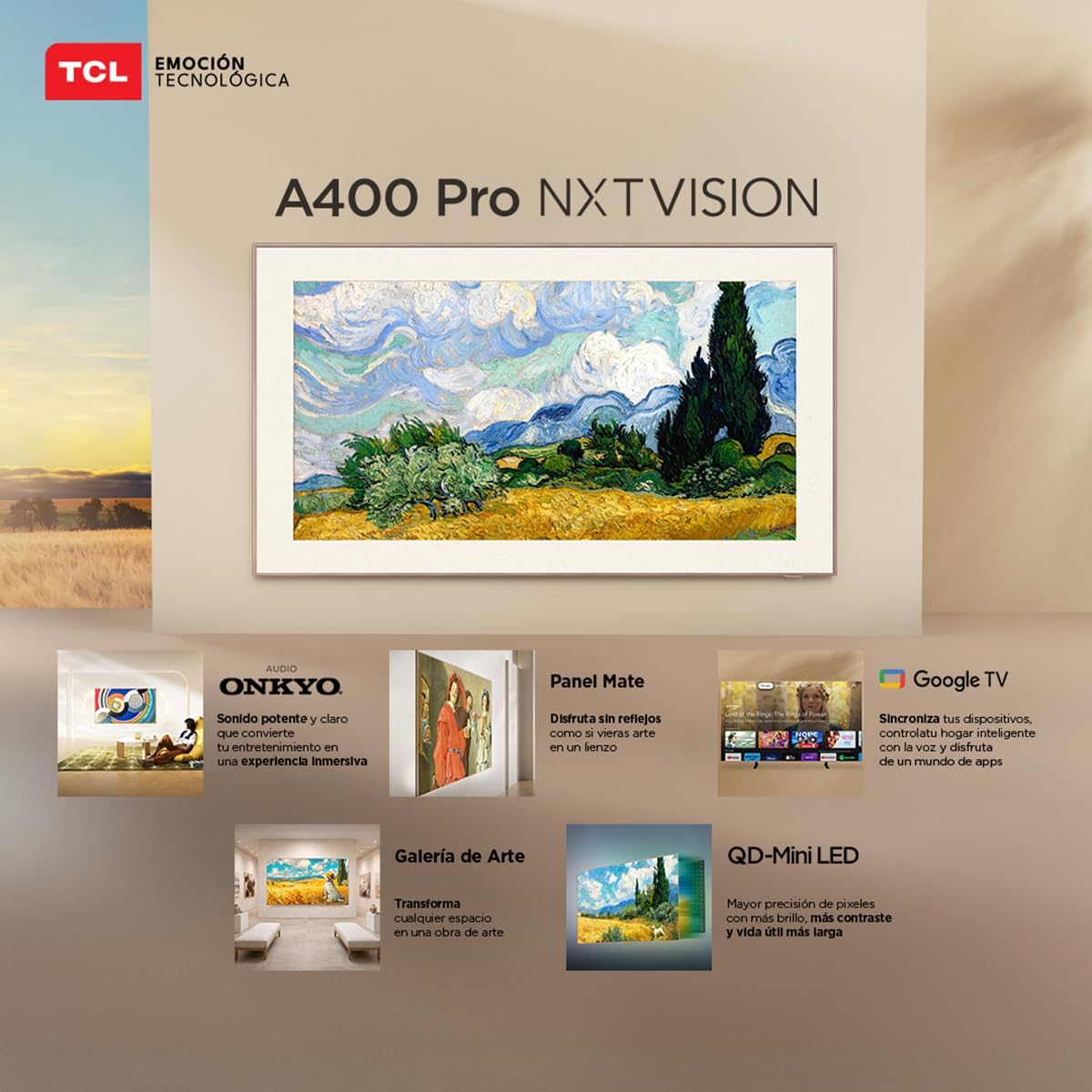
Image: A person enjoying immersive audio from the TV, highlighting the Onkyo sound system.
4.5 الاتصال
يدعم التلفزيون خيارات الاتصال المختلفة:
- واي فاي: قم بالاتصال بشبكتك المنزلية للوصول إلى الإنترنت والبث المباشر.
- بلوتوث شنومكس: Pair wireless headphones, soundbars, or other Bluetooth-enabled devices.
- كرومكاست: Built-in Chromecast allows you to cast content from your mobile devices to the TV.
- توافق اليكسا: Control your TV using voice commands through compatible Alexa devices.
5. الصيانة
لضمان طول عمر تلفزيون TCL الخاص بك وأدائه الأمثل، اتبع إرشادات الصيانة التالية:
- تنظيف الشاشة: امسح الشاشة برفق بقطعة قماش ناعمة وجافة وخالية من الوبر. لإزالة البقع الصعبة، امسحها برفق.ampامسح الشاشة بقطعة قماش مبللة بالماء أو بمنظف شاشات متخصص. تجنب المواد الكيميائية القاسية أو المواد الكاشطة.
- تنظيف الإطار: استخدم قطعة قماش ناعمة وجافة لتنظيف إطار التلفزيون.
- تهوية: تأكد من عدم سد فتحات التهوية الموجودة في الجزء الخلفي من التلفزيون لمنع ارتفاع درجة الحرارة.
- سلك الطاقة: افحص سلك الطاقة بانتظام للتأكد من خلوه من أي تلف. في حال وجود أي تلف، تواصل مع خدمة العملاء لاستبداله.
6. استكشاف الأخطاء وإصلاحها
إذا واجهت مشكلات مع التلفزيون الخاص بك، فراجع المشكلات والحلول الشائعة التالية:
| مشكلة | الحل المحتمل |
|---|---|
| لا يوجد طاقة | Ensure the power cable is securely connected to both the TV and a working power outlet. Check if the power outlet is functional. |
| لا توجد صورة، ولكن الصوت موجود | Check the input source. Ensure the connected device is powered on and its video output is correctly configured. Try a different HDMI cable. |
| لا يوجد صوت، ولكن الصورة موجودة | Check the TV's volume and mute settings. Ensure external audio devices (soundbar, receiver) are properly connected and powered on. Check audio output settings on the TV. |
| جهاز التحكم عن بعد لا يعمل | Replace the batteries in the remote control. Ensure there are no obstructions between the remote and the TV's IR sensor. Re-pair the remote if it's a Bluetooth remote. |
| مشكلات الاتصال بالواي فاي | Restart your router and modem. Go to the TV's network settings and try reconnecting to your Wi-Fi network. Ensure the Wi-Fi password is correct. |
إذا استمرت المشكلة بعد تجربة هذه الحلول، فيرجى الاتصال بدعم عملاء TCL.
7. المواصفات
Key technical specifications for the TCL 65A400 Pro 65-inch Smart TV:
| ميزة | التفاصيل |
|---|---|
| حجم الشاشة | 65 بوصة |
| تكنولوجيا العرض | 4K, Mini LED |
| دقة | 4K الترا اتش دي |
| معدل التحديث | 144 Hz (VRR) |
| دعم تنسيق HDR | دولبي فيجن، HDR10+ |
| نظام التشغيل | جوجل تي في |
| وضع إخراج الصوت | محيط |
| Integrated Surround Sound Format | دولبي أتموس |
| منافذ HDMI | 4 |
| منافذ USB | 2 |
| نسخة البلوتوث | 5.4 |
| تكنولوجيا الاتصال | بلوتوث، HDMI، USB، واي فاي |
| المميزات الخاصة | Chromecast, Art Mode |
| أبعاد المنتج (عمق×عرض×ارتفاع) | 4 × 145.2 × 83.3 سم |
| الوزن (بدون حامل) | 17.6 كيلوغرام |
| لون | أسود |
| Screen Finish | مطفي |
| سنة الموديل | 2026 |
| رمز المنتج الموحد | 840464047636 |
8. معلومات الضمان
Your TCL 65A400 Pro Smart TV comes with a ضمان محدود لمدة سنة واحدة from the date of purchase. This warranty covers manufacturing defects under normal use. Please retain your proof of purchase for warranty claims. For full terms and conditions, refer to the warranty card included with your product or visit the official TCL webموقع.
9. دعم العملاء
For technical assistance, troubleshooting, or warranty inquiries, please contact TCL customer support:
- هاتف: 800 112 4656
- واتساب: 55 7005 5159
- بريد إلكتروني: servicio.mx@tcl.com
- ساعات العمل: Monday to Saturday, 8:00 a.m. to 8:00 p.m. (local time)

Image: TCL Technical Support contact details including phone, WhatsApp, and email.