
1. المقدمة
This manual provides essential information for setting up, operating, and maintaining your RebotAi A9 Android Tablet. Please read it thoroughly before using the device to ensure proper functionality and safety.

الصورة 1.1: الأمام والخلف view of the RebotAi A9 Android Tablet.

الصورة 1.2: انتهىview of the RebotAi A9 Android Tablet highlighting its 8.68-inch 90Hz IPS display, MediaTek Helio G100 processor, 7.8mm thickness, 360g weight, 18GB RAM, 128GB ROM, 5000mAh battery, 2.4GHz+5GHz WiFi, GPS, and BT5.2.
2. الميزات الرئيسية
- المعالج: Latest MediaTek Helio G100 (MT8781) octa-core CPU (up to 2.2GHz) for enhanced performance and energy efficiency.
- تخزين الذاكرة: 18GB RAM (6GB physical + 12GB virtual) and 128GB internal storage, expandable up to 1TB via microSD.
- عرض: 8.68-inch high-definition IPS LCD display with 1340x800 resolution, 90Hz refresh rate, and 450 nits brightness.
- الاتصال: Dual nano SIM 4G LTE support (B1 / B3 / B7 / B8 / B19 / B20), high-speed 5G Wi-Fi, Bluetooth 5.2, and integrated high-precision GPS.
- الكاميرات: 13-megapixel autofocus rear camera and 5-megapixel front camera.
- بطارية: 5000mAh large-capacity battery with 20W PD fast charging support.
- تصميم: Ultra-thin 7.8mm and lightweight 360g nano-coated metal body.
- برمجة: Runs on Android 15 with GMS certification, supporting various AI applications and features like face recognition (for unlocking).
3. الإعداد
3.1 محتويات العبوة
تأكد من وجود جميع العناصر في العبوة:
- RebotAi A9 Tablet x1
- شاحن ×1
- كابل USB-C x1
- Stylus Pen x1
- Screen Protector (pre-applied) x1
- Instruction Manual (Japanese) x1
- SIM Card Pin x1

Image 3.1: Illustration of the RebotAi A9 tablet and its included accessories.
3.2 الشحن الأولي
Before first use, fully charge the tablet using the provided USB-C cable and charger. Connect the USB-C cable to the tablet's charging port and the charger to a power outlet.
Video 3.1: This video demonstrates the physical features of the RebotAi A9 tablet, including its rear camera, side buttons, USB-C port, and speaker grille. It also shows the tablet being charged and powered on, displaying the RebotAi logo.
3.3 تركيب بطاقة SIM وبطاقة MicroSD
Locate the card slot on the side of the tablet. Use the provided SIM card pin to open the tray. Insert up to two nano SIM cards and/or one microSD card (up to 1TB) into the tray, ensuring correct orientation. Gently push the tray back into the slot until it clicks into place.
4. تعليمات التشغيل
4.1 تشغيل/إيقاف التشغيل
- لتشغيل: Press and hold the power button until the RebotAi logo appears.
- لإيقاف التشغيل: Press and hold the power button, then select 'Power Off' from the options on the screen.
- لإعادة التشغيل: Press and hold the power button, then select 'Restart' from the options on the screen.
4.2 الملاحة الأساسية
The tablet uses a touch-sensitive screen for navigation:
- مقبض: المس الشاشة مرة واحدة لتحديد عنصر أو فتح تطبيق.
- ضغطة طويلة: المس العنصر مع الاستمرار في الضغط عليه لعرض المزيد من الخيارات.
- انتقاد: Drag your finger across the screen to scroll or navigate between pages.
- قرصة: استخدم إصبعين للتكبير أو التصغير في الصور web الصفحات.
4.3 وظيفة تقسيم الشاشة
The tablet supports split-screen mode, allowing you to use two applications simultaneously. This feature is useful for multitasking, such as watching a video while chatting or browsing information.

Image 4.1: The tablet demonstrating split-screen mode, allowing two applications to be viewإد في وقت واحد.
5. الاتصال
5.1 اتصال واي فاي
The RebotAi A9 supports dual-band 2.4GHz and 5GHz Wi-Fi (802.11ac) for fast and stable internet access.
- اذهب الى إعدادات > الشبكات والانترنت > واي فاي.
- قم بتشغيل Wi-Fi.
- اختر الشبكة التي تريدها من القائمة وأدخل كلمة المرور إذا لزم الأمر.
5.2 4G LTE Mobile Data and Calls
With dual nano SIM support, you can use 4G LTE for mobile data and voice calls. The tablet supports bands B1 / B3 / B7 / B8 / B19 / B20.
- Ensure SIM cards are correctly installed.
- اذهب الى إعدادات > الشبكات والانترنت > شبكة الهاتف المحمول.
- Configure your mobile data settings as per your carrier's instructions.
5.3 اتصال البلوتوث
The tablet features Bluetooth 5.2 for connecting wireless accessories.
- اذهب الى إعدادات > الأجهزة المتصلة > بلوتوث.
- قم بتشغيل البلوتوث.
- Select the device you wish to pair from the list and follow the on-screen prompts.
5.4 ملاحة GPS
The integrated high-precision GPS supports navigation and location-based services, compatible with Beidou, Galileo, and GLONASS.

Image 5.1: The tablet displaying GPS navigation, indicating its capability for accurate positioning.
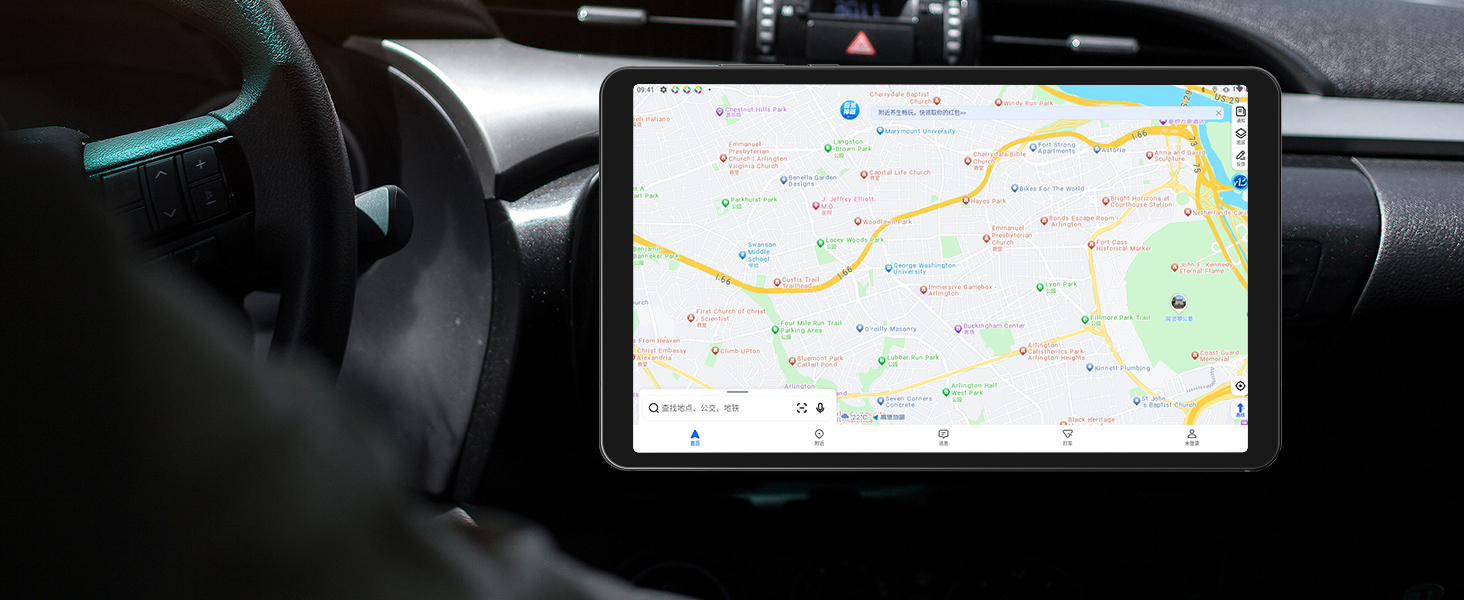
Image 5.2: The RebotAi A9 tablet being used for in-car navigation, demonstrating its GPS functionality.
6. العرض والوسائط المتعددة
6.1 High-Definition Display
The 8.68-inch IPS LCD display offers a 1340x800 resolution, 90Hz refresh rate, and 450 nits brightness. Its full lamination structure ensures vibrant colors and clear visuals for videos, games, photos, and documents.

Image 6.1: The tablet screen displaying a visual representation of its 90Hz refresh rate.

Image 6.2: The RebotAi A9 tablet showcasing a colorful image on its IPS display, emphasizing visual quality.
6.2 دعم Widevine L1
With Widevine L1 certification, the tablet allows high-quality, full HD content streaming from services like Amazon Prime Video, Netflix, Disney+, and Hulu.

Image 6.3: The tablet highlighting its Widevine L1 support for high-definition streaming from various platforms.
6.3 إخراج الصوت
The tablet features dual BOX speakers for clear audio and a 3.5mm headphone jack for private listening.

الصورة 6.4: الجهاز اللوحي الموضحasing its dual BOX speakers for enhanced audio experience.
6.4 الإسقاط اللاسلكي
The tablet supports wireless projection, allowing you to easily connect to a large-screen TV for sharing content.
7. الكاميرا
The RebotAi A9 is equipped with a 13-megapixel autofocus rear camera and a 5-megapixel front camera, suitable for photography, video calls, and QR code scanning.

الصورة 7.1: عن قرب view of the RebotAi A9 tablet's rear camera module.

Image 7.2: Visual representation of the tablet's 5MP front and 13MP rear cameras.
8. التخزين والأداء
8.1 المعالج
The tablet is powered by the MediaTek Helio G100 (MT8781) octa-core processor, featuring two Cortex-A76 and six Cortex-A55 cores, clocked up to 2.2GHz. This configuration provides an AnTuTu score exceeding 400,000, ensuring smooth performance for various applications, including gaming.

Image 8.1: Details of the MTK Helio G100 processor, highlighting its performance and efficiency.
8.2 الذاكرة والتخزين
The RebotAi A9 comes with 18GB RAM (6GB physical + 12GB virtual) and 128GB of internal storage. Storage can be expanded up to 1TB using a microSD card, providing ampمساحة مخصصة للتطبيقات والوسائط والمستندات.

Image 8.2: Visual representation of the tablet's 18GB RAM and 128GB ROM, with 1TB expansion capability.

Image 8.3: Illustration of the tablet's large storage capacity, including 6GB+12GB virtual memory, 128GB storage, and 1TB expansion.
8.3 الألعاب والترفيه
The combination of the Helio G100 processor, Mali-G76 GPU, 90Hz display, and 6-axis gyroscope provides a responsive and immersive experience for gaming and multimedia consumption.

Image 8.4: The tablet displaying a racing game, demonstrating its smooth performance for gaming.

Image 8.5: A user playing a game on the RebotAi A9 tablet, highlighting its suitability for gaming.

Image 8.6: A user reading comics on the RebotAi A9 tablet, showcasing its display quality for reading.
9. البطارية والشحن
The tablet is equipped with a 5000mAh battery and supports 20W PD fast charging, providing extended usage times for various activities such as reading, online classes, video viewing, and work.
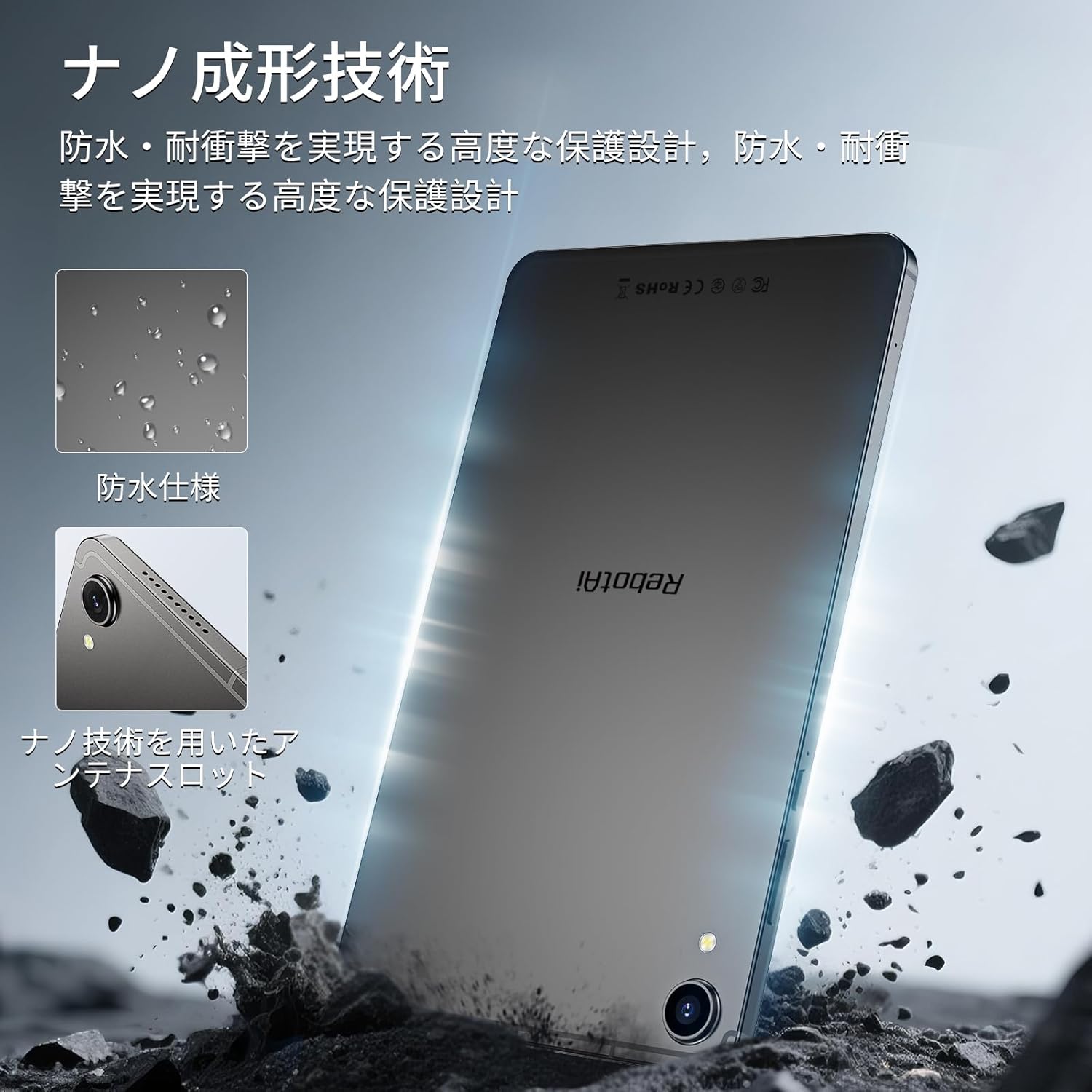
Image 9.1: The RebotAi A9 tablet connected to its charger, indicating its charging capability.

Image 9.2: Details of the tablet's 5000mAh battery and 20W fast charging, with estimated usage times for different activities.
10. Physical Design and Durability
The RebotAi A9 features a nano-coated metal body, offering a smooth and premium feel. Its ultra-thin 7.8mm profile and lightweight 360g design make it highly portable. The nano-molding technology provides enhanced protection against water and impacts.

Image 10.1: The tablet highlighting its water-resistant features and nano-molding technology for durability.

Image 10.2: The RebotAi A9 tablet emphasizing its thinness (7.8mm) and light weight (360g).

الصورة 10.3: تفصيلية view of the tablet's nano-molding technology, contributing to its robust design.
11. المواصفات
| ميزة | مواصفة |
|---|---|
| ماركة | ريبوتاي |
| اسم الموديل | A9 |
| نظام التشغيل | أندرويد 15 |
| المعالج | MediaTek Helio G100 (Octa-core, up to 2.2 GHz) |
| وحدة معالجة الرسوميات | مالي-G76 |
| كبش | 18 جيجابايت (6 جيجابايت فعلي + 12 جيجابايت افتراضي) |
| التخزين الداخلي | 128 جيجا بايت |
| تخزين قابل للتوسيع | يدعم حتى 1 تيرابايت عبر بطاقة microSD |
| حجم الشاشة | 8.68 بوصة |
| نوع العرض | شاشة LCD IPS |
| دقة | 1340 × 800 بكسل |
| معدل التحديث | 90 هرتز |
| سطوع | 450 شمعة |
| نسبة العرض إلى الارتفاع | 16:10 |
| الكاميرا الخلفية | 13 MP (Autofocus) |
| الكاميرا الأمامية | 5 ميجا بكسل |
| سعة البطارية | 5000 مللي أمبير |
| الشحن | شحن سريع بقوة 20 واط بتقنية PD |
| واي فاي | 802.11ac (2.4GHz/5GHz) |
| بلوتوث | 5.2 |
| شبكة الهاتف المحمول | 4G LTE (Dual Nano SIM, Bands: B1/B3/B7/B8/B19/B20) |
| نظام تحديد المواقع العالمي (جي بي اس) | Integrated (Supports Beidou, Galileo, GLONASS) |
| أجهزة الاستشعار | 6-axis Gyroscope, Light Sensor, Gravity Sensor, Hall Sensor, Proximity Sensor |
| الموانئ | USB 2.0 Type-C, 3.5mm Headphone Jack |
| أبعاد | سمك 7.8 ملم |
| وزن | حوالي 360 جرام |
| لون | Gray-Metallic |
| الشهادات | PSE, TELEC, GMS |
12. الصيانة
12.1 التنظيف
Use a soft, lint-free cloth to clean the tablet screen and body. Avoid using harsh chemicals or abrasive materials that could damage the device.
12.2 تحديثات البرامج
قم بفحص وتثبيت تحديثات النظام بانتظام لضمان الأداء الأمثل والأمان. انتقل إلى إعدادات > نظام > تحديث النظام.
12.3 إدارة التخزين
To maintain performance, periodically clear unnecessary files and applications. You can check storage usage in إعدادات > تخزين.
13. استكشاف الأخطاء وإصلاحها
13.1 الجهاز اللوحي لا يعمل
- تأكد من شحن البطارية. وصّل الشاحن وانتظر بضع دقائق قبل إعادة تشغيل الجهاز.
- اضغط مع الاستمرار على زر الطاقة لمدة 10-15 ثانية على الأقل لفرض إعادة التشغيل.
13.2 الأداء البطيء
- أغلق التطبيقات غير المستخدمة التي تعمل في الخلفية.
- مسح بيانات ذاكرة التخزين المؤقت للتطبيقات المستخدمة بكثرة.
- تحقق من وجود تحديثات متاحة للنظام.
- Consider performing a factory reset if issues persist (back up your data first).
13.3 مشاكل الاتصال بشبكة Wi-Fi
- تأكد من تفعيل شبكة الواي فاي على الجهاز اللوحي.
- أعد تشغيل جهاز توجيه Wi-Fi الخاص بك.
- انسى الشبكة في إعدادات الجهاز اللوحي وأعد الاتصال.
14. الضمان والدعم
The RebotAi A9 tablet comes with a 2-year product warranty. This product has obtained all official certifications based on Japanese regulations, including PSE (Electrical Appliance and Material Safety Act), TELEC (Radio Act), and GMS (Google official certification).
14.1 الاتصال بالدعم
For any inquiries or issues, please contact the seller through your Amazon purchase history. Alternatively, on the product page, click the store name below the 'Add to Cart' button, then click 'Ask a question' in the upper right corner.

Image 14.1: Warranty and support information for the RebotAi A9 tablet.