
1. المقدمة
Thank you for choosing the THOMSON TDF-1001P Digital Photo Frame. This device allows you to display your favorite photos and videos, play music, and utilize features like a calendar, clock, and alarm. With Wi-Fi connectivity, you can easily share media and receive weather updates. Please read this manual thoroughly before operating the device to ensure proper use and maintenance.
2. معلومات السلامة
- لا تعرض الجهاز للرطوبة أو المطر أو درجات الحرارة القصوى.
- تجنب وضع الجهاز بالقرب من مصادر الحرارة أو تحت أشعة الشمس المباشرة.
- استخدم فقط محول الطاقة المرفق. قد يؤدي استخدام محولات غير معتمدة إلى تلف الجهاز وإبطال الضمان.
- لا تحاول تفكيك الجهاز أو إصلاحه بنفسك. قم بإحالة جميع أعمال الصيانة إلى فنيين مؤهلين.
- أبعد الجهاز عن المجالات المغناطيسية القوية.
- Clean the screen with a soft, dry cloth. Do not use liquid cleaners or sprays directly on the screen.
3. محتويات العبوة
يرجى التحقق من الحزمة للعناصر التالية:
- THOMSON TDF-1001P Digital Photo Frame
- محول الطاقة
- دليل المستخدم (هذا المستند)
- حامل (إن وجد)
4. انتهى المنتجview
تعرّف على مكونات إطار الصور الرقمي الخاص بك.
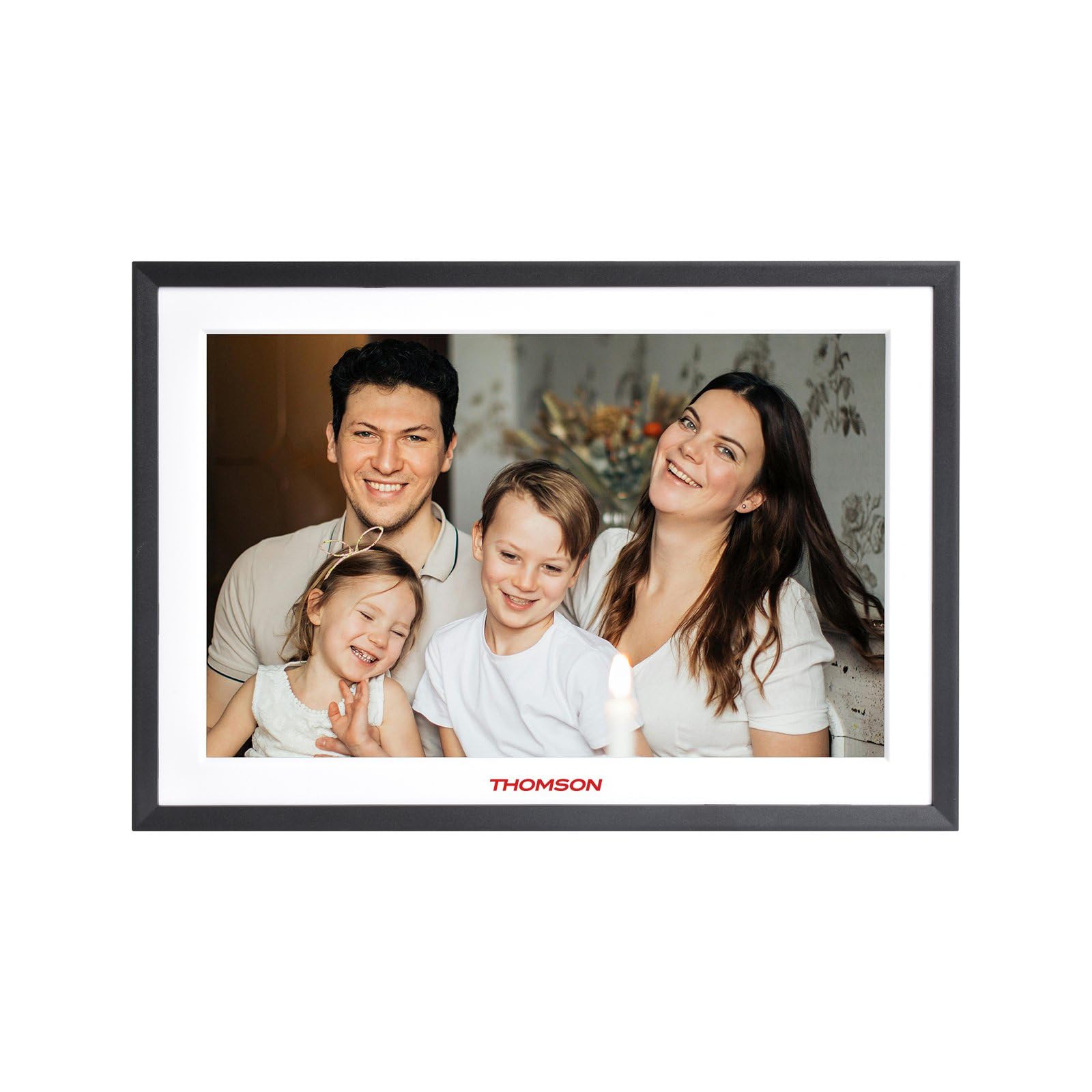
الشكل 4.1: أمام view of the THOMSON TDF-1001P Digital Photo Frame. This image shows the 10.1-inch IPS display with a black frame, designed for clear photo and video playback.
4.1. اللوحة الأمامية
- شاشة لمس IPS مقاس 10.1 بوصات: The main display for viewing content and interacting with the device.
4.2. اللوحة الخلفية والمنافذ
The rear panel typically includes various ports for connectivity and power.
- مدخلات الطاقة: يتصل بمحول الطاقة المقدم.
- منفذ USB: For connecting USB drives to transfer media.
- فتحة بطاقة SD: For inserting SD cards to expand storage or transfer media.
- زر إعادة الضبط: A small pinhole button to reset the device if necessary.
5. الإعداد
5.1. التشغيل الأولي
- Unpack the digital photo frame and its accessories.
- Attach the stand to the back of the frame, ensuring it is securely fastened.
- Connect the power adapter to the power input port on the frame.
- Plug the power adapter into a wall outlet. The frame will automatically power on.
- اتبع التعليمات التي تظهر على الشاشة لتحديد لغتك ومنطقتك.
5.2. اتصال واي فاي
Connecting to Wi-Fi enables online features like photo sharing and weather updates.
- من القائمة الرئيسية، انقر على "الإعدادات".
- Select 'Wi-Fi' or 'Network Settings'.
- Toggle Wi-Fi to 'On'. The frame will scan for available networks.
- حدد شبكة Wi-Fi المطلوبة من القائمة.
- أدخل كلمة مرور Wi-Fi باستخدام لوحة المفاتيح التي تظهر على الشاشة، ثم انقر فوق "اتصال".
- بمجرد الاتصال، سيظهر رمز Wi-Fi على شريط الحالة.
5.3. App Setup for Sharing
To share photos and videos via Wi-Fi, you will need to install the dedicated app on your smartphone.
- Locate the app name or QR code in the frame's settings under 'Cloud Services' or 'App Connection'.
- Download and install the app on your smartphone from your device's app store.
- افتح التطبيق وقم بإنشاء حساب أو تسجيل الدخول.
- Follow the app's instructions to pair your smartphone with the digital photo frame, typically by scanning a QR code displayed on the frame or entering a unique device ID.
- Once paired, you can send photos and videos directly from your smartphone to the frame.
6. Operating the Digital Photo Frame
6.1. تصفح الواجهة
The frame features a touch screen for easy navigation. Tap icons to open applications and swipe to browse content or menus.
6.2. Photo and Video Playback
- From the main menu, tap the 'Photos' or 'Gallery' icon.
- Select the source of your media (Internal Storage, SD Card, USB Drive, or Cloud/App).
- Browse through your albums or individual files. Tap on a photo or video to view هو - هي.
- During playback, you can typically swipe left/right to navigate between files, or tap the screen to reveal playback controls (play/pause, next, previous, rotate, delete).
6.3. تشغيل الموسيقى
- Tap the 'Music' icon from the main menu.
- Select the source of your music files.
- Browse and tap on a song to begin playback.
- Use the on-screen controls for play/pause, skip, volume adjustment, and repeat modes.
6.4. Calendar, Clock, and Alarm
- تقويم: Tap the 'Calendar' icon to view the current date and month. Some models may allow adding events.
- ساعة: The current time is usually displayed on the home screen. Time settings can be adjusted in the 'Settings' menu.
- إنذار: Access the 'Alarm' function via the main menu or 'Settings'. You can set multiple alarms with custom times and sounds.
6.5. Weather Updates
If connected to Wi-Fi, the frame can display local weather information.
- Ensure the frame is connected to Wi-Fi.
- Go to 'Settings' and find 'Weather' or 'Location Services'.
- Enable weather updates and set your location (either automatically or manually).
- The weather forecast will then be displayed on the home screen or a dedicated weather widget.
7. الصيانة
7.1. تنظيف الجهاز
- قم دائمًا بإيقاف تشغيل الجهاز وفصله عن الكهرباء قبل التنظيف.
- استخدم قطعة قماش ناعمة وخالية من الوبر لمسح الشاشة والإطار برفق.
- لإزالة البقع العنيدة على الشاشة، امسح برفقampen the cloth with water or a screen-safe cleaning solution, then wipe gently. Do not spray liquids directly onto the screen.
- تجنب المنظفات أو المذيبات الكاشطة.
7.2. التخزين
When not in use for extended periods, store the digital photo frame in a cool, dry place, away from direct sunlight and extreme temperatures. It is recommended to keep the original packaging for storage.
8. استكشاف الأخطاء وإصلاحها
يتناول هذا القسم المشكلات الشائعة التي قد تواجهها.
| مشكلة | السبب المحتمل | حل |
|---|---|---|
| الإطار لا يعمل. | محول الطاقة غير متصل أو معيب. | تأكد من توصيل محول الطاقة بإحكام بالإطار وبمأخذ كهربائي يعمل. جرب مأخذًا آخر. |
| لا يمكن الاتصال بشبكة Wi-Fi. | Incorrect password, out of range, or router issue. | Verify the Wi-Fi password. Move the frame closer to the router. Restart your Wi-Fi router. |
| Photos/videos not displaying. | غير مدعوم file تنسيق تالف files, or incorrect source selected. | يضمن files are in supported formats (e.g., JPEG for photos, MP4 for videos). Check if the files are corrupted. Select the correct storage source (SD card, USB, internal). |
| شاشة اللمس لا تستجيب. | خلل مؤقت في البرنامج. | Restart the frame by unplugging and replugging the power adapter. If the issue persists, use a pin to press the reset button on the back. |
9. المواصفات
| ميزة | مواصفة |
|---|---|
| نموذج | TDF-1001P |
| حجم العرض | 10.1 بوصة |
| دقة | شنومكس * شنومكس إيبس |
| نسبة العرض إلى الارتفاع | 16:10 |
| Internal Flash Storage | 32 جيجا بايت |
| شاشة تعمل باللمس | G+P Type |
| الاتصال | واي فاي |
| الوظائف | Photo, Music, Video, Calendar, Clock, Alarm, Weather, Wi-Fi Sharing |
| مادة | Plastic black frame and white middle frame |
| أبعاد المنتج (الطول × العرض) | 7.25 بوصة طول × 10.44 بوصة عرض |
| مصدر الطاقة | كهرباء سلكية |
10. معلومات الضمان
The THOMSON TDF-1001P Digital Photo Frame comes with a ضمان محدود لمدة سنة واحدة from the date of purchase. This warranty covers manufacturing defects in materials and workmanship under normal use. It does not cover damage caused by misuse, accidents, unauthorized modifications, or external causes such as power surges.
Please retain your proof of purchase for warranty claims. For detailed warranty terms and conditions, refer to the warranty card included in your package or contact customer support.
11. دعم العملاء
If you have any questions, require technical assistance, or need to make a warranty claim, please contact THOMSON customer support. Refer to the contact information provided on the product packaging or the official THOMSON webموقع.
When contacting support, please have your product model number (TDF-1001P) and proof of purchase readily available.