
1. المقدمة
The Monster Mission 350 is a versatile wireless gaming headset designed for an immersive audio experience across various platforms. It features dual connectivity options (2.4GHz wireless and Bluetooth 6.0), a detachable microphone, and comfortable over-ear design. This manual provides instructions for setup, operation, maintenance, and troubleshooting to ensure optimal use of your headset.
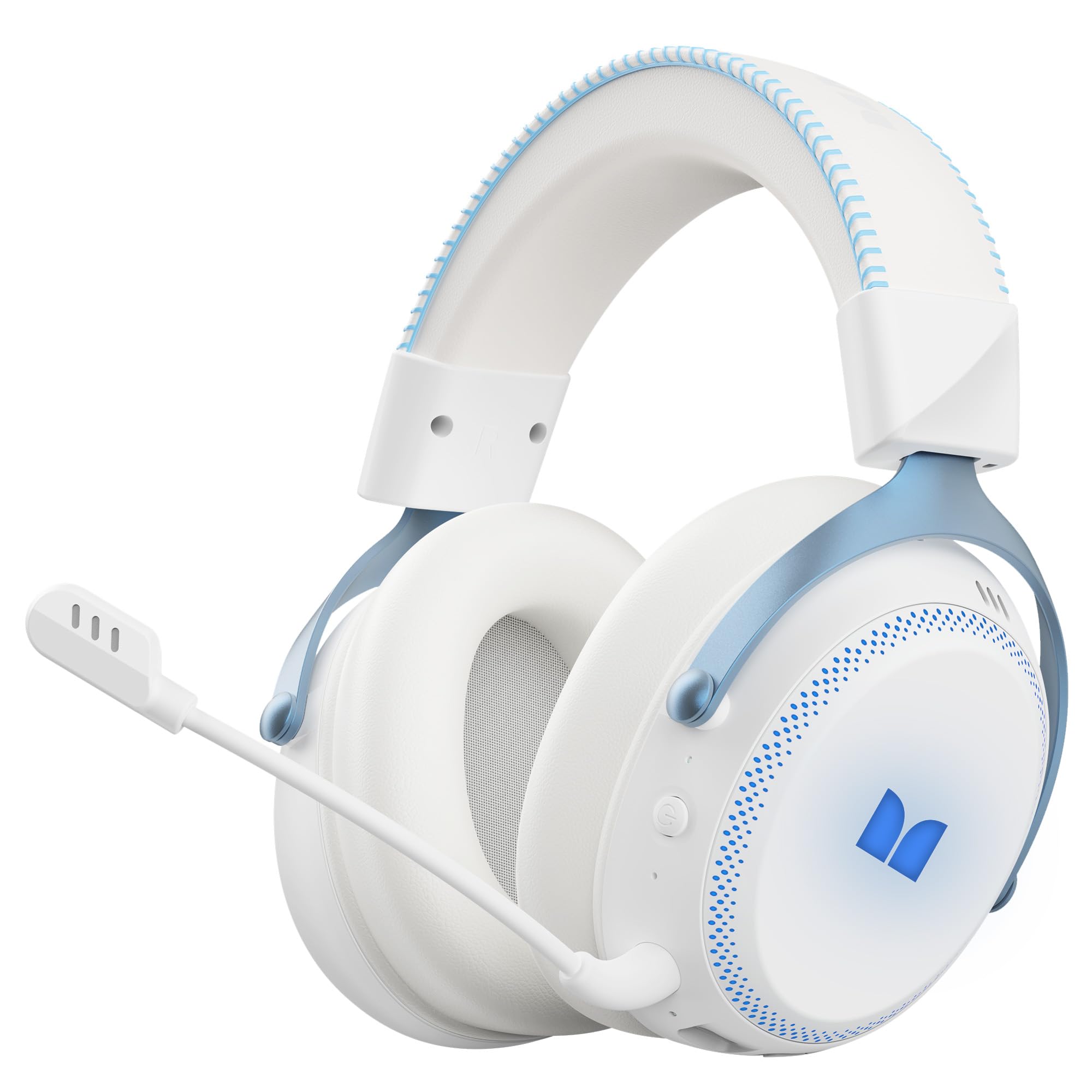
الشكل 1.1: The Monster Mission 350 headset providing 7.1 surround sound, allowing users to pinpoint audio cues like gunshots, explosions, vehicle sounds, and enemy footsteps for an immersive gaming experience.
2. محتويات العبوة
يرجى التحقق من الحزمة للعناصر التالية:
- Monster Mission 350 Wireless Gaming Headset x1
- 2.4GHz USB Wireless Dongle x1
- Detachable Microphone x1
- كابل شحن USB x1
- كابل صوت 3.5 ملم × 1 ملم
- دليل المستخدم x1
3. انتهى المنتجview
Familiarize yourself with the components and controls of your Monster Mission 350 headset.
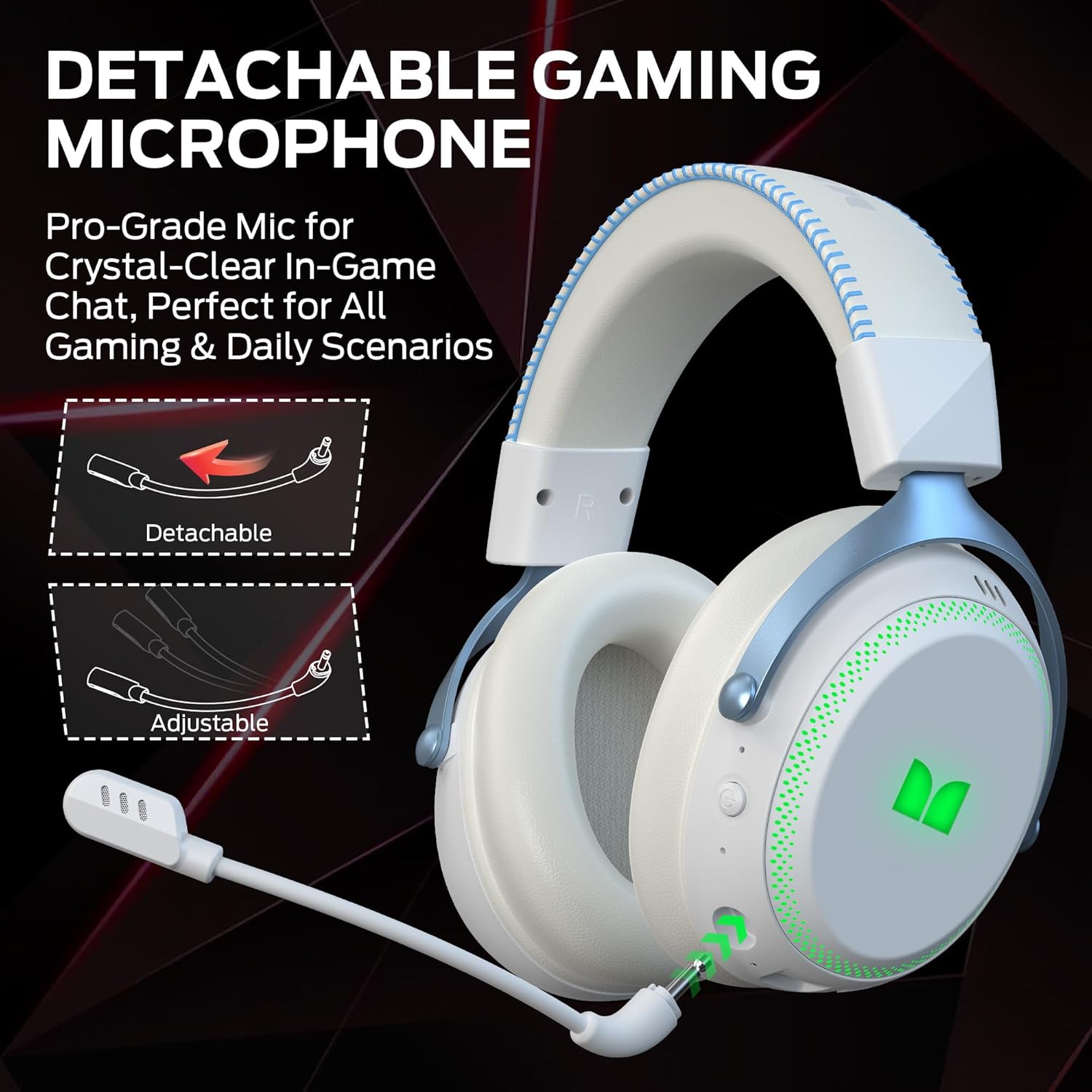
الشكل 3.1: The headset features a detachable and adjustable gaming microphone, designed for clear in-game communication and versatile use in various scenarios.

الشكل 3.2: The headset includes customizable RGB lighting effects on the earcups, allowing users to personalize their gaming setup and enhance the aesthetic appeal.
Headset Controls (Refer to diagram in physical manual for exact placement)
- زر الطاقة: اضغط مع الاستمرار للتشغيل / إيقاف التشغيل.
- عجلة الحجم: ضبط مستوى إخراج الصوت.
- زر كتم صوت الميكروفون: يقوم بتشغيل/إيقاف الميكروفون.
- زر الإضاءة RGB: Cycles through lighting modes or turns RGB off.
- مقبس صوت 3.5 ملم: للاتصال السلكي.
- منفذ شحن USB-C: لشحن سماعة الرأس.
4. الإعداد
4.1. شحن سماعة الرأس
Before first use, fully charge the headset. Connect the USB charging cable to the headset's USB-C port and the other end to a USB power source (e.g., computer, wall adapter). The charging indicator light will show charging status and turn off or change color when fully charged. A full charge takes approximately 2 hours.
4.2. الاتصال عبر شبكة لاسلكية بتردد 2.4 جيجاهرتز
This method provides a low-latency connection ideal for gaming.
- Insert the 2.4GHz USB wireless dongle into an available USB port on your gaming console, desktop, or laptop.
- Power on the Monster Mission 350 headset.
- ينبغي أن تتصل سماعة الرأس تلقائيًا بجهاز الاستقبال. وسيؤكد ضوء مؤشر الحالة الموجود على سماعة الرأس عملية الاتصال.
- Adjust audio settings on your device to ensure the headset is selected as the input and output device.
4.3. الاتصال عبر البلوتوث
Use Bluetooth for connecting to mobile devices, tablets, or other Bluetooth-enabled devices.
- Power on the Monster Mission 350 headset.
- Press and hold the Bluetooth pairing button (refer to physical manual for location) until the indicator light flashes, indicating pairing mode.
- On your device, go to Bluetooth settings and search for "Monster Mission 350".
- Select the headset to pair. The indicator light on the headset will become solid when connected.
4.4. التوصيل عبر كابل صوت 3.5 ملم
For wired connections to devices with a 3.5mm audio jack, or when the battery is depleted.
- قم بتوصيل أحد طرفي كابل الصوت مقاس 3.5 ملم بمقبس الصوت مقاس 3.5 ملم الموجود في سماعة الرأس.
- Connect the other end to the 3.5mm audio output on your device.
- The headset will operate in passive mode, and power is not required for audio playback.

الشكل 4.1: The Monster Mission 350 supports dual audio connections, featuring Bluetooth 6.0 for mobile devices and a dedicated 2.4GHz wireless dongle for low-latency gaming on compatible platforms.
5. تعليمات التشغيل
5.1. تشغيل/إيقاف التشغيل
Press and hold the Power button for approximately 3 seconds to turn the headset on or off. An audible prompt or indicator light will confirm the status.
5.2. التحكم في مستوى الصوت
Rotate the Volume wheel located on the earcup to increase or decrease the audio volume.
5.3. استخدام الميكروفون
Attach the detachable microphone to the designated port on the headset. Press the Microphone Mute button to toggle the microphone on or off. The microphone can be adjusted for optimal positioning.
5.4. التحكم في إضاءة RGB
Press the RGB Lighting button to cycle through different lighting effects or to turn the RGB lighting off. This feature allows for customization of the headset's appearance.
5.5. عمر البطارية والمؤشرات
The headset provides approximately 70 hours of battery life for general use, or 45 hours with RGB lights continuously on. A low battery indicator will alert you when charging is required.

الشكل 5.1: The Monster Mission 350 headset offers extended battery performance, with a 2-hour charge providing up to 90 hours of gaming, 45 hours with RGB lights active, or 70 hours for calls.
6. الصيانة والعناية
إن العناية المناسبة تضمن طول عمر سماعات الرأس وأدائها.
- تنظيف: استخدم قطعة قماش ناعمة وجافة لتنظيف سماعة الرأس. بالنسبة لأغطية الأذن، امسحها برفق بقطعة قماش جافة قليلاً.amp cloth if necessary, and allow to air dry completely before use. Avoid harsh chemicals or abrasive materials.
- تخزين: قم بتخزين سماعة الرأس في مكان بارد وجاف بعيدًا عن أشعة الشمس المباشرة ودرجات الحرارة القصوى.
- مقاومة الماء: سماعة الرأس هي لا water resistant. Avoid exposure to liquids.
- العناية بالبطارية: To maintain battery health, avoid fully discharging the battery frequently. Charge the headset regularly, even if not in use for extended periods.

الشكل 6.1: The Monster Mission 350 headset is designed for all-day comfort, featuring comfortable memory foam earcups, an adjustable headband, and soft, breathable earpads to reduce fatigue during extended use.
7. استكشاف الأخطاء وإصلاحها
If you encounter issues with your Monster Mission 350 headset, refer to the following common problems and solutions:
| مشكلة | الحل المحتمل |
|---|---|
| سماعة الرأس لا تعمل. | Ensure the headset is fully charged. Press and hold the Power button for 3-5 seconds. |
| لا يوجد صوت أو مستوى الصوت منخفض. | Check headset volume wheel. Verify device's audio output settings. Ensure headset is properly connected (2.4GHz dongle, Bluetooth, or 3.5mm cable). |
| الميكروفون لا يعمل. | Ensure microphone is securely attached and not muted. Check device's input settings to confirm the headset microphone is selected. |
| لا يمكن الاتصال عبر شبكة لاسلكية بتردد 2.4 جيجاهرتز. | Ensure the USB dongle is fully inserted. Try a different USB port. Power cycle both the headset and the device. |
| لا يمكن الاقتران عبر البلوتوث. | Ensure headset is in pairing mode. Turn off and on Bluetooth on your device. Forget the device from your Bluetooth list and try pairing again. |
| أضواء RGB لا تعمل. | Press the RGB Lighting button to cycle through modes. Ensure the headset has sufficient battery charge. |
8. المواصفات
Detailed technical specifications for the Monster Mission 350 Wireless Gaming Headset:
| ميزة | التفاصيل |
|---|---|
| رقم الموديل | Monster Mission 350 |
| تكنولوجيا الاتصال | 2.4GHz Wireless, Bluetooth 6.0, 3.5mm Jack |
| لاسلكي المدى | يصل مداه إلى 33 قدم (بلوتوث) |
| حجم برنامج تشغيل الصوت | محرك ديناميكي 55 ملم |
| مقاومة | 32 أوم |
| حساسية | 120 ديسيبل |
| وضع الأذن | فوق الأذن |
| مواد التغليف | جلد (وسادات الأذن) |
| عمر البطارية | Up to 70 Hours (general use), 45 Hours (with RGB lights on) |
| وقت شحن البطارية | حوالي ساعتين |
| نوع التحكم | Button Control (Push Button, Siri compatible) |
| الأجهزة المتوافقة | Gaming Consoles, Desktops, Tablets, Laptops, Cellphones |
| وزن العنصر | 0.54 كيلوغرام |
| مستوى مقاومة الماء | غير مقاوم للماء |

الشكل 8.1: The Monster Mission 350 headset is equipped with a 55mm dynamic driver, engineered to deliver clear and powerful audio performance for gaming and multimedia.
9. معلومات الضمان
The Monster Mission 350 Wireless Gaming Headset comes with a ضمان لمدة 3 شهرًا يسري هذا الضمان من تاريخ الشراء. يغطي هذا الضمان عيوب التصنيع في ظل الاستخدام العادي. ولا يغطي التلف الناتج عن سوء الاستخدام، أو الحوادث، أو التعديلات غير المصرح بها، أو التآكل والتلف الطبيعي. يُرجى الاحتفاظ بإيصال الشراء للمطالبة بالضمان.
10. دعم العملاء
For further assistance, technical support, or warranty inquiries, please refer to the contact information provided with your product packaging or visit the official Monster website. When contacting support, please have your product model number (Monster Mission 350) and proof of purchase readily available.