
1. المقدمة
This manual provides essential information for the setup, operation, and maintenance of your diymore ESP32-C6 1.3-inch LCD Display Development Board. This board integrates a powerful RISC-V single-core processor with Wi-Fi 6 and Bluetooth 5 connectivity, along with a vibrant 1.3-inch ST7789 LCD, making it suitable for a wide range of AIoT and embedded projects.
2. انتهى المنتجview
The ESP32-C6 development board is designed for ease of use and versatility. Below is a diagram highlighting the key components of the board.

الشكل 2.1: زيادةview of the ESP32-C6 Development Board. This image shows the top-down view of the board, labeling key components such as the ESP32-C6FH4 chip, Micro SD Card Slot, RST Button, BOOT Button, Type-C Interface, and Surface Mount Ceramic Antenna.
- ESP32-C6FH4: The main microcontroller unit.
- منفذ كارت الذاكرة الصغيرة: للتخزين القابل للتوسيع.
- زر RST: يعيد ضبط اللوحة.
- زر التمهيد: Used for entering bootloader mode for flashing firmware.
- واجهة من النوع C: For power supply and data communication (USB-to-serial).
- Surface Mount Ceramic Antenna: Integrated antenna for Wi-Fi and Bluetooth connectivity.
3. المميزات
The diymore ESP32-C6 development board offers a robust set of features for various applications:
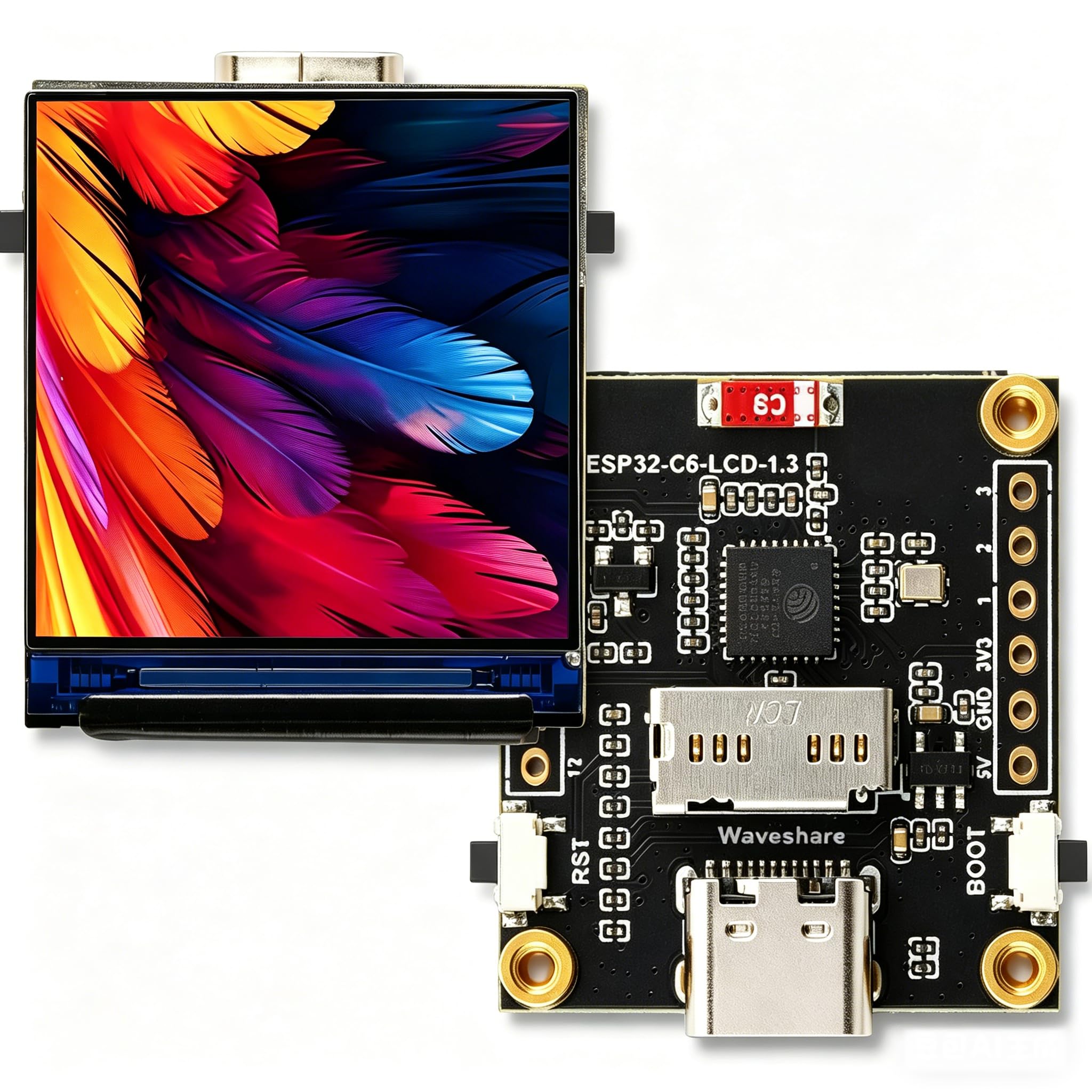
الشكل 3.1: Visual representation of the ESP32-C6 development board's core features, including RISC-V processor, Wi-Fi 6, Bluetooth 5, onboard antenna, Type-C port, 1.3-inch IPS LCD, 240x240 resolution, 262K colors, ST7789 driver, TF Card Slot, and RGB LED.
- المعالج: Equipped with a 32-bit RISC-V single-core processor, optimized for low power consumption and high performance.
- الربط اللاسلكي: Supports Wi-Fi 6 (802.11 b/g/n) and Bluetooth 5 (LE) with an integrated antenna. It also supports IEEE 802.15.4 (Zigbee 3.0 and Thread).
- شاشة متكاملة: Features a 1.3-inch LCD with 240 × 240 resolution, capable of displaying clear color images. The display uses an ST7789 driver chip.
- Inertial Measurement Unit (IMU): Includes an integrated QMI8658 six-axis IMU (3-axis accelerometer, 3-axis gyroscope) for attitude awareness development.
- إدارة الطاقة: Onboard 3.7V MX1.25 lithium battery charging/discharging interface.
- التوسعة: Supports secondary development, making it suitable for AIoT applications and smart home projects.
4. المواصفات
4.1. General Board Specifications
| ميزة | قيمة |
|---|---|
| الشركة المصنعة | دييمور |
| اسم الموديل | ESP32 C6 Display |
| المعالج | RISC-V 32-bit single-core |
| سرعة وحدة المعالجة المركزية | Up to 160 MHz (2.4 GHz for wireless communication) |
| حجم ذاكرة الوصول العشوائي المثبتة | 16 MB (SRAM) |
| سعة تخزين الذاكرة | 4 ميجابايت (فلاش) |
| معيار الاتصال اللاسلكي | Wi-Fi 6 (802.11 b/g/n), Bluetooth 5 (LE), IEEE 802.15.4 (Zigbee 3.0, Thread) |
| تكنولوجيا الاتصال | Bluetooth, GPIO, Wi-Fi, Type-C USB |
| وحدة قياس بالقصور الذاتي | QMI8658 six-axis (3-axis accelerometer, 3-axis gyroscope) |
| واجهة البطارية | Onboard 3.7V MX1.25 lithium battery charging/discharging interface |
| أبعاد المنتج (الطول × العرض × الارتفاع) | 8.6 × 5 × 1 سم (تقريبًا 3.39 × 1.97 × 0.39 بوصة) |
| وزن المنتج | 110 جرامًا (حوالي 3.88 أونصة) |
4.2. LCD Screen Specifications
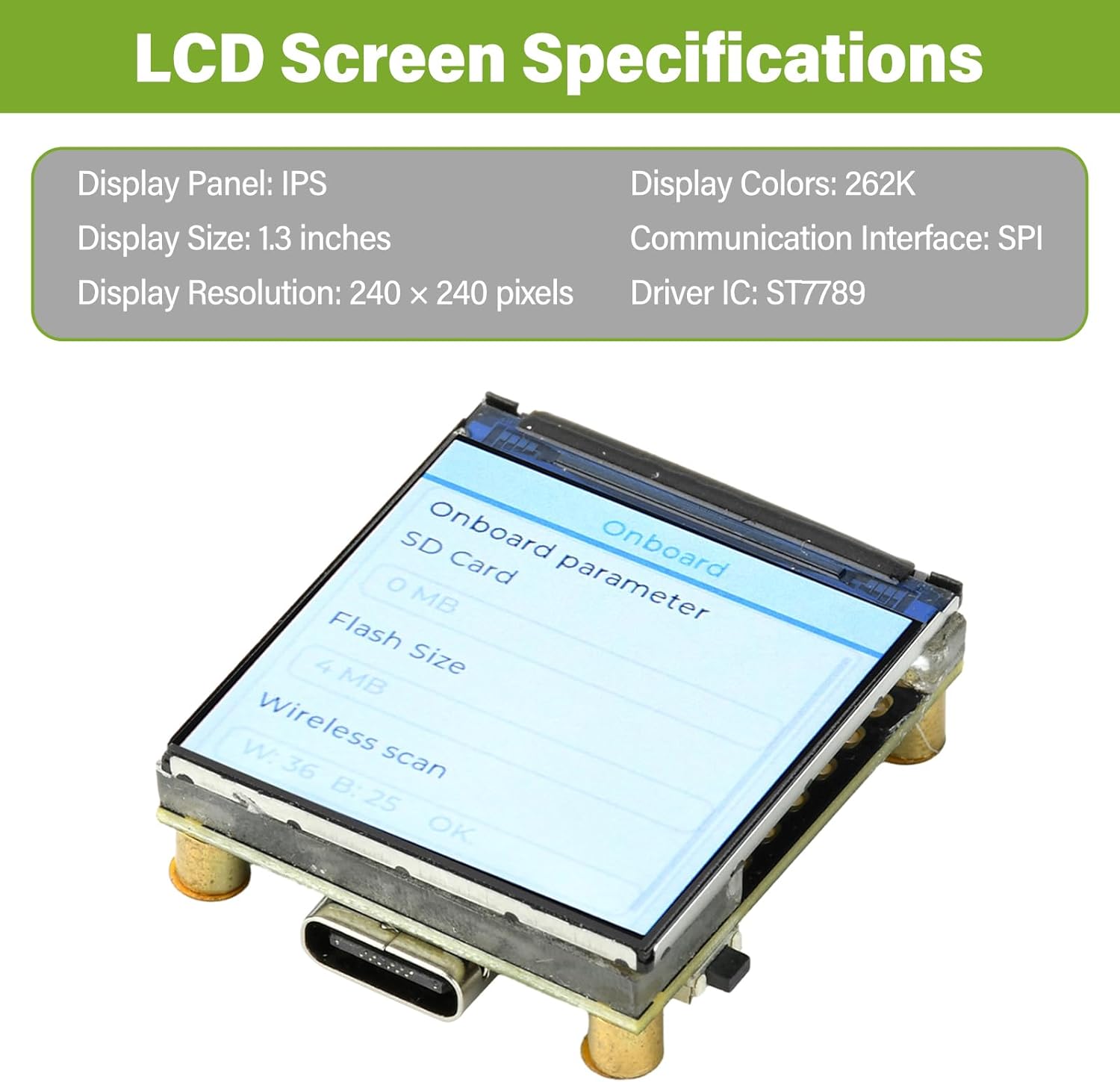
الشكل 4.1: Detailed specifications of the integrated 1.3-inch LCD screen, including display panel type, size, resolution, colors, communication interface, and driver IC.
| ميزة | قيمة |
|---|---|
| لوحة العرض | اي بي اس |
| حجم العرض | 1.3 بوصة |
| دقة العرض | 240 × 240 بكسل |
| ألوان العرض | 262 كيلو |
| واجهة الاتصال | إس بي آي |
| سائق IC | ST7789 |
4.3. أبعاد المنتج

الشكل 4.2: Technical drawing showing the precise measurements of the ESP32-C6 development board in millimeters.
5. الإعداد
To begin using your ESP32-C6 development board, follow these steps:
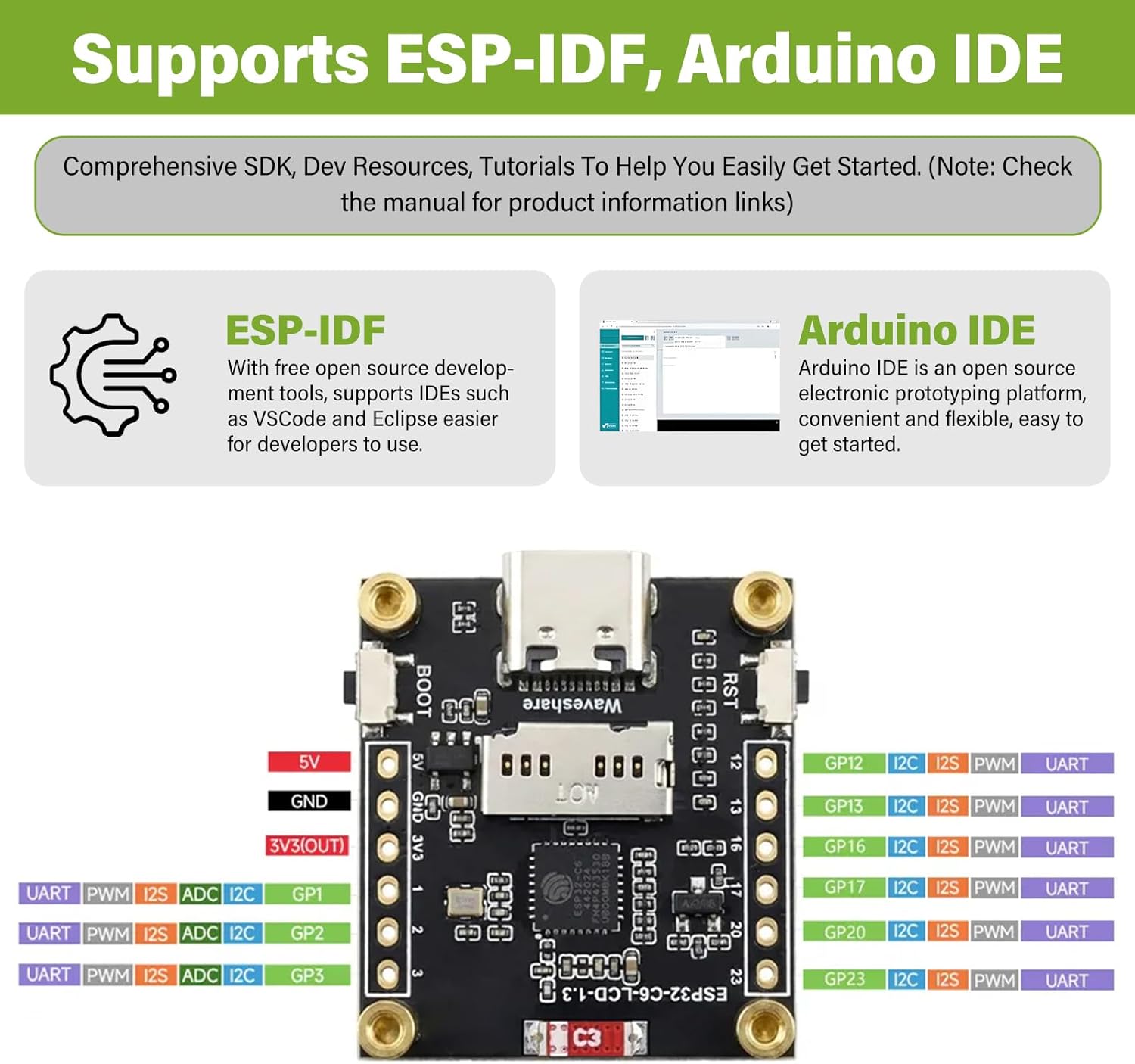
الشكل 5.1: The ESP32-C6 board supports development with both ESP-IDF and Arduino IDE, offering comprehensive SDKs, development resources, and tutorials.
- بيئة التطوير المتكاملة Arduino: تنزيل وتثبيت أردوينو IDE. Add ESP32 board support through the Board Manager. بحث عن "ESP32" and install the "esp32 by Espressif Systems" package. Select the appropriate board model (e.g., "ESP32-C6 Dev Module") from the Tools > Board menu.
- ESP-IDF: For more advanced development, install the Espressif IoT Development Framework (ESP-IDF). Follow the official دليل البدء السريع لـ ESP-IDF for detailed instructions on setting up the toolchain and environment.
6. تعليمات التشغيل
Once your development environment is set up, you can begin programming and interacting with the ESP32-C6 board:
- برمجة: Write your code using C/C++ in Arduino IDE or ESP-IDF. Utilize the extensive libraries available for Wi-Fi, Bluetooth, GPIO, SPI (for the LCD), and other peripherals.
- Uploading Code: Compile your code and upload it to the board via the Type-C USB connection. If uploading fails, ensure the board is in bootloader mode (hold BOOT button, press and release RST, then release BOOT).
- LCD Display Usage: The 1.3-inch ST7789 LCD can be controlled via SPI. Libraries like Adafruit_GFX and Adafruit_ST7789 are commonly used with Arduino IDE for graphics and text display.
- الاتصالات اللاسلكية:
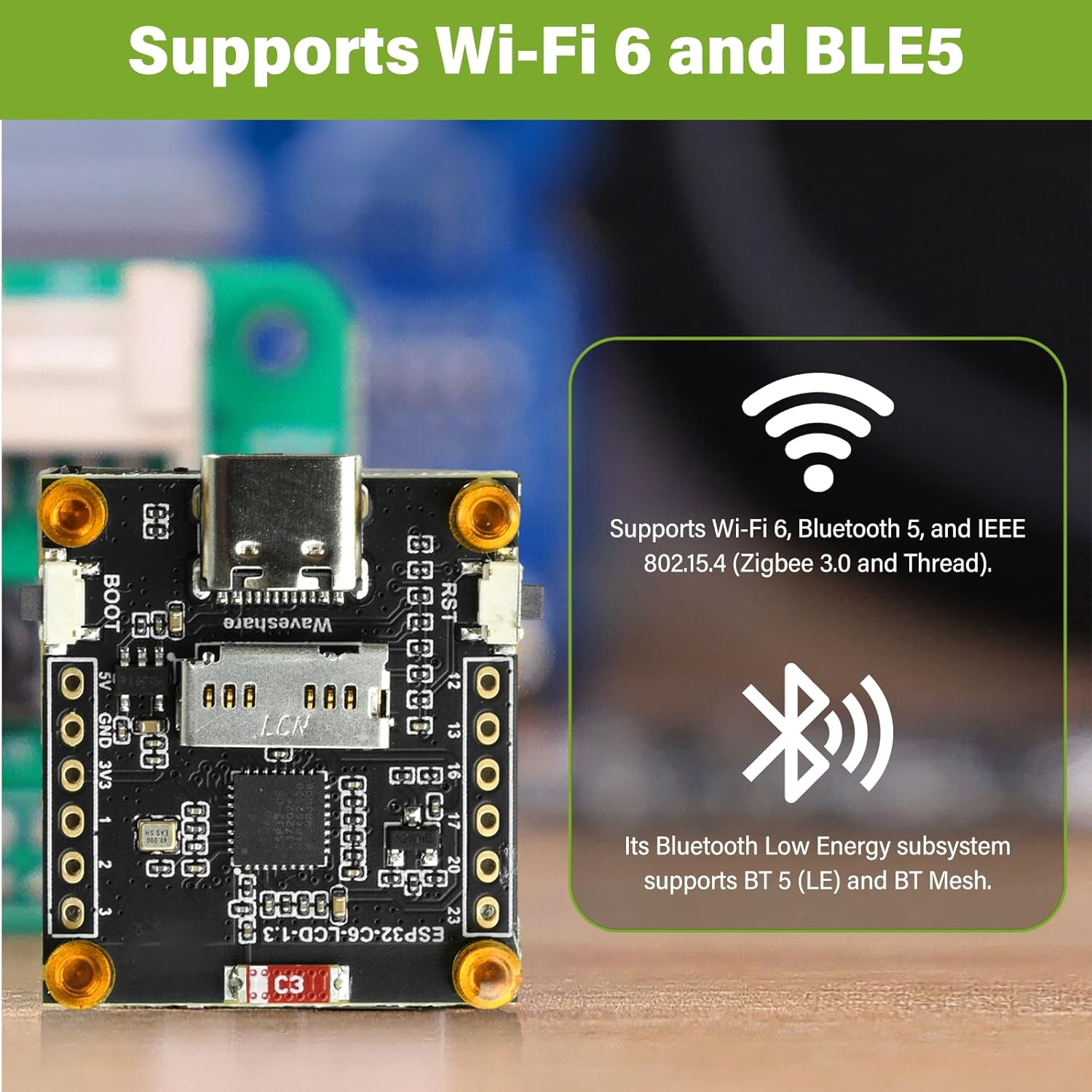
الشكل 6.1: The ESP32-C6 development board provides robust wireless connectivity with Wi-Fi 6 and Bluetooth 5 Low Energy (BLE5) capabilities.
- واي فاي: Use the Wi-Fi libraries to connect to local networks, host access points, or implement Wi-Fi Direct.
- بلوتوث: Utilize Bluetooth 5 (LE) for low-power communication with other Bluetooth-enabled devices.
- استخدام GPIO: The board provides General Purpose Input/Output pins for connecting external sensors, actuators, and other components. Refer to the board's pinout diagram for specific pin functions.
- تشغيل المجلس: The board can be powered via the Type-C USB port or through the 3.7V MX1.25 lithium battery interface. Ensure correct polarity if using a battery.
7. الصيانة
Proper care and maintenance will ensure the longevity and reliable operation of your ESP32-C6 development board:
- التعامل: Handle the board by its edges to avoid touching components, especially the pins, which can be sensitive to static electricity.
- تخزين: Store the board in an anti-static bag when not in use, in a cool, dry environment away from direct sunlight and extreme temperatures.
- تنظيف: إذا لزم الأمر، نظّف اللوح برفق باستخدام فرشاة ناعمة وجافة أو هواء مضغوط لإزالة الغبار. تجنّب استخدام السوائل أو المواد الكاشطة.
- مزود الطاقة: Always use a stable 5V power supply via the Type-C port or a compatible 3.7V lithium battery. Over-voltagيمكن أن يؤدي ذلك إلى إتلاف اللوحة.
- تحديثات البرامج الثابتة: Regularly check for updated firmware or SDKs from Espressif or the community to benefit from bug fixes and new features.
8. استكشاف الأخطاء وإصلاحها
If you encounter issues with your ESP32-C6 development board, consider the following troubleshooting steps:
- لم يتم اكتشاف اللوحة:
- Ensure the Type-C USB cable is fully inserted and functional.
- Check if USB-to-serial drivers are correctly installed on your computer.
- حاول استخدام منفذ USB أو جهاز كمبيوتر آخر.
- Code Upload Fails:
- تأكد من تحديد اللوحة الصحيحة ومنفذ COM في بيئة التطوير المتكاملة (IDE).
- Ensure the board is in bootloader mode during upload (hold BOOT, press RST, release RST, release BOOT).
- تحقق من وجود أخطاء في عملية الترجمة البرمجية في التعليمات البرمجية الخاصة بك.
- LCD Not Displaying:
- Confirm that the LCD library is correctly initialized with the proper pins and driver (ST7789).
- Check power supply to the board.
- Ensure there are no loose connections if the LCD is separate (though this board has it integrated).
- مشاكل الاتصال بشبكة Wi-Fi/Bluetooth:
- Verify your network credentials (SSID, password) are correct in your code.
- تأكد من عدم وجود عائق أمام الهوائي.
- التحقق من عدم وجود تداخل من أجهزة 2.4 جيجاهرتز الأخرى.
- Board Overheating:
- Reduce the workload or frequency of operations if possible.
- تأكد من وجود تهوية كافية حول اللوحة.
- التحقق من حجم الإدخالtagيقع ضمن النطاق المحدد.
9. الضمان والدعم
This product comes with a standard manufacturer's warranty. For specific warranty terms and conditions, please refer to the documentation provided at the time of purchase or contact diymore customer support directly.
For technical support, resources, and community forums, please visit the official Espressif website for ESP32-C6 documentation or relevant community forums for Arduino and ESP-IDF development.
Manufacturer: diymore