
مقدمة
Thank you for choosing the Kaidi TWS KD-788 Wireless Bluetooth Earbuds. These earbuds are designed to provide a high-quality, stable, and convenient audio experience. Equipped with new-generation smart chips, they offer low latency and high connection stability. The Smart Touch technology allows for easy control, and IPX4 water resistance makes them suitable for daily use.
The Kaidi KD-788 is an excellent choice for those seeking practicality, superior sound quality, and great value in modern wireless Bluetooth earbuds. Its compact and ergonomic design ensures comfort during extended use, perfect for music, videos, calls, or gaming.
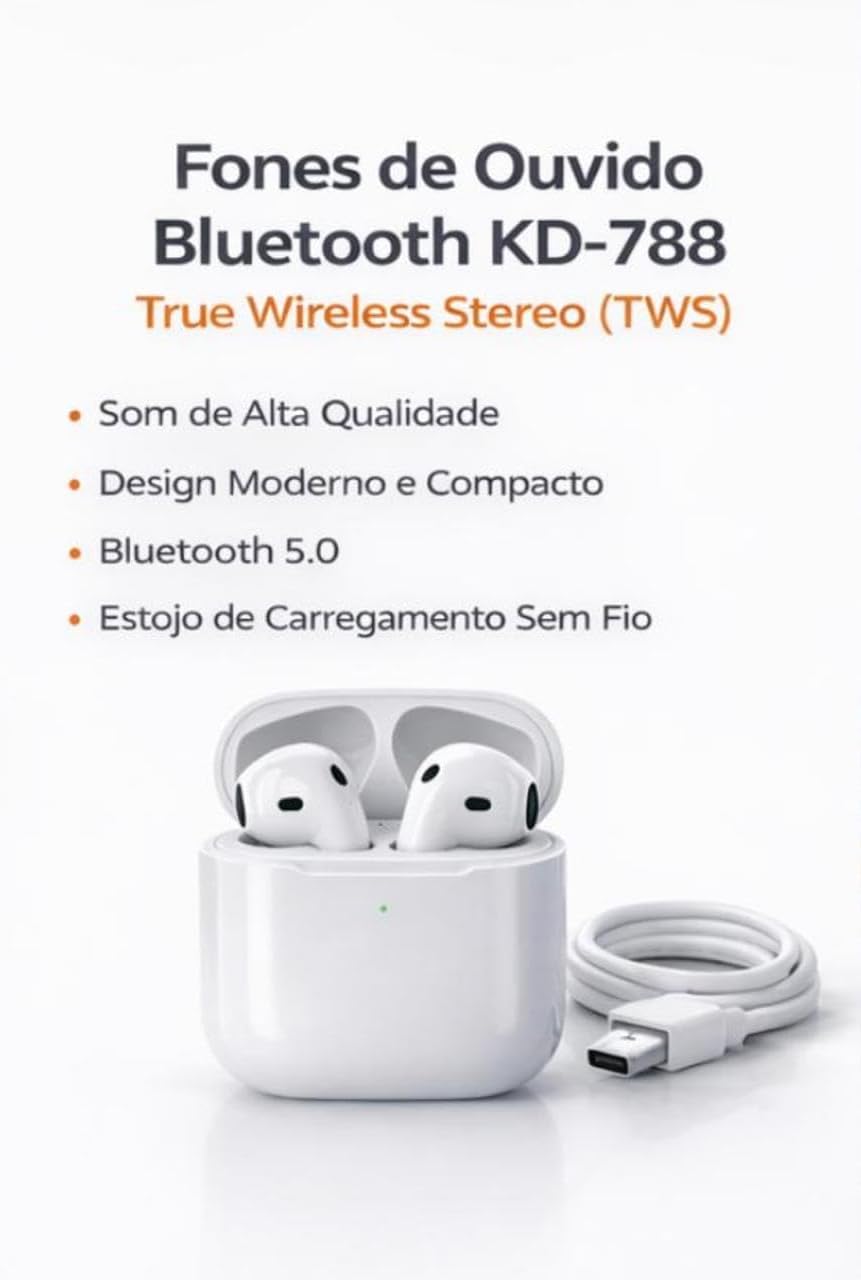
Image: Kaidi KD-788 True Wireless Stereo (TWS) Earbuds with charging case and USB cable. This image highlights the product's high sound quality, modern and compact design, Bluetooth 5.0, and wireless charging case.
يثبت
1. شحن سماعات الأذن والعلبة
Before first use, fully charge the earbuds and the charging case. Connect the provided USB cable to the charging case and a power source. The indicator light on the case will show the charging status.
2. الاقتران بجهازك
- تأكد من شحن سماعات الأذن ووضعها داخل علبة الشحن.
- Open the charging case lid. The earbuds will automatically enter pairing mode, indicated by a flashing light (usually blue or white) on one or both earbuds.
- On your smartphone, tablet, or laptop, go to the Bluetooth settings.
- بحث عن available devices and select "KD-788" (or similar name) from the list.
- Once connected, a voice prompt will confirm successful pairing, and the indicator lights on the earbuds will turn off or flash slowly.
سيتم إعادة توصيل سماعات الأذن تلقائيًا بالجهاز المقترن الأخير عند إزالتها من العلبة، إذا تم تمكين البلوتوث على الجهاز.

Image: Kaidi KD-788 Earbuds showcasing Bluetooth 5.0 technology. This image highlights fast and stable connection, low power consumption, and compatibility with iOS and Android devices.
تعليمات التشغيل
تشغيل/إيقاف الطاقة
- تشغيل الطاقة: Open the charging case lid, or long-press the touch area on both earbuds for 3 seconds.
- إيقاف التشغيل: أعد وضع سماعات الأذن في علبة الشحن وأغلق الغطاء، أو اضغط مطولاً على منطقة اللمس في كلتا سماعتي الأذن لمدة 5 ثوانٍ.
تشغيل الموسيقى
- تشغيل/إيقاف مؤقت: اضغط مرة واحدة على أي سماعة أذن.
- المسار التالي: اضغط مرتين على سماعة الأذن اليمنى.
- المسار السابق: اضغط مرتين على سماعة الأذن اليسرى.
استدعاء إدارة
- الرد/إنهاء المكالمة: اضغط مرة واحدة على أي سماعة أذن.
- رفض المكالمة: اضغط لفترة طويلة على أي سماعة أذن لمدة ثانيتين.
مساعد صوتي
- تنشيط مساعد الصوت: اضغط ثلاث مرات على أي سماعة أذن.

Image: Kaidi KD-788 Earbuds highlighting superior sound quality. Features include crisp and immersive stereo sound, powerful drivers for impactful bass, and a built-in microphone for hands-free calls.
صيانة
- تنظيف: استخدم قطعة قماش ناعمة وجافة وخالية من الوبر لتنظيف سماعات الأذن وعلبة الشحن. لا تستخدم مواد كيميائية قاسية أو مواد كاشطة.
- مقاومة الماء: The earbuds are IPX4 water resistant, meaning they can withstand splashes of water. Do not submerge them in water or expose them to heavy rain. Ensure they are dry before placing them back in the charging case.
- تخزين: احفظ سماعات الأذن في علبة الشحن عند عدم استخدامها لحمايتها والحفاظ على شحنها. تجنب درجات الحرارة العالية.
- العناية بالبطارية: لإطالة عمر البطارية، تجنب تفريغ شحن سماعات الأذن وعلبة الشحن بشكل متكرر. اشحنها بانتظام، حتى في حال عدم استخدامها باستمرار.
استكشاف الأخطاء وإصلاحها
سماعات الأذن غير مقترنة أو متصلة
- تأكد من شحن كلا سماعات الأذن.
- قم بإيقاف تشغيل البلوتوث على جهازك وتشغيله مرة أخرى.
- Forget/delete "KD-788" from your device's Bluetooth list and try pairing again.
- أعد وضع سماعات الأذن في العلبة، وأغلق الغطاء، وانتظر بضع ثوانٍ، ثم افتحه لإعادة بدء وضع الاقتران.
سماعة أذن واحدة فقط تعمل
- تأكد من شحن كلا سماعات الأذن.
- أعد وضع سماعتي الأذن في علبة الشحن، وأغلق الغطاء، ثم افتحه مجددًا. يؤدي هذا غالبًا إلى إعادة مزامنتهما.
- Try resetting the earbuds (refer to specific reset instructions if available in the full product manual, or try forgetting the device and re-pairing).
Low sound quality or no sound
- تحقق من مستوى الصوت على جهازك وسماعات الأذن.
- Ensure the earbuds are clean and free of debris that might block the sound.
- Move closer to your connected device to avoid interference or being out of range.
قضايا الشحن
- تأكد من توصيل كابل الشحن بشكل آمن بكل من العلبة ومصدر الطاقة.
- حاول استخدام كابل شحن أو محول طاقة مختلف.
- قم بتنظيف نقاط اتصال الشحن الموجودة على سماعات الأذن وداخل العلبة باستخدام قطعة قطن جافة.
تحديد
| ماركة | Kaidi |
| اسم الموديل | كيه دي-788 |
| لون | أبيض |
| وضع الأذن | داخل الأذن |
| تكنولوجيا الاتصال | بلوتوث |
| تكنولوجيا الاتصالات اللاسلكية | بلوتوث |
| مدى البلوتوث | Up to 10 Meters (without barriers) |
| طريقة التحكم | يلمس |
| عمر البطارية | Up to 4 Hours (continuous music) |
| مستوى مقاومة الماء | مقاومة الماء (IPX4) |
| المميزات الخاصة | True Wireless Stereo (TWS) Technology, Smart Touch Control |
| الأجهزة المتوافقة | الهواتف المحمولة، والأجهزة اللوحية، وأجهزة الكمبيوتر المحمولة |
| المكونات المضمنة | شاحن |
| وزن العنصر | 55 جرام |
| عدد الوحدات | 1 زوج |
معلومات الضمان
يأتي هذا المنتج مع ضمان لمدة 30 يومًا from the date of purchase, covering manufacturing defects. Please retain your proof of purchase for warranty claims. The warranty does not cover damage caused by misuse, accidents, unauthorized modifications, or normal wear and tear.
يدعم
For further assistance, technical support, or warranty inquiries, please contact your retailer or the point of purchase. Please have your product model number (KD-788) and proof of purchase ready when contacting support.
فيديوهات المنتج
Kaidi TWS Earbuds Overview
فيديو: نبذة مختصرةview of the Kaidi TWS Bluetooth Earbuds, demonstrating their design and features. This video is provided by the seller BBGC COMERCIO E VENDAS.
KD-788 Earbuds Demonstration
Video: A demonstration of the Kaidi KD-788 earbuds, showcasing their physical aspects and how they fit. This video is provided by the seller LUMEO PLACE STORE.