
مقدمة
This manual provides detailed instructions for the installation, operation, maintenance, and troubleshooting of your Blackspider BSDD1460A 7-inch Android multimedia radio. Please read this manual thoroughly before using the device to ensure proper functionality and safety.
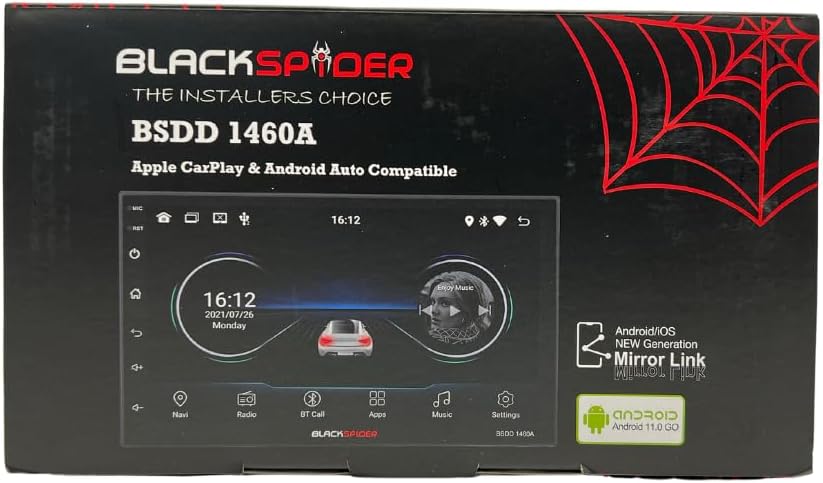
Figure 1: Blackspider BSDD1460A Product Packaging
The Blackspider BSDD1460A is a double-DIN head unit featuring a 7-inch Android 11 touchscreen. It supports Wireless Apple CarPlay, Wired Android Auto, built-in GPS navigation, and offers robust multimedia control and audio output. It is designed for seamless integration with various car systems, including rear cameras and steering wheel controls.
الإعداد والتثبيت
محتويات الحزمة
قبل التثبيت، تأكد من وجود جميع المكونات في العبوة:
- 1 x BSDD1460A Radio Unit
- 1 × كابل الكاميرا
- 1 x RCA Cables Set
- شنومكس x أوسب الكابلات
- جهاز استقبال GPS واحد
- 1 × مخطط الأسلاك
- 2 × تصاعد بين قوسين
- 4 × مسامير
- 1 × ميكروفون خارجي
- 1 × كابل الطاقة

الشكل 2: المكونات غير المعبأة

الشكل 3: مفصل View of Cables and Wiring Diagram
إرشادات التثبيت
Installation of the BSDD1460A unit should ideally be performed by a qualified professional. Incorrect wiring can damage the unit or your vehicle's electrical system. Refer to the included wiring diagram for specific connections.
Key connection points include:
- مزود الطاقة: Connect the power cable to the vehicle's electrical system, ensuring correct polarity and fuse protection.
- مخرجات مكبر الصوت: Connect to your vehicle's speakers. The unit provides 60W x 4 max output.
- هوائي GPS: Connect the GPS receiver to the dedicated input and mount the antenna in a location with clear sky visibility.
- مدخل الكاميرا الخلفية: Connect your rear-view camera to the designated input for automatic display when reversing.
- منافذ USB: Utilize the dual rear USB ports for media playback or charging devices.
- ميكروفون خارجي: قم بتوصيل الميكروفون الخارجي لتحسين جودة الصوت أثناء إجراء مكالمات بدون استخدام اليدين.
- الضوابط عجلة القيادة: Connect to your vehicle's resistive steering wheel controls for integrated functionality.
- مخرجات رسيا: Use the RCA audio outputs (Front/Rear) and dedicated Subwoofer output for external ampالقاتلون.

الشكل 4: توصيلات اللوحة الخلفية
تعليمات التشغيل
تشغيل/إيقاف الطاقة
Press and hold the power button on the front panel or use the vehicle's ignition to turn the unit on or off. The unit will display the Blackspider logo upon startup.

Figure 5: Startup Screen
واجهة شاشة تعمل باللمس
The 7-inch touchscreen provides intuitive control over all functions. Tap icons to open applications, swipe to navigate menus, and use pinch-to-zoom gestures where applicable (e.g., in navigation apps).
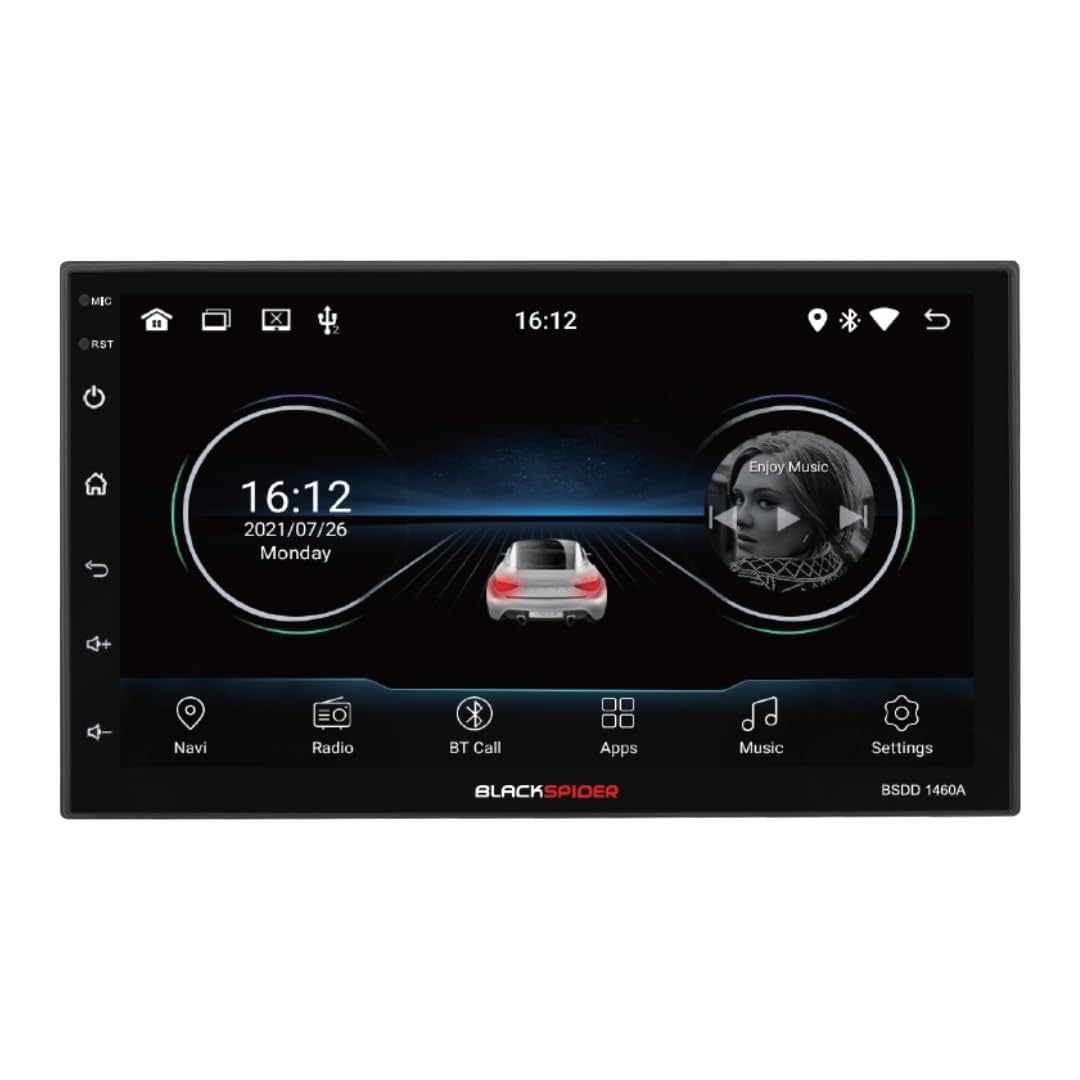
Figure 6: Main Home Screen

Figure 7: Applications Screen
الميزات الرئيسية
- Apple CarPlay اللاسلكي: Connect your iPhone wirelessly for access to navigation, music, messages, and more directly on the unit's screen. Ensure Bluetooth and Wi-Fi are enabled on your iPhone.
- Android Auto السلكي: Connect your Android smartphone via a USB cable to use Android Auto features, including Google Maps, Spotify, and voice commands.
- Built-in GPS Navigation: The unit comes with built-in GPS capabilities. You can download and use various navigation applications from the Android system's app store.
- Bluetooth Hands-Free Calling & Music Streaming: Pair your smartphone via Bluetooth for hands-free calls and wireless audio streaming. The included external microphone enhances call clarity.
- تشغيل الوسائط المتعددة: تشغيل الصوت والفيديو files from USB drives connected to the dual rear USB ports.
- دعم الكاميرا الخلفية: عند توصيل كاميرا خلفية، يتم تحويل الشاشة تلقائيًا إلى الكاميرا view عندما تكون السيارة في وضع الرجوع للخلف.
- التحكم بالصوت: Adjust volume, balance, fader, and utilize the built-in equalizer presets to customize your audio experience.
صيانة
To ensure the longevity and optimal performance of your Blackspider BSDD1460A, follow these maintenance guidelines:
- تنظيف: Use a soft, dry cloth to clean the screen and unit exterior. For stubborn marks on the screen, use a screen cleaner specifically designed for electronic displays. Avoid abrasive cleaners or solvents.
- تحديثات البرامج: Periodically check for software updates through the unit's settings menu or the manufacturer's webالموقع. يمكن أن يؤدي تحديث البرنامج باستمرار إلى تحسين الأداء وإضافة ميزات جديدة.
- الظروف البيئية: تجنب تعريض الوحدة لدرجات حرارة عالية، أو أشعة الشمس المباشرة لفترات طويلة، أو الرطوبة الزائدة.
استكشاف الأخطاء وإصلاحها
If you encounter issues with your Blackspider BSDD1460A, refer to the following common problems and solutions:
| مشكلة | السبب المحتمل | حل |
|---|---|---|
| الوحدة لا تعمل | Incorrect wiring, blown fuse, vehicle battery issue | Check power connections and fuses. Ensure vehicle battery is charged. Consult an installer. |
| لا يوجد مخرج صوت | أسلاك السماعات مفصولة، مستوى الصوت منخفض جدًا، تم تفعيل كتم الصوت | تحقق من توصيلات السماعات. ارفع مستوى الصوت. قم بإلغاء تفعيل خاصية كتم الصوت. |
| إشارة GPS مفقودة أو غير دقيقة | GPS antenna obstructed or improperly placed | تأكد من أن هوائي GPS لديه إشارة واضحة view السماء. تحقق من اتصال الهوائي. |
| Apple CarPlay/Android Auto غير متصل | Incorrect settings, cable issue (for Android Auto), phone compatibility | For CarPlay, ensure Wi-Fi and Bluetooth are on. For Android Auto, try a different USB cable. Check phone compatibility and settings. |
| شاشة اللمس لا تستجيب | خلل مؤقت في البرنامج | Restart the unit. If issue persists, perform a factory reset (note: this will erase all user data). |
تحديد
Technical specifications for the Blackspider BSDD1460A multimedia radio:
- نموذج: BSDD1460A
- عرض: 7-inch Android 11 Touchscreen
- ذاكرة: 2 جيجا بايت رام + 32 جيجا بايت روم
- الاتصال: Wireless Apple CarPlay, Wired Android Auto, Bluetooth, GPS, Dual Rear USB, AV Input & Video Output, RCA Audio Outputs (Front/Rear), Dedicated Subwoofer Output
- مخرج الصوت: 60W × 4 max speaker output, Built-in Equalizer Presets
- المميزات الخاصة: مؤخرة-view camera input, Resistive steering wheel control support, External microphone support
- الأبعاد (العمق × العرض × الارتفاع): 14 سم عمق × 17.8 سم عرض × 10 سم ارتفاع
- وزن السلعة: 1.35 كيلوغرام
- لون: أسود
معلومات الضمان
The Blackspider BSDD1460A comes with a ضمان لمدة سنة واحدة from the date of purchase. This warranty covers manufacturing defects under normal use. It does not cover damage caused by improper installation, misuse, accidents, unauthorized repairs, or normal wear and tear. Please retain your proof of purchase for warranty claims.
يدعم
For further assistance, technical support, or warranty claims, please contact your retailer or the Blackspider customer service department. Refer to the contact information provided with your purchase or visit the official Blackspider webموقع لموارد الدعم.