
مقدمة
Thank you for choosing the OneOdio Focus A1Pro Wireless On-Ear Headphones. This manual provides detailed instructions for setting up, operating, maintaining, and troubleshooting your new headphones. Please read this manual thoroughly before use to ensure optimal performance and longevity of your device.
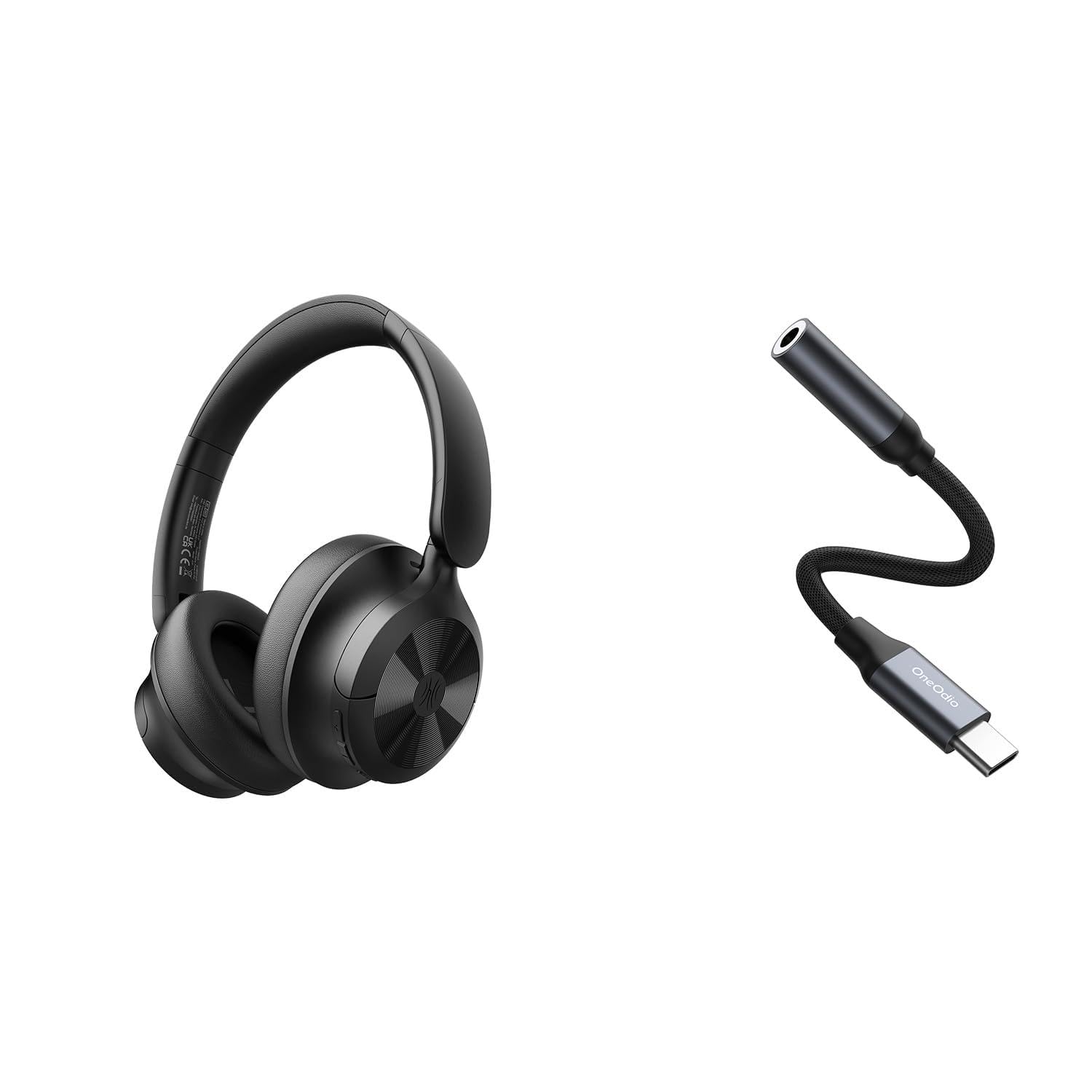
Image: OneOdio Focus A1Pro Wireless On-Ear Headphones. This image displays the headphones in their typical on-ear design, showcasing وسادات الأذن وعصابة الرأس.
محتويات الحزمة
يرجى التحقق من الحزمة للعناصر التالية:
- OneOdio Focus A1Pro Wireless On-Ear Headphones
- محول صوت من USB-C إلى 3.5 ملم
- كابل شحن USB-C
- حقيبة الحمل
- دليل المستخدم (هذا المستند)
يثبت
1. شحن سماعات الرأس
Before first use, fully charge the headphones. Connect the USB-C charging cable to the charging port on the headphones and the other end to a USB power source (e.g., computer USB port, wall adapter). The LED indicator will show charging status and turn off or change color when fully charged.

Image: Close-up of the USB-C charging port on the OneOdio Focus A1Pro headphones, with a charging cable connected.
2. تشغيل / إيقاف التشغيل
- لتشغيل: Press and hold the Multi-function button for approximately 3 seconds until the LED indicator flashes blue.
- لإيقاف التشغيل: Press and hold the Multi-function button for approximately 3 seconds until the LED indicator flashes red and then turns off.
3. اقتران بلوتوث
- تأكد من إيقاف تشغيل سماعات الرأس.
- Press and hold the Multi-function button for 5-7 seconds until the LED indicator flashes red and blue alternately. This indicates pairing mode.
- على جهازك (الهاتف الذكي، الجهاز اللوحي، الكمبيوتر)، قم بتمكين البلوتوث وابحث عن الأجهزة المتاحة.
- Select "OneOdio A1Pro" from the list of found devices.
- بمجرد الاتصال ، سيومض مؤشر LED باللون الأزرق ببطء.
- إذا كانت كلمة المرور مطلوبة، فأدخل "0000".
ستحاول سماعات الرأس تلقائيًا إعادة الاتصال بآخر جهاز مقترن بها عند تشغيلها.
4. Wired Connection (using USB-C to 3.5mm Audio Adapter)
For a wired connection, use the provided USB-C to 3.5mm audio adapter. This allows you to connect the headphones to devices with a standard 3.5mm audio jack.
- Plug the USB-C end of the adapter into the USB-C port on the headphones.
- Plug the 3.5mm end of the adapter into the 3.5mm audio jack of your audio source device.
- Ensure the headphones are powered off for wired mode to function correctly and conserve battery.

Image: The OneOdio Focus A1Pro headphones connected to an audio source via the USB-C to 3.5mm audio adapter.
تعليمات التشغيل
ضوابط أكثرview
The headphones feature intuitive controls located on the earcup. Familiarize yourself with these buttons for seamless operation.

Image: Diagram showing the location and function of control buttons on the OneOdio Focus A1Pro headphones, including volume, multi-function, and ANC buttons.
تشغيل الموسيقى
- تشغيل/إيقاف مؤقت: اضغط على الزر متعدد الوظائف مرة واحدة.
- المسار التالي: اضغط مع الاستمرار على زر رفع الصوت لمدة ثانيتين.
- المسار السابق: اضغط مع الاستمرار على زر خفض الصوت لمدة ثانيتين.
- رفع الصوت: اضغط على زر رفع الصوت لفترة وجيزة.
- اخفض الصوت: اضغط على زر خفض الصوت لفترة وجيزة.
التعامل مع المكالمات
- الرد/إنهاء المكالمة: اضغط على الزر متعدد الوظائف مرة واحدة.
- رفض المكالمة: اضغط مع الاستمرار على الزر متعدد الوظائف لمدة ثانيتين.
- إعادة الاتصال بالرقم الأخير: اضغط مرتين على الزر متعدد الوظائف.
إلغاء نشطة للضوضاء (ANC)
The Focus A1Pro headphones feature Active Noise Cancellation to reduce ambient noise.
- تنشيط ANC: Press the ANC button once. The ANC indicator light will turn green.
- تعطيل ANC: اضغط على زر إلغاء الضوضاء النشط مرة أخرى. سينطفئ ضوء مؤشر إلغاء الضوضاء النشط.
ارتداء سماعات الرأس
Adjust the headband to fit comfortably over your head. The earcups should fully cover your ears for optimal sound quality and noise cancellation. The earcups are typically marked 'L' for left and 'R' for right.
صيانة
تنظيف
- امسح سماعات الرأس بقطعة قماش ناعمة وجافة وخالية من الوبر.
- لا تستخدم المنظفات الكاشطة أو الكحول أو المذيبات الكيميائية.
- تجنب دخول الرطوبة إلى أي فتحات.
- The earpads can be gently wiped with a slightly damp ثم تُغسل بقطعة قماش ومحلول صابون خفيف، ثم تُجفف جيداً.
تخزين
When not in use, store the headphones in the provided carrying pouch to protect them from dust and scratches. Store in a cool, dry place away from extreme temperatures.
العناية بالبطارية
- تجنب تفريغ البطارية بالكامل بشكل متكرر.
- اشحن سماعات الرأس بانتظام، حتى لو لم يتم استخدامها لفترات طويلة، للحفاظ على صحة البطارية.
- Do not expose the headphones to high temperatures, as this can degrade battery performance.
استكشاف الأخطاء وإصلاحها
لا يوجد طاقة
- تأكد من شحن سماعات الرأس بالكامل.
- Press and hold the Multi-function button for 3 seconds to power on.
لا يوجد صوت
- بلوتوث:
- Ensure the headphones are paired and connected to your device.
- Check the volume level on both the headphones and your device.
- حاول فصل سماعات الرأس وإعادة توصيلها.
- السلكية:
- Ensure the USB-C to 3.5mm adapter is securely connected to both the headphones and the audio source.
- تأكد من تشغيل مصدر الصوت ومستوى الصوت مرتفعًا.
- Test with a different audio cable or device if possible.
مشاكل اتصال البلوتوث
- Ensure the headphones are in pairing mode (red and blue flashing LED).
- قم بتقريب سماعات الرأس من جهازك.
- قم بمسح قائمة البلوتوث على جهازك وحاول الاقتران مرة أخرى.
- تجنب التداخل من الأجهزة اللاسلكية الأخرى.
إعادة ضبط سماعات الرأس
If you experience persistent issues, you can try resetting the headphones to their factory settings. (Note: Specific reset procedures vary by model. A common method is to press and hold the Multi-function and Volume Down buttons simultaneously for 5-10 seconds while powered on, or connect to power while holding a button. Refer to the manufacturer's official support for exact steps if this general method does not work.)
تحديد
| اسم الموديل | Focus A1Pro |
| نسخة البلوتوث | 5.0 (Estimated, common for modern headphones) |
| قطر السائق | 40 ملم (مُقدَّر) |
| استجابة التردد | 20Hz - 20kHz (عادي) |
| سعة البطارية | 500 مللي أمبير (مُقدَّر) |
| وقت الشحن | حوالي 2-3 ساعات |
| وقت التشغيل | حتى 30 ساعة (Varies with volume and ANC usage) |
| وزن | Approx. 250g (مُقدَّر) |
Note: Specifications are subject to change without notice. Actual performance may vary.
الضمان والدعم
معلومات الضمان
OneOdio products are covered by a limited warranty from the date of purchase. This warranty covers manufacturing defects in materials and workmanship. It does not cover damage caused by misuse, accidents, unauthorized modifications, or normal wear and tear. Please retain your proof of purchase for warranty claims.
دعم العملاء
For technical support, warranty inquiries, or other assistance, please contact OneOdio customer service through their official webالموقع أو بائع التجزئة الذي اشتريت منه المنتج.
رسمي Webموقع: www.oneodio.com
دعم البريد الإلكتروني: support@oneodio.com