
1. الإعداد
1.1 فك الصندوق والفحص الأولي
Upon opening the package, ensure all components are present and in good condition. The box should contain:
- XIAOMI Redmi Note 15 Pro 5G AI Smartphone
- أداة إخراج درج بطاقة SIM
- كابل يو اس بي
- حافظة الهاتف
1.2 تركيب بطاقة SIM
The Redmi Note 15 Pro 5G AI supports Dual SIM functionality (nano SIM + nano SIM or nano SIM + eSIM). It does لا have a Micro SD slot.
- حدد مكان درج بطاقة SIM على جانب الجهاز.
- أدخل أداة إخراج درج شريحة SIM المرفقة في الفتحة الصغيرة المجاورة للدرج واضغط برفق حتى يخرج الدرج.
- Place your nano SIM card(s) into the designated slots on the tray. Ensure the gold contacts face downwards and the card is correctly oriented.
- قم بإعادة إدخال درج بطاقة SIM في الهاتف بعناية حتى يستقر في مكانه.
ملحوظة: For USA market, this phone is compatible with T-Mobile, Mint, Tello, or any network operating under the T-Mobile infrastructure. An already activated SIM card is required. Outside the USA, it works with any GSM carrier SIM.
1.3 الشحن الأولي وتشغيل الطاقة
Before first use, it is recommended to fully charge your device. The phone supports 45W turbo charging.
- Connect the USB cable to the phone's USB Type-C port and to a compatible power adapter.
- Plug the power adapter into a wall outlet. The charging indicator will appear on the screen.
- Once sufficiently charged, press and hold the power button on the side of the device until the XIAOMI logo appears.
- اتبع الإرشادات التي تظهر على الشاشة لإكمال الإعداد الأولي، بما في ذلك تحديد اللغة، واتصال Wi-Fi، وإعداد حساب Google.
2. تعليمات التشغيل
2.1 ميزات العرض
The device features a 6.83-inch AMOLED display with a 1.5K resolution (2772 x 1280) and a refresh rate of up to 120Hz. It offers a peak brightness of 3200 nits and is protected by Corning Gorilla Glass Victus 2.
تقنية اللمس الرطب 2.0: This feature intelligently detects water, oil, foam, or sweat, providing a smoother and more responsive touch experience even in challenging conditions.
2.2 استخدام الكاميرا
The Redmi Note 15 Pro 5G AI is equipped with an advanced camera system:
- الكاميرا الخلفية: 200MP main camera with Optical Image Stabilization (OIS) and an 8MP ultra-wide camera.
- الكاميرا الأمامية: 20 ميجابكسل.
To access the camera, tap the camera icon on your home screen or lock screen. Select modes such as Photo, Video, Portrait, or Pro mode. The 200MP AI Engine supports features like AI Film Camera for cinematic effects and various AI image editing tools.
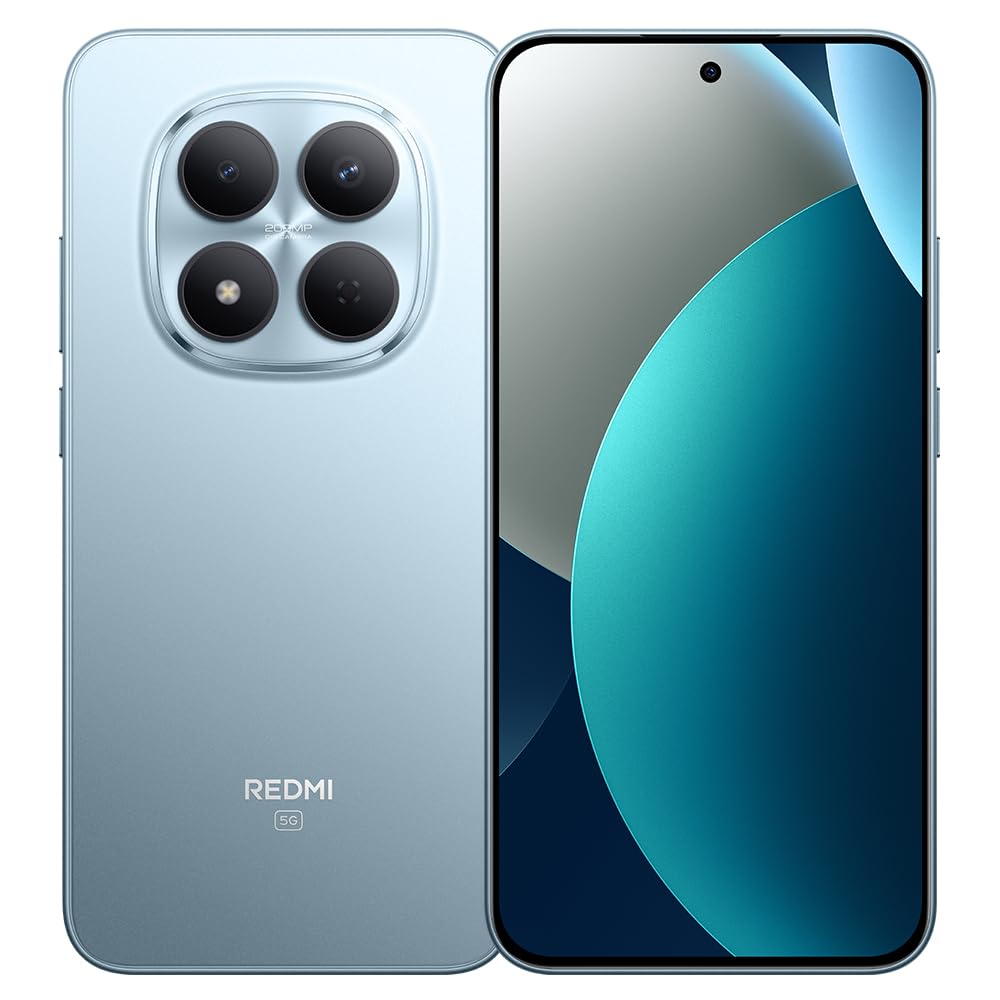
Image: XIAOMI Redmi Note 15 Pro 5G AI smartphone, black color, showing the front display and side profile.
2.3 الأمن البيومتري
The device offers two primary biometric security methods:
- In-screen Fingerprint Sensor: قم بتسجيل بصمات أصابعك في إعدادات الأمان لفتح سريع وآمن.
- فتح القفل بالوجه بتقنية الذكاء الاصطناعي: Set up face recognition in the Security settings to unlock your device by looking at the front camera.
2.4 Navigation and AI Features
The phone supports multiple global navigation satellite systems including GPS, GLONASS, BDS, Galileo, and QZSS for accurate positioning.
Integrated AI features enhance user experience:
- دائرة للبحث باستخدام جوجل: Quickly search for information by circling content on your screen.
- جوجل جيميني: AI assistant for various tasks.
- AI Image Editing: Includes AI Erase Pro, AI Remove Reflection, AI Image Expansion, AI Sky, AI Bokeh, AI Cutouts, AI Image Enhancement, and AI Beautify.
3. الصيانة
3.1 العناية بالبطارية
The device is equipped with a 6580mAh silicon-carbon battery designed for longevity, boasting a 6-year battery life guarantee. To maximize battery life:
- تجنب درجات الحرارة القصوى.
- Use the provided 45W turbo charger for optimal charging speed.
- The phone also supports up to 22.5W reverse charging to power other compatible devices.
3.2 المتانة والحماية
The Redmi Note 15 Pro 5G AI is built for durability:
- مقاومة السقوط: Certified for 2.5-meter drop resistance.
- حماية شاشة: Features Corning Gorilla Glass Victus 2 for enhanced impact and scratch resistance.
- مقاومة الماء والغبار: Rated P66/IP68/IP69/IP69K for dust and water resistance, ensuring protection against various environmental challenges.
3.3 تنظيف جهازك
لتنظيف هاتفك الذكي:
- استخدم قطعة قماش ناعمة وخالية من الوبر لمسح الشاشة والجسم.
- بالنسبة للبقع العنيدة، استخدمي القليل منampبللي قطعة القماش بالماء أو بمحلول تنظيف الشاشات.
- تجنب استخدام المواد الكيميائية القاسية، أو المواد الكاشطة، أو الرطوبة الزائدة.
4. استكشاف الأخطاء وإصلاحها
4.1 المشكلات والحلول الشائعة
- الجهاز لا يعمل: Ensure the battery is charged. Connect the phone to its charger for at least 15 minutes, then try powering it on again. If it still doesn't turn on, perform a forced restart by holding the power button for 10-15 seconds.
- Poor network signal or no service: Check if your SIM card is properly inserted. Verify that airplane mode is off. Go to Settings > SIM cards & mobile networks and ensure your SIM is enabled. If issues persist, contact your mobile carrier.
- شاشة اللمس لا تستجيب: Restart the device. If the issue continues, ensure the screen is clean and dry. If using a screen protector, ensure it is properly applied and not interfering with touch sensitivity.
- استنزاف البطارية بسرعة: Reduce screen brightness, close unused apps running in the background, disable unnecessary notifications, and limit location services. Check battery usage in Settings to identify power-hungry apps.
- تعطل التطبيقات أو تجميدها: Clear the cache and data for the problematic app in Settings > Apps. If the issue persists, uninstall and reinstall the app. Ensure your device's software is up to date.
4.2 إعادة ضبط المصنع
If you encounter persistent software issues that cannot be resolved through other troubleshooting steps, a factory reset may be necessary. تحذير: إعادة ضبط المصنع ستمحو جميع البيانات الموجودة على هاتفك. لذا، يُرجى عمل نسخة احتياطية من البيانات المهمة قبل المتابعة.
- Go to Settings > About phone > Factory reset.
- Tap 'Erase all data' and follow the on-screen instructions.
5. المواصفات
| ماركة | شاومي |
| اسم الموديل | نوت 15 برو 5G |
| رقم الموديل | 25080RABDG |
| نظام التشغيل | HyperOS 2 |
| نموذج وحدة المعالجة المركزية | Mediatek Dimensity 7400-Ultra (Octa-core, up to 2.6GHz) |
| كبش | 8 جيجا بايت |
| سعة التخزين | 256 جيجا بايت |
| حجم الشاشة | شاشة AMOLED مقاس 6.83 بوصة |
| دقة | 1.5K (2772 × 1280) |
| معدل التحديث | حتى 120 هرتز |
| ذروة السطوع | 3200 شمعة |
| الكاميرا الخلفية | 200 MP (Main, OIS) + 8 MP (Ultra-wide) |
| الكاميرا الأمامية | 20 ميجا بكسل |
| سعة البطارية | 6580 مللي أمبير |
| الشحن | 45W Turbo Charging, 22.5W Reverse Charging |
| فتحة بطاقة SIM | Dual SIM (Nano SIM + Nano SIM or Nano SIM + eSIM) |
| الاتصال | 5G, 4G LTE, Wi-Fi, Bluetooth, NFC, USB Type-C |
| مقاومة الماء | IP66 / IP68 / IP69 / IP69K |
| الأمن البيومتري | In-screen Fingerprint, AI Face Unlock |
| أبعاد | Not specified in data |
6. الضمان والدعم
6.1 معلومات الضمان
The XIAOMI Redmi Note 15 Pro 5G AI comes with a 30-day Xiaomi Europe Warrantyيرجى الاحتفاظ بإثبات الشراء الخاص بك لاستخدامه في المطالبات بالضمان.
Additionally, spare parts for this device are available for a duration of سنتان within the EU.
6.2 دعم العملاء
For technical assistance, warranty claims, or further inquiries, please contact XIAOMI customer support through their official website or authorized service centers. Refer to the official XIAOMI webالموقع للحصول على أحدث معلومات الاتصال وموارد الدعم.