
1. المقدمة
This manual provides essential information for setting up, operating, maintaining, and troubleshooting your Xiaomi Redmi Note 15 Pro 5G smartphone. Please read this manual carefully before using your device to ensure optimal performance and longevity.
The Xiaomi Redmi Note 15 Pro 5G features a 200MP main camera with optical stabilization, a 6580mAh battery, a 1.5K CrystalRes AMOLED display with 120Hz refresh rate, and is powered by the Mediatek Dimensity 7400-Ultra processor. It also boasts advanced water and dust resistance (IP66, IP68, IP69, and IP69K ratings).
2. انتهى الجهازview
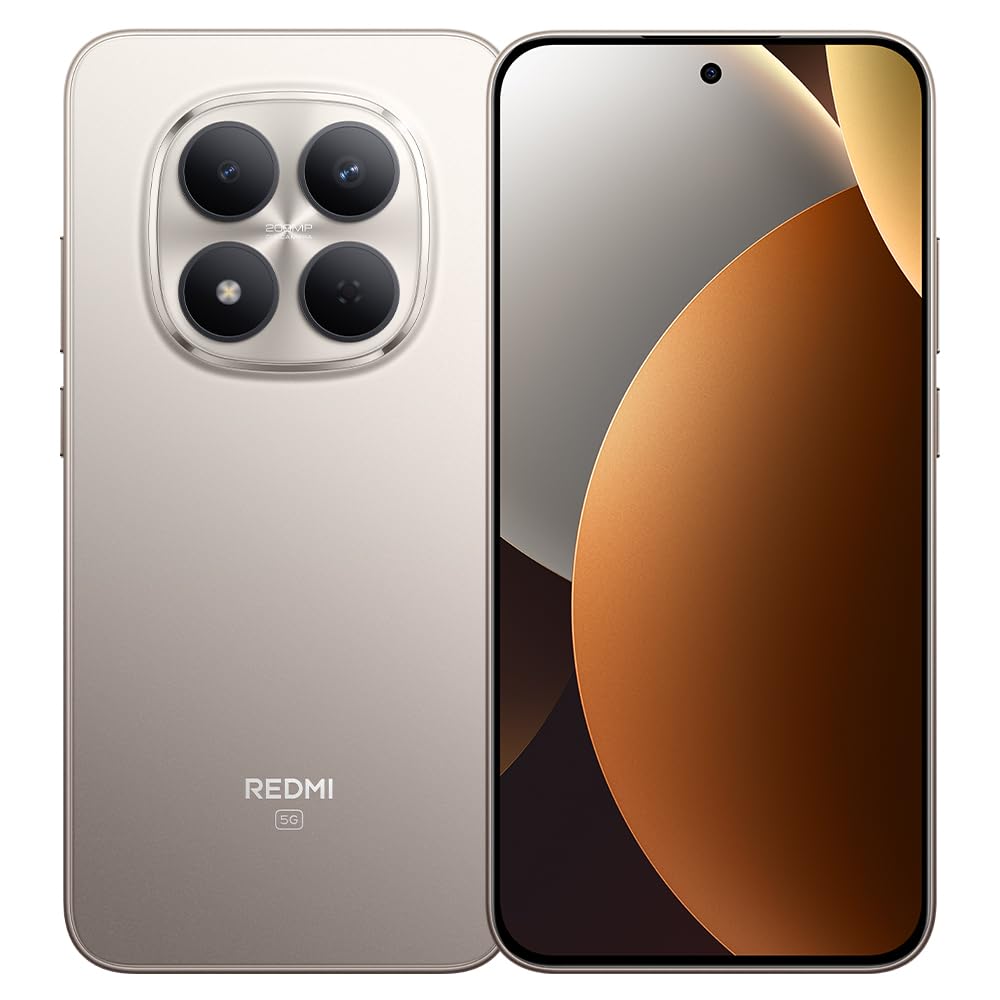
الشكل 1: Xiaomi Redmi Note 15 Pro 5G Smartphone. This image displays the front and back of the device, highlighting its sleek design and camera module.
محتويات الحزمة
- Xiaomi Redmi Note 15 Pro 5G Smartphone
- محول الطاقة
- كابل USB Type-C
- أداة إخراج بطاقة SIM (قد تختلف حسب المنطقة)
- دليل البدء السريع (هذا الدليل)
3. الإعداد
3.1. إدخال بطاقة SIM
- حدد مكان درج بطاقة SIM على جانب جهازك.
- قم بإدخال أداة إخراج بطاقة SIM في الفتحة الصغيرة الموجودة بجوار الدرج واضغط بقوة حتى يخرج الدرج.
- Place your Nano-SIM card(s) into the tray with the gold contacts facing down. Ensure proper orientation. This device supports Dual SIM functionality.
- قم بإعادة إدخال الدرج داخل الهاتف بعناية.
3.2. التشغيل الأولي والإعداد
- اضغط مع الاستمرار على زر الطاقة حتى يظهر شعار شاومي.
- اتبع التعليمات التي تظهر على الشاشة لاختيار لغتك ومنطقتك والاتصال بشبكة Wi-Fi وإعداد حساب Google الخاص بك.
- Configure biometric security features such as facial recognition for enhanced security.
3.3. شحن الجهاز
Connect the USB Type-C cable to the phone's charging port and the other end to the provided power adapter. Plug the adapter into a power outlet. The device supports fast charging. Ensure the power adapter is suitable for your region.
4. تعليمات التشغيل
4.1. العرض والتنقل
- The device features a 6.83-inch CrystalRes AMOLED display with a 120Hz refresh rate for smooth visuals.
- Navigate using gestures or on-screen navigation buttons (configurable in settings).
- Adjust display brightness and color settings in the 'Display' section of the Settings app.
4.2. استخدام الكاميرا
Your Redmi Note 15 Pro 5G is equipped with a 200MP main rear camera with optical stabilization and a 20MP front camera.
- افتح تطبيق الكاميرا.
- Select your desired mode (Photo, Portrait, Video, Pro, etc.).
- اضغط على زر الغالق لالتقاط الصور أو بدء/إيقاف تسجيل الفيديو.
- Utilize the 200MP mode for high-resolution images and 4K video recording for detailed videos.
4.3. الأداء والاتصال
- The Mediatek Dimensity 7400-Ultra processor and 8GB RAM ensure smooth multitasking and gaming.
- Connect to 5G networks for high-speed internet access.
- Manage Wi-Fi, Bluetooth, and mobile data connections through the Quick Settings panel or the 'Network & Internet' section in Settings.
5. الصيانة
5.1. العناية بالبطارية
- The 6580mAh battery provides extended usage. For optimal battery life, avoid extreme temperatures.
- Use the provided charger for efficient and safe charging.
- Regularly check battery usage in Settings to identify and manage power-consuming apps.
5.2. مقاومة الماء والغبار
Your device is rated IP66, IP68, IP69, and IP69K for water and dust resistance. This means it is protected against strong jets of water, immersion up to certain depths, and high-pressure/high-temperature water jets. However, resistance is not permanent and may decrease over time with normal wear. Avoid exposing the device to seawater, chlorinated water, or liquids other than fresh water. If the device gets wet, dry it thoroughly before charging or using the USB port.
5.3. تحديثات البرامج
Regularly check for and install software updates to ensure your device has the latest features, security patches, and performance improvements. Go to 'Settings' > 'About phone' > 'MIUI version' to check for updates.
6. استكشاف الأخطاء وإصلاحها
6.1. المشكلات الشائعة والحلول
- الجهاز لا يعمل: تأكد من شحن البطارية. قم بتوصيل الجهاز بالشاحن لمدة 15 دقيقة على الأقل، ثم حاول تشغيله.
- عمر البطارية ضعيف: Reduce screen brightness, disable unnecessary background apps, turn off GPS/Bluetooth when not in use. Check 'Battery' settings for detailed usage.
- مشاكل الاتصال (واي فاي/5G): Restart your device. Toggle Wi-Fi/Mobile Data off and on. Reset network settings if the issue persists.
- تعطل التطبيقات: Clear the cache of the problematic app (Settings > Apps > [App Name] > Storage > Clear cache). If the issue continues, reinstall the app.
- الجهاز لا يستجيب: اضغط مع الاستمرار على زر الطاقة لمدة 10-15 ثانية لفرض إعادة التشغيل.
7. المواصفات
| ميزة | مواصفة |
|---|---|
| ماركة | شاومي |
| نموذج | ريدمي نوت 15 برو 5G |
| نظام التشغيل | أندرويد |
| نموذج وحدة المعالجة المركزية | Mediatek Dimensity 7400-Ultra |
| سعة التخزين | 256 جيجا بايت |
| كبش | 8 جيجا بايت |
| حجم الشاشة | 6.83 بوصة |
| نوع العرض | أموليد |
| أقصى دقة للشاشة | 2772 × 1280 بكسل |
| معدل التحديث | 120 هرتز |
| دقة الكاميرا الخلفية | 200 ميجا بكسل |
| دقة الكاميرا الأمامية | 20 ميجا بكسل |
| دقة التقاط الفيديو | 4K (4096 بكسل) |
| سعة البطارية | 6580 مللي أمبير |
| مدة البطارية | 24 Hours (typical usage) |
| تكنولوجيا الاتصال | 5 جيجا، 2 جيجا |
| تكنولوجيا الشبكات اللاسلكية | جي إس إم |
| نوع الموصل | يو إس بي من النوع سي |
| نوع بطاقة SIM | Nano-SIM (Dual SIM) |
| الأمن البيومتري | التعرف على الوجه |
| مستوى مقاومة الماء | IP66, IP68, IP69, IP69K |
| مقبس سماعة الرأس | لا أحد |
| المكونات المضمنة | محول الطاقة |
| شهادة اختبار خارجية | Anatel: 062732509185 / Model: 25080RABDG |
8. الضمان والدعم
8.1. معلومات الضمان
يأتي هذا المنتج مع ضمان لمدة 90 يومًا against manufacturing defects. Please retain your proof of purchase for warranty claims. The warranty does not cover damage caused by misuse, accidents, unauthorized repairs, or normal wear and tear.
8.2. دعم العملاء
For further assistance, technical support, or warranty inquiries, please refer to the official Xiaomi support website or contact their customer service. You can find contact details on the official Xiaomi webالموقع أو في الوثائق المرفقة بجهازك.
For product homologation details, please visit: sistemas.anatel.gov.br/sch