
1. المقدمة
Thank you for choosing the UXD A5 Android Tablet. This manual provides essential information for setting up, operating, and maintaining your new device. Please read it thoroughly to ensure optimal performance and longevity of your tablet.
The UXD A5 is a versatile 10-inch Android 15 tablet featuring an Octa-Core CPU, 12GB RAM, and 512GB internal storage, designed for productivity and entertainment. It supports WiFi 6 and 4G LTE connectivity.
2. محتويات العبوة
يرجى التأكد من وجود جميع العناصر في الحزمة الخاصة بك:
- UXD A5 Android Tablet
- قلم
- لوحة مفاتيح قابلة للفصل
- ماوس دقيق
- واقي الشاشة (مثبت مسبقًا أو منفصل)
- محول OTG
- حالة قابلة للطي
- شاحن
- كابل يو اس بي
3. انتهى المنتجview
The UXD A5 tablet features a 10-inch HD IPS display. Key components include:
- الكاميرا الأمامية: Typically located at the top center when held vertically, used for video calls and selfies. (5MP)
- الكاميرا الخلفية: Located on the back of the tablet, used for high-resolution photography. (15MP)
- زر الطاقة: Usually on the side, used to turn the tablet on/off or put it to sleep.
- أزرار التحكم في الصوت: Adjacent to the power button, used to adjust audio levels.
- منفذ USB-C: للشحن ونقل البيانات.
- فتحة بطاقة SIM/MicroSD: For inserting a 4G SIM card and expanding storage with a microSD card (up to 1TB).
- المتحدثون: لإخراج الصوت.
- ميكروفون: لإدخال الصوت.
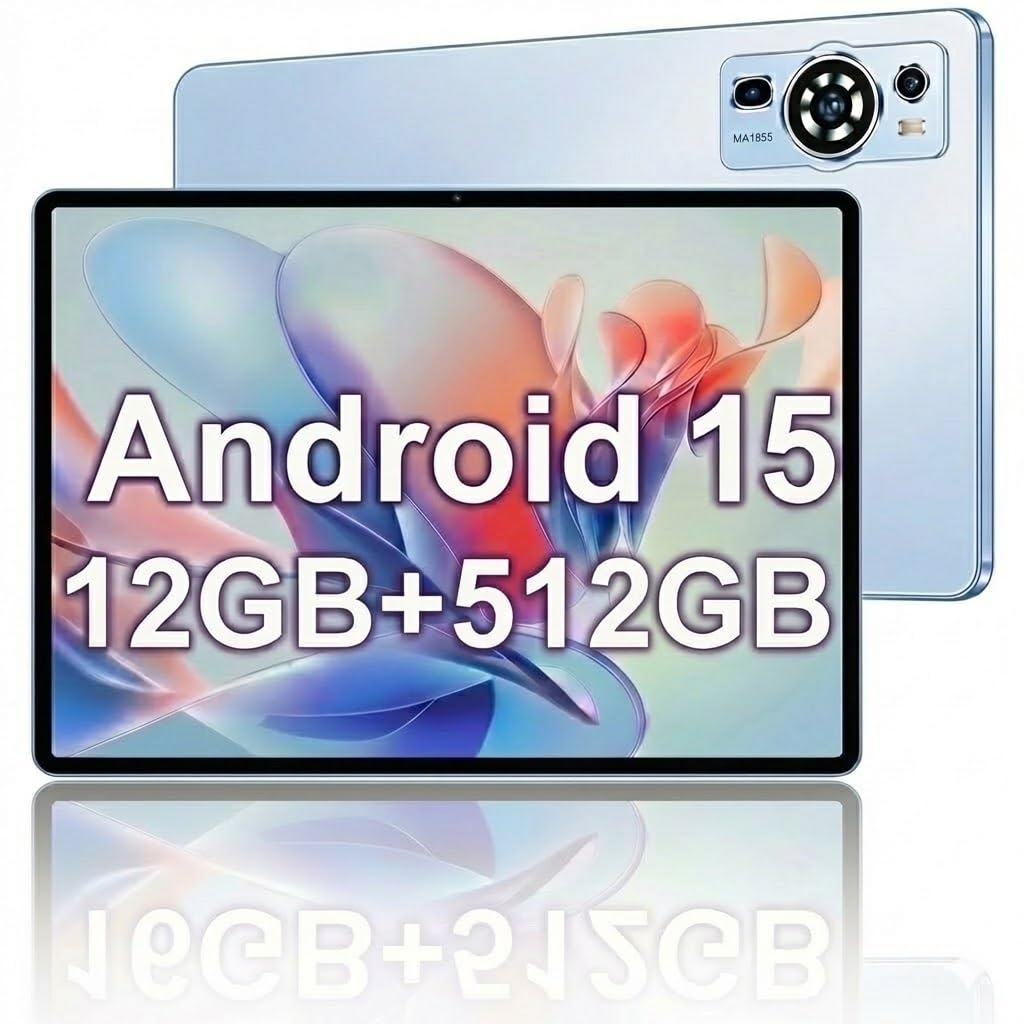
Image: The UXD A5 Android Tablet shown with its included accessories, such as the detachable keyboard, mouse, and stylus, highlighting its comprehensive package.
4. الإعداد
4.1 الشحن الأولي
Before first use, fully charge the tablet using the provided charger and USB cable. Connect the USB cable to the tablet's USB-C port and the charger to a power outlet. The battery indicator on the screen will show charging status.
4.2 تشغيل/إيقاف التشغيل
- لتشغيل: Press and hold the Power button until the UXD logo appears.
- لإيقاف التشغيل: اضغط مع الاستمرار على زر الطاقة حتى تظهر خيارات الطاقة، ثم حدد "إيقاف التشغيل".
- للنوم/الاستيقاظ: اضغط لفترة وجيزة على زر الطاقة.
4.3 الاتصال بشبكة Wi-Fi
- اذهب الى إعدادات > الشبكات والانترنت > واي فاي.
- تبديل Wi-Fi On.
- حدد شبكة Wi-Fi المطلوبة من القائمة.
- أدخل كلمة المرور إذا طُلب منك ذلك، ثم انقر فوق يتصل.
4.4 Inserting SIM Card (4G LTE)
If your model supports 4G LTE, locate the SIM card slot on the side of the tablet. Use the provided SIM ejector tool (if applicable) to open the tray. Insert a nano-SIM card into the designated slot with the gold contacts facing down, then reinsert the tray. Ensure the tablet is powered off before inserting or removing a SIM card.
4.5 Expanding Storage with MicroSD Card
The tablet supports microSD cards up to 1TB. Locate the SIM/MicroSD card slot. Insert the microSD card into the appropriate slot with the gold contacts facing down. The tablet will detect the card and prompt you for formatting options if necessary.
4.6 ملحقات التوصيل
- فأرة لوحة المفاتيح: These typically connect via Bluetooth. Go to إعدادات > الأجهزة المتصلة > بلوتوث. Turn Bluetooth on, put the accessory in pairing mode, and select it from the list of available devices.
- القلم: The stylus is generally passive or connects automatically via Bluetooth. Refer to the stylus's specific instructions for pairing if required.
- محول OTG: Connect the OTG adapter to the tablet's USB-C port to connect USB devices like flash drives.
5. تعليمات التشغيل
5.1 الملاحة الأساسية
The UXD A5 tablet uses a capacitive touchscreen. Use gestures such as tap, swipe, pinch-to-zoom, and long-press to navigate the interface, open apps, and interact with content.
نظام التشغيل 5.2 Android 15
Your tablet runs on Android 15, offering enhanced privacy features, improved notifications, and a refined user interface. Explore the إعدادات menu to customize your tablet's behavior, appearance, and security options.
5.3 إدارة التخزين
The tablet comes with 512GB of internal storage. To manage your storage, go to إعدادات > تخزين. هنا يمكنك view المساحة المستخدمة، تحرير المساحة، والإدارة files on your internal storage and microSD card.
5.4 استخدام الكاميرا
Open the Camera app to take photos and videos. The tablet features a 5MP front camera and a 15MP rear camera. Tap the screen to focus, and use the on-screen shutter button to capture images. Switch between front and rear cameras using the icon on the screen.
5.5 تحسين البطارية
بطارية 6000 مللي أمبير توفر استخدامًا ممتدًا. لإطالة عمر البطارية:
- ضبط سطوع الشاشة.
- قم بإيقاف تشغيل Wi-Fi وBluetooth وGPS عندما لا تكون قيد الاستخدام.
- أغلق التطبيقات غير المستخدمة التي تعمل في الخلفية.
- قم بتفعيل وضع توفير الطاقة في إعدادات > بطارية.
6. الصيانة
6.1 تنظيف الجهاز اللوحي
استخدم قطعة قماش ناعمة وخالية من الوبر لتنظيف شاشة وجسم الجهاز اللوحي. لإزالة البقع العنيدة، افركها برفق.ampبللي قطعة القماش بالماء أو بمحلول تنظيف الشاشات. تجنبي استخدام المواد الكيميائية القاسية أو المواد الكاشطة.
6.2 تحديثات البرامج
تحقق بانتظام من تحديثات البرامج للتأكد من أن جهازك اللوحي يحتوي على أحدث الميزات وتحديثات الأمان. انتقل إلى إعدادات > نظام > تحديث النظام للتحقق من التحديثات المتوفرة وتثبيتها.
6.3 العناية بالبطارية
To prolong battery lifespan, avoid extreme temperatures and do not let the battery completely drain frequently. It is recommended to keep the battery charge between 20% and 80% for optimal long-term health.
7. استكشاف الأخطاء وإصلاحها
- الجهاز اللوحي لا يعمل: Ensure the tablet is charged. Connect the charger and wait a few minutes before attempting to power on again.
- مشاكل الاتصال بشبكة Wi-Fi: أعد تشغيل جهازك اللوحي وجهاز توجيه الواي فاي. تأكد من أنك ضمن نطاق إشارة الواي فاي وأنك أدخلت كلمة المرور الصحيحة.
- الأداء البطيء: Close unused apps, clear cache, or restart the tablet. Consider uninstalling rarely used applications to free up resources.
- شاشة اللمس لا تستجيب: أعد تشغيل الجهاز اللوحي. إذا استمرت المشكلة، فتأكد من أن الشاشة نظيفة وخالية من أي شوائب.
- الملحقات لا تتصل: Ensure Bluetooth is enabled on the tablet and the accessory is in pairing mode. Check the accessory's battery level.
8. المواصفات
| ماركة | تجربة المستخدم |
| اسم الموديل | A5 |
| نظام التشغيل | أندرويد 15 |
| حجم الشاشة | 10.1 بوصة |
| دقة العرض | 1280x800 Pixels (HD IPS) |
| المعالج | وحدة المعالجة المركزية ثمانية النواة |
| ذاكرة الوصول العشوائي (RAM) | 12 جيجا بايت |
| التخزين الداخلي | 512 جيجا بايت |
| تخزين قابل للتوسيع | سعة تخزين تصل إلى 1 تيرابايت (بطاقة مايكرو إس دي) |
| التكنولوجيا اللاسلكية | واي فاي 6، بلوتوث 5.0 |
| تكنولوجيا الخلوية | 4G LTE |
| الكاميرا الأمامية | 5 ميجا بكسل |
| الكاميرا الخلفية | 15 ميجا بكسل |
| سعة البطارية | 6000 مللي أمبير (بوليمر ليثيوم) |
| متوسط عمر البطارية | Up to 72 Hours (standby) |
| الأبعاد (الطول × العرض × السماكة) | 9.4 بوصة طول × 6.3 بوصة عرض × 2.7 بوصة سمك |
| لون | أزرق |
9. الضمان والدعم
The UXD A5 Android Tablet comes with a 1-year limited warranty. For warranty claims or technical support, please refer to the contact information provided with your purchase or visit the official UXD support webموقع.
يرجى الاحتفاظ بإثبات الشراء لأغراض الضمان.


