
1. انتهى المنتجview
The THERUN Walking Pad Treadmill YT05-CP is a portable and compact exercise device designed for both home and office use. It features a 2.5 HP motor, an LED display, and can be controlled via a remote or a dedicated mobile application. This walking pad supports users up to 265 lbs and offers a speed range of 0.6 to 3.8 mph, making it suitable for light walking and moderate exercise.

Image: The THERUN Walking Pad Treadmill YT05-CP positioned in a living room, ready for use.
2. معلومات هامة حول السلامة
Please read all instructions carefully before using the THERUN Walking Pad Treadmill YT05-CP. Retain this manual for future reference.
- تأكد من وضع جهاز المشي على سطح مستو وثابت.
- أبقِ الأطفال والحيوانات الأليفة بعيدًا عن جهاز المشي أثناء التشغيل.
- لا تقم بتشغيل جهاز المشي إذا كان سلكه أو قابسه تالفًا، أو إذا لم يكن يعمل بشكل صحيح.
- ارتدِ حذاءً رياضياً مناسباً عند استخدام جهاز المشي.
- لا تصعد على جهاز المشي أو تنزل منه أثناء تحرك الحزام.
- استشر طبيبًا قبل البدء بأي برنامج تمرين جديد.
- The maximum user weight capacity for this model is 265 lbs (120 kg). Do not exceed this limit.
- افصل جهاز المشي عن مأخذ الطاقة عند عدم استخدامه أو قبل التنظيف والصيانة.
3. محتويات العبوة
عند فتح العبوة، يرجى التأكد من وجود جميع المكونات:
- THERUN Walking Pad Treadmill YT05-CP
- جهاز التحكم عن بعد
- سلك الطاقة
- دليل المستخدم (هذا المستند)
- مادة تشحيم (للصيانة)

Image: The remote control for the walking pad, used for speed adjustments.
4. الإعداد والاستخدام الأولي
The THERUN Walking Pad Treadmill YT05-CP requires no assembly and is ready for use directly out of the box. Follow these steps for initial setup:
- أفرغ: قم بإزالة وسادة المشي من عبوتها بعناية.
- موضع: Place the treadmill on a firm, level surface, ensuring there is adequate space around it for safe operation.
- توصيل الطاقة: Plug the power cord into the treadmill's power port, then into a standard electrical outlet.
- تشغيل الطاقة: Locate the power switch (usually near the power cord connection) and turn it to the 'ON' position. The LED display should illuminate.

Image: The walking pad positioned under a standing desk, illustrating its suitability for office environments.
5. تعليمات التشغيل
5.1 استخدام جهاز التحكم عن بعد
The included remote control allows for easy adjustment of the treadmill's speed.
- البدء/الإيقاف: Press the power button on the remote to start or stop the treadmill.
- تعديل السرعة: Use the '+' and '-' buttons to increase or decrease the walking speed. The speed range is 0.6 to 3.8 mph.
- اختيار الوضع: Some remotes may have additional buttons for mode selection (if applicable). Refer to the remote's specific markings.
5.2 اتصال التطبيق
Enhance your exercise experience by connecting your walking pad to a compatible mobile application. The THERUN Walking Pad YT05-CP supports connection to three different applications, allowing for varied exercise scenarios and data tracking.
- تحميل التطبيق: بحث عن the recommended THERUN fitness app or compatible third-party apps (e.g., Kinomap, Zwift, FitShow) on your smartphone's app store.
- إقران الجهاز: Open the app and follow the on-screen instructions to pair your walking pad via Bluetooth. Ensure Bluetooth is enabled on your device.
- ابدأ التمرين: Once connected, you can control the treadmill, select exercise programs, track your progress, and view real-time data directly from the app.

Image: A user exercising on the walking pad while connected to a fitness application, displaying virtual outdoor workouts on a screen.
5.3 شاشة LED
The integrated LED display provides essential workout information at a glance, typically showing speed, time, distance, and calories burned.
6. الميزات الرئيسية
6.1 Low Noise Motor
The THERUN Walking Pad YT05-CP is equipped with a 2.5 HP motor designed for quiet operation. At approximately 45 dB, its noise level is comparable to a library environment, ensuring minimal disturbance to others in your home or office.

Image: A user walking on the treadmill under a desk, with a dog resting nearby, demonstrating the low noise operation.
6.2 تصميم صغير الحجم وقابل للحمل
With dimensions of 41.9"D x 19.6"W x 4.5"H and built-in transport wheels, this walking pad is designed for easy movement and storage. It can be conveniently stored under furniture or in narrow spaces when not in use.
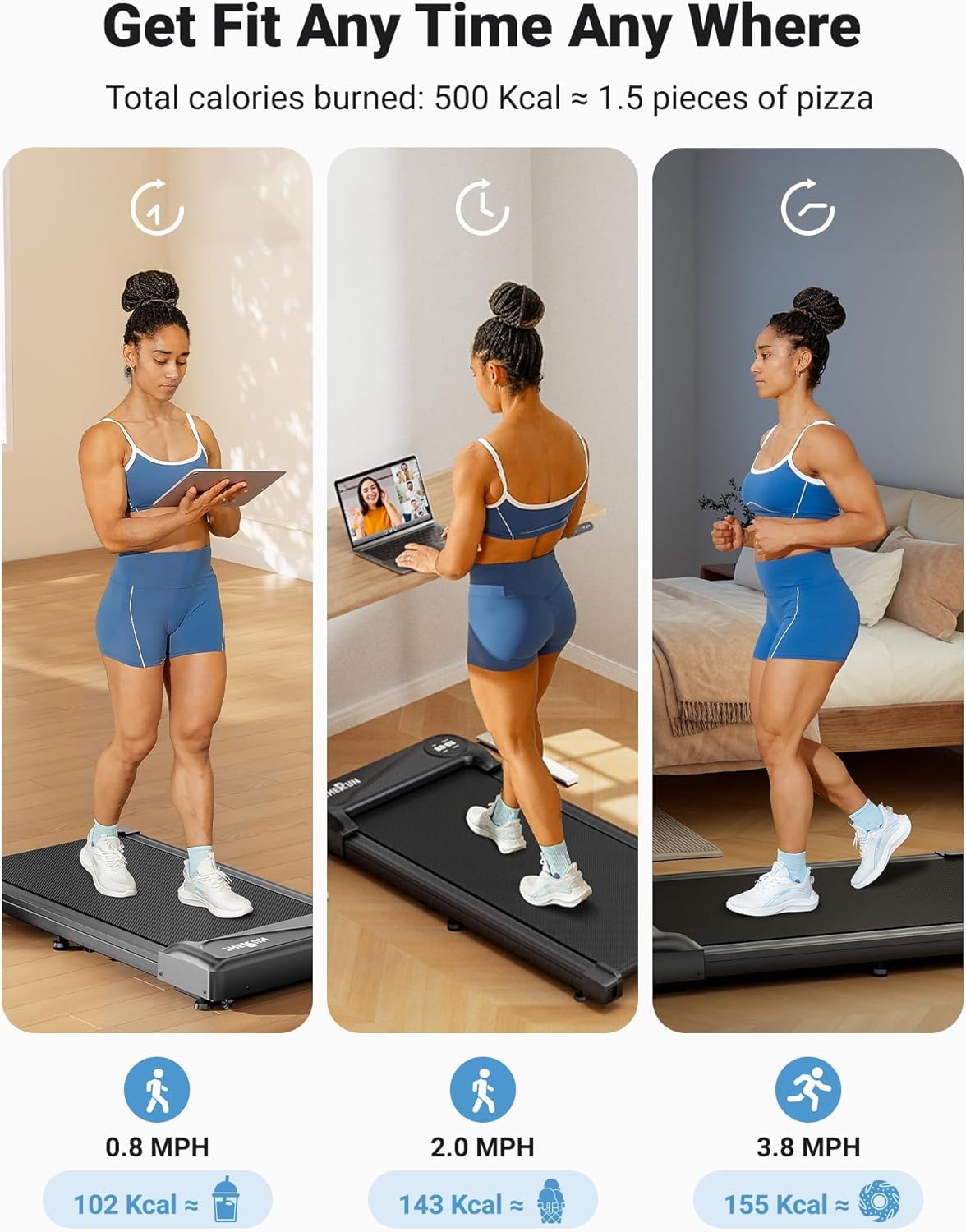
Image: The THERUN Walking Pad Treadmill shown in a vertical storage position, highlighting its compact design.
7. الصيانة
تضمن الصيانة الدورية طول عمر جهاز المشي الخاص بك وأداءه الأمثل.
- تنظيف: امسح جهاز المشي بالإعلانamp امسح بقطعة قماش بعد كل استخدام لإزالة العرق والغبار. لا تستخدم منظفات كاشطة.
- تزييت الحزام: The walking belt requires periodic lubrication to reduce friction and extend its lifespan. Apply the provided lubricant (or a suitable treadmill lubricant) under the belt every 3-6 months, or after approximately 100 hours of use. Refer to the specific instructions for lubrication in the included user manual.
- تعديل الحزام: If the walking belt starts to slip or drift to one side, it may need adjustment. Consult the detailed instructions in the full user manual for proper belt tensioning and centering procedures.
- تخزين: Store the treadmill in a dry, cool place away from direct sunlight and moisture.
8. استكشاف الأخطاء وإصلاحها
If you encounter issues with your THERUN Walking Pad Treadmill YT05-CP, refer to the following common solutions:
| مشكلة | السبب المحتمل | حل |
|---|---|---|
| جهاز المشي لا يعمل. | Power cord not properly connected; Power switch off; Outlet issue. | Ensure power cord is securely plugged in. Turn power switch to 'ON'. Test outlet with another device. |
| يتوقف الحزام أو ينزلق أثناء الاستخدام. | Belt too loose; Insufficient lubrication; Overload. | Adjust belt tension (refer to manual). Lubricate the belt. Ensure user weight is within limits (265 lbs). |
| Unusual noise from the treadmill. | مكونات فضفاضة؛ عدم وجود تزييت؛ جسم غريب. | Check for loose screws. Lubricate the belt. Inspect for any objects under the belt or motor cover. |
| جهاز التحكم عن بعد لا يستجيب. | بطاريات فارغة؛ جهاز التحكم عن بعد غير مقترن؛ وجود عائق. | Replace remote batteries. Re-pair remote with treadmill (refer to manual). Ensure no obstructions between remote and treadmill. |
If the problem persists after attempting these solutions, please contact THERUN customer support.
9. مواصفات المنتج
| ميزة | التفاصيل |
|---|---|
| ماركة | الركض |
| رقم الموديل | YT05-CP |
| أبعاد المنتج (العمق × العرض × الارتفاع) | 41.9 بوصة × 19.6 بوصة × 4.5 بوصة |
| وزن العنصر | 34.39 رطل |
| مادة | سبائك الفولاذ |
| قوة حصان | 2.5 حصان |
| مدى السرعة | 0.6 - 3.8 ميل في الساعة |
| توصية الوزن الأقصى | 265 رطل |
| نوع العرض | قاد |
| المميزات الخاصة | App Connectivity, Portable Design |
| مطلوب التجميع | لا |

Image: A visual representation of the walking pad's key parameters and dimensions.
10. الضمان ودعم العملاء
The THERUN Walking Pad Treadmill YT05-CP comes with a خطة حماية لمدة عام واحديغطي هذا الضمان عيوب التصنيع ويضمن أن يعمل منتجك كما هو مصمم له في ظل الاستخدام العادي.
For any inquiries, technical assistance, or warranty claims, please contact THERUN customer support. Our professional team is available to provide assistance, including product guides and documents via email.
- معلومات الاتصال: Refer to the contact details provided on the THERUN official webالموقع أو وثائق الشراء الخاصة بك.
- مصادر الدعم: Additional product guides and FAQs may be available online.

Image: Information regarding THERUN's after-sales service, including warranty details and availability of replacement parts.