
1. المقدمة
Thank you for choosing the Fanttik C8 Nano Easyswap Cordless Electric Scissors. This device is designed for efficient and effortless cutting of various materials, including cardboard, carpets, leather, and thin plastics. Please read this manual thoroughly before use to ensure safe and optimal operation.
2. انتهى المنتجview
The Fanttik C8 Nano features a high-magnet motor for powerful performance, an intuitive LED display, and EasySwap blade change technology. It is designed for comfortable and safe use, preventing wrist fatigue during extended tasks.
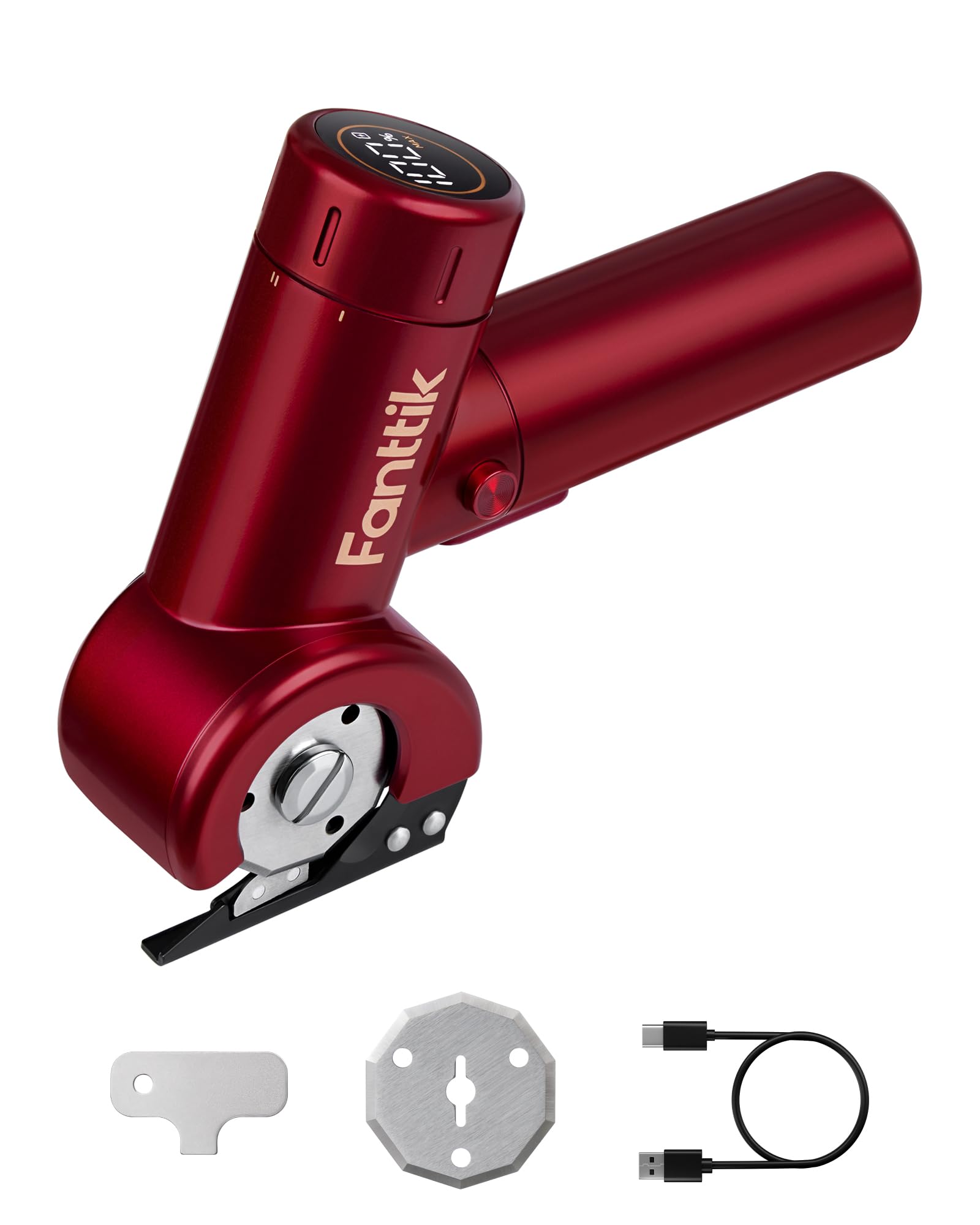
Image: Fanttik C8 Nano Cordless Electric Scissors, showcasing its compact design and cutting blade.
3. ماذا يوجد في الصندوق
عند فتح العبوة، يرجى التأكد من وجود جميع المكونات التالية:
- 1 x C8 Nano 3.7V Cordless Electric Scissors/Cardboard Cutter
- 2 x Blades (one pre-installed, one replacement)
- 1 x Blade Replacement Key
- 1 × كابل شحن من النوع C
- 1 × دليل المستخدم (هذه الوثيقة)
- 1 × حقيبة تخزين
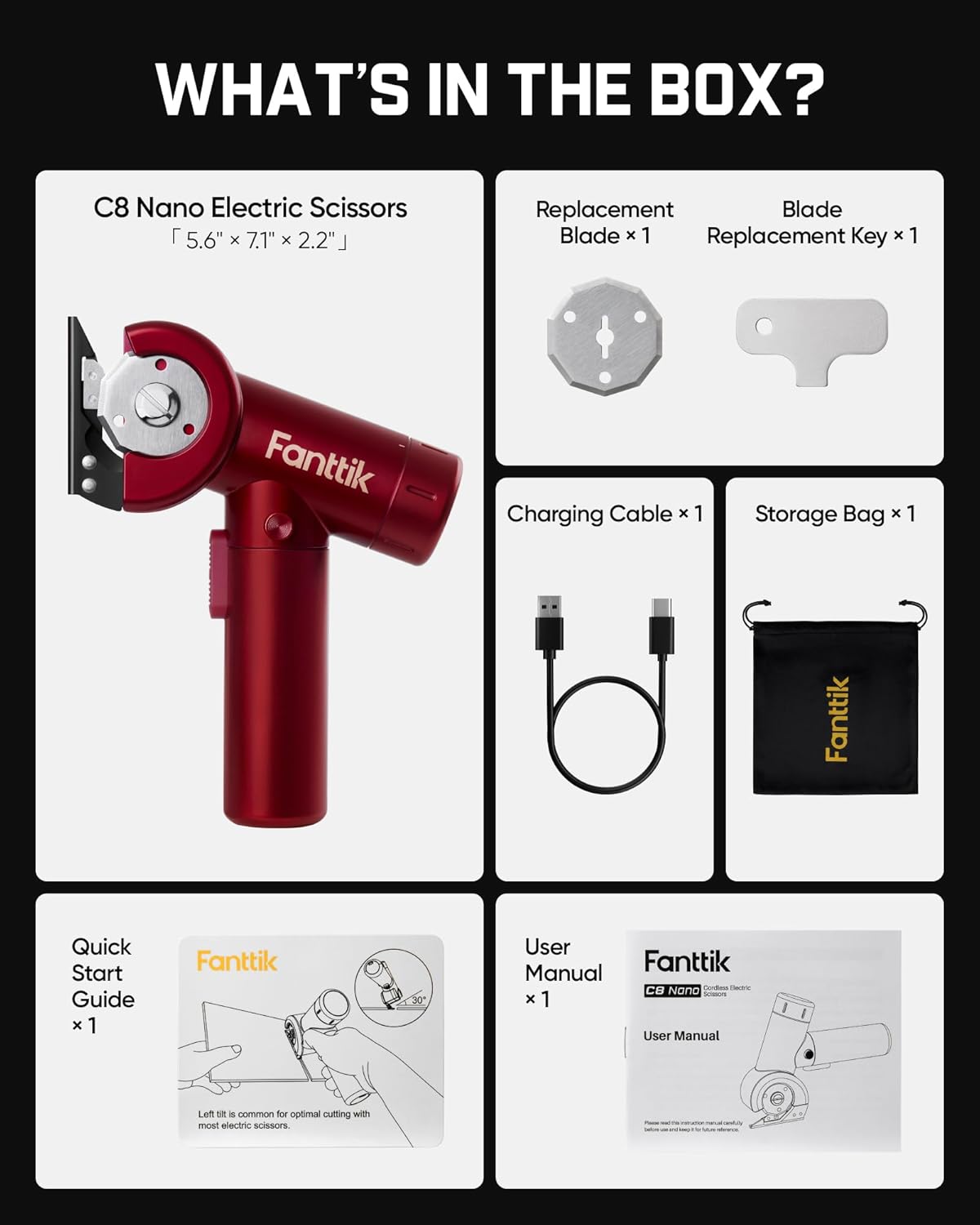
Image: A visual representation of all items included in the Fanttik C8 Nano product package.
4. الإعداد
4.1 شحن الجهاز
Before first use, fully charge the electric scissors. Connect the provided Type-C charging cable to the charging port on the device and to a compatible USB power source (5V/2A recommended). The LED display will indicate the battery life during charging.

Image: The Fanttik C8 Nano connected to a Type-C charging cable, showing the charging port location.
4.2 Blade Installation/Replacement (EasySwap Technology)
The C8 Nano features EasySwap Technology for quick and secure blade changes. Use the included blade replacement key for this process.
- تأكد من إيقاف تشغيل الجهاز وفصله عن التيار الكهربائي.
- Locate the spindle lock mechanism on the blade assembly.
- Use the blade replacement key to unlock and remove the existing blade.
- Carefully place the new blade onto the spindle.
- Secure the new blade by locking the mechanism with the key.
Always handle blades with caution to prevent injury.

الصورة: عن قرب view of the EasySwap blade mechanism, illustrating the simple one-step process for changing blades.
5. تعليمات التشغيل
5.1 تشغيل/إيقاف التشغيل وضبط السرعة
The C8 Nano features a 35mm LED screen that displays real-time battery life and speed settings. It offers three-speed adjustments for various cutting needs.
- لتشغيل: Twist the mode selection knob to your desired speed setting (ECO, REG, MAX). Press and hold the extra lock-off button, then press the on/off switch. Once the tool is running, you can release the lock-off button.
- أوضاع السرعة:
- نمط الصدى: Offers optimal battery performance without compromising on power.
- وضع REG: Effortlessly cuts through most common materials.
- وضع MAX: Delivers a powerful and smooth cutting experience with up to 230 RPM.
- لإيقاف التشغيل: حرر مفتاح التشغيل / الإيقاف.

Image: The intuitive LED display of the Fanttik C8 Nano, showing battery percentage and selected speed mode (ECO, REG, MAX).
5.2 عملية القطع
The C8 Nano is designed for quick and smooth cutting. The built-in LED lights ensure clear visibility for accurate cutting.
- Ensure the blade guard is properly positioned before cutting.
- Select the appropriate speed mode for your material.
- Gently guide the electric scissors along the cutting line. Avoid forcing the device.
- The rotating blade can cut materials up to 1/4 inch thick.

Image: The Fanttik C8 Nano effortlessly cutting through a piece of cardboard, highlighting its powerful motor and smooth operation.
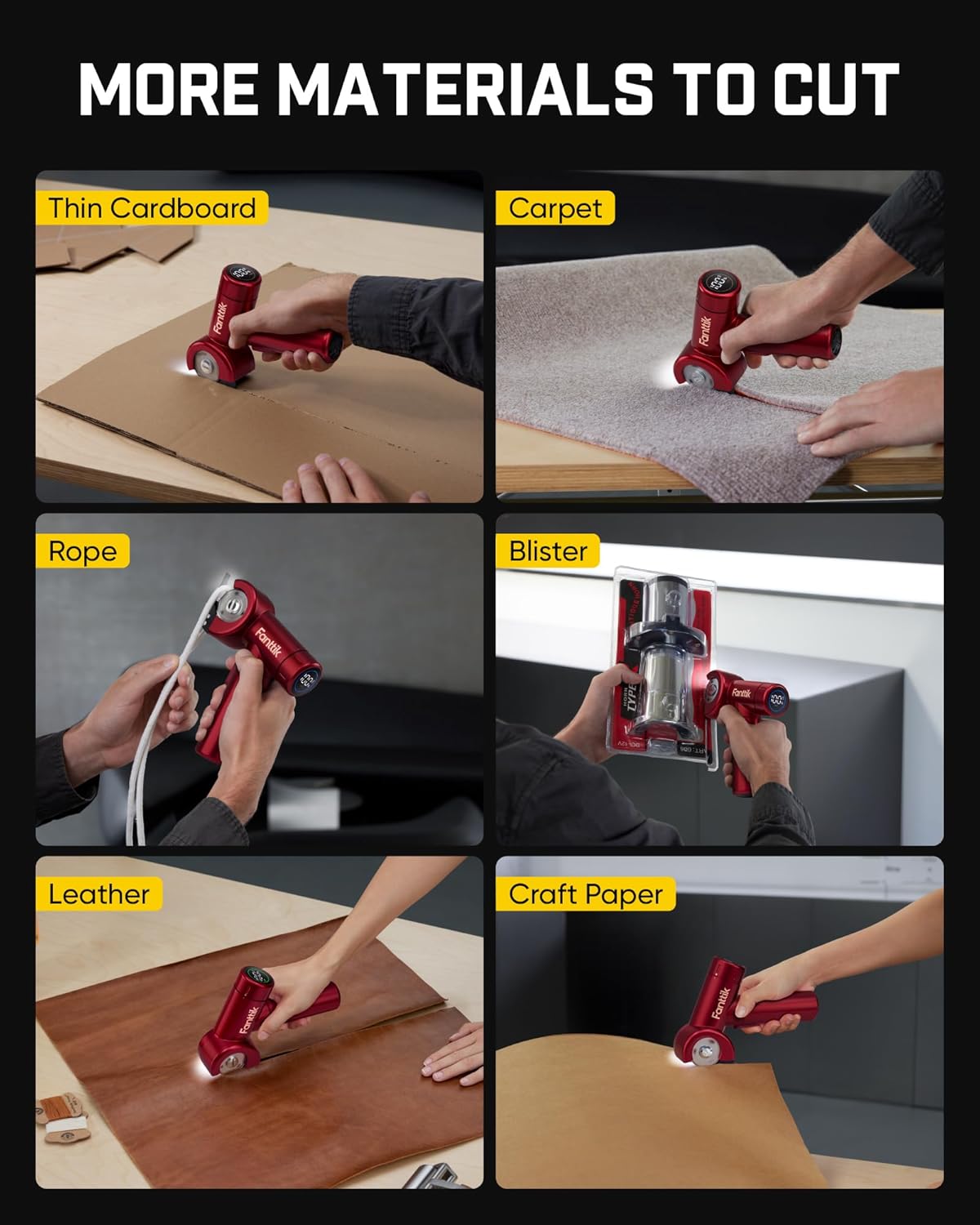
Image: Collage showing the Fanttik C8 Nano being used to cut thin cardboard, carpet, rope, blister packaging, leather, and craft paper.
5.3 Official Product Video: Cutting Cardboard
Video: An official demonstration by Fanttik Innovation Direct on how to efficiently cut cardboard using the electric scissors, highlighting its ease of use and effectiveness.
6. الصيانة
6.1 التنظيف
After each use, ensure the device is powered off and unplugged. Use a soft, dry cloth to wipe down the exterior of the scissors. Remove any debris or material fragments from around the blade area. Do not use harsh chemicals or abrasive cleaners.
6.2 العناية بالشفرة
Regularly inspect the blade for sharpness and damage. A dull blade can reduce cutting efficiency and potentially damage materials. Replace blades as needed using the EasySwap Technology described in Section 4.2.
7. استكشاف الأخطاء وإصلاحها
If you encounter any issues with your Fanttik C8 Nano, please refer to the following common solutions:
| مشكلة | السبب المحتمل | حل |
|---|---|---|
| الجهاز لا يعمل | Low battery; Safety lock engaged; Faulty switch | Charge the device; Ensure the lock-off button is pressed before the main switch; Contact support if issue persists. |
| أداء القطع الضعيف | Dull or damaged blade; Incorrect speed setting; Material too thick | Replace the blade; Select a higher speed mode; Ensure material is within 1/4 inch thickness. |
| توقف الجهاز بشكل غير متوقع | Overload protection activated; Low battery | Reduce cutting pressure; Charge the device. |
8. المواصفات
- ماركة: فانتيك
- رقم الموديل: سي 8 نانو
- مصدر الطاقة: تعمل بالبطارية (بطارية ليثيوم أيون واحدة متضمنة)
- سعة البطارية: 2000 مللي أمبير
- الشحن: Type-C, 5V/2A Fast Charging (Fully charged in 1 hour)
- Max Cutting Speed: تصل إلى 230 دورة في الدقيقة
- أقصى سمك القطع: 1/4 بوصة
- مادة الشفرة: الفولاذ عالي السرعة
- المميزات الخاصة: EasySwap Technology, LED Display, LED Lights
- توصية السطح: Fabric, Paper, Thin Plastics
- مادة المقبض: بلاستيك أو مطاط
- GTIN/UPC: 850077828591
9. الضمان والدعم
The Fanttik C8 Nano Easyswap Cordless Electric Scissors comes with a limited warranty provided by Fanttik. For detailed warranty information, please refer to the warranty card included in your product packaging or visit the official Fanttik webموقع.
For technical support, troubleshooting assistance, or any inquiries regarding your product, please contact Fanttik customer service. Contact information can typically be found on the product packaging or the official Fanttik webموقع.