
1. المقدمة
Thank you for choosing the GOBOULT Tenet TWS Earbuds. This manual provides essential information for setting up, operating, and maintaining your earbuds to ensure optimal performance and longevity. The Tenet earbuds feature Bluetooth 5.4 connectivity, 13mm dynamic drivers, Quad Mic Environmental Noise Cancellation (ENC), and support for the Amp App for personalized audio.
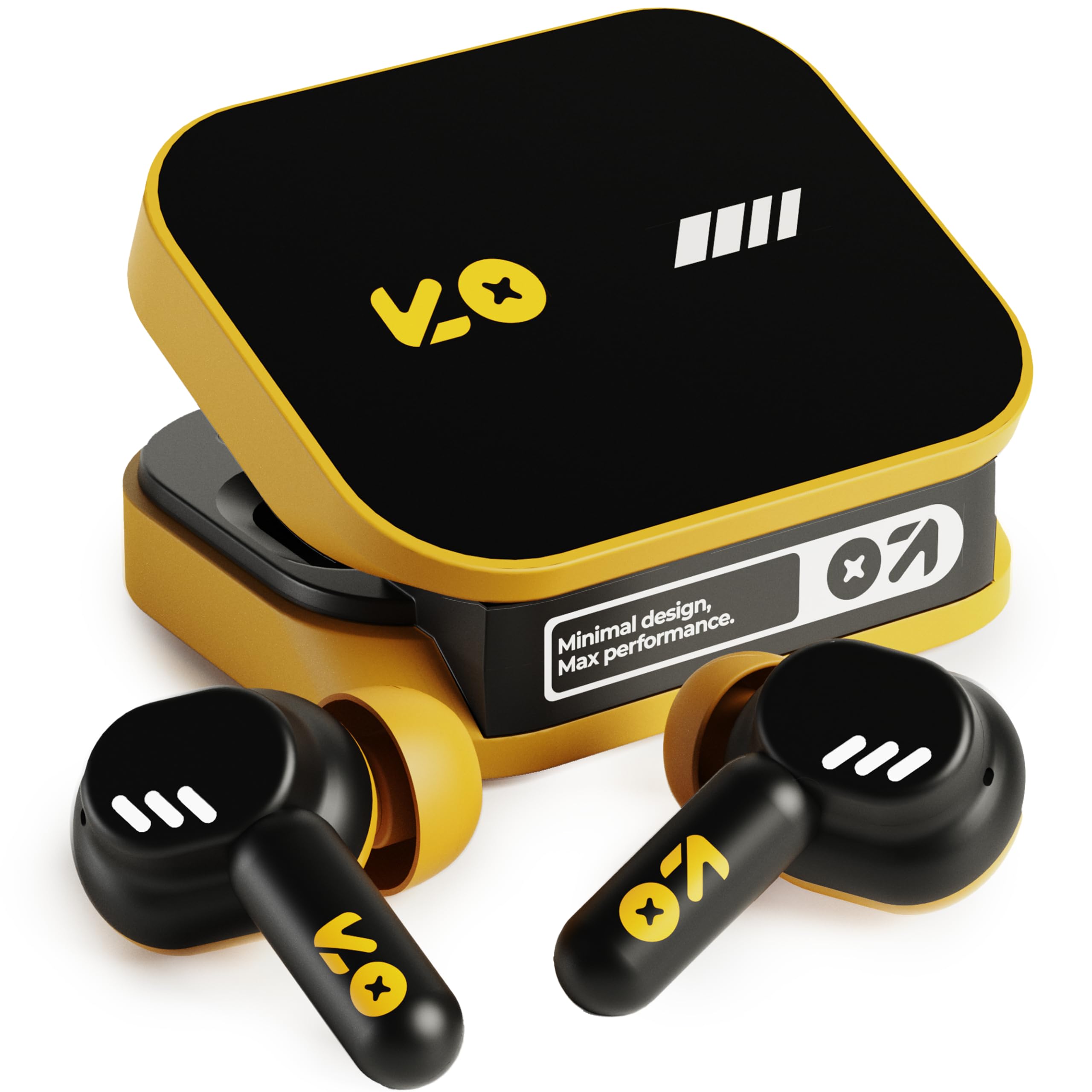
Image: The GOBOULT Tenet TWS Earbuds in Solar Yellow, shown with their charging case.
2. محتويات العبوة
تأكد من تضمين جميع العناصر التالية في الحزمة الخاصة بك:
- GOBOULT Tenet TWS Earbuds (Left and Right)
- حافظة الشحن
- كابل شحن USB من النوع C
- وسائد الأذن (أحجام مختلفة)
- دليل المستخدم (هذا المستند)
- بطاقة الضمان
3. الإعداد
3.1. شحن سماعات الأذن والعلبة
Before first use, fully charge the earbuds and the charging case. The case provides extended battery life for the earbuds.
- ضع كلا السماعتين في علبة الشحن، مع التأكد من تثبيتهما بشكل صحيح.
- قم بتوصيل كابل الشحن USB Type-C المرفق بمنفذ الشحن الموجود على العلبة وبمصدر طاقة USB متوافق (مثل محول الحائط أو منفذ USB للكمبيوتر).
- The indicator light on the charging case will show the charging status. Refer to the LED indicator guide in the operating section for details.
- A full charge provides up to 75 hours of total playtime with the charging case. A quick 10-minute charge can provide up to 120 minutes of playtime.

Image: The GOBOULT Tenet earbuds in their open charging case, illustrating the USB-C charging port and battery life.
3.2. تركيب سماعات الأذن
Proper fit is crucial for sound quality and comfort. The earbuds feature a 'Vacuum Lock Earshell' design for a secure fit.
- Select the ear cushions that best fit your ears. Different sizes are provided.
- أدخل سماعات الأذن برفق في قناة أذنك.
- Twist slightly to ensure a snug and comfortable seal. This helps optimize audio performance and noise isolation.

Image: A diagram illustrating the 'Vacuum Lock Earshell' design and how the earbud sits securely in the ear.
4. تعليمات التشغيل
4.1. تشغيل/إيقاف التشغيل
- تشغيل الطاقة: افتح حافظة الشحن ، وسيتم تشغيل سماعات الأذن تلقائيًا.
- إيقاف التشغيل: أعد وضع سماعات الأذن في علبة الشحن وأغلق الغطاء. ستتوقف تلقائيًا وتبدأ عملية الشحن.
4.2. اقتران بلوتوث
The GOBOULT Tenet earbuds use Bluetooth 5.4 for stable and efficient connection.
- تأكد من شحن سماعات الأذن ووضعها داخل علبة الشحن.
- افتح علبة الشحن. ستدخل سماعات الأذن في وضع الاقتران، وسيتم الإشارة إلى ذلك من خلال وميض أضواء LED.
- على جهازك (الهاتف الذكي، الجهاز اللوحي، الكمبيوتر المحمول)، قم بتمكين البلوتوث.
- بحث عن available Bluetooth devices and select "GOBOULT Tenet" from the list.
- بمجرد الاتصال، ستتوقف أضواء مؤشر سماعة الأذن عن الوميض.
4.3. Dual Device Connectivity
The earbuds support dual device pairing, allowing seamless switching between two connected devices.
- قم بإقران سماعات الأذن بجهازك الأول (مثل الهاتف الذكي) كما هو موضح أعلاه.
- افصل سماعات الأذن عن إعدادات البلوتوث الخاصة بالجهاز الأول (لا تقم بإلغاء الاقتران).
- قم بإقران سماعات الأذن بجهازك الثاني (مثل الكمبيوتر المحمول).
- Reconnect the earbuds to the first device from its Bluetooth settings. The earbuds are now connected to both devices.
- To switch between devices, simply pause audio on one device and play on the other.

Image: The GOBOULT Tenet earbuds and charging case positioned between a smartphone and a laptop, demonstrating dual device connectivity.
4.4. أدوات التحكم التي تعمل باللمس
The earbuds feature intuitive touch controls for music playback, call management, and voice assistant activation.
| وظيفة | فعل |
|---|---|
| تشغيل/إيقاف مؤقت | نقرة واحدة على أي من سماعات الأذن |
| المسار التالي | اضغط مرتين على سماعة الأذن اليمنى |
| المسار السابق | انقر مرتين على سماعة الأذن اليسرى |
| الرد على المكالمة/إنهائها | نقرة واحدة على أي من سماعات الأذن |
| رفض المكالمة | اضغط مطولاً على أي من سماعتي الأذن |
| تفعيل المساعد الصوتي (Siri/Google Assistant) | اضغط ثلاث مرات على أي سماعة أذن |

Image: An illustration detailing the touch controls for music and calls, along with information on intelligent AI assistance and IPX5 water resistance.
4.5. استخدام Amp برنامج
Personalize your listening experience with the dedicated Amp برنامج.
- Download the "Amp App" from your device's app store.
- Connect your GOBOULT Tenet earbuds to your device via Bluetooth.
- افتح Amp App. It will automatically detect your earbuds.
- Within the app, you can customize EQ settings (e.g., Rock, Jazz, Natural, Bass), rename your earbuds, and access tailored widgets.

Image: The GOBOULT Amp App interface displayed on a smartphone, showing custom EQ modes and other personalization options for the earbuds.
4.6. Call Management (Quad Mic ENC)
The Quad Mic Environmental Noise Cancellation (ENC) ensures clear calls by reducing background noise.
- Use the touch controls (Section 4.4) to answer, end, or reject calls.
- The four integrated microphones work to isolate your voice from ambient sounds, providing clear communication even in noisy environments.
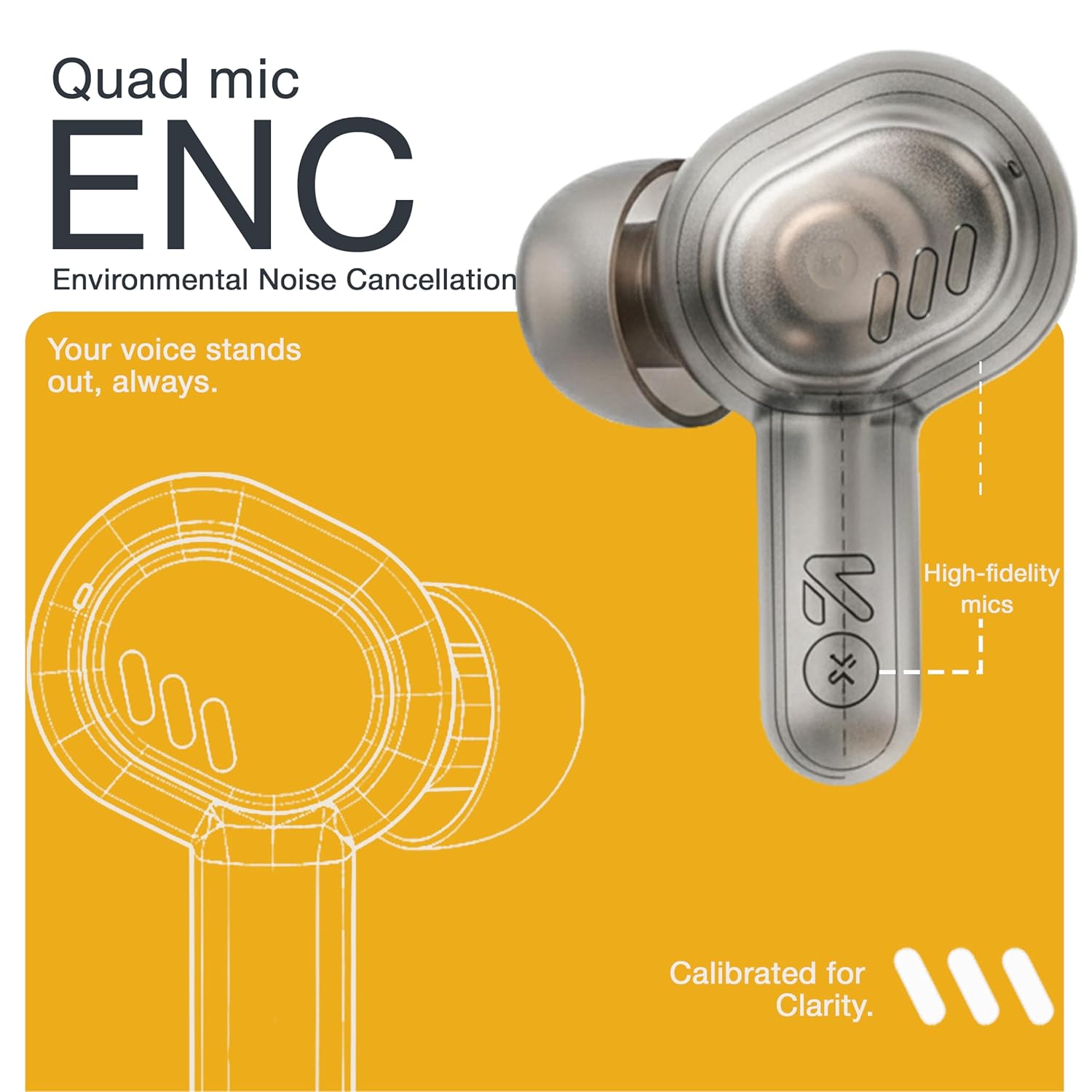
Image: A detailed diagram highlighting the Quad Mic ENC system within the earbud, designed for clear voice transmission.
4.7. Audio Performance (13mm Drivers)
The GOBOULT Tenet earbuds are equipped with 13mm dynamic drivers for a rich audio experience.
- Experience deep bass, clear vocals, and balanced audio across various music genres.
- ضبط الصوت الاحترافيfile further using the Amp App's equalizer settings.

الصورة: انفجار view diagram of the earbud, showcasing the 13mm dynamic driver responsible for audio output.
4.8. مقاومة الماء
The earbuds are IPX5 water resistant, making them suitable for workouts and light splashes.
- IPX5 rating means the earbuds can resist a sustained, low-pressure water jet spray.
- Do not submerge the earbuds in water or expose them to heavy rain.
- علبة الشحن ليست مقاومة للماء.
5. الصيانة
5.1. التنظيف
- قم بتنظيف سماعات الأذن وعلبة الشحن بانتظام باستخدام قطعة قماش ناعمة وجافة وخالية من الوبر.
- قم بإزالة وسادات الأذن ونظفها بالماء والصابون الخفيف إذا لزم الأمر، مع التأكد من جفافها تمامًا قبل إعادة تركيبها.
- لا تستخدم المنظفات الكاشطة أو الكحول أو المذيبات الكيميائية.
- تأكد من أن نقاط التلامس الخاصة بالشحن على كل من سماعات الأذن والعلبة نظيفة وخالية من أي شوائب.
5.2. التخزين
- عندما لا تكون قيد الاستخدام، قم بتخزين سماعات الأذن في علبة الشحن الخاصة بها لحمايتها والحفاظ عليها مشحونة.
- قم بتخزين الجهاز في مكان بارد وجاف، بعيدًا عن درجات الحرارة العالية وأشعة الشمس المباشرة.
5.3. العناية بالبطارية
- لإطالة عمر البطارية، تجنب تفريغ سماعات الأذن والعلبة بالكامل بشكل متكرر.
- اشحن الجهاز بانتظام، حتى لو لم يكن قيد الاستخدام المتكرر، لمنع التفريغ العميق.
6. استكشاف الأخطاء وإصلاحها
| مشكلة | الحل المحتمل |
|---|---|
| سماعات الأذن لا تقترن |
|
| لا يوجد صوت من سماعة أذن واحدة |
|
| قضايا الشحن |
|
| مستوى صوت منخفض أو جودة صوت رديئة |
|
| المساعد الصوتي لا يستجيب |
|
7. المواصفات
| ميزة | التفاصيل |
|---|---|
| ماركة | جوبولت |
| اسم الموديل | Tenet (Airbass) |
| رقم الموديل | سماعات أذن بتقنية Airbass |
| وضع الأذن | في الأذن |
| التحكم في الضوضاء | Environmental Noise Cancellation (ENC), Sound Isolation |
| نسخة البلوتوث | 5.4 |
| مدى البلوتوث | حتى 10 مترا |
| حجم برنامج تشغيل الصوت | 13 مليمتر |
| نطاق التردد | 20 هرتز - 20,000 هرتز |
| حساسية | 105 ديسيبل |
| Battery Average Life (with case) | حتى ساعتين |
| الشحن السريع | شحن لمدة 10 دقائق يكفي لـ 120 دقيقة من وقت اللعب |
| منفذ الشحن | يو إس بي من النوع سي |
| مستوى مقاومة الماء | IPX5 (سماعات الأذن فقط) |
| نوع وحدة التحكم | Touch, Google Assistant, Siri |
| الأجهزة المتوافقة | Desktops, Gaming Consoles, Laptops, Smart Watch, Tablets |
| وزن العنصر | 54.5 Grams (Case + Earbuds) |
| بلد المنشأ | الصين |
8. الضمان والدعم
8.1. معلومات الضمان
The GOBOULT Tenet TWS Earbuds come with a 1-Year Manufacturer's Warranty from the date of purchase. This warranty covers manufacturing defects.
- يرجى الاحتفاظ بإيصال الشراء الخاص بك كدليل على الشراء للمطالبات بالضمان.
- لا يغطي الضمان الأضرار الناجمة عن سوء الاستخدام أو الحوادث أو التعديلات غير المصرح بها أو التلف الناتج عن الاستخدام العادي.
8.2. دعم العملاء
For any queries, technical assistance, or warranty claims, please contact GOBOULT customer support.
- الشركة المصنعة: Exotic Mile Private Limited, B-67 Wazirpur Industrial Area, New Delhi 110052
- المستورد: Exotic Mile Pvt. Ltd., B67 Wazirpur Industrial Area, New Delhi 110052
- Refer to the contact information provided on your warranty card or the official GOBOULT webالموقع للحصول على قنوات الدعم الأحدث.