
1. الإعداد
This section guides you through the initial setup of your CHUWI CoreBook X laptop.
1.1 فتح العلبة والتشغيل الأولي
- قم بإزالة الكمبيوتر المحمول وجميع الملحقات من العبوة بعناية.
- Connect the provided USB-C power adapter to the laptop's USB-C port (PD Charging/USB 2.0) and then to a power outlet.
- Open the laptop lid. The laptop may power on automatically or you may need to press the power button located on the keyboard.
- اتبع التعليمات التي تظهر على الشاشة لإكمال الإعداد الأولي لنظام التشغيل Windows 11 Pro، بما في ذلك اختيار اللغة، والاتصال بالشبكة، وإنشاء حساب المستخدم.
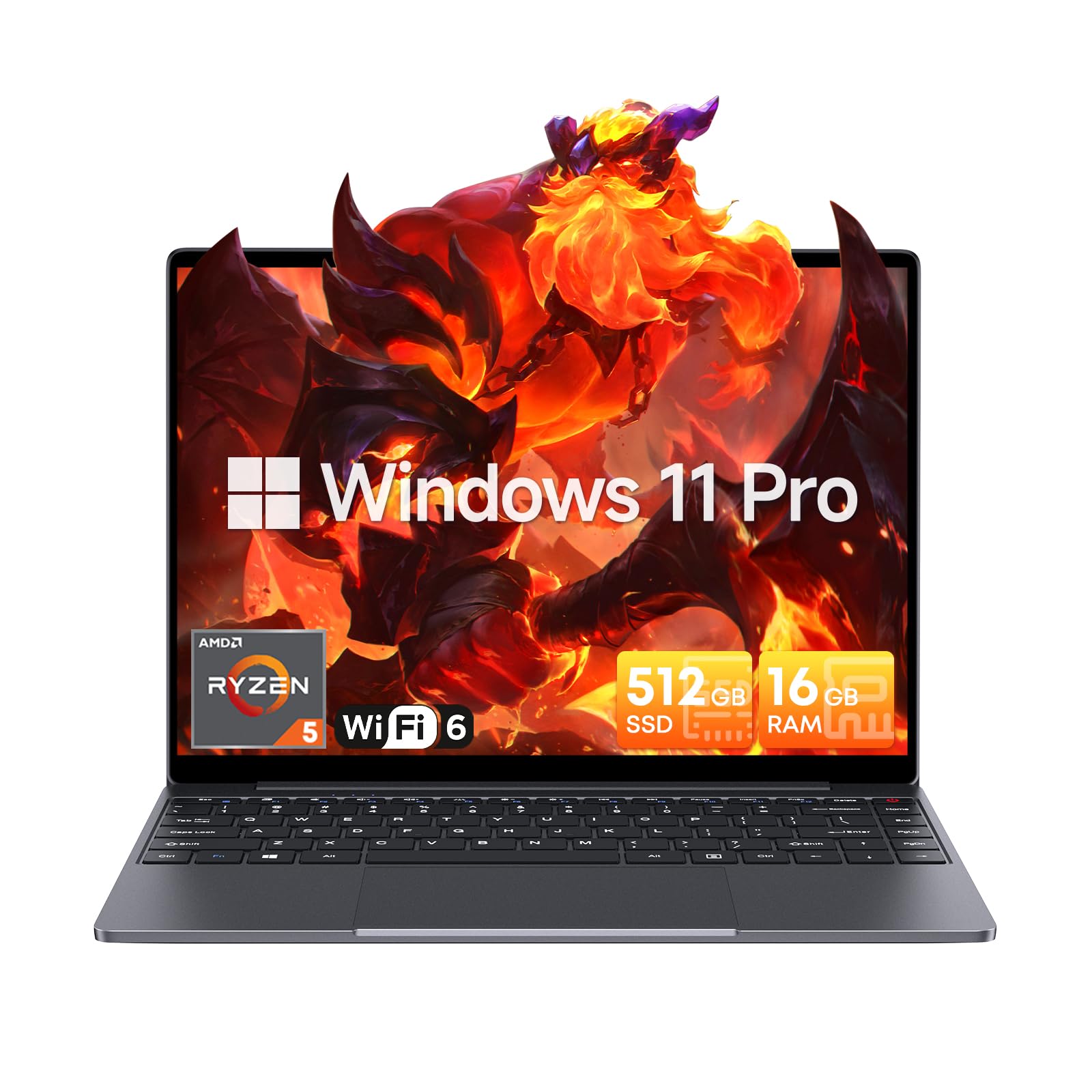
Image: The CHUWI CoreBook X laptop open on a desk, ready for use.
1.2 توصيل الأجهزة الطرفية
- جهاز USB:٪ s: Connect USB mice, keyboards, or external storage devices to the available USB 3.0 ports.
- العرض الخارجي: Use the HDMI 1.4 port or the full-featured USB Type-C port to connect an external monitor.
- أجهزة الصوت: قم بتوصيل سماعات الرأس أو مكبرات الصوت الخارجية بمقبس الصوت مقاس 3.5 ملم.
- بطاقة TF: Insert a TF card into the TF card slot for additional storage.

الصورة: مفصلة view of the laptop's ports, including TF Card Slot, 3.5mm Headphone Jack, USB 3.0 Port, Lock Slot, USB Type-C (PD Charging/USB 2.0), HDMI 1.4, and Full-featured USB Type-C Port.
1.3 Network and Bluetooth Connection
- واي فاي 6: للاتصال بشبكة لاسلكية، انقر فوق أيقونة Wi-Fi في شريط المهام، وحدد شبكتك، وأدخل كلمة المرور.
- بلوتوث شنومكس: To pair Bluetooth devices, go to Windows Settings > Bluetooth & devices, turn on Bluetooth, and select your device to pair.
2. التشغيل
This section covers the basic operation of your CHUWI CoreBook X laptop.
2.1 إدارة الطاقة
- تشغيل الطاقة: اضغط على زر الطاقة.
- وضع السكون: أغلق الغطاء أو حدد "السكون" من قائمة ابدأ.
- اغلق: اختر "إيقاف التشغيل" من قائمة ابدأ.
- إعادة تشغيل: اختر "إعادة التشغيل" من قائمة ابدأ.
2.2 لوحة المفاتيح ولوحة اللمس
- The laptop features a full-sized backlit keyboard with white illumination. Use the function keys (Fn) in combination with other keys for shortcuts like adjusting brightness, volume, or toggling the backlight.
- The large touchpad supports multi-touch gestures for navigation. Refer to Windows settings for customizing touchpad gestures.

الصورة: لقطة مقربة view of the laptop's backlit keyboard and large touchpad, highlighting its navigation features.
2.3 العرض والصوت
- The 14-inch IPS display offers a 2160*1440 resolution. Adjust display settings (brightness, resolution, scaling) through Windows Display Settings.
- The laptop is equipped with stereo speakers. Volume can be controlled via the keyboard function keys or the Windows sound settings.
- An HD webcam is integrated for video conferencing.

Image: The laptop's 14-inch 2K IPS display showcasing vibrant colors and a comparison of 3:2 and 16:9 aspect ratios.
2.4 فيديو أكثرview
Video: An official product video demonstrating various features and usage scenarios of the CHUWI CoreBook X laptop, including its performance, display, and connectivity options.
3. الصيانة
تضمن الصيانة المناسبة طول عمر وأداء الكمبيوتر المحمول الخاص بك على النحو الأمثل.
3.1 التنظيف
- Use a soft, lint-free cloth to clean the screen. For stubborn marks, dampen the cloth slightly with water or a screen-safe cleaner.
- Wipe the chassis and keyboard with a soft, dry cloth. Avoid using harsh chemicals or abrasive materials.
- Periodically use compressed air to clear dust from the vents to maintain efficient cooling.
3.2 العناية بالبطارية
- Avoid fully discharging the battery frequently. Charge the laptop when the battery level is low.
- Store the laptop in a cool, dry place if not used for extended periods, with the battery charged to around 50-70%.
- Use only the original or certified compatible USB-C PD charger.
3.3 ترقيات التخزين والذاكرة
The laptop supports RAM and SSD upgrades.
- The 16GB DDR4 RAM can be expanded up to 64GB via 2 SODIMM slots.
- The 512GB PCIe SSD can be expanded up to 2TB using the M.2 2280 PCIe slot.
- A convenient detachable bottom cover allows for easier access to upgrade components without removing the entire back panel.

Image: The underside of the laptop with the detachable cover removed, revealing the dual-channel SO-DIMM slot for RAM upgrades.
4. استكشاف الأخطاء وإصلاحها
يوفر هذا القسم حلولاً للمشكلات الشائعة التي قد تواجهها.
4.1 المشكلات والحلول الشائعة
- الكمبيوتر المحمول لا يعمل:
- تأكد من توصيل محول الطاقة بشكل آمن بالكمبيوتر المحمول ومأخذ الطاقة العامل.
- تأكد من أن منفذ الطاقة يعمل.
- حاول الضغط باستمرار على زر الطاقة لمدة 10-15 ثانية لإجراء إعادة تعيين شاملة.
- مشاكل في العرض (لا توجد صورة، وميض):
- اضبط سطوع الشاشة باستخدام مفاتيح الوظائف.
- إذا تم توصيل شاشة خارجية، فحاول فصلها.
- أعد تشغيل الكمبيوتر المحمول.
- مشاكل في الاتصال بشبكة Wi-Fi أو Bluetooth:
- تأكد من تمكين Wi-Fi/Bluetooth في إعدادات Windows.
- أعد تشغيل جهاز التوجيه/المودم الخاص بك لحل مشكلات Wi-Fi.
- قم بإزالة أجهزة البلوتوث وإعادة إقرانها.
- Update network and Bluetooth drivers through Device Manager.
- الأداء البطيء:
- أغلق التطبيقات غير الضرورية التي تعمل في الخلفية.
- Check for Windows updates and driver updates.
- تأكد من وجود مساحة خالية كافية على SSD.
- قم بإجراء فحص للبرامج الضارة.
If you encounter issues not covered here or require further assistance, please refer to the Support section.
5. المواصفات
Detailed technical specifications for the CHUWI CoreBook X laptop.

Image: An illustration of the AMD Ryzen 5 processor, highlighting its core count, threads, and clock speed.
| ميزة | مواصفة |
|---|---|
| اسم الموديل | Corebook X |
| المعالج | AMD Ryzen 5 (6 Cores, 12 Threads, up to 4.3 GHz) |
| الرسومات | AMD Radeon Graphics (1800MHz, Max 2GB Memory) |
| كبش | 16GB DDR4 (Expandable up to 64GB via 2 SODIMM slots) |
| تخزين | 512GB PCIe SSD (Expandable up to 2TB via M.2 2280 PCIe slot) |
| عرض | 14-inch IPS, 2160*1440 Resolution, 100% sRGB Color Gamut |
| نظام التشغيل | ويندوز 11 برو |
| الاتصال | واي فاي 6 (802.11ax)، بلوتوث 5.2 |
| الموانئ | USB Type-C (PD Charging/USB 2.0), USB 3.0, HDMI 1.4, Full-featured USB Type-C, 3.5mm Audio Jack, TF Card Slot, Lock Slot |
| بطارية | 46.2Wh Lithium-Ion Battery, 65W USB-C PD Fast Charging |
| لوحة المفاتيح | Full-sized Backlit Keyboard with White Illumination |
| لوحة اللمس | Large Touchpad, Multi-touch |
| Webكاميرا | HD Webكاميرا |
| أبعاد | 12.2"L x 9"W x 0.67"Th (17mm thin) |
| وزن | 2.2 رطلاً (1.4 كجم) |
6. الضمان
The CHUWI CoreBook X laptop comes with a ضمان الشركة المصنعة لمدة عامين.
This warranty covers defects in materials and workmanship under normal use. It does not cover damage caused by accidents, misuse, unauthorized repairs, or modifications. Please retain your proof of purchase for warranty claims.
7. الدعم
For technical assistance, warranty claims, or further inquiries, please contact CHUWI customer support.
- دعم الشركة المصنعة: Visit the official CHUWI webالموقع للحصول على موارد الدعم والأسئلة الشائعة ومعلومات الاتصال.
- دعم البائع: If purchased through a retailer, you may also contact the seller for assistance.


