
مقدمة
The Luqeeg Signal Generator is a versatile device designed for generating DC voltage and current outputs, as well as PWM pulse square waves. It also features input measurement capabilities, making it suitable for a wide range of applications including PLC controller testing, LED calibration, and general electronic circuit analysis. This manual provides detailed instructions for the proper setup, operation, and maintenance of your signal generator.
1. الإعداد والاستخدام الأولي
1.1 فك التعبئة
أزل جميع المكونات من العبوة بعناية. يجب أن تحتوي العبوة على:
- 1 x Signal Generator
- شنومكس x كليب
- 1 × كابل يو اس بي
- 1 × دليل المستخدم (هذه الوثيقة)
الشكل 1.1: Included alligator clips for connections.
1.2 انتهى الجهازview
Familiarize yourself with the main components of the signal generator:

الشكل 1.2: Signal Generator Component Diagram.
- Pluggable terminal block (3.81-9P)
- رمز المحطة
- 2 inch TFT color display screen
- مفتاح السهم لأسفل
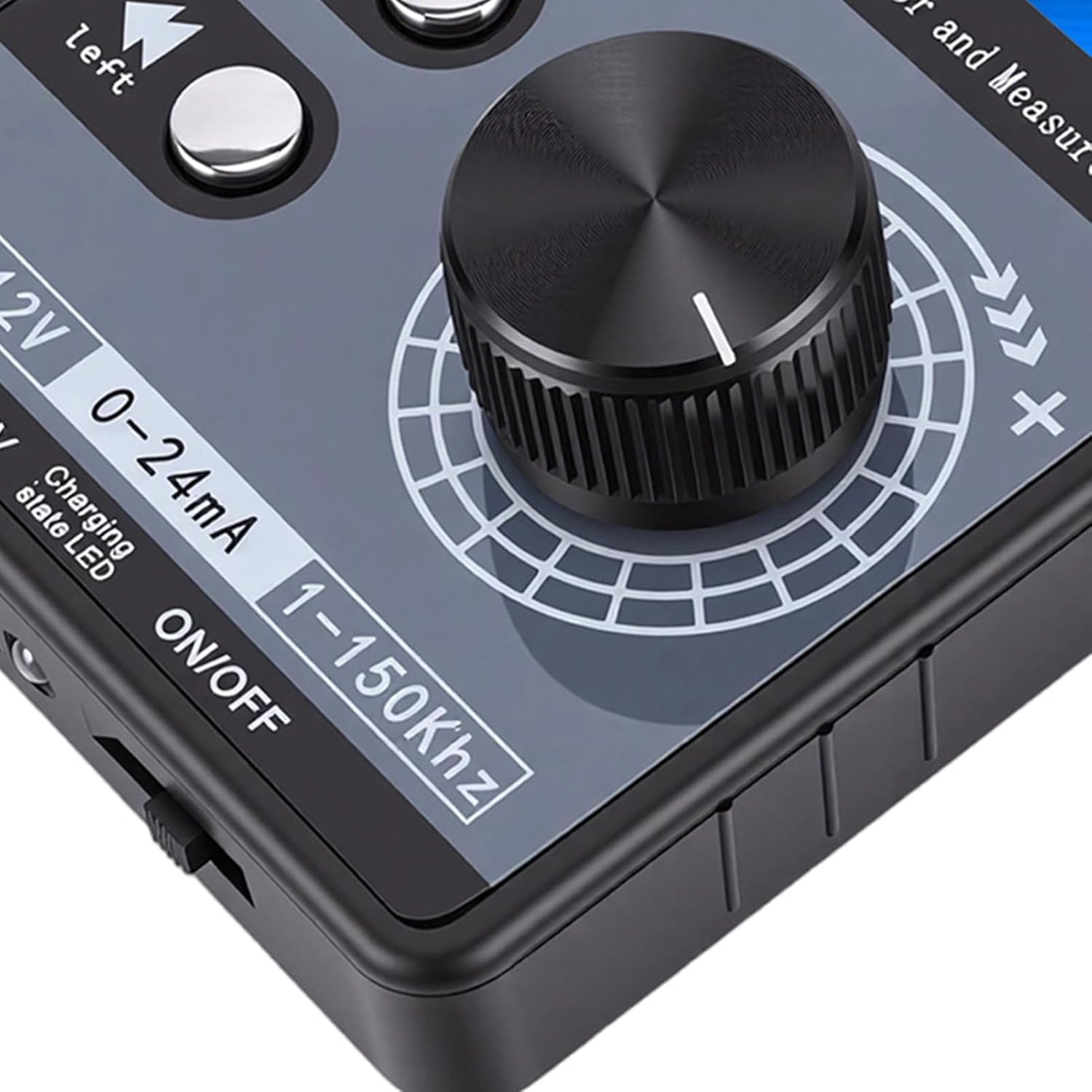
- Digital encoder adjustment knob (with button, can be pressed)
- مفتاح التحويل الأيسر
- مفتاح الطاقة
- ضوء مؤشر الشحن
- منفذ يو اس بي
1.3 خيارات مصدر الطاقة
The signal generator offers flexible power supply methods:
- External 24VDC Terminal: Connect a 24VDC power source to the designated terminals.
- USB نوع-C: Use the provided USB Type-C cable to connect to a power adapter or computer.
- Rechargeable Li Battery: The device supports an internal rechargeable lithium battery (not included). When a battery is installed, it can be charged via USB Type-C or external 24VDC while in use.

الشكل 1.3: Multiple power supply methods for the signal generator.
1.4 مخطط الاتصال
Refer to the following diagram for proper terminal connections. Terminal numbers are read from left to right (1-9).

الشكل 1.4: Terminal Connection Diagram.
- GND (1): Power supply negative (input). This is the same as 9-GND and can be arbitrarily connected.
- 24 فولت (2): Power supply positive (input). External power input to power or charge the meter.
- mA i (3): Current signal input positive.
- Vi (4): المجلدtage signal input positive.
- LP+ (5): EXT 24V input (passive mode).
- mA o (6): Current signal output positive. The current output is commonly used in active mode. The output of the meter 6-mAo 9-GND corresponds to positive and negative current input of the PLC.
- Vo (7): المجلدtage signal output positive. The voltagالإخراج الإلكتروني 7-Vo 9-GND corresponds to the positive and negative voltage input of the PLC, or it can be measured directly with a multimeter.
- PWM (8): PWM output positive.
- GND (9): Signal common ground (internal connect to ①-GND).
Current Sink Two-Wire Output: قم بتوصيل 24 فولت + الى 5-LP+ terminal of the meter head, and output from the 6-mAo terminal to control the current of the external 24V. The meter head is equivalent to a variable resistor, so it is called passive mode. Direct measurement cannot detect the current, and it can be directly replaced with a passive two-wire pressure/temperature sensor, etc.
2. تعليمات التشغيل
2.1 User Interface and Display
The device features a 2.0-inch TFT color screen (320x240) that displays all values clearly on one screen. It supports both Chinese and English interface switching. The large digital encoder knob allows for easy and precise adjustments.

الشكل 2.1: TFT Color Screen Display.

الشكل 2.2: Digital Encoder Adjustment Knob.
2.2 العاصمة المجلدtagه والناتج الحالي
- المجلدtage DC Analog Output Range: ±12V (with short circuit protection).
- Current DC Analog Output Range: 0-24mA (short circuit protected).
- ضبط الإخراج: Users can freely set the output range, such as 0-20mA, 4-20mA, 0-10V, 0-5V, etc. The corresponding engineering display values can also be set.
2.3 PWM Pulse Square Wave Output
- Adjustable Frequency: 1-150 كيلو هرتز.
- Adjustable Duty Cycle: 0-100%.
- مستوى عال: 5 فولت.
- طلب: PWM pulse output high level is 5V, low level is 0V. It can directly drive buzzers, LEDs, optocouplers, etc., or connect to 12V/24V systems through external level conversion modules.

الشكل 2.3: Signal generator connected and operating.
2.4 Input Measurement
- المجلدtagنطاق القياس الإلكتروني: ± 50 فولت.
- نطاق القياس الحالي: ±50mA.
3. الصيانة
To ensure the longevity and optimal performance of your Luqeeg Signal Generator, follow these maintenance guidelines:
- تنظيف: Use a soft, dry cloth to clean the device. Avoid using abrasive cleaners or solvents, which can damage the casing أو الشاشة.
- تخزين: قم بتخزين الجهاز في مكان بارد وجاف بعيدًا عن أشعة الشمس المباشرة ودرجات الحرارة القصوى والرطوبة العالية.
- التعامل: Handle the device with care to prevent physical damage. Avoid dropping it or exposing it to strong impacts.
- Battery Care (if installed): If using a rechargeable Li battery, ensure it is charged regularly, even if not in frequent use, to maintain battery health. Do not expose the battery to extreme heat or puncture it.
- فيلم الحماية: The surface protective film of the sticker can be peeled off for clearer viewعمل.
4. استكشاف الأخطاء وإصلاحها
This section addresses common issues you might encounter with your signal generator.
- الجهاز لا يعمل:
- تأكد من أن مفتاح الطاقة في وضع "التشغيل".
- تأكد من توصيل كابل USB Type-C بشكل آمن وأن مصدر الطاقة نشط.
- If using external 24VDC, verify the power supply is connected correctly to the terminals and is providing the correct voltage.
- If using a rechargeable battery, ensure it is charged.
- لا توجد إشارة الإخراج:
- Verify that the output parameters (voltage, current, PWM frequency, duty cycle) are set correctly on the display.
- Check all connections to the output terminals for proper contact.
- تأكد من أن الجهاز قيد التشغيل ويعمل بشكل صحيح.
- قراءات الإخراج غير الصحيحة:
- Confirm that the measurement range is appropriate for the signal being measured.
- Check the calibration settings if custom ranges have been configured.
- تأكد من أن جميع الاتصالات آمنة وخالية من التداخل.
- PWM Output Compatibility:
ملحوظة: The PWM output of this device is not suitable for 12V or 2V systems, as 5V is regarded as a low level in these systems. For such applications, an external level conversion module is required.
5. المواصفات الفنية
| ميزة | مواصفة |
|---|---|
| مادة المنتج | نظام ABS |
| المجلدtage DC Analog Output Range | ±12V (with Short Circuit Protection) |
| المجلدtagنطاق القياس | ±50 فولت |
| Current DC Analog Output Range | 0-24mA (Short Circuit Protected) |
| نطاق القياس الحالي | ± 50 مللي أمبير |
| PWM Pulse Square Wave Output Frequency | 1-150kHz (Adjustable) |
| PWM Pulse Square Wave Output Duty Cycle | 0-100% (قابل للتعديل) |
| PWM High Level | 5V |
| عرض | 2.0 inch TFT color screen (320x240), supports Chinese and English |
| مُشفّر | Digital encoder, large knob adjustment |
| طرق إمداد الطاقة | Terminal external 24VDC / USB Type-C / 1 x Rechargeable Li Battery (not included) |
| أبعاد الحزمة | 5.91 × 3.54 × 1.97 بوصة |
| وزن العنصر | 7.8 أونصات |
| رقم الموديل | Luqeegbnay3rfesc |
| ASIN | B0GDFZ67MF |
6. معلومات الضمان
Luqeeg products are manufactured to high quality standards. This product is covered by a manufacturer's warranty against defects in materials and workmanship. Please refer to the warranty card included with your product or contact Luqeeg customer support for specific warranty terms and conditions. Keep your purchase receipt as proof of purchase for warranty claims.
7. دعم العملاء
For technical assistance, troubleshooting, or any questions regarding your Luqeeg Signal Generator, please visit the official Luqeeg store or contact their customer support. You can find more information and contact details at the متجر Luqeeg على أمازون.