
1. المقدمة
Thank you for choosing the RDINSCOS MT35 Pinless Moisture Meter. This device is designed for non-destructive moisture detection in various building materials and wood types. It provides relative moisture values to help identify damp or wet areas without causing damage to surfaces. Please read this manual thoroughly before use to ensure proper operation and to maximize the lifespan of your device.

Image: The RDINSCOS MT35 Pinless Moisture Meter being used to check moisture levels on a wall.
2. معلومات السلامة
- احفظ الجهاز بعيداً عن الماء والرطوبة العالية لمنع تلفه.
- لا تحاول فتح الجهاز أو تعديله. يجب أن يُجري الإصلاحات فنيون مؤهلون فقط.
- تجنب تعريض الجهاز لدرجات حرارة شديدة أو لأشعة الشمس المباشرة لفترات طويلة.
- This device uses electromagnetic field (EMF) technology. While generally safe, keep it away from sensitive electronic equipment or medical implants if you have concerns.
- Ensure the device is fully charged before use for accurate readings.
3. انتهى المنتجview والمكونات
The RDINSCOS MT35 is a versatile pinless moisture meter featuring a large LCD display, audible alarm, and a rechargeable battery. It is designed for non-destructive measurement up to 19mm deep.
المكونات المتضمنة:
- مقياس رطوبة واحد من نوع RDINSCOS MT35
- 1 × دليل المستخدم
- 1 × حقيبة تخزين
- شنومكس x كابل بيانات أوسب
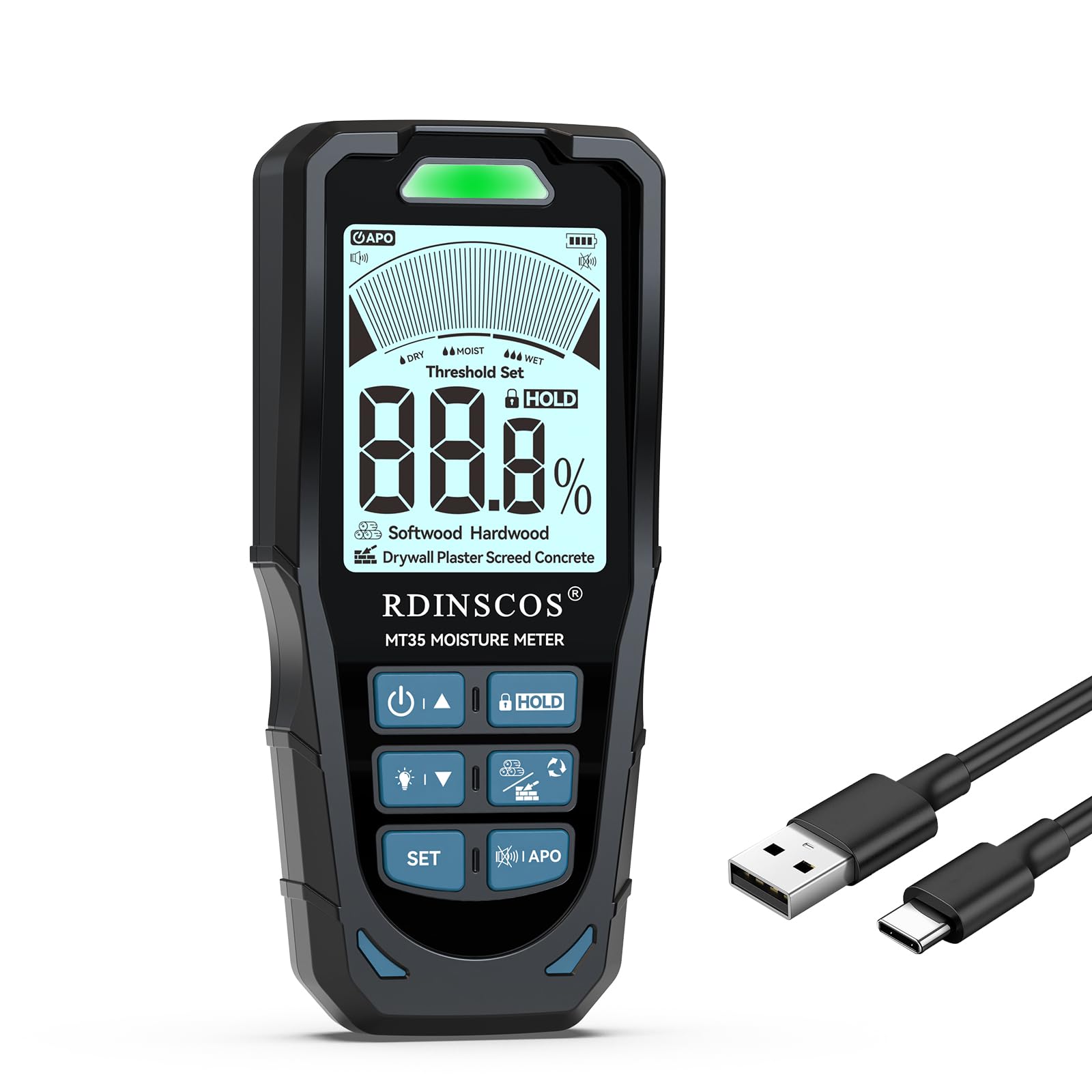
Image: The RDINSCOS MT35 Pinless Moisture Meter, its USB charging cable, and a storage bag.
4. الإعداد
شحن البطارية:
- Connect the provided USB data cable to the charging port on the MT35 meter.
- قم بتوصيل الطرف الآخر من كابل USB بمحول طاقة USB قياسي (غير مرفق) أو بمنفذ USB في الكمبيوتر.
- The battery indicator on the LCD display will show charging status. A full charge typically provides up to 8 hours of continuous use.
5. تعليمات التشغيل
التشغيل/الإيقاف:
- اضغط مع الاستمرار على زر الطاقة (U/A) لتشغيل الجهاز أو إيقاف تشغيله.
- The device features an auto-shutdown function to conserve battery power after a period of inactivity.
اختيار وضع القياس:
The MT35 offers 6 different measurement modes for various materials. Press the وضع زر للتنقل بين الخيارات التالية:
- الخشب اللين: For low-density woods (e.g., Agba, Balsa, Cedar, Fir, Lauan).
- الخشب الصلب: For higher-density woods (e.g., Alder, Bloodwood, Rosewood).
- حائط الجبس: Specifically for gypsum board.
- جص: For medium-density materials with easy water absorption (density range 1.2-1.8g/cm³).
- سكريد: For high-density and low water absorption materials (density range 1.8-2.4g/cm³).
- أسمنت: For very high-density and low water absorption materials (density range 2.4-3.0g/cm³).


الصورة: السابقamples of material types for mode selection, including softwood and drywall.


الصورة: السابقamples of material types for mode selection, including screed and general wood applications.
أخذ القياسات:
- Select the appropriate material mode for the surface you are testing.
- Place the sensor pad of the meter flat against the surface to be measured. Ensure full contact.
- The meter will display a relative moisture value on the LCD screen. The measurement depth is up to 19mm.
- Avoid placing the meter over metal or wires within the material, as this can interfere with readings.

Image: A user holding the MT35 meter against a wall surface to take a measurement.

Image: A diagram illustrating the effective measurement depth of 19mm and how metal or wires can influence readings.
Understanding Readings and Alarm Function:
The MT35 provides relative moisture values. The LCD display shows the percentage, and LED indicators (green, orange, red) along with an audible buzzer signal the moisture level:
- أخضر: ظروف جافة.
- البرتقالي: Damp شروط.
- أحمر: Wet or high-risk conditions, accompanied by an audible alarm.

Image: The MT35 display showing a 1.3% moisture reading on plaster, indicating dry conditions with a green LED.
Customizing Alarm Thresholds:
You can set custom low and high alarm thresholds for each material mode.
- بعد تشغيل الجهاز، اضغط على تعيين زر.
- استخدم ما يصل (U/A) وأسفل (V / T) buttons to adjust the LOW and HIGH alarm thresholds.
- يضعط تعيين again to save your settings and return to the testing interface.

Image: A user adjusting the alarm threshold settings on the MT35 meter.

Image: A table detailing recommended moisture level ranges for Dry, Moist, and Wet conditions across various materials like Drywall, Plaster, Screed, Concrete, Softwood, and Hardwood.
6. الصيانة
- تنظيف: امسح الجهاز بقطعة قماش ناعمة وجافة. لا تستخدم منظفات أو مذيبات كاشطة.
- تخزين: Store the meter in its protective bag in a cool, dry place when not in use. Avoid areas with high humidity or extreme temperatures.
- العناية بالبطارية: اشحن البطارية بانتظام، حتى لو لم يتم استخدام الجهاز بشكل متكرر، للحفاظ على صحة البطارية. تجنب تفريغ البطارية بالكامل لفترات طويلة.
7. استكشاف الأخطاء وإصلاحها
| مشكلة | السبب المحتمل | حل |
|---|---|---|
| الجهاز لا يعمل. | بطارية منخفضة أو فارغة. | اشحن الجهاز باستخدام كابل USB المرفق. |
| قراءات غير دقيقة أو غير متسقة. | Incorrect material mode selected. Presence of metal/wires within the material. Sensor not making full contact. | Ensure the correct mode is selected. Reposition the meter to avoid metal. Ensure the sensor pad is flat against the surface. |
| Audible alarm sounds continuously. | Moisture level exceeds the set high threshold. | Check the moisture reading on the display. Adjust alarm thresholds if desired (refer to Section 5). |
| العرض باهت أو غير قابل للقراءة. | Backlight is off or battery is low. | Press the backlight button (if available) to activate. Charge the battery. |
8. المواصفات
| ميزة | التفاصيل |
|---|---|
| رقم الموديل | MT35 |
| نوع القياس | Pinless, Non-destructive |
| عمق القياس | حتى 19 ملم (0.75 بوصة) |
| طرق القياس | 6 (Softwood, Hardwood, Drywall, Plaster, Screed, Concrete) |
| عرض | شاشة LCD مقاس 2.9 بوصة بإضاءة خلفية |
| بطارية | 1200mAh Lithium Polymer (rechargeable via USB) |
| عمر البطارية | حتى 8 ساعة من الاستخدام |
| إنذار | Audible alarm with customizable thresholds, LED indicators (Green, Orange, Red) |
| إطفاء ذاتي | نعم |
| وزن العنصر | 9.3 أونصات |
| أبعاد الحزمة | 6.93 × 3.31 × 1.57 بوصة |
| الشركة المصنعة | شركة شنتشن ريد دراغون للأجهزة المحدودة |
9. الضمان والدعم
RDINSCOS products are manufactured to high-quality standards. For warranty information, technical support, or service inquiries, please refer to the contact details provided with your purchase documentation or visit the official RDINSCOS webيرجى الاحتفاظ بإثبات الشراء الخاص بك للمطالبة بالضمان.


