
1. المقدمة
Thank you for choosing the XGIMI HORIZON 20 Pro 4K RGB Triple Laser Home Projector. This manual provides essential information for setting up, operating, and maintaining your projector to ensure optimal performance and longevity. The HORIZON 20 Pro delivers stunning 4K visuals with its X-Master RGB triple laser engine, 4100 ISO lumens brightness, and a 20,000:1 contrast ratio. It integrates Google TV with licensed Netflix, offers flexible installation options like optical zoom and lens shift, and supports advanced gaming features.
2. الإعداد والتثبيت
The XGIMI HORIZON 20 Pro is designed for easy setup with a quick-install interface and modular design. Its lossless optics, including flexible lens shift and optical zoom, provide greater freedom in placement without compromising image clarity.
2.1 فك العبوة والوضع الأولي
- قم بإزالة جميع المكونات بعناية من العبوة.
- Place the projector on a stable, flat surface or mount it according to your preferred setup.
- Consider the projection distance and screen size for optimal viewعمل.

Figure 2.1: The XGIMI HORIZON 20 Pro projector mounted on an optional XGIMI Floor Stand (Elephant Grey). The projector is sold separately from the stand and is compatible only with XGIMI Horizon 20 series projectors.
2.2 Flexible Installation and Lens Shift
The projector features dynamic lens shift capabilities, allowing you to adjust the image vertically and horizontally without moving the projector itself. This ensures a perfectly aligned image even when the projector is not centered with the screen.
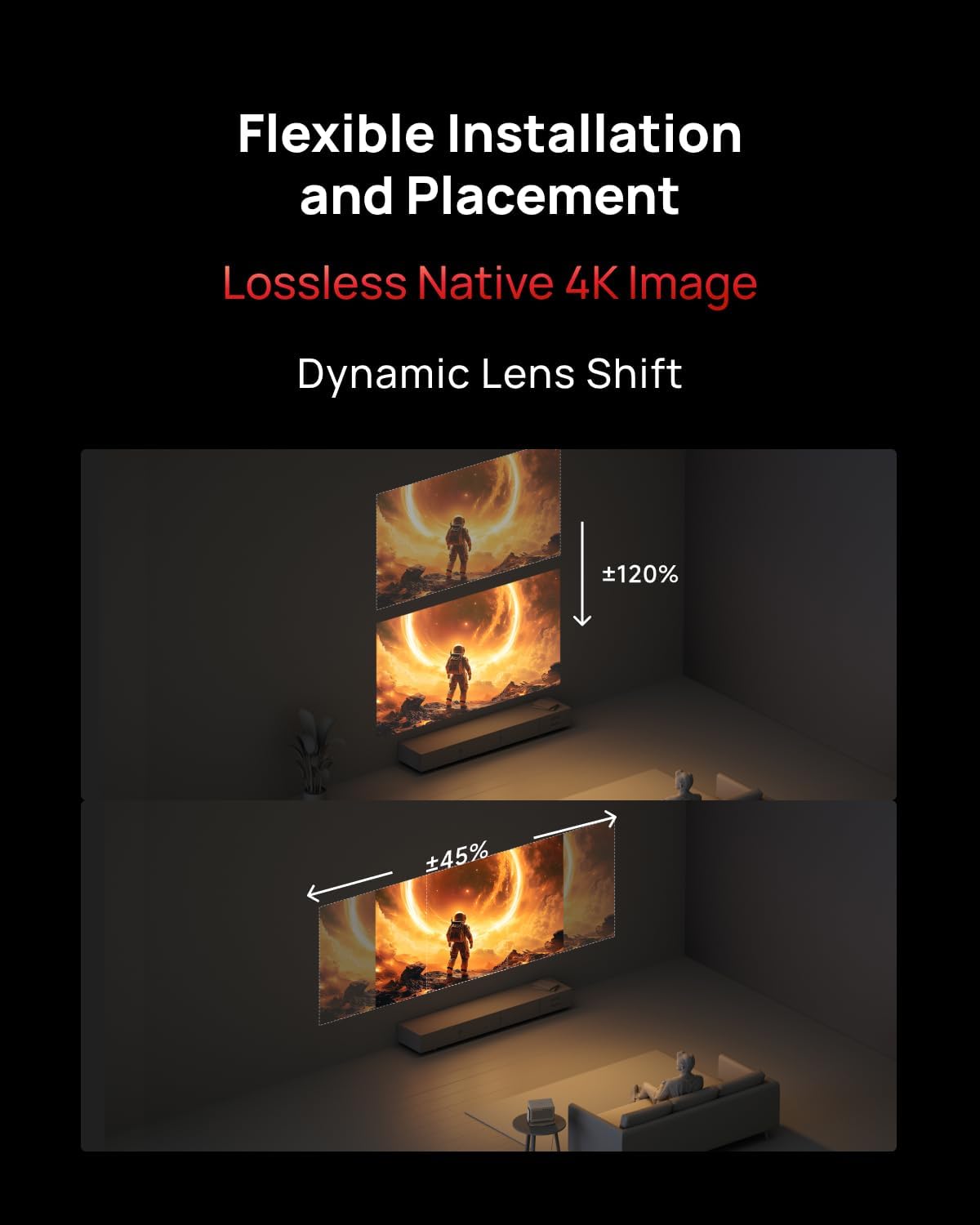
Figure 2.2: Illustration of flexible installation and placement using dynamic lens shift, demonstrating vertical (up to ±120%) and horizontal (up to ±45%) image adjustment without distortion.

Figure 2.3: The XGIMI HORIZON 20 Pro projector seamlessly integrated into a modern living space, highlighting its aesthetic design.
3. تعليمات التشغيل
The HORIZON 20 Pro operates on Google TV, providing access to a wide range of streaming services and applications, including licensed Netflix. Its flagship MT9679 chipset and 4GB RAM ensure smooth navigation and fast app launches.
3.1 التشغيل والإعداد الأولي
- قم بتوصيل محول الطاقة بجهاز العرض وبمأخذ الطاقة.
- اضغط على زر الطاقة الموجود بجهاز العرض أو جهاز التحكم عن بُعد.
- Follow the on-screen instructions to complete the initial Google TV setup, including network connection and Google account login.
3.2 Accessing Content
The projector offers a centralized hub for all your entertainment needs, supporting various content formats and platforms.

Figure 3.1: The projector supports a wide array of content technologies, including IMAX Enhanced, Dolby Vision, Filmmaker Mode, HDR10+, and audio by Harman/Kardon, consolidating all content in one place.

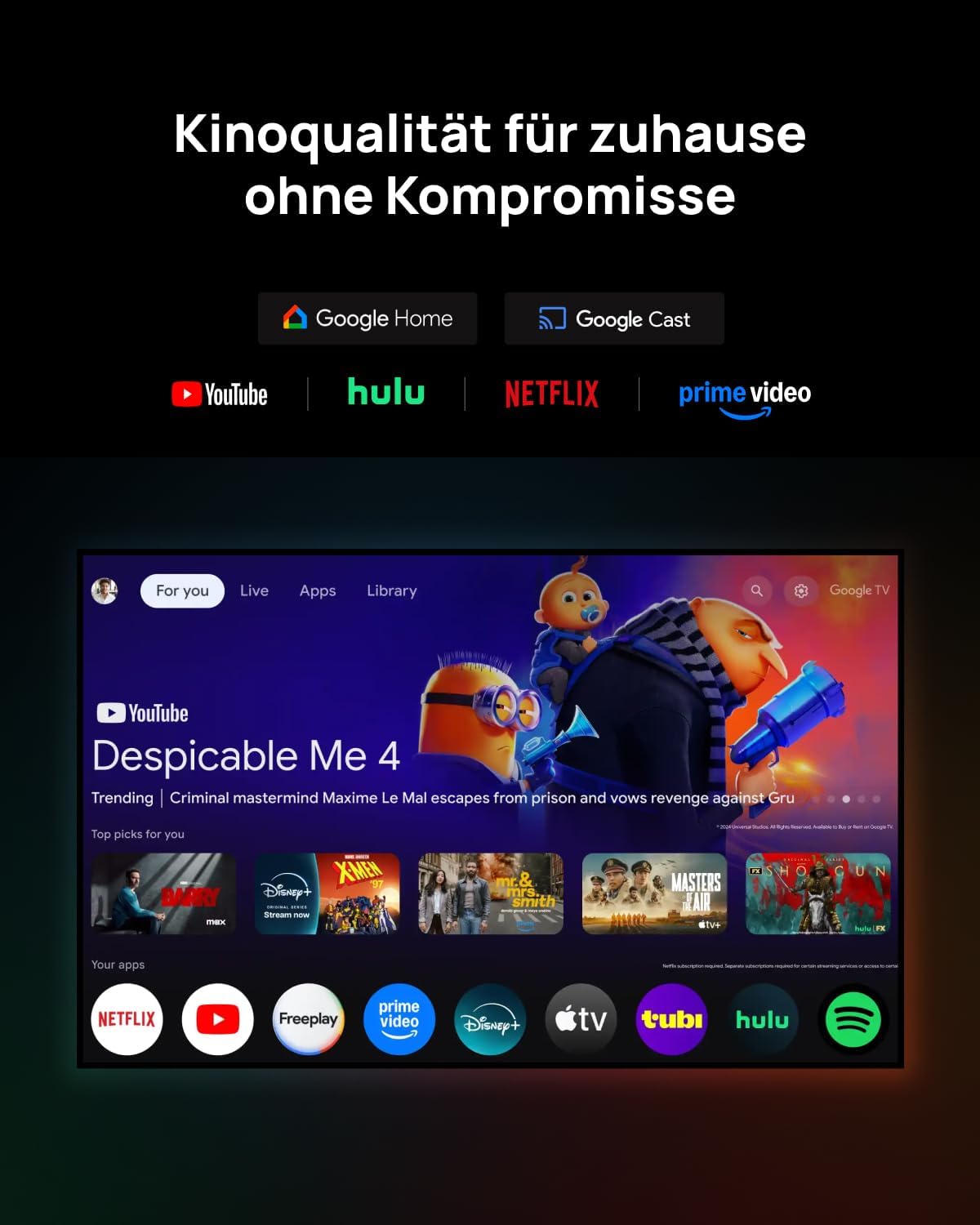
Figure 3.2: The Google TV interface provides access to popular streaming services like YouTube, Hulu, Netflix, Prime Video, Disney+, and more, offering cinema quality at home without compromise.
3.3 ميزات الألعاب
For an immersive gaming experience, the HORIZON 20 Pro offers a 1ms response time, 240Hz fluidity, Variable Refresh Rate (VRR), and Auto Low Latency Mode (ALLM).
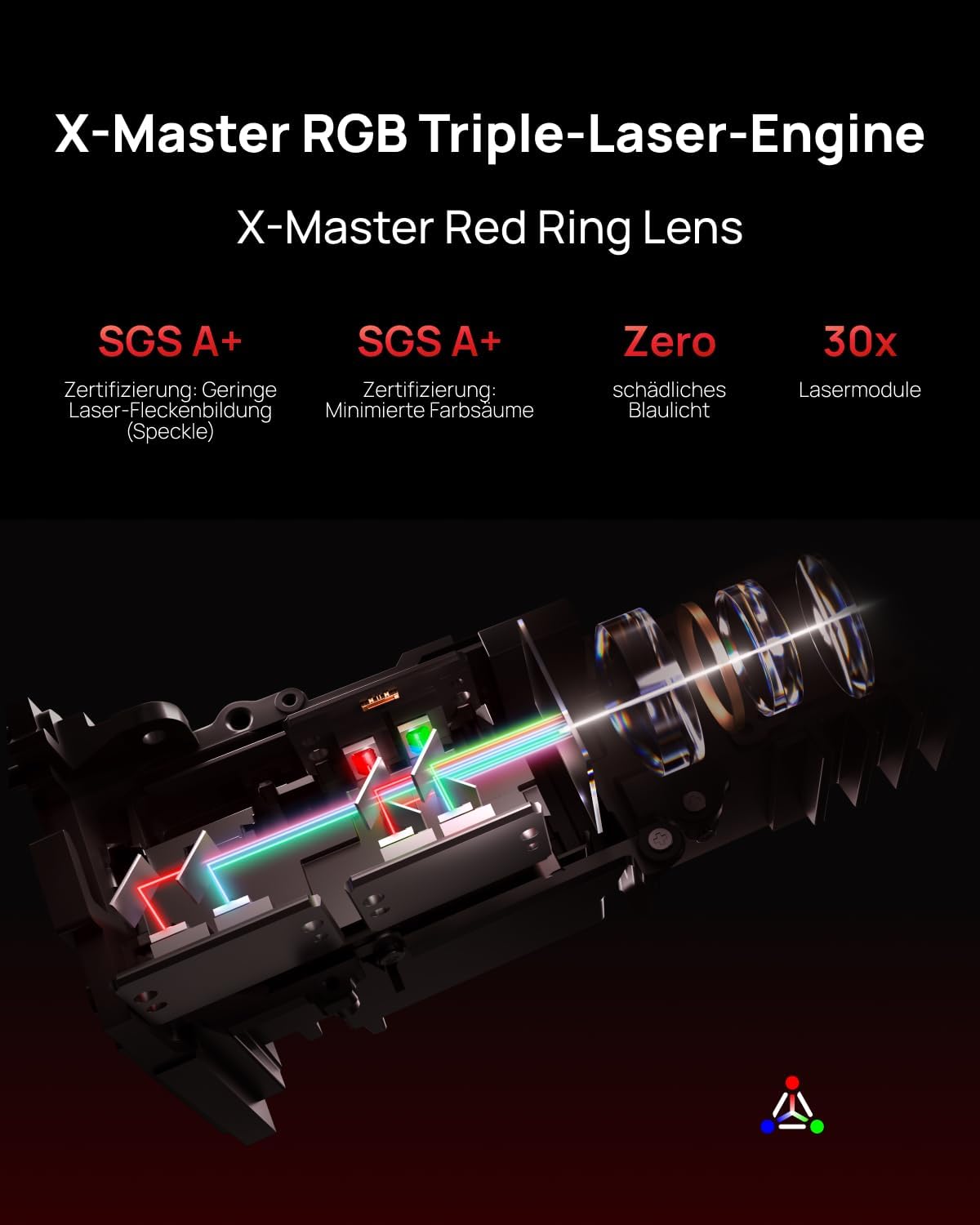
Figure 3.3: Experience next-gen gaming with 1ms input lag, VRR, and ALLM, powered by the MT9679+128GB chipset, as shown with a scene from Assassin's Creed Shadows.
4. الميزات الرئيسية
4.1 RGB Triple Laser Engine
The X-Master RGB triple laser engine delivers brilliant, color-rich, and lifelike visuals with 4100 ISO lumens of brightness and an ultra-deep 20,000:1 contrast ratio, ensuring vibrant and deep scenes day or night.
الشكل 4.1: داخلي view of the X-Master RGB Triple-Laser-Engine with X-Master Red Ring Lens, highlighting its advanced laser technology for superior image quality, including SGS A+ certification for low laser speckle and minimized color fringing, zero harmful blue light, and 30x laser modules.
4.2 Flagship Processing Power
Equipped with the MT9679 chipset and 4GB RAM, the HORIZON 20 Pro ensures faster application launches, smoother navigation through the interface, and ample storage for all your favorite content and apps.
5. الصيانة
Regular maintenance helps preserve the performance and lifespan of your XGIMI HORIZON 20 Pro projector.
- تنظيف العدسات: امسح عدسة جهاز العرض برفق بقطعة قماش ناعمة وخالية من الوبر مصممة خصيصًا للأسطح البصرية. تجنب استخدام المواد الكاشطة أو المواد الكيميائية القاسية.
- إزالة الغبار: Use a can of compressed air to remove dust from the projector's vents and exterior. Ensure the projector is turned off and unplugged before cleaning.
- تخزين: عند عدم استخدام جهاز العرض لفترات طويلة، قم بتخزينه في مكان بارد وجاف، بعيدًا عن أشعة الشمس المباشرة ودرجات الحرارة القصوى.
6. استكشاف الأخطاء وإصلاحها
إذا واجهت مشكلات مع جهاز العرض الخاص بك، فراجع خطوات استكشاف الأخطاء وإصلاحها الشائعة التالية:
- لا يوجد طاقة: تأكد من توصيل كابل الطاقة بإحكام بجهاز العرض وبمأخذ كهربائي يعمل. جرب مأخذاً كهربائياً آخر.
- لا توجد صورة: Check that the projector is powered on. Verify the input source is correctly selected. Ensure all video cables are securely connected.
- صورة ضبابية: Adjust the focus using the projector's focus controls. Ensure the lens is clean. Check if the projector is within the recommended projection distance.
- لا يوجد صوت: Verify the volume level on both the projector and the connected audio device. Check audio cable connections. Ensure the correct audio output is selected in the projector settings.
- جهاز التحكم عن بعد لا يعمل: استبدل البطاريات في جهاز التحكم عن بعد. تأكد من عدم وجود أي عوائق بين جهاز التحكم عن بعد وجهاز استقبال الأشعة تحت الحمراء الخاص بجهاز العرض.
For more complex issues, please contact XGIMI customer support.
7. المواصفات
| ميزة | وصف |
|---|---|
| ماركة | إكس جي آي إم آي |
| نموذج | HORIZON 20 Pro |
| دقة | 4K (Native) |
| سطوع | 4100 لومن ISO |
| نسبة التباين | 20,000:1 |
| مصدر الضوء | RGB Triple Laser (X-Master Engine) |
| نظام التشغيل | تلفزيون جوجل مع نتفليكس المرخصة |
| المعالج | MT9679 Chipset |
| كبش | 4 جيجا بايت |
| مميزات الألعاب | 1ms Response, 240Hz Fluidity, VRR, ALLM |
| الميزات البصرية | Optical Zoom, Lens Shift |
| صوتي | Harman/Kardon (Sound by) |
| المميزات الخاصة | IMAX Enhanced, Quick-Install Interface |
| ASIN | B0GCZSBGSS |
8. الضمان والدعم
The XGIMI HORIZON 20 Pro projector comes with a manufacturer's warranty. Please refer to the warranty card included in your product packaging or visit the official XGIMI webالموقع للحصول على شروط وأحكام الضمان التفصيلية.
For technical support, product inquiries, or service requests, please contact XGIMI customer support through their official webالموقع أو معلومات الاتصال المقدمة في وثائق المنتج الخاص بك.