
1. المقدمة
شكرا لك على الشراءasing the taopodo S18 Portable Speaker. This manual provides essential information for setting up, operating, and maintaining your speaker. Please read it thoroughly before use to ensure optimal performance and longevity of your device.
The taopodo S18 is a high-quality, IPX7 waterproof wireless speaker designed to deliver 30W loud stereo sound with Bluetooth 5.4 connectivity and True Wireless Stereo (TWS) pairing capabilities for an enhanced audio experience.
2. محتويات العبوة
يرجى التحقق من الحزمة للعناصر التالية:
- taopodo S18 Portable Speaker
- Power Cable (USB-C charging cable)
- دليل المستخدم (هذا المستند)
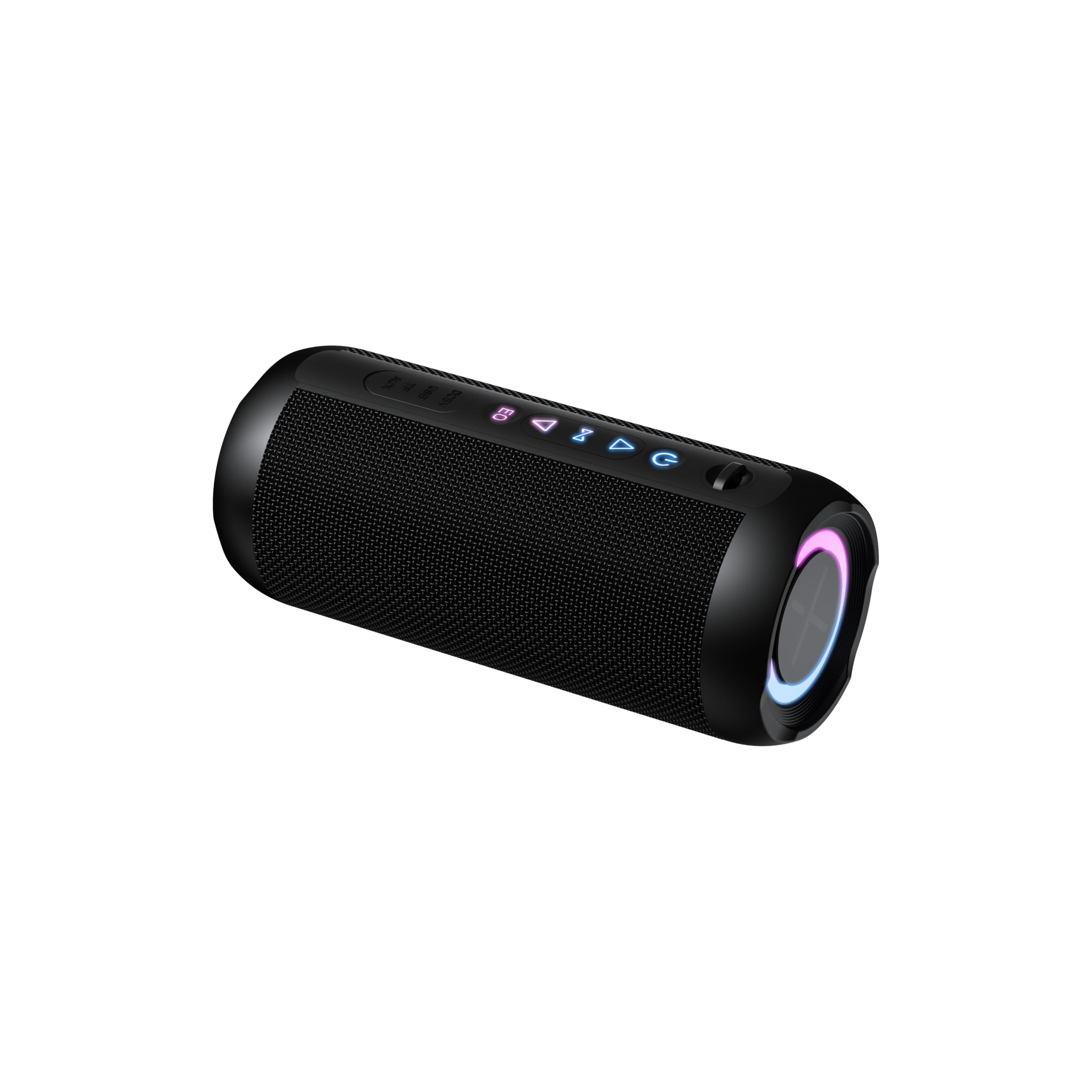
The image above displays the taopodo S18 Portable Speaker along with its power cable, as typically found in the product packaging.
3. انتهى المنتجview
تعرف على مكونات مكبر الصوت وأدوات التحكم فيه.
3.1. الضوابط والمؤشرات

This diagram illustrates the location of the control buttons and ports on the taopodo S18 speaker.
- زر الطاقة: اضغط مع الاستمرار لتشغيل/إيقاف التشغيل. اضغط ضغطة قصيرة للتحقق من حالة البطارية.
- اخفض الصوت (-): اضغط لفترة قصيرة لخفض الصوت. اضغط لفترة طويلة للانتقال إلى المقطع السابق.
- زر التشغيل/الإيقاف المؤقت: Short press to play/pause music. Short press to answer/end calls. Long press to reject calls.
- رفع الصوت (+): اضغط ضغطة قصيرة لرفع مستوى الصوت. اضغط ضغطة مطولة للانتقال إلى المقطع التالي.
- زر البلوتوث/TWS: اضغط لفترة قصيرة للدخول إلى وضع إقران البلوتوث. اضغط لفترة طويلة لبدء إقران TWS.
- منفذ شحن USB-C: لشحن مكبر الصوت.
- مؤشر LED: يعرض حالة الطاقة والشحن والبلوتوث.
4. الإعداد
4.1. شحن مكبر الصوت
قبل الاستخدام الأول، قم بشحن السماعة بالكامل.
- قم بتوصيل كابل الشحن USB-C المقدم بمنفذ شحن مكبر الصوت.
- قم بتوصيل الطرف الآخر من الكابل بمحول طاقة USB (غير متضمن) أو بمنفذ USB الخاص بالكمبيوتر.
- The LED indicator will glow red during charging and turn off when fully charged.

The speaker's USB-C port is located on the side, allowing for easy connection of the charging cable.
4.2. تشغيل / إيقاف التشغيل
- لتشغيل: Press and hold the Power Button for 2-3 seconds. You will hear an audible prompt, and the LED indicator will flash blue.
- لإيقاف التشغيل: Press and hold the Power Button for 2-3 seconds. You will hear an audible prompt, and the LED indicator will turn off.
5. تعليمات التشغيل
5.1. اقتران بلوتوث
Connect your taopodo S18 speaker to a Bluetooth-enabled device.
- Ensure the speaker is powered on and the LED indicator is flashing blue, indicating it is in pairing mode. If not, short press the Bluetooth button.
- قم بتمكين Bluetooth على جهازك (هاتف ذكي ، جهاز لوحي ، كمبيوتر).
- بحث عن Bluetooth devices and select "taopodo S18" from the list.
- بمجرد الاقتران، سيتحول مؤشر LED إلى اللون الأزرق الثابت، وسوف تسمع صوت تأكيد.
- ستتصل السماعة تلقائيًا بآخر جهاز مقترن بها عند تشغيلها، إذا كان البلوتوث الخاص بالجهاز نشطًا وفي نطاق التغطية.

Locate and select "taopodo S18" in your device's Bluetooth settings to establish a connection.
5.2. تشغيل الصوت
- بعد نجاح عملية الاقتران عبر البلوتوث، افتح تطبيق الموسيقى المفضل لديك على جهازك.
- استخدم زر التشغيل/الإيقاف المؤقت الموجود على مكبر الصوت للتحكم في التشغيل.
- Use the Volume Up (+) and Volume Down (-) buttons to adjust the speaker's volume. You can also control volume from your connected device.
- Long press Volume Up (+) for the next track, and long press Volume Down (-) for the previous track.
5.3. الرد على المكالمات
- عندما تأتي مكالمة، سوف يرن مكبر الصوت.
- Short press the Play/Pause button to answer the call.
- Short press the Play/Pause button again to end the call.
- Long press the Play/Pause button to reject an incoming call.
6. إقران ستيريو لاسلكي حقيقي (TWS)
TWS allows you to pair two taopodo S18 speakers together for a true stereo sound experience.
- Ensure both taopodo S18 speakers are powered on and not connected to any Bluetooth device.
- On one speaker (this will be the primary speaker), long press the Bluetooth/TWS Button until you hear a pairing tone. The LED indicator will flash rapidly.
- On the second speaker (this will be the secondary speaker), long press the Bluetooth/TWS Button until you hear a pairing tone.
- The two speakers will automatically connect to each other. You will hear a confirmation sound, and the LED indicator on the primary speaker will flash blue, while the secondary speaker's LED will turn solid blue.
- الآن، وصّل جهازك بالسماعة الرئيسية عبر البلوتوث كما هو موضح في القسم 5.1. ستُشغّل كلتا السماعتين الصوت بتقنية الاستريو.
- To disconnect TWS, long press the Bluetooth/TWS Button on either speaker.

Two taopodo S18 speakers can be paired together using TWS for an immersive stereo audio experience.
7. الصيانة
7.1. التنظيف
- امسح السماعة بقطعة ناعمة ، دamp القماش. لا تستخدم المنظفات أو المذيبات الكاشطة.
- تأكد من إغلاق غطاء منفذ الشحن بإحكام عند عدم الشحن للحفاظ على مقاومة الماء بمعيار IPX7.
7.2. التخزين
- قم بتخزين مكبر الصوت في مكان بارد وجاف بعيدًا عن أشعة الشمس المباشرة ودرجات الحرارة القصوى.
- If storing for an extended period, charge the battery to approximately 50% every three months to preserve battery life.
7.3. مقاومة الماء (IPX7)
The taopodo S18 speaker is IPX7 waterproof, meaning it can be immersed in water up to 1 meter (3.3 feet) for 30 minutes. This makes it suitable for use by the pool, at the beach, or in the shower. However, it is not designed for prolonged submersion or use under high-pressure water jets. Always ensure the charging port cover is sealed before exposing the speaker to water.
8. استكشاف الأخطاء وإصلاحها
إذا واجهت مشاكل مع مكبر الصوت الخاص بك، فيرجى الرجوع إلى المشاكل والحلول الشائعة التالية:
| مشكلة | حل |
|---|---|
| لا يتم تشغيل مكبر الصوت. | تأكد من شحن السماعة. قم بتوصيلها بمصدر طاقة باستخدام كابل USB-C. |
| لا يمكن الاقتران بجهاز بلوتوث. |
|
| لا يوجد صوت أو مستوى الصوت منخفض. |
|
| جودة الصوت رديئة. |
|
| فشل اقتران TWS. |
|
9. المواصفات
| ميزة | التفاصيل |
|---|---|
| ماركة | تاوبودو |
| رقم الموديل | س18 |
| الحد الأقصى لقوة خرج السماعة | 30 واط |
| تكنولوجيا الاتصال | بلوتوث 5.4 |
| وضع إخراج الصوت | ستيريو |
| تصنيف مقاومة الماء | IPX7 |
| طريقة التحكم | زر |
| أبعاد المنتج (العمق × العرض × الارتفاع) | 4 بوصة عمق × 1.9 بوصة عرض × 2.5 بوصة ارتفاع |
| الأجهزة المتوافقة | Smartphone, Tablet, Computer, Music Players, Televisions, Gaming Consoles |
10. الضمان والدعم
The taopodo S18 Portable Speaker comes with a limited warranty. Please refer to the warranty card included in your package for specific terms and conditions. For technical support, troubleshooting assistance, or warranty claims, please contact taopodo customer service through the retailer where the product was purchased or visit the official taopodo webموقع.
وصف الضمان: 1 year (as per product data)