
1. المقدمة
This manual provides essential information for setting up, operating, and maintaining your ECOPAD T5 Android 15 Tablet. Please read it thoroughly to ensure proper use and to maximize your device's potential. Keep this manual for future reference.
2. محتويات العبوة
تأكد من تضمين جميع العناصر المدرجة أدناه في الحزمة الخاصة بك:
- ECOPAD T5 Android 15 Tablet
- حافظة حماية
- لوحة مفاتيح بلوتوث
- ماوس لاسلكي
- قلم ستايلس
- شاحن (محول طاقة)
- كابل USB-C
- دليل المستخدم (هذا المستند)

Figure 2.1: Included Package Contents. The image displays the tablet, protective case, keyboard, mouse, stylus, user manual, charger, and USB-C cable, each numbered for identification.
3. انتهى الجهازview
Familiarize yourself with the physical components of your ECOPAD T5 tablet:

Figure 3.1: Tablet Component Diagram. This diagram illustrates the tablet's layout, including the 3.5mm Audio Jack, Volume buttons, Power button, Front Camera, TF Card Slot, USB-C Port, Microphone, Rear Camera, and Loudspeaker.
4. دليل الإعداد
4.1 الشحن الأولي
Before first use, fully charge your tablet. Connect the USB-C cable to the tablet's USB-C port and the charger to a power outlet. The battery indicator on the screen will show charging status.
4.2 تشغيل/إيقاف التشغيل
- لتشغيل: اضغط مع الاستمرار على زر التشغيل حتى يظهر شعار ECOPAD.
- لإيقاف التشغيل: اضغط مع الاستمرار على زر الطاقة، ثم حدد "إيقاف التشغيل" من الخيارات الموجودة على الشاشة.
- لإعادة التشغيل: اضغط مع الاستمرار على زر الطاقة، ثم حدد "إعادة التشغيل" من الخيارات.
4.3 معالج الإعداد الأولي
عند تشغيل الجهاز اللوحي لأول مرة، سيرشدك خلال عملية الإعداد الأولية. اتبع التعليمات التي تظهر على الشاشة للقيام بما يلي:
- اختر لغتك.
- الاتصال بشبكة Wi-Fi.
- قم بتسجيل الدخول باستخدام حساب Google الخاص بك أو قم بإنشاء حساب جديد.
- قم بإعداد قفل الشاشة (رمز PIN أو نمط أو كلمة مرور أو فتح الوجه).
4.4 Connecting Accessories (Keyboard & Mouse)
Your ECOPAD T5 tablet comes with a Bluetooth keyboard and a wireless mouse for enhanced productivity.
4.4.1 Bluetooth Keyboard Pairing
- Ensure the keyboard is charged and powered on. Look for a small switch or button on the keyboard to turn it on.
- على جهازك اللوحي، انتقل إلى إعدادات > الأجهزة المتصلة > بلوتوث.
- Turn on Bluetooth. The tablet will search for available devices.
- On the keyboard, press the "Connect" button (often labeled "Fn+C" or a dedicated Bluetooth button) to make it discoverable.
- Select the keyboard from the list of available devices on your tablet.
- اتبع أي تعليمات تظهر على الشاشة لإكمال عملية الاقتران (مثل إدخال رمز).
4.4.2 Wireless Mouse Connection
The wireless mouse typically connects via a USB dongle. Insert the USB dongle into the tablet's USB-C port using an appropriate adapter if necessary (adapter not included). The tablet should automatically detect and configure the mouse.

Figure 4.1: Tablet in 2-in-1 Laptop Mode. The image shows the ECOPAD T5 tablet with its Bluetooth keyboard and wireless mouse, demonstrating its versatility for efficient work and typing.
5. التشغيل الأساسي
5.1 إيماءات شاشة اللمس
- مقبض: حدد عنصرًا أو افتح تطبيقًا.
- اضغط مع الاستمرار: الوصول إلى القوائم السياقية أو نقل العناصر.
- انتقاد: Scroll through lists, switch screens, or dismiss notifications.
- Pinch In/Out: Zoom in or out on photos, maps, or web الصفحات.
5.2 شريط التنقل
يتضمن شريط التنقل الموجود أسفل الشاشة عادةً ما يلي:
- خلف: العودة إلى الشاشة السابقة.
- بيت: يعود إلى الشاشة الرئيسية.
- التطبيقات الأخيرة: Shows recently used applications for quick switching.
5.3 الإشعارات والإعدادات السريعة
Swipe down from the top of the screen to access the notification panel and quick settings toggles (Wi-Fi, Bluetooth, brightness, etc.).
6. الميزات الرئيسية
6.1 العرض
- مقاس: شاشة تعمل باللمس IPS مقاس 11 بوصة
- دقة: 1280 × 800 بكسل
- نسبة العرض إلى الارتفاع: 16:9
- سمات: Eye Protection Screen, Multi-touch support, Widevine L1 Certified for Full HD streaming.

Figure 6.1: 11-inch HD Display. The image showcases the tablet's expansive 11-inch screen, ideal for immersive visuals with 1280x800 resolution and eye protection features.

Figure 6.2: Widevine L1 Certification. This image highlights the tablet's Widevine L1 certification, enabling Full HD playback on major streaming platforms like YouTube, Netflix, Prime Video, Hulu, and HBO GO.
6.2 الأداء والتخزين
- المعالج: Octa-Core Unisoc T606 (1.6 GHz)
- كبش: 20GB (6GB Physical + 14GB Virtual Memory)
- التخزين الداخلي: 128 جيجابايت ذاكرة القراءة فقط
- مساحة تخزين قابلة للتوسعة: Up to 2TB via Micro SD card (TF card slot)

Figure 6.3: Massive RAM and ROM. This image emphasizes the tablet's 20GB RAM and 128GB ROM, powered by Android 15 and an Octa-Core processor for smooth multitasking.

Figure 6.4: Unisoc T606 Octa-core Processor. This image highlights the Unisoc T606 Octa-core Processor, providing reliable power for daily tasks and responsive split-screen performance.

Figure 6.5: Expandable Storage. This image illustrates the tablet's capability to boost speed with 20GB RAM and store thousands of photos in 128GB ROM, with expansion up to 2TB via TF card.
6.3 البطارية
- سعة: 8000mAh ليثيوم بوليمر
- الشحن: 18W Fast Charging (USB-C)
- متوسط العمر: Up to 8 hours of general use, 6 hours of video playback.
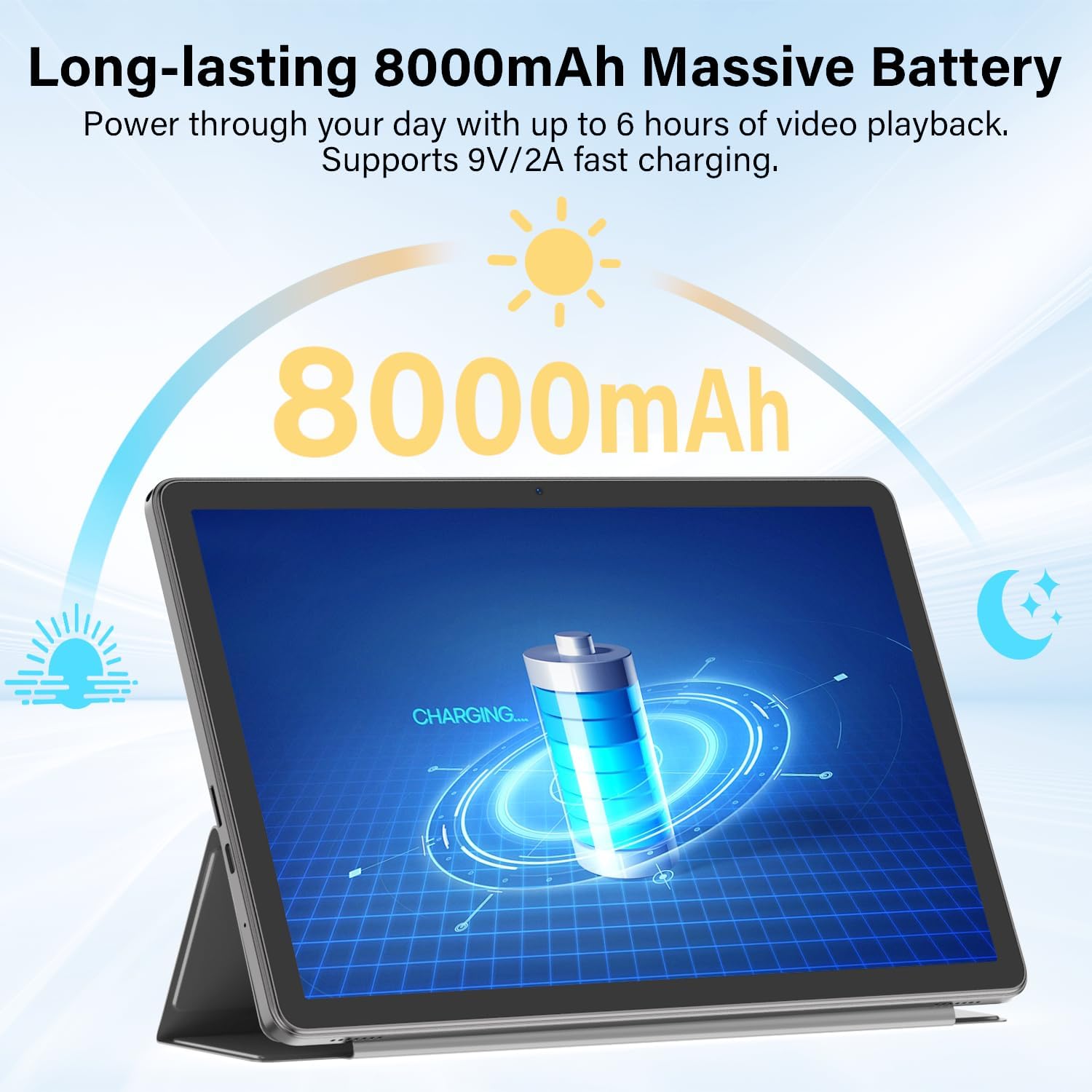
Figure 6.6: Long-lasting Battery. This image highlights the tablet's 8000mAh battery, providing power for up to 6 hours of video playback and supporting 9V/2A fast charging.
نظام التشغيل 6.4
- نظام التشغيل: أندرويد 15
- سمات: Enhanced privacy, fluid multitasking, smarter notifications, optimized performance, adaptive security.

Figure 6.7: Android 15 OS. The image displays the tablet running Android 15, showcasing its modern interface and capabilities.

Figure 6.8: Latest Android 15 OS Features. This image outlines key benefits of Android 15, including enhanced privacy, fluid multitasking, smarter notifications, optimized performance, and adaptive security.

Figure 6.9: AI Capable. This image highlights the tablet's compatibility with leading AI apps like Gemini, ChatGPT, and Grok, enabling complex tasks and accelerating creativity.
6.5 الاتصال
- واي فاي: Dual-Band WiFi 6 (2.4G/5Ghz, 802.11ac, 802.11ax)
- بلوتوث: بلوتوث 5.0
- ملاحة: نظام تحديد المواقع العالمي (جي بي اس)
- الموانئ: 3.5mm Audio Jack, USB Type-C
- صوتي: Dual Stereo Speakers, Microphone Inside

Figure 6.10: Connectivity Features. This image displays the tablet's connectivity options, including Dual Stereo Speakers, 3.5mm Audio Jack, Bluetooth 5.0, GPS Navigation, 2.4/5Ghz WiFi 6, and an internal Microphone.
6.6 كاميرات
- الكاميرا الخلفية: 8.0 ميجا بكسل
- الكاميرا الأمامية: 5.0 ميجا بكسل
- التقاط الفيديو: دقة كاملة 1080 بكسل

Figure 6.11: Dual Cameras. This image highlights the tablet's 8MP rear and 5MP front cameras, suitable for clear video calls, quick photos, and document scanning.
6.7 الأمان
- فتح الوجه: Secure and instant facial recognition for unlocking the device.

Figure 6.12: Instant Face Unlock. This image illustrates the tablet's secure, hands-free facial recognition feature for instant unlocking.
7. الصيانة
7.1 تنظيف جهازك اللوحي
استخدم قطعة قماش ناعمة وخالية من الوبر لتنظيف شاشة وجسم الجهاز اللوحي. تجنب استخدام المواد الكاشطة أو المواد الكيميائية القاسية. لإزالة البقع العنيدة، افركها برفق.ampانقع قطعة القماش في الماء أو في منظف الشاشة المخصص للإلكترونيات.
7.2 تحديثات البرامج
تحقق بانتظام من تحديثات البرامج وثبّتها لضمان الأداء الأمثل والأمان والوصول إلى الميزات الجديدة. انتقل إلى إعدادات > نظام > تحديث النظام للتحقق من التحديثات.
7.3 العناية بالبطارية
- تجنب تعريض الجهاز اللوحي لدرجات حرارة شديدة.
- لا تترك البطارية تنفد بالكامل بشكل متكرر.
- استخدم الشاحن والكابل المقدمين للشحن الأمثل.
7.4 إدارة التخزين
إعادة بشكل دوريview وحذف غير الضروري files, apps, and media to free up storage space and maintain performance. Utilize the expandable storage option with a Micro SD card for large files.
8. استكشاف الأخطاء وإصلاحها
إذا واجهت مشاكل مع جهازك اللوحي، فراجع المشاكل والحلول الشائعة التالية:
| مشكلة | حل |
|---|---|
| الجهاز اللوحي لا يعمل | تأكد من شحن البطارية. وصّل الشاحن وانتظر بضع دقائق قبل محاولة تشغيل الجهاز مرة أخرى. إذا لم يستجب، اضغط مع الاستمرار على زر التشغيل لمدة 10-15 ثانية لإعادة تشغيله. |
| لا يمكن الاتصال بشبكة Wi-Fi | Check if Wi-Fi is enabled in Quick Settings or إعدادات > الشبكات والانترنت > إنترنت. Ensure the Wi-Fi password is correct. Restart your router and the tablet. |
| Bluetooth keyboard/mouse not pairing | Ensure the accessory is charged and in pairing mode. On the tablet, go to إعدادات > الأجهزة المتصلة > بلوتوث and ensure Bluetooth is on. Forget and re-pair the device if it was previously connected. |
| التطبيقات بطيئة أو تتعطل | أغلق التطبيقات التي تعمل في الخلفية والتي لا تحتاج إلى صيانة. امسح ذاكرة التخزين المؤقت للتطبيقات (إعدادات > التطبيقات > [اسم التطبيق] > التخزين والذاكرة المؤقتة > مسح ذاكرة التخزين المؤقت). Ensure sufficient storage space is available. Restart the tablet. |
| الشاشة لا تستجيب | Restart the tablet by holding the Power button. If the issue persists, perform a factory reset (data will be lost, back up important fileس). |
9. المواصفات
| ميزة | مواصفة |
|---|---|
| ماركة | إيكوباد |
| اسم الموديل | جهاز T5 Android Tablet |
| نظام التشغيل | أندرويد 15 |
| المعالج | Octa-Core Unisoc T606, 1.6 GHz |
| ذاكرة الوصول العشوائي (RAM) | 20 GB (6GB Physical + 14GB Virtual) |
| سعة التخزين | 128 جيجابايت ذاكرة القراءة فقط |
| تخزين قابل للتوسيع | Up to 2 TB (Micro SD/TF Card) |
| حجم الشاشة | 11 بوصة |
| دقة العرض | 1280 × 800 بكسل |
| نسبة العرض إلى الارتفاع | 16:9 |
| سعة البطارية | 8000 مللي أمبير ليثيوم بوليمر |
| متوسط عمر البطارية | 8 ساعة |
| الشحن | 18W Fast Charging (USB-C) |
| التكنولوجيا اللاسلكية | Wi-Fi 6 (802.11ac, 802.11ax), Bluetooth 5.0 |
| تكنولوجيا الاتصال | بلوتوث ، واي فاي |
| واجهة الأجهزة | 3.5mm Audio Jack, USB Type-C |
| الكاميرا الأمامية | 5.0 ميجا بكسل |
| الكاميرا الخلفية | 8.0 ميجا بكسل |
| دقة التقاط الفيديو | دقة كاملة 1080 بكسل |
| إدخال واجهة الإنسان | شاشة تعمل باللمس مع دعم القلم |
| أبعاد المنتج (الطول × العرض × السُمك) | 9.6 بوصة طول × 5.4 بوصة عرض × 0.25 بوصة سمك |
10. الضمان والدعم
10.1 ضمان المنتج
Your ECOPAD T5 Android 15 Tablet comes with a ضمان لمدة سنة يسري هذا الضمان من تاريخ الشراء. ويغطي عيوب التصنيع والأعطال الناتجة عن الاستخدام العادي. يرجى الاحتفاظ بإثبات الشراء لتقديم مطالبات الضمان.
10.2 دعم العملاء
For technical assistance, warranty claims, or any questions regarding your ECOPAD T5 tablet, please contact ECOPAD customer support. Refer to the contact information provided with your product packaging or visit the official ECOPAD webموقع للحصول على تفاصيل الدعم.