
GeekShare GC1201A
GeekShare Hall Effect Switch Controller (GC1201A) User Manual
Model: GC1201A
1. المقدمة
The GeekShare Hall Effect Switch Controller is a versatile gaming controller designed for multi-platform compatibility, including Nintendo Switch (OLED/NS2/1/Lite), PC (Steam, Windows), and mobile devices (Android, iOS). It features dual-mode connectivity (Bluetooth and 2.4G wireless), a 1000mAh battery, 6-axis gyroscope, dual vibration motors, and customizable RGB lighting for an immersive gaming experience.
محتويات الحزمة
- 1 x GeekShare Hall Effect Wireless Controller
- كابل شحن 1 x USB-C
- 1 × جهاز استقبال لاسلكي 2.4 جيجاهرتز
- 1 × دليل المستخدم
2. الميزات الرئيسية
- عصا التحكم ذات التأثير القاعة: Provides precise control and prevents stick drift.
- أوضاع الاتصال المزدوجة: Seamlessly switch between Bluetooth 5.0 for mobile and consoles, and 2.4G wireless with the included dongle for PC.
- التوافق مع منصات متعددة: Supports Nintendo Switch (OLED/NS2/1/Lite), PC (Steam, Windows), Android, and iOS devices.
- ملاحظات غامرة: Features a 6-axis gyroscope for motion control and dual vibration motors with 5-level adjustment for realistic haptic feedback.
- بطارية تدوم طويلاً: Integrated 1000mAh rechargeable battery offers up to 15 hours of continuous gameplay.
- إضاءة RGB قابلة للتخصيص: Enhance your gaming setup with personalized RGB light effects.
- الأزرار القابلة للبرمجة: Two back buttons (M1, M2) can be mapped to complex commands for quick execution.
- وظيفة التربو: Auto and manual turbo settings for rapid-fire actions.
خيارات الاتصال
The controller supports three connection methods: Bluetooth, 2.4G wireless (with dongle), and wired USB-C.

أزرار قابلة للبرمجة
The M1 and M2 buttons on the back can be programmed to perform specific actions, allowing for quick execution of complex in-game commands.

ردود فعل الاهتزاز
Equipped with dual motors, the controller provides adjustable vibration feedback to enhance immersion. There are 5 levels of vibration intensity.

عمر البطارية
The built-in 1000mAh battery provides extended gameplay. A full charge takes approximately 2.5 hours and offers up to 20 hours of continuous use.

توربو وظيفة
The controller supports both automatic and manual turbo functions, allowing for rapid, repeated input of a button press. This is typically activated by pressing the 'M' button along with a desired action key.

التحكم في الحركة
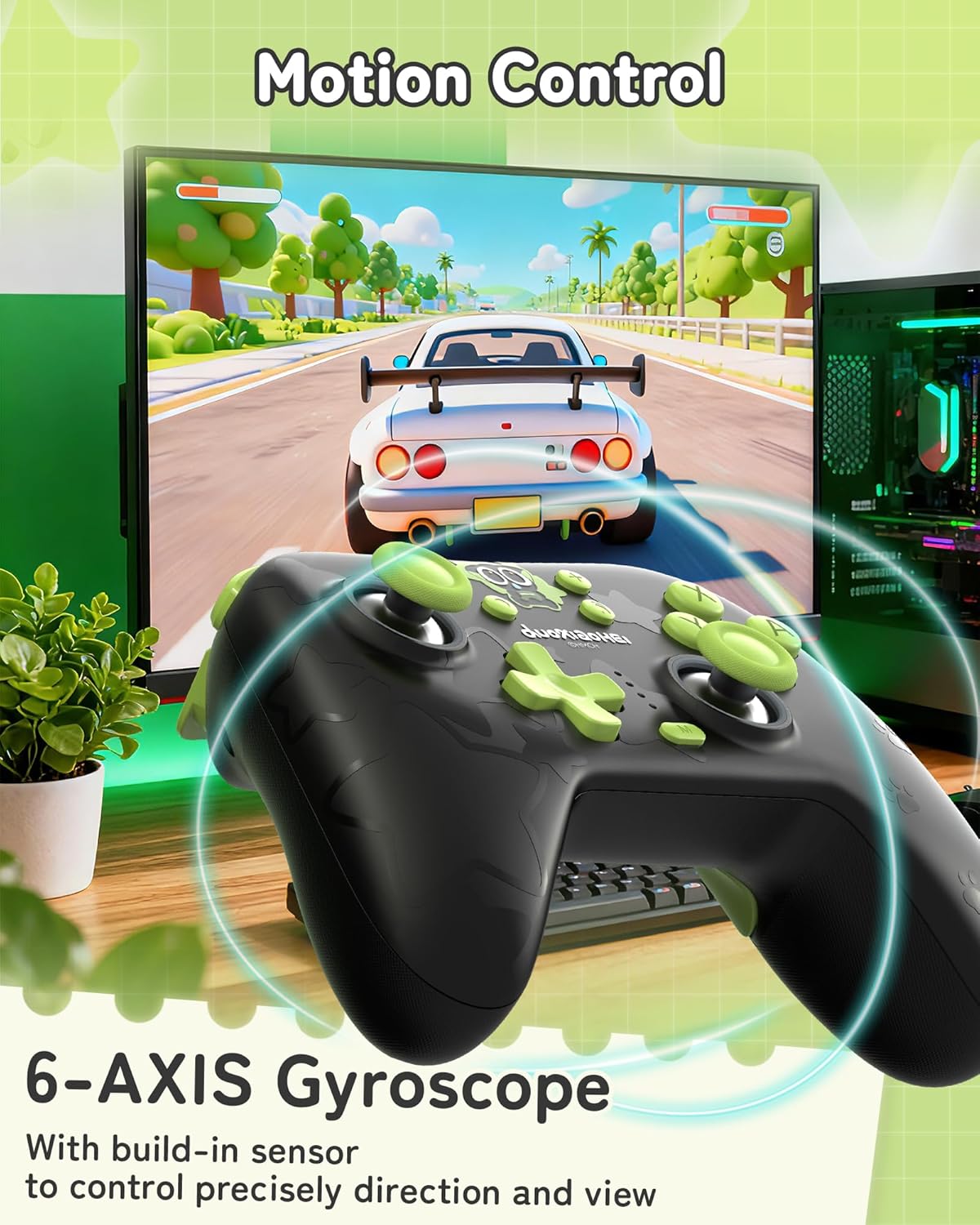
A built-in 6-axis gyroscope enables precise motion control, allowing for intuitive direction and view adjustments in compatible games.
3. الإعداد والاتصال
3.1 شحن وحدة التحكم
Before first use, fully charge the controller. Connect the included USB-C cable to the controller's charging port and the other end to a USB power source (e.g., console, PC, or USB wall adapter). The indicator lights will show charging status and turn off when fully charged.
3.2 Connecting to Nintendo Switch (Bluetooth)
- على جهاز نينتندو سويتش الخاص بك، انتقل إلى قائمة الصفحة الرئيسية.
- حدد "وحدات التحكم" > "تغيير القبضة/الترتيب".
- Press and hold the Pairing button on the top of the GeekShare controller until the indicator lights begin to flash rapidly.
- The Switch will detect the controller. Once paired, the indicator light(s) on the controller will remain solid.
- Note: This controller may not support waking up the Switch console from sleep mode. You may need to manually wake the console before connecting.
3.3 Connecting to PC (2.4G Wireless)
- قم بإدخال جهاز الاستقبال اللاسلكي بتردد 2.4 جيجا هرتز في منفذ USB متاح على جهاز الكمبيوتر الخاص بك.
- Turn on the GeekShare controller.
- The controller should automatically connect to the receiver. The indicator light(s) on the controller will remain solid once connected.
- If connection fails, press the pairing button on the controller and the button on the 2.4G receiver simultaneously to initiate pairing.
3.4 Connecting to Mobile Devices (Bluetooth)
- تأكد من تفعيل البلوتوث على جهازك الذي يعمل بنظام Android أو iOS.
- On your device, go to Bluetooth settings and scan for new devices.
- Press and hold the Pairing button on the top of the GeekShare controller until the indicator lights begin to flash rapidly.
- Select "GeekShare Controller" (or similar name) from the list of available devices.
- Once paired, the indicator light(s) on the controller will remain solid.
3.5 اتصال سلكي
Connect the controller directly to your device (Switch dock, PC) using the USB-C cable. The controller will function as a wired controller and will also charge simultaneously.
4. تعليمات التشغيل
4.1 الضوابط الأساسية
The controller features standard button layouts including A/B/X/Y buttons, D-pad, Left/Right joysticks, L/R/ZL/ZR shoulder buttons, and Home/Capture/Plus/Minus buttons. Refer to in-game prompts for specific button functions.
4.2 Programming M1/M2 Buttons
The M1 and M2 buttons on the back can be assigned to replicate other button presses or sequences. Consult the full user manual (included in the box) for detailed programming instructions, as the process may vary based on desired complexity.
4.3 Turbo Function Activation
لتنشيط وظيفة Turbo لزر معين:
- Press and hold the 'M' button.
- While holding 'M', press the desired action button (e.g., A, B, X, Y, L, R, ZL, ZR).
- Release both buttons. The selected button will now have the Turbo function enabled.
To adjust between manual and auto turbo, or to clear the turbo setting, refer to the detailed instructions in the included user manual.
4.4 ضبط شدة الاهتزاز
The controller offers 5 levels of vibration intensity. Specific button combinations (e.g., 'M' button + D-pad Up/Down) are typically used to cycle through these levels. Refer to the included user manual for the exact key combinations.
4.5 التحكم في إضاءة RGB
The RGB lighting can be customized. This usually involves pressing a dedicated button or a combination of buttons to change colors, patterns, or turn the lighting on/off. Consult the included user manual for specific instructions.
5. الصيانة والعناية
- حافظ على وحدة التحكم جافة وبعيدة عن درجات الحرارة القصوى.
- نظّف وحدة التحكم بقطعة قماش ناعمة وجافة. لا تستخدم مواد كيميائية قاسية أو مواد كاشطة.
- تجنب إسقاط وحدة التحكم أو تعريضها لصدمات قوية.
- قم بتخزين وحدة التحكم في بيئة نظيفة وخالية من الغبار عند عدم استخدامها.
- Charge the controller regularly, even if not used frequently, to maintain battery health.
6. استكشاف الأخطاء وإصلاحها
6.1 وحدة التحكم غير متصلة
- تأكد من أن وحدة التحكم مشحونة بشكل كافٍ.
- Verify that the correct connection mode (Bluetooth, 2.4G, Wired) is selected or attempted for your device.
- For Bluetooth, ensure your device's Bluetooth is on and the controller is in pairing mode (flashing lights).
- For 2.4G, ensure the receiver is properly inserted into the PC and try re-pairing if necessary.
- حاول إعادة تشغيل كل من وحدة التحكم والجهاز الذي تحاول الاتصال به.
- If connecting to Switch, ensure you are in the "Change Grip/Order" menu.
6.2 تأخر الإدخال أو انقطاع الاتصال
- تأكد من عدم وجود أي تداخلات كهرومغناطيسية قوية في مكان قريب.
- Move closer to the connected device (for wireless connections).
- For PC, ensure the 2.4G receiver is in a clear line of sight and not obstructed.
- جرب الاتصال السلكي لاستبعاد التداخل اللاسلكي.
6.3 عدم استجابة الأزرار أو عصا التحكم
- تأكد من توصيل وحدة التحكم وتشغيلها بشكل صحيح.
- أعد تشغيل وحدة التحكم وجهاز الألعاب.
- تأكد من عدم وجود أي حطام عالق حول الأزرار أو عصي التحكم.
- If the issue persists, a factory reset (if available, consult the included manual) might be necessary.
6.4 Controller Not Charging
- تأكد من توصيل كابل USB-C بشكل آمن بكل من وحدة التحكم ومصدر الطاقة.
- جرب كابل USB-C مختلفًا أو مصدر طاقة مختلفًا.
- Verify the power source is active and providing sufficient power.
7. المواصفات
| رقم الموديل | GC1201A |
| الاتصال | Bluetooth 5.0, 2.4G Wireless (with receiver), USB-C Wired |
| التوافق | Nintendo Switch (OLED/NS2/1/Lite), PC (Windows), Android, iOS |
| سعة البطارية | 1000 مللي أمبير |
| وقت اللعب | Up to 15-20 hours (approx.) |
| وقت الشحن | حوالي 2.5 ساعات |
| مستشعر الحركة | 6-axis Gyroscope |
| اهتزاز | Dual Motors with 5-level adjustment |
| المميزات الخاصة | Hall Effect Joysticks, Programmable M1/M2 buttons, Turbo function, RGB Lighting |
8. الضمان والدعم
For warranty information and technical support, please refer to the official GeekShare website or contact their customer service directly. Details can typically be found on the product packaging or the included user manual.
GeekShare Official Webموقع: Visit GeekShare Store on Amazon
Ask a question about this manual
Ask about setup, troubleshooting, compatibility, parts, safety, or missing instructions. Manuals+ will review the question and use this page’s manual context to help answer it.