
1. المقدمة
Thank you for choosing the Picun G2 Wireless Gaming Headset. This manual provides detailed instructions for setting up, operating, and maintaining your headset to ensure optimal performance and an immersive gaming experience. Please read this manual thoroughly before use.
ماذا يوجد في الصندوق
- 1 x Picun G2 Wireless Gaming Headset
- 1 x USB-A & Type-C 2-in-1 Wireless Dongle
- كابل شحن 1 x USB-C
- 1 × كابل صوت 3.5 ملم
- 1 × دليل المستخدم
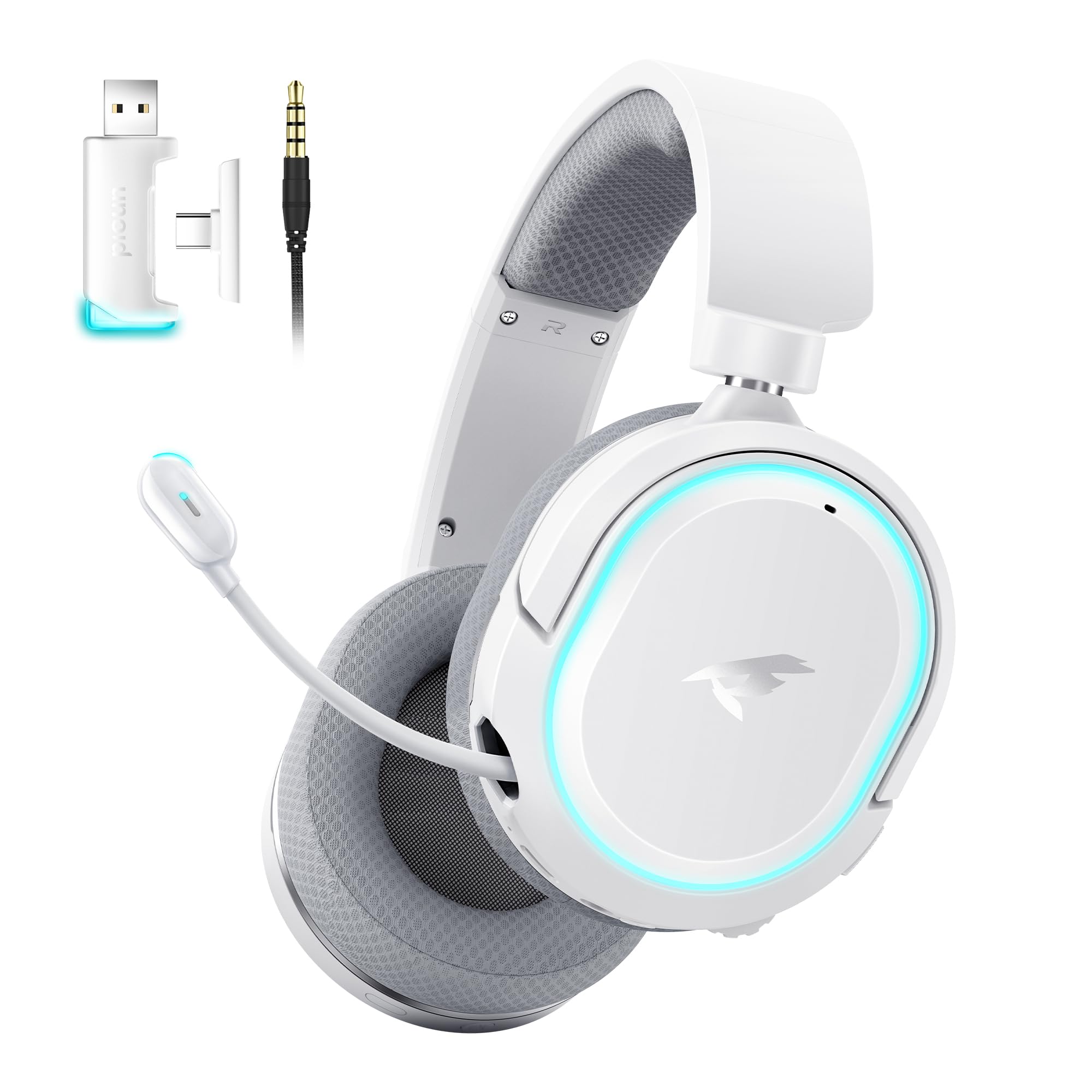
Image: Picun G2 Wireless Gaming Headset (Grey)
2. انتهى المنتجview
Familiarize yourself with the various components and controls of your Picun G2 headset.

Image: Headset Controls Diagram
- 7.1 Mode Light Control: Button to activate/deactivate 7.1 virtual surround sound and control RGB lighting.
- منفذ الشحن: منفذ USB-C لشحن سماعة الرأس.
- منفذ صوت 3.5 ملم: للتوصيل السلكي باستخدام كابل الصوت المرفق مقاس 3.5 ملم.
- زر الطاقة: Press and hold to power on/off. Short press for play/pause in Bluetooth mode.
- عجلة الحجم: Scroll up or down to adjust the volume.
- كتم صوت الميكروفون: Slide switch to mute or unmute the microphone.
3. الإعداد والاتصال
3.1 شحن سماعة الرأس
Before first use, fully charge the headset using the provided USB-C charging cable. Connect the USB-C end to the headset's charging port and the USB-A end to a power source (e.g., computer USB port, USB wall adapter).
3.2 Connecting via 2.4GHz Wireless (Dongle)
For ultra-low latency gaming on PC, PS5, PS4, or Nintendo Switch (docked mode):
- Insert the 2.4GHz USB-A/Type-C dongle into an available USB port on your device.
- قم بتشغيل سماعة الرأس. ستتصل تلقائيًا بجهاز الاستقبال.
- تأكد من تحديد سماعة الرأس كجهاز إخراج وإدخال الصوت في إعدادات الصوت الخاصة بجهازك.
3.3 الاتصال عبر البلوتوث 5.4
For wireless connection to smartphones, tablets, and other Bluetooth-enabled devices:
- With the headset powered off, press and hold the Power Button until the LED indicator flashes blue and red, indicating pairing mode.
- On your device, enable Bluetooth and search for "Picun G2".
- Select "Picun G2" to pair. The LED will turn solid blue once connected.
3.4 Connecting via 3.5mm Wired
For universal compatibility with devices featuring a 3.5mm audio jack:
- قم بتوصيل أحد طرفي كابل الصوت 3.5 ملم بمنفذ الصوت 3.5 ملم الخاص بسماعة الرأس.
- Connect the other end to your device's 3.5mm audio jack.
- Note: Microphone functionality may vary or be unavailable in wired mode depending on the device.

Image: Multiple Connection Options
4. تعليمات التشغيل
4.1 تشغيل/إيقاف التشغيل
- تشغيل الطاقة: اضغط مع الاستمرار على زر التشغيل لمدة 3 ثوانٍ.
- إيقاف التشغيل: اضغط مع الاستمرار على زر التشغيل لمدة 3 ثوانٍ.
4.2 التحكم في مستوى الصوت
- تدوير عجلة الصوت upwards to increase volume.
- تدوير عجلة الصوت downwards to decrease volume.
4.3 Microphone Usage (Retractable ENC Noise-Canceling Mic)
- Extend/Retract Mic: Gently pull out or push in the microphone from the left earcup.
- كتم الصوت/إلغاء كتم الصوت: استخدم كتم صوت الميكروفون slide switch located on the earcup.

Image: Retractable ENC Noise-Canceling Microphone
4.4 7.1 Virtual Surround Sound Activation
- اضغط على 7.1 Mode Light Control button to toggle 7.1 virtual surround sound on or off.
- The RGB lighting will indicate the status of the 7.1 mode.

Image: 7.1 Surround Sound Activation
5. معلومات البطارية
The Picun G2 headset offers extended battery life for prolonged usage.
- Up to 100 hours playtime in Bluetooth mode (RGB off).
- Approximately 42-45 hours playtime via 2.4GHz wireless (RGB on).
- Full charge typically takes 2-3 hours.
- The headset supports charging while in use.

الصورة: عمر البطارية والشحن
6. الراحة والتصميم
The Picun G2 is designed for comfort during extended gaming sessions.
- عقال قابل للتعديل: Customize the fit for various head sizes.
- أكواب أذن قابلة للدوران: Allows for flexible positioning and storage.
- Soft Memory Sponge Cushions: Breathable fabric earcups and headband provide comfort and reduce pressure.

Image: Comfort Features
7. استكشاف الأخطاء وإصلاحها
If you encounter any issues with your Picun G2 headset, please refer to the following common solutions:
| مشكلة | حل |
|---|---|
| لا يوجد صوت من سماعة الرأس |
|
| الميكروفون لا يعمل |
|
| لا يمكن الاتصال عبر شبكة لاسلكية 2.4 جيجاهرتز |
|
| لا يمكن الاتصال عبر البلوتوث |
|
| عمر البطارية قصير |
|
8. المواصفات
| ميزة | التفاصيل |
|---|---|
| ماركة | بيكون |
| اسم الموديل | Picun-G2 |
| تكنولوجيا الاتصال | لاسلكي بتردد 2.4 جيجاهرتز، بلوتوث 5.4، سلكي 3.5 ملم |
| وضع الأذن | فوق الأذن |
| نوع برنامج تشغيل الصوت | محرك ديناميكي (40 مم) |
| مقاومة | 32 أوم |
| نطاق التردد | 20 هرتز - 20,000 هرتز |
| الكمون الصوتي | 5 مللي ثانية (2.4 جيجاهرتز) |
| نسخة البلوتوث | 5.4 |
| مدى البلوتوث | 10 مترا |
| عمر البطارية | Up to 100 Hours (Bluetooth, RGB off) / 42-45 Hours (2.4GHz, RGB on) |
| وقت الشحن | 2-3 ساعة |
| ميكروفون | Retractable ENC Noise-Canceling Omnidirectional Mic |
| الأجهزة المتوافقة | PC, Mac, Laptop, Desktop, Phone, Pad, Tablet, PlayStation 4/5/pro/Slim, Gaming Consoles, Switch, Nintendo Switch (microphone invalid on Switch via 3.5mm) |
| مادة | ABS, Breathable Fabric, PC, Soft Memory Sponge Cushions |
| مميزات اضافية | 7.1 Virtual Surround Sound, RGB Lighting, Adjustable Headband, Rotatable Earcups |
9. الضمان والدعم
9.1 معلومات الضمان
The Picun G2 Wireless Gaming Headset comes with a ضمان لمدة 1 سنوات from the date of purchase. This warranty covers manufacturing defects and ensures the product is free from defects in material and workmanship under normal use. Please retain your proof of purchase for warranty claims.
الضمان لا يشمل:
- الأضرار الناجمة عن سوء الاستخدام أو الإساءة أو الحوادث أو الإهمال.
- الإصلاح أو التعديل غير المصرح به.
- التآكل والتلف الطبيعي.
9.2 دعم العملاء
For technical assistance, warranty claims, or any questions regarding your Picun G2 Wireless Gaming Headset, please contact Picun customer support through the following channels:
- بريد إلكتروني: support@picun.com (مثالample, actual email not provided)
- Webموقع: Visit the official Picun webالموقع للأسئلة الشائعة وموارد الدعم.
Please have your model number (Picun-G2) and proof of purchase ready when contacting support.